
Produkts beidziesview
The Soundcore Infini Pro is an integrated 2.1 channel soundbar designed to elevate your home audio experience with immersive Dolby Atmos technology. Featuring built-in subwoofers and multiple connectivity options, it delivers powerful, room-filling sound for movies, music, and more.
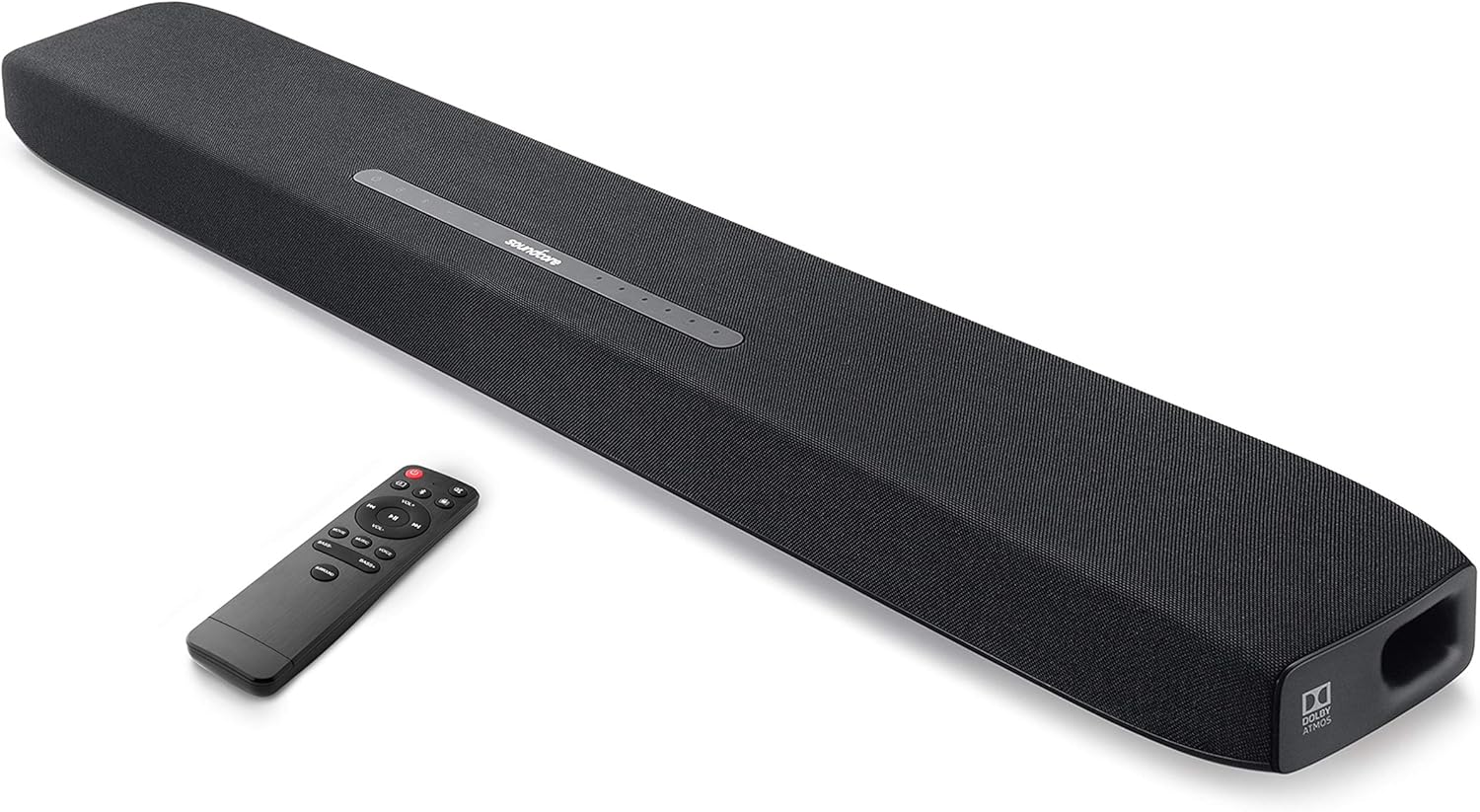
This soundbar integrates two front-facing 2.5-inch mid-range drivers, 1-inch tweeters, and dual up-facing 3-inch built-in subwoofers, complemented by symmetrical bass reflex ports and BassUp technology for intense low frequencies.
Kas atrodas kastē
Your Soundcore Infini Pro package includes the following items:
- Soundcore Infini Pro skaņas josla
- Tālvadības pults
- Maiņstrāvas adapteris
- 3.5 mm audio kabelis
- Optiskais kabelis
- Lietotāja rokasgrāmata
Iestatīšanas rokasgrāmata
Follow these steps to set up your Soundcore Infini Pro soundbar for optimal performance.
1. izvietošana
Place the soundbar on a stable, flat surface in front of your TV. Ensure there are no obstructions in front of the soundbar to allow for optimal sound projection.

2. Savienojumi
The Soundcore Infini Pro offers various input options for connecting to your devices. Refer to Figure 3 for an overview of the rear ports.

- HDMI ARC: For the best audio quality and control, connect your TV's HDMI ARC port to the soundbar's HDMI OUT (ARC) port using an HDMI cable. This allows your TV remote to control the soundbar's volume.
- HDMI In/Out (4K HDR Pass-Through): Connect your 4K HDR or Dolby Vision compatible device (e.g., Blu-ray player) to the HDMI IN port on the soundbar, then connect the HDMI OUT (ARC) port to your TV's HDMI IN port. This ensures 4K HDR and Dolby Vision signals pass through to your TV.
- Optiskais: Connect the soundbar's TV IN (OPT) port to your TV's optical output using the provided optical cable.
- AUX ieeja: Use a 3.5mm audio cable to connect your device's audio output to the soundbar's AUX IN port.
- Bluetooth 5.0: Lai straumētu audio bezvadu režīmā, savienojiet mobilo ierīci ar skaņas joslu, izmantojot Bluetooth.
3. Ieslēgt
Connect the AC power adapter to the soundbar's power input and then to a wall outlet. The soundbar will automatically power on or enter standby mode.
Lietošanas instrukcijas
Familiarize yourself with the controls and sound modes of your Soundcore Infini Pro.
1. Augšējā paneļa vadības elementi
The top panel of the soundbar features touch-sensitive controls and LED indicators (Figure 4).

- Barošanas poga: Press to turn on/off or enter standby mode.
- Avota poga: Press to cycle through input modes (HDMI, TV, AUX, Bluetooth).
- Skaļuma pogas (+/-): Pielāgojiet galveno skaļuma līmeni.
- Ievades indikatori: LEDs light up to show the currently selected input source (HDMI, TV, AUX, Bluetooth).
- Sound Mode Indicators: LEDs indicate the active sound mode (Movie, Music, Voice, Surround).
2. Tālvadības pults
The included remote control provides full functionality for your soundbar. Ensure the remote has 2 AAA batteries installed.
3. Skaņas režīmi
Optimizējiet savu audio pieredzi, izvēloties vienu no iepriekš definētajiem skaņas režīmiem:

- Filmas režīms: Enhances bass and dialogue clarity for cinematic experiences.
- Mūzikas režīms: Optimizes treble for greater depth and three-dimensionality in music.
- Balss režīms: Increases clarity and volume level for dialogue, ideal for TV shows and news.
- Apkārtējā skaņa: Activates the Dolby Atmos surround sound experience, providing moving audio from all directions.
The Soundcore Infini Pro features integrated subwoofers for powerful bass. You can adjust the bass level using the dedicated Bass +/- buttons on the remote control.

Operating with Bluetooth
Lai savienotu savu mobilo ierīci, izmantojot Bluetooth:
- Press the Source button on the soundbar or remote until the Bluetooth indicator lights up.
- On your mobile device, enable Bluetooth and search for "Soundcore Infini Pro" in the list of available devices.
- Select the soundbar to pair. Once connected, the Bluetooth indicator will turn solid blue.
You can now stream music and other audio from your device wirelessly to the soundbar.
Apkope
To ensure the longevity and optimal performance of your Soundcore Infini Pro, follow these maintenance guidelines:
- Tīrīšana: Use a soft, dry cloth to clean the surface of the soundbar. Avoid using liquid cleaners or abrasive materials.
- Ventilācija: Pārliecinieties, vai skaņas joslas ventilācijas atveres nav bloķētas, lai novērstu pārkaršanu.
- Uzglabāšana: Ja skaņas joslu ilgstoši nelietojat, uzglabājiet to vēsā, sausā vietā, pasargājot no tiešiem saules stariem un ekstremālām temperatūrām.
Problēmu novēršana
If you encounter any issues with your Soundcore Infini Pro, refer to the following common problems and solutions:
| Problēma | Iespējamais cēlonis | Risinājums |
|---|---|---|
| Nav skaņas no skaņas joslas | Atlasīts nepareizs ievades avots | Nospiediet pogu Avots, lai izvēlētos pareizo ievadi. |
| Nav skaņas no skaņas joslas | Kabeļi nav pareizi pievienoti | Ensure all audio cables (HDMI, Optical, AUX) are securely connected. |
| Nav skaņas no skaņas joslas | TV audio output settings incorrect | Check your TV's audio output settings (e.g., set to External Speaker, PCM, or Bitstream). |
| Tālvadības pults nedarbojas | Baterijas ir zemas vai izlādējušās | Nomainiet AAA baterijas tālvadības pultī. |
| Tālvadības pults nedarbojas | Šķērslis starp tālvadības pulti un skaņas joslu | Pārliecinieties, vai starp tālvadības pulti un skaņas joslas sensoru ir brīva redzamība. |
| Bluetooth savienošanas pārī problēmas | Skaņas josla nav savienošanas režīmā | Press and hold the Bluetooth button on the soundbar until the indicator blinks. |
| Bluetooth savienošanas pārī problēmas | Ierīce jau ir savienota ar citu Bluetooth ierīci | Disconnect your device from other Bluetooth connections and try pairing again. |
Specifikācijas
Detailed technical specifications for the Soundcore Infini Pro Soundbar:
- Modeļa nosaukums: Infini Pro
- Modeļa numurs: AK-A3372111
- Skaļruņa tips: Telpiskā skaņa, zemfrekvences skaļrunis, skaņas josla
- Telpiskās skaņas kanāla konfigurācija: 2.1
- Skaļruņa maksimālā izejas jauda: 300 vati
- Zemfrekvences skaļruņa diametrs: 3 Inches (Built-in)
- Savienojamības tehnoloģija: HDMI (ARC), Optical, AUX, Bluetooth 5.0
- Produkta izmēri: 36.61 x 4.72 x 2.4 collas
- Preces svars: 7.28 mārciņas
- Krāsa: Melns
- Ražotājs: Soundcore
- UPC: 848061023176
Garantija un atbalsts
The Soundcore Infini Pro comes with a limited warranty. For detailed warranty information and support, please refer to the official Soundcore webvietnē vai sazinieties ar viņu klientu apkalpošanas dienestu.
Klientu atbalsts: For technical assistance or troubleshooting not covered in this manual, please visit the Soundcore veikals vietnē Amazon vai ražotāja oficiālajos atbalsta kanālos.