
1. Ievads
This manual provides comprehensive instructions for the Huawei P Smart Plus 2019 smartphone. It covers essential information regarding product features, setup, operation, maintenance, and troubleshooting to ensure optimal use of your device. Please read this manual thoroughly before using your smartphone.
2. Produkts beidziesview
Familiarize yourself with the physical components of your Huawei P Smart Plus 2019 smartphone.
2.1. attēls: Aizmugure view of the Huawei P Smart Plus 2019 smartphone, showing the triple camera module, fingerprint sensor, and HUAWEI branding.
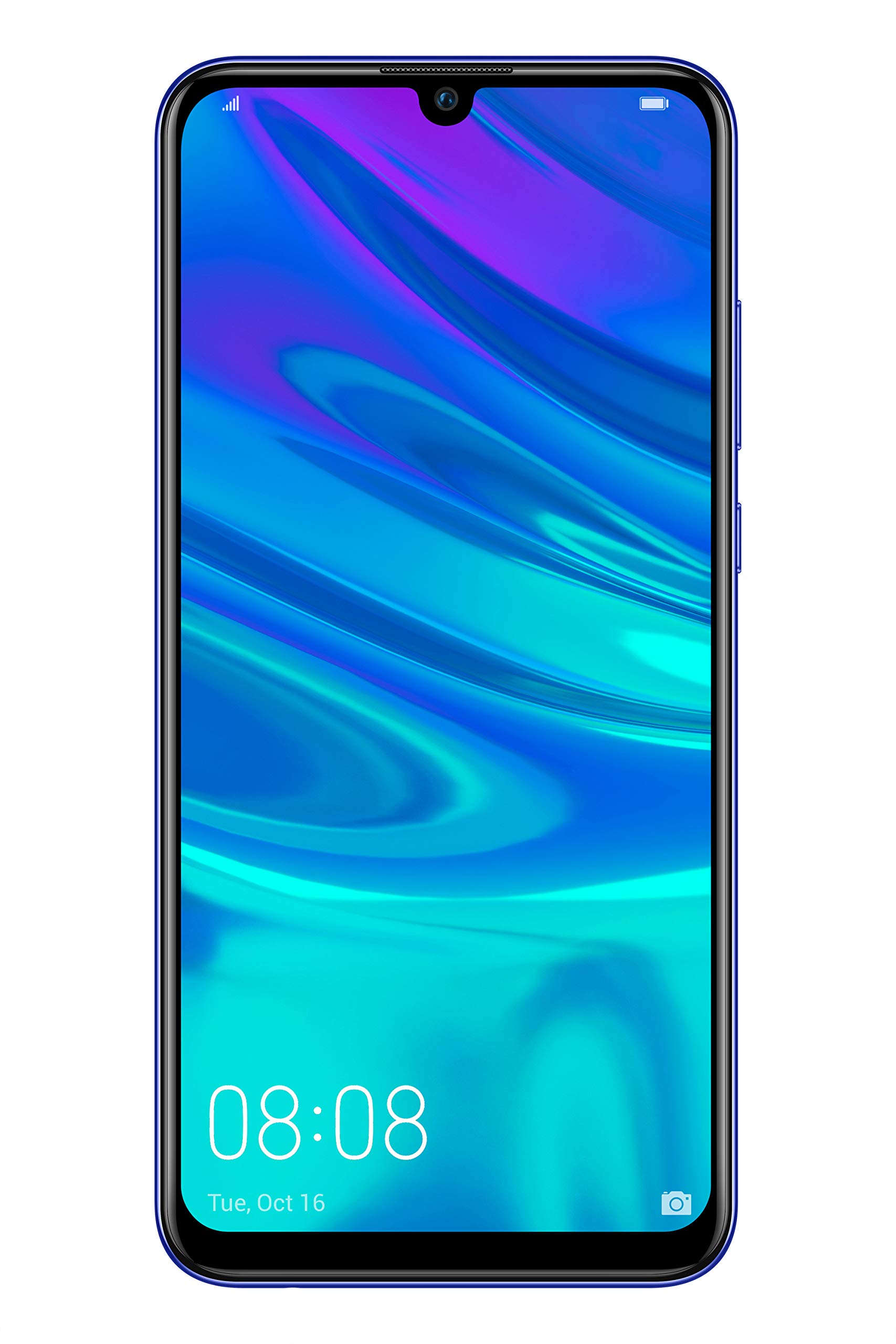
2.2. attēls: Priekšpuse view of the Huawei P Smart Plus 2019 smartphone, displaying the 6.21-inch screen with a small notch for the front camera.

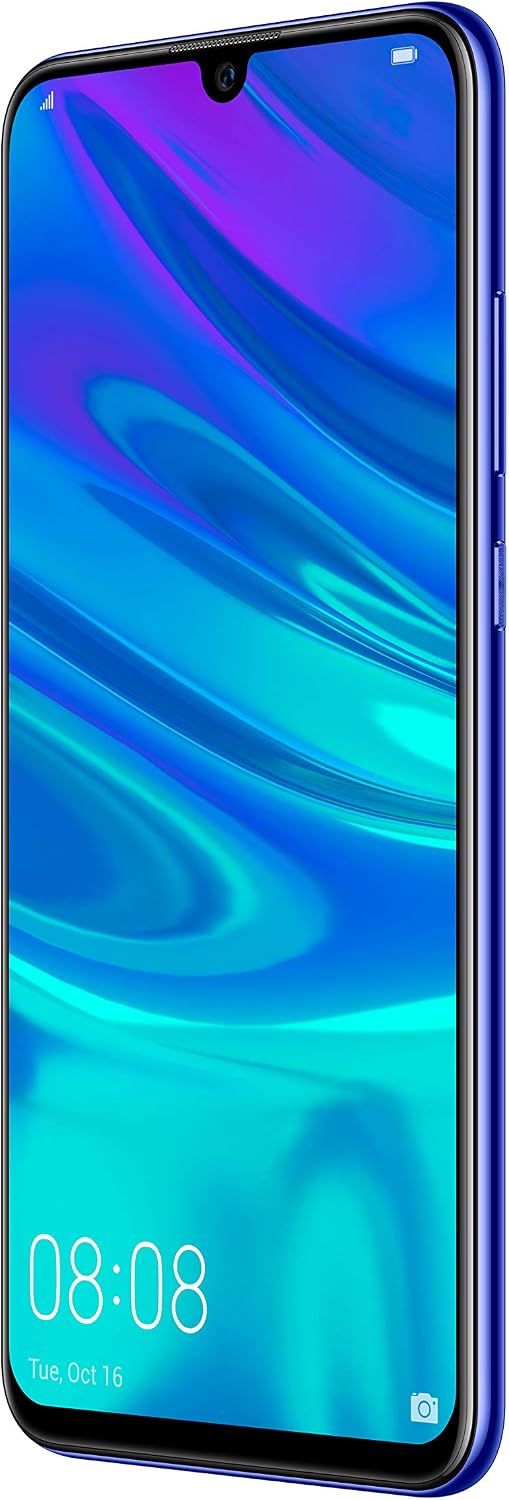
2.3. attēls: Sānu view of the Huawei P Smart Plus 2019 smartphone, highlighting the power and volume buttons.
Galvenās sastāvdaļas:
- Displejs: 6.21-inch FHD+ LCD screen.
- Priekšējā kamera: Atrodas displeja iecirtumā.
- Aizmugurējās kameras: Triple camera module on the back.
- Pirkstu nospiedumu sensors: Circular sensor on the rear panel.
- Barošanas poga: Ierīces labajā pusē.
- Skaļuma pogas: Above the power button on the right side.
- SIM/MicroSD kartes slots: Typically on the left side or top edge.
- Uzlādes ports: USB Type-C, usually at the bottom.
- Skaļrunis/mikrofons: Atrodas apakšā.
3. Iestatīšana
3.1 SIM un MicroSD karšu ievietošana
- Atrodiet SIM kartes paliktni ierīces sānos.
- Ievietojiet SIM kartes izņemšanas rīku mazajā caurumā blakus paplātei, lai to atvērtu.
- Place your Nano-SIM card(s) and/or microSD card into the tray, ensuring correct orientation as indicated on the tray. This device supports Dual SIM functionality and expandable storage up to 512GB.
- Uzmanīgi iebīdiet paplāti atpakaļ slotā, līdz tā ir vienā līmenī ar ierīci.
3.2 Sākotnējā ieslēgšana un uzlāde
- To power on, press and hold the Power button until the HUAWEI logo appears.
- Izpildiet ekrānā redzamos norādījumus, lai pabeigtu sākotnējo iestatīšanu, tostarp valodas izvēli, Wi-Fi savienojuma izveidi un Google konta iestatīšanu.
- Before first use, it is recommended to fully charge the device. Connect the provided USB Type-C cable to the phone's charging port and the other end to a power adapter.
4. Lietošanas instrukcijas
4.1 Pamatfunkcijas
- Power On/Off/Restart: Press and hold the Power button. Select the desired option from the menu.
- Ekrāna bloķēšana/atbloķēšana: Press the Power button to lock/unlock the screen. Use Face Recognition or the Fingerprint Sensor for secure unlocking.
- Zvani un ziņojumi: Use the Phone and Messaging applications for communication.
- Tīkla savienojamība: Access Wi-Fi settings from the Quick Settings panel or Settings app. Enable mobile data for internet access via your SIM card.
4.2 Kameras lietošana
The Huawei P Smart Plus 2019 features a versatile camera system.
- Aizmugurējā kamera: The triple camera setup includes a 24MP main sensor, a 16MP ultra-wide sensor, and a 2MP bokeh sensor. Open the Camera app and select modes like Automatic, Portrait, or Sport.
- Priekšējā kamera: An 8MP front camera is available for selfies and video calls. Switch to the front camera within the Camera app.
- AI funkcijas: The camera utilizes AI to optimize scene recognition and enhance photo quality.
4.3 Krātuve un atmiņa
Your device comes with 64GB of internal storage, which can be expanded up to 512GB using a microSD card. It has 3GB of RAM for smooth multitasking.
4.4. Akumulatora pārvaldība
The device is equipped with a 3400 mAh Lithium-Polymer battery. To optimize battery life, manage background apps, adjust screen brightness, and utilize power-saving modes available in the Settings app.
4.5 Operētājsistēma
The smartphone runs on Android 9 (Pie) with Huawei's EMUI 9 interface, offering a range of features and customization options.
5. Apkope
5.1 Ierīces tīrīšana
Use a soft, lint-free cloth to gently wipe the screen and body of your phone. Avoid using harsh chemicals or abrasive materials, which can damage the device's finish or screen coating.
5.2. Programmatūras atjauninājumi
Regularly check for and install software updates to ensure your device has the latest features, security patches, and performance improvements. You can usually find this option in Settings > System > Software update.
5.3 Akumulatora kopšana
To prolong battery lifespan, avoid extreme temperatures. Do not leave the phone fully charged or fully discharged for extended periods. Use only approved chargers and cables.
5.4. Datu dublēšana
Regulāri dublējiet svarīgos datus (fotoattēlus, kontaktpersonas, dokumentus) mākoņpakalpojumā vai datorā, lai novērstu datu zudumu.
6. Traucējummeklēšana
This section addresses common issues you might encounter with your Huawei P Smart Plus 2019.
6.1 Ierīce neieslēdzas
- Pārliecinieties, vai akumulators ir uzlādēts. Pievienojiet lādētāju un uzgaidiet dažas minūtes, pirms mēģināt ieslēgt ierīci.
- Lai piespiedu kārtā restartētu ierīci, nospiediet un turiet ieslēgšanas/izslēgšanas pogu vismaz 10–15 sekundes.
6.2 Slikts akumulatora darbības laiks
- Aizveriet neizmantotās lietojumprogrammas, kas darbojas fonā.
- Samaziniet ekrāna spilgtumu un iestatiet īsāku ekrāna taimautu.
- Atspējojiet Wi-Fi, Bluetooth un GPS, kad tie netiek izmantoti.
- Pārbaudiet akumulatora lietojumu iestatījumos, lai identificētu enerģiju patērējošas lietotnes.
6.3 Network Issues (No Signal/Wi-Fi Disconnection)
- Restartējiet ierīci.
- Ensure your SIM card is correctly inserted and your mobile data plan is active.
- For Wi-Fi, try restarting your router. Forget the network on your phone and reconnect.
6.4 Lietotņu avarē vai sasalst
- Piespiedu kārtā aizveriet lietotni un atveriet to vēlreiz.
- Notīriet lietotnes kešatmiņu un datus sadaļā Iestatījumi > Lietotnes.
- Pārliecinieties, vai lietotne ir atjaunināta uz jaunāko versiju.
- Ja problēma joprojām pastāv, apsveriet lietotnes atinstalēšanu un atkārtotu instalēšanu.
6.5 Rūpnīcas iestatījumu atiestatīšana (pēdējā iespēja)
If other troubleshooting steps fail, a factory reset may resolve persistent issues. Brīdinājums: This will erase all data on your device. Back up your data before proceeding. Go to Settings > System > Reset > Factory data reset.
7. Specifikācijas
| Funkcija | Detaļas |
|---|---|
| Modeļa numurs | POT-LX1T, 51093RVX |
| Displejs | 6.21 inches, LCD, FHD+ (2340 x 1080 pixels), 415 PPI |
| Procesors | Kirin 710 Octa-core (4 x 2.2 GHz, 4 x 1.7 GHz) |
| RAM | 3 GB |
| Iekšējā krātuve | 64 GB |
| Paplašināma krātuve | MicroSD līdz 512 GB |
| Aizmugurējā kamera | Triple: 24 MP (main) + 16 MP (ultra-wide) + 2 MP (bokeh) |
| Priekšējā kamera | 8 MP |
| Akumulators | 3400 mAh litija polimērs |
| Operētājsistēma | Android 9 (Pie) with EMUI 9 |
| SIM kartes tips | Nano-SIM (Dual SIM support) |
| Savienojamība | LTE, GSM, Wi-Fi, Bluetooth, USB Type-C |
| Biometriskā drošība | Fingerprint Sensor, Face Recognition |
| Izmēri | 8 x 155 x 73 mm |
| Svars | 160 grami |
| Vidējais akumulatora darbības laiks | 25 stundas |
8. Drošības informācija
Lai novērstu ierīces bojājumus vai traumas, lūdzu, ievērojiet tālāk norādītās drošības vadlīnijas:
- Nepakļaujiet ierīci ekstremālām temperatūrām, tiešiem saules stariem vai mitrumam.
- Izmantojiet tikai apstiprinātus lādētājus un piederumus.
- Izvairieties no ierīces nomešanas vai pakļaušanas spēcīgiem triecieniem.
- Nemēģiniet ierīci izjaukt vai remontēt pats. Vērsieties pie pilnvarota servisa personāla.
- Lai izvairītos no traucējumiem, turiet ierīci tālāk no medicīnas ierīcēm.
- Atbrīvojieties no ierīces un tās akumulatora atbildīgi saskaņā ar vietējiem noteikumiem.
9. Garantija un atbalsts
Your Huawei P Smart Plus 2019 smartphone is covered by a limited warranty. For detailed warranty terms and conditions, please refer to the warranty card included in the product packaging or visit the official HUAWEI webvietne.
For technical support, service, or further assistance, please contact HUAWEI customer service or visit an authorized service center. Contact information can typically be found on the official HUAWEI support webvietne.