
Produkts beidziesview
The Ymiko Dash Cam TVI Car Camera is designed to enhance driving safety with its high-resolution imaging and wide viewing angle. It features advanced night vision and robust waterproofing for reliable performance in various conditions.
- Augsta izšķirtspēja: Provides a clear front view un plats viewing angle for accurate road condition identification and accident prevention.
- High-Definition Starlight Night Vision: Features a 180° wide angle and color high-definition chip for clear imaging, ensuring visibility during night driving or reversing.
- IP68 Waterproofness: The camera is rated IP68 waterproof, protecting it from adverse weather and ensuring long-term reliability.
- Vienkārša uzstādīšana: Designed for easy connection of the camera cable to the AV cable and then to the vehicle's display.
- Wire Protection: The camera wire is equipped with a corrugated tube to prevent high-temperature burns when routed through the engine compartment, improving durability and safety.
Iepakojuma saturs
Pārliecinieties, vai jūsu iepakojumā ir iekļauti visi tālāk norādītie priekšmeti:
- 1x kamera
- 1 x AV kabelis
- 1 x strāvas vads
- 2 x Skrūves
- 1 x Lietotāja rokasgrāmata
Uzstādīšana un uzstādīšana
Follow these steps to properly install your Ymiko Dash Cam TVI Car Camera:
- Pievienojiet kameru: Connect the camera cable to the AV cable.
- Savienojuma izveide ar transportlīdzekli: Connect the AV cable to your vehicle's compatible display unit.
- Strāvas pieslēgums: Connect the power cord to a 12V DC power source in your vehicle.
- Droša elektroinstalācija: Ensure the camera wire, equipped with its corrugated tube, is routed safely to prevent high-temperature damage, especially when passing through the engine compartment.
- Montāža: Securely mount the camera using the provided screws in a location that provides an unobstructed view.
Piezīme:
This product only supports Android large screens that support TVI 30 input.

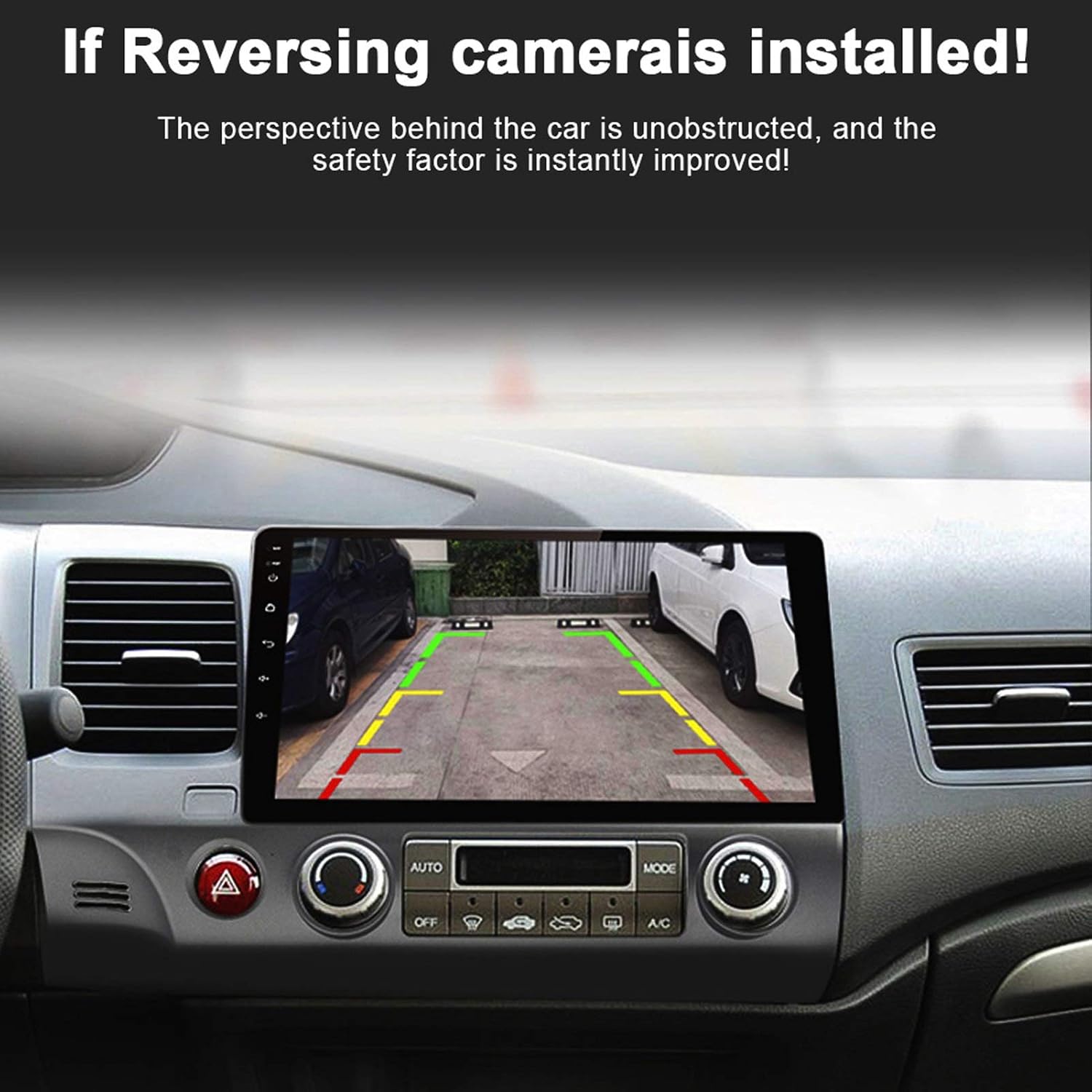
This image shows the Ymiko Dash Cam TVI Car Camera displaying a clear rear view with parking assist lines on an in-car Android screen, demonstrating its functionality when installed.

Detalizēts view of the Ymiko Dash Cam TVI Car Camera with its dimensions labeled, indicating a width of 40mm (1.6 inches), height of 26mm (1.02 inches), and depth of 28mm (1.1 inches).

This image compares the Ymiko Dash Cam TVI Car Camera's display quality and fisheye lens design against an ordinary camera, illustrating the enhanced viewing angle and clarity provided by the Ymiko product.
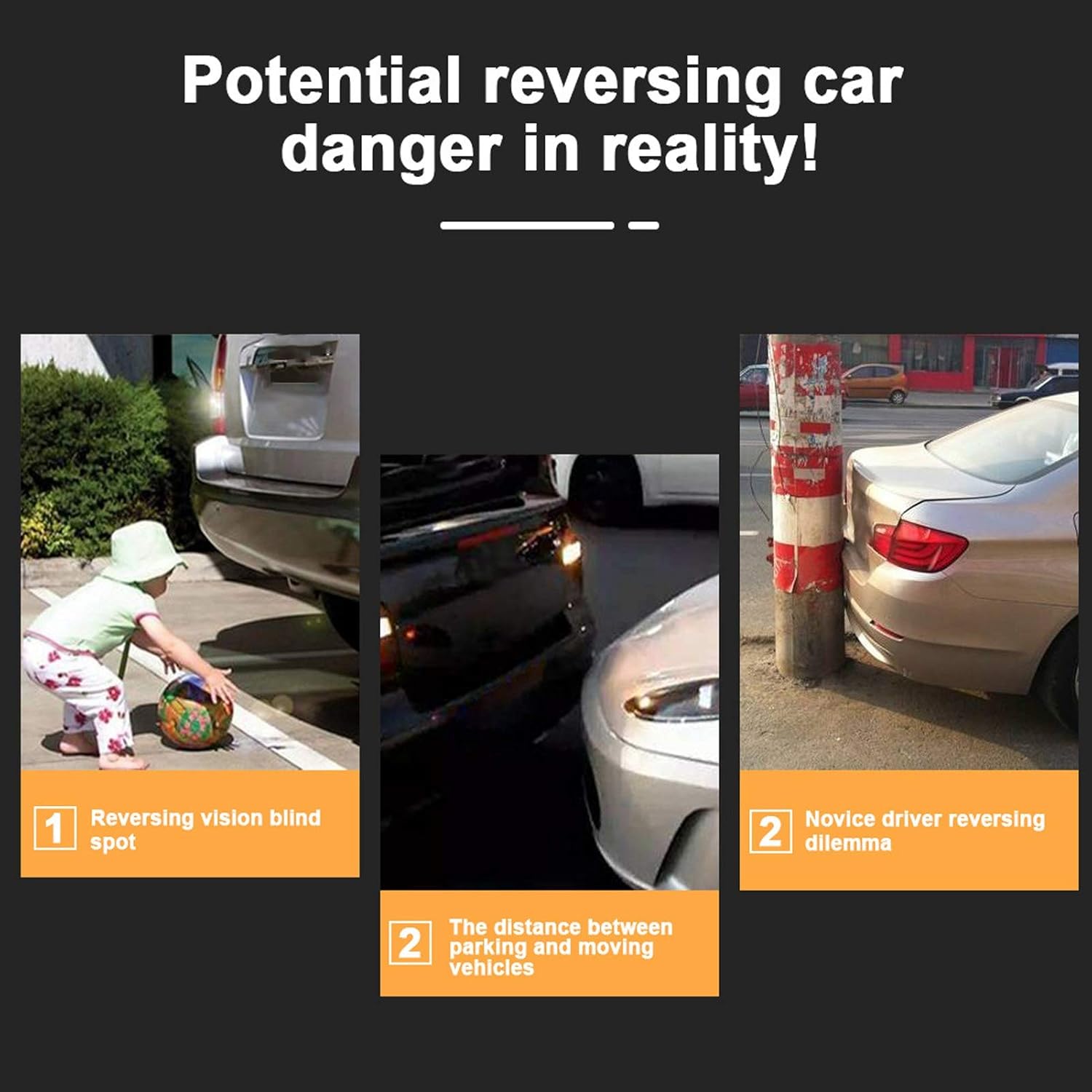
Three scenarios depicting common reversing dangers: a child in a blind spot, difficulty judging distance between vehicles, and a novice driver's challenge with parking near an obstacle. These highlight the need for a reliable reversing camera.

A series of four screenshots illustrating how to configure an Android head unit for the Ymiko Dash Cam. Steps include accessing factory settings (password 8888), selecting protocol parameter settings, choosing reverse video resolution settings, and adjusting specific parameters for TVI 30 input.
Lietošanas instrukcijas
Once installed, the camera operates automatically when the vehicle is in reverse gear, displaying the rear view on your compatible Android screen.
Galvenās funkcijas:
- Augstas izšķirtspējas displejs: Nodrošina skaidru un detalizētu view zonā aiz jūsu transportlīdzekļa.
- 180° platleņķis: Offers an expansive field of view lai samazinātu aklās zonas.
- Zvaigžņu gaismas nakts redzamība: Ensures clear visibility even in low-light conditions.
- Autostāvvietas līnijas: Integrated parking assist lines help guide you safely into parking spaces.
This video showcases the Ymiko Dash Cam TVI Car Camera in action, highlighting its wide-angle perspective and effective night vision performance during vehicle operation.
Apkope
To ensure optimal performance and longevity of your Ymiko Dash Cam TVI Car Camera, follow these maintenance guidelines:
- Regulāra tīrīšana: Gently clean the camera lens with a soft, damp cloth to remove dirt, dust, or water spots. Avoid abrasive cleaners.
- Pārbaudiet vadu: Periodically check the wiring for any signs of wear, damage, or loose connections. Ensure the corrugated tube protecting the wire is intact.
- Ūdensnecaurlaidīga integritāte: While the camera is IP68 waterproof, avoid directing high-pressure water jets directly at the camera during car washes.
- Programmatūras atjauninājumi: If your Android head unit supports software updates for camera compatibility, ensure it is kept up-to-date.
A close-up image of the Ymiko HD fisheye camera, emphasizing its lens and the 'Start light nightvision TVI 720P' feature, indicating its capability for clear low-light recording.

An image showing the Ymiko Dash Cam TVI Car Camera being splashed with water, visually representing its IP68 waterproof and anti-fog capabilities, ensuring durability in wet conditions.
Problēmu novēršana
If you encounter issues with your Ymiko Dash Cam, refer to the following common problems and solutions:
| Problēma | Iespējamais cēlonis | Risinājums |
|---|---|---|
| Ekrānā nav attēla | Loose cable connection, incorrect input selection on head unit, power issue. | Check all AV and power cable connections. Ensure your Android screen is set to the correct video input (TVI 30). Verify the camera is receiving power. |
| Attēls ir izplūdis vai deformēts | Dirty lens, damaged cable, incompatible display settings. | Clean the camera lens. Inspect the AV cable for damage. Confirm your Android screen supports TVI 30 input and is configured correctly. |
| Image is mirrored (when used as front camera) | Camera is designed for rear view and does not have a non-mirrored output option. | This camera is primarily designed for rear view applications. If a non-mirrored image is required for front camera use, this model may not be suitable as it defaults to a mirrored image. |
| Night vision is poor | Extremely low light conditions, dirty lens. | Ensure the lens is clean. While it has starlight night vision, extreme darkness may still limit visibility. |
Svarīga piezīme:
As noted in customer feedback, this camera defaults to a mirrored image, making it suitable primarily for rear-view applications. It does not offer an option to revert to an original, non-mirrored image for front camera use.
Tehniskās specifikācijas
| Funkcija | Detaļas |
|---|---|
| Zīmols | Ymiko |
| Modeļa numurs | Ymiko19tr6ng3d5382 |
| Attēla sensors | Color HD chips |
| Horizontal Resolutions | 1000 TV līnijas |
| Horizontālais leņķis | 150-180 grāds |
| Photosensitive Area | Approx. 3.8x2.9 mm (0.15x0.11in) |
| Slēdža ātrums | 1-1/12000 |
| Gamma No. | 0.45 |
| Minimālais apgaismojums | 0.01LM/F=1.2 (0 LM with IR on) |
| Video izvade | RCA savienotājs |
| Enerģijas patēriņš | About 70MA |
| Barošanas avots | DC12V |
| Ūdensizturības pakāpe | IP68 |
| Nakts redze | Krāsu kamera |
| Saderīgas ierīces | Monitor (Android large screens supporting TVI 30 input) |
| Instalācijas veids | Virsmas stiprinājums |
| Objektīva tips | Platleņķis |
| Optisko sensoru tehnoloģija | CMOS |
| Video uzņemšanas izšķirtspēja | 1080p |
Garantija un atbalsts
For warranty information and technical support, please contact Ymiko customer service.
- Atgriešanas politika: This product typically has a 30-day return/replacement policy. Please refer to your purchase platform for specific details.
- Ražotāja atbalsts: For product-specific inquiries or technical assistance, please visit the official Ymiko store or contact their support channels.
- Tiešsaistes resursi: Additional support and FAQs may be available on the Ymiko brand store page: Ymiko Store.