
1. Produkts beidziesview
The DOOGEE X96 Pro is an Android 11 smartphone designed for reliable daily use. It features a 6.52-inch HD+ display, a 5400mAh battery, and a 13MP AI quad-camera system. The device supports 4G connectivity and offers security features like facial recognition and a fingerprint sensor.
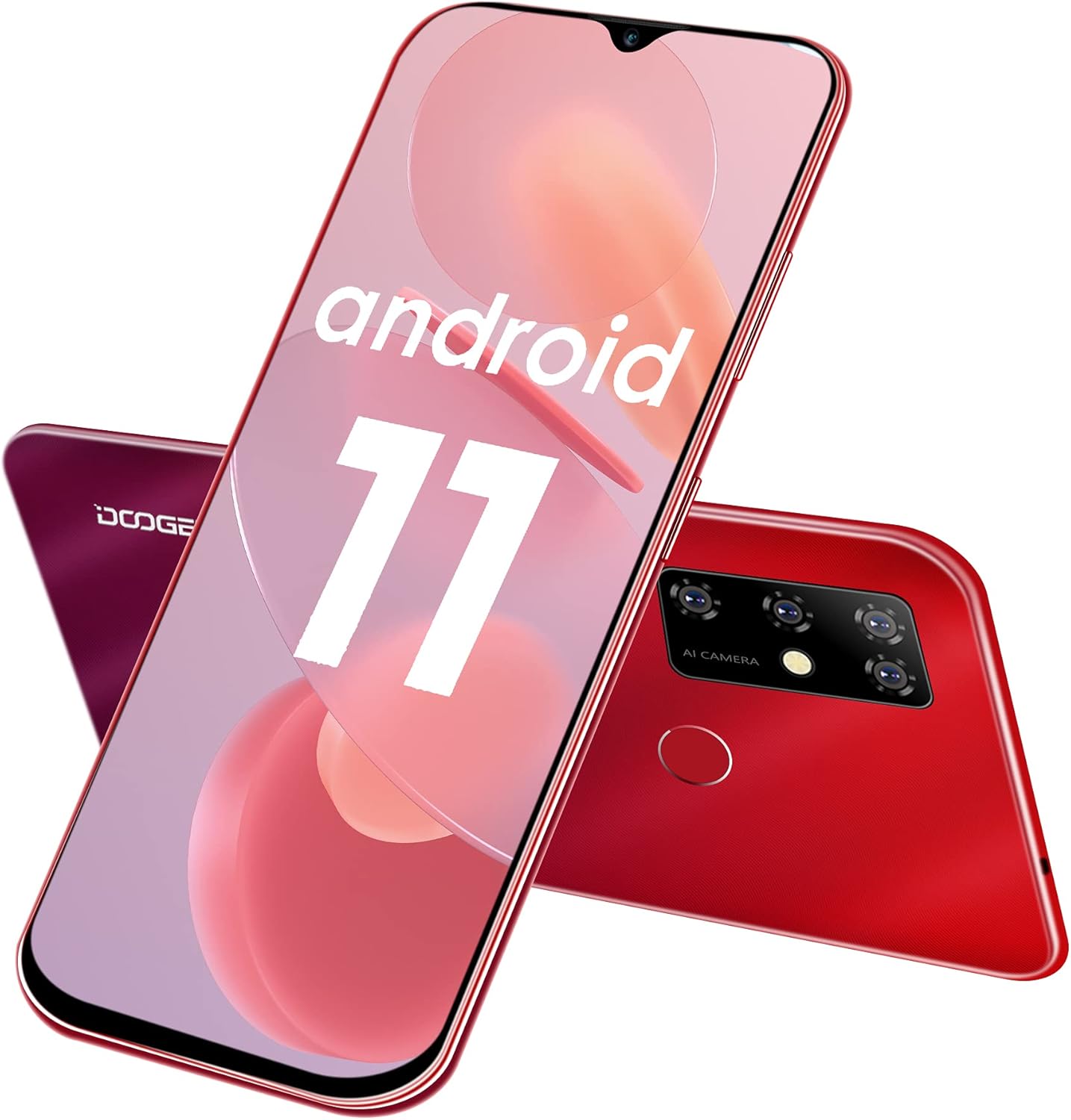
1.1. attēls: Priekšpuse un aizmugure view of the DOOGEE X96 Pro smartphone, showcasing tā dizainu un četrkameru konfigurāciju.
Galvenās funkcijas:
- Operētājsistēma: Android 11.0 for enhanced privacy and system optimization.
- Displejs: 6.52-inch HD+ waterdrop screen with a 91% screen-to-body ratio and 720*1600 resolution.
- Veiktspēja: T310 Quad-Core processor with 4GB RAM for smooth operation.
- Uzglabāšana: 64GB internal storage, expandable up to 256GB via TF card.
- Akumulators: 5400mAh large capacity battery, offering 1-3 days of normal use, 17 days standby, and 25 hours of call time.
- Kameras sistēma: 13MP AI main camera, 2MP macro camera, 2MP portrait camera, and a 2MP secondary camera. Features an 8MP front camera.
- Drošība: Supports fingerprint unlock and facial recognition.
- Savienojamība: Dual Nano SIM support with a 3-in-1 card slot (2 SIMs + 1 TF card).
- Dizains: Slim and lightweight body, weighing 198 grams with a thickness of 9.7mm.
2. Sākotnējā iestatīšana
2.1 SIM un TF karšu ievietošana
The DOOGEE X96 Pro features a 3-in-1 card slot, allowing for two Nano SIM cards and one TF (microSD) card to be used simultaneously. To access the card slot, gently remove the back cover of the phone.
- Pirms karšu ievietošanas vai izņemšanas izslēdziet ierīci.
- Locate the notch on the back cover and carefully pry it open to remove.
- Insert your Nano SIM cards and TF card into their respective slots as indicated on the tray. Ensure the gold contacts face downwards.
- Carefully replace the back cover, ensuring it clicks securely into place.

Image 2.1: Illustration of the 3-in-1 card slot for Nano SIM and TF cards.
2.2 Ieslēgšana un sākotnējā konfigurācija
- Press and hold the Power button on the side of the device until the DOOGEE logo appears.
- Izpildiet ekrānā redzamos norādījumus, lai izvēlētos valodu, izveidotu savienojumu ar Wi-Fi un iestatītu savu Google kontu.
- Review un piekrītiet noteikumiem un nosacījumiem.
2.3 Setting Up Security Features
To enhance device security, configure facial recognition and fingerprint unlock:
- Dodieties uz Iestatījumi > Drošība.
- Izvēlieties Atbloķēšana ar pirkstu nospiedumu and follow the instructions to register your fingerprint. The fingerprint sensor is located on the rear of the device.
- Izvēlieties Atbloķēšana pēc sejas and follow the instructions to register your face using the front camera.

Image 2.2: Icons representing facial recognition and fingerprint unlock features.
3. Viedtālruņa lietošana
3.1 Android 11 funkcijas
The DOOGEE X96 Pro runs on Android 11, offering various enhancements:
- Conversation Bubbles: Manage and respond to conversations directly from floating bubbles on your home screen.
- Privātuma kontrole: Enhanced privacy settings allow for more granular control over app permissions, including one-time permissions for microphone, camera, and location.
- Ierīces vadīklas: Access smart home device controls quickly from the power menu.

Image 3.1: Visual representation of Android 11's messaging, quick settings, and privacy features.
3.2 Kameras lietošana
The device is equipped with a 13MP AI quad-camera system on the rear and an 8MP front camera.
- Atveriet Kamera lietojumprogrammu no sākuma ekrāna vai lietotņu atvilktnes.
- Switch between photo, video, portrait, and macro modes as needed.
- Tap the screen to focus on a specific area.
- Nospiediet slēdža pogu, lai uzņemtu fotoattēlus vai sāktu/apturētu video ierakstīšanu.

3.2. attēls: beidziesview of the smartphone's camera specifications, including front and rear camera resolutions.
3.3. Akumulatora pārvaldība
5400 mAh akumulators nodrošina ilgstošu lietošanas laiku. Lai optimizētu akumulatora darbības laiku:
- Pielāgojiet ekrāna spilgtumu.
- Aizveriet neizmantotās lietojumprogrammas, kas darbojas fonā.
- Iespējojiet akumulatora taupīšanas režīmu, kad akumulatora uzlādes līmenis ir zems.
- Optimālam uzlādes ātrumam izmantojiet komplektā iekļauto 10 W lādētāju.
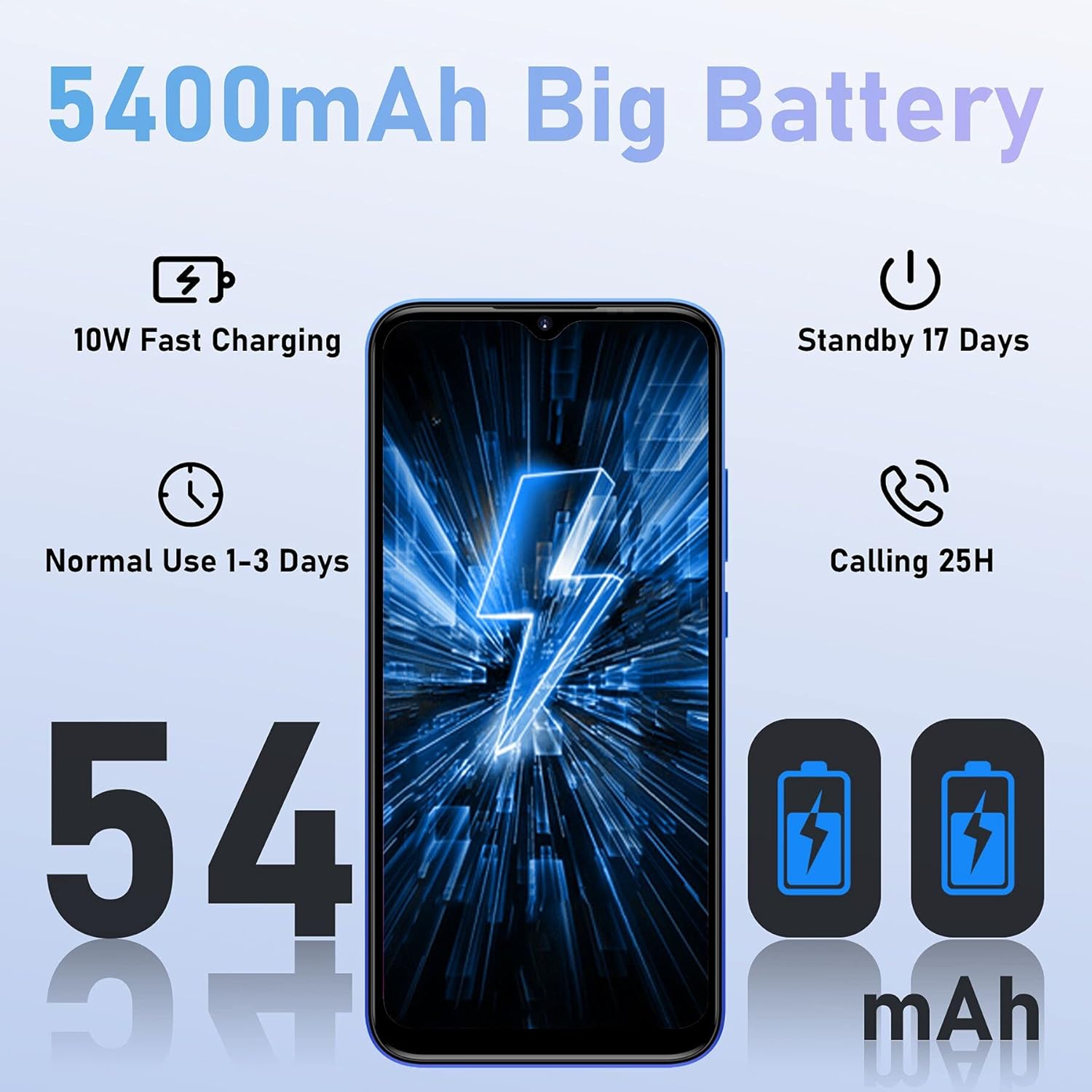
Image 3.3: Battery performance metrics for the 5400mAh battery.
3.4. Krātuves pārvaldība
The device comes with 64GB of internal storage, expandable up to 256GB. Regularly manage your storage to maintain optimal performance:
- Dodieties uz Iestatījumi > Krātuve uz view lietojumu un atbrīvotu vietu.
- Atinstalējiet neizmantotās lietotnes.
- Pārvietot lielu file(fotoattēlus, videoklipus) uz TF karti vai mākoņkrātuvi.

Image 3.4: Display of the 4GB RAM and 64GB ROM configuration, highlighting expandable memory.
4. Apkope
4.1 Ierīces tīrīšana
- Ekrāna un korpusa tīrīšanai izmantojiet mīkstu, nepūkošu drānu.
- Izvairieties no spēcīgu ķīmisku vielu vai abrazīvu materiālu izmantošanas.
- Turiet ostas tīras no putekļiem un gružiem.
4.2. Programmatūras atjauninājumi
Regularly check for software updates to ensure your device has the latest features and security patches:
- Dodieties uz Iestatījumi > Sistēma > Sistēmas atjauninājums.
- Izpildiet ekrānā redzamos norādījumus, lai lejupielādētu un instalētu visus pieejamos atjauninājumus.
5. Traucējummeklēšana
Bieži sastopamās problēmas un risinājumi:
- Ierīce neieslēdzas: Pārliecinieties, vai akumulators ir uzlādēts. Pievienojiet lādētāju un uzgaidiet dažas minūtes, pirms mēģināt atkārtoti ieslēgt ierīci.
- Lietotņu avarē vai sasalst: Aizveriet fona lietojumprogrammas. Notīriet problemātiskās lietotnes kešatmiņu (Iestatījumi > Lietotnes > [Lietotnes nosaukums] > Krātuve > Notīrīt kešatmiņu). Restartējiet ierīci.
- Vājš tīkla signāls: Check if SIM cards are correctly inserted. Move to an area with better network coverage.
- Akumulators ātri izlādējas: Refer to the Battery Management section (3.3) for optimization tips. Reduce screen brightness and disable unnecessary features like GPS or Bluetooth when not in use.
- Krātuve pilna: Refer to the Storage Management section (3.4) to free up space.
6. Specifikācijas
| Funkcija | Detaļas |
|---|---|
| Zīmols | DOOGEE |
| Modeļa numurs | X96PRO |
| Operētājsistēma | Android 11.0 |
| Procesors | T310 Quad-Core |
| RAM | 4 GB |
| Iekšējā krātuve | 64 GB |
| Paplašināma krātuve | Līdz 256 GB (TF karte) |
| Displeja izmērs | 6.52 collas |
| Displeja izšķirtspēja | 720*1600 HD+ |
| Aizmugurējā kamera | 13 MP AI Quad Camera (13MP main + 2MP macro + 2MP portrait + 2MP secondary) |
| Priekšējā kamera | 8 MP |
| Akumulatora ietilpība | 5400 mAh (litija polimērs) |
| Uzlāde | 10W Fast Charging, Micro USB |
| Šūnu tehnoloģija | 4G |
| Bezvadu tehnoloģija | Wi-Fi |
| SIM kartes tips | Divkārša nano SIM karte |
| Drošības līdzekļi | Pirkstu nospiedumu identifikācija, sejas identifikācija |
| Svars | 198 grami |
| Biezums | 9.7 mm |
7. Garantija un atbalsts
7.1 Produkta garantija
The DOOGEE X96 Pro smartphone comes with a 2 gada garantija, ensuring a worry-free purchase. Please retain your proof of purchase for warranty claims.
7.2 Klientu atbalsts
For technical assistance, troubleshooting beyond this manual, or warranty inquiries, please contact DOOGEE customer support through their official webvietnē vai mazumtirgotājā, kur prece tika iegādāta.