
1. Ievads
Thank you for choosing the NOVOO USB-C 120W Charger. This manual provides essential information for the safe and efficient use of your new charger. Please read it thoroughly before use and retain it for future reference.
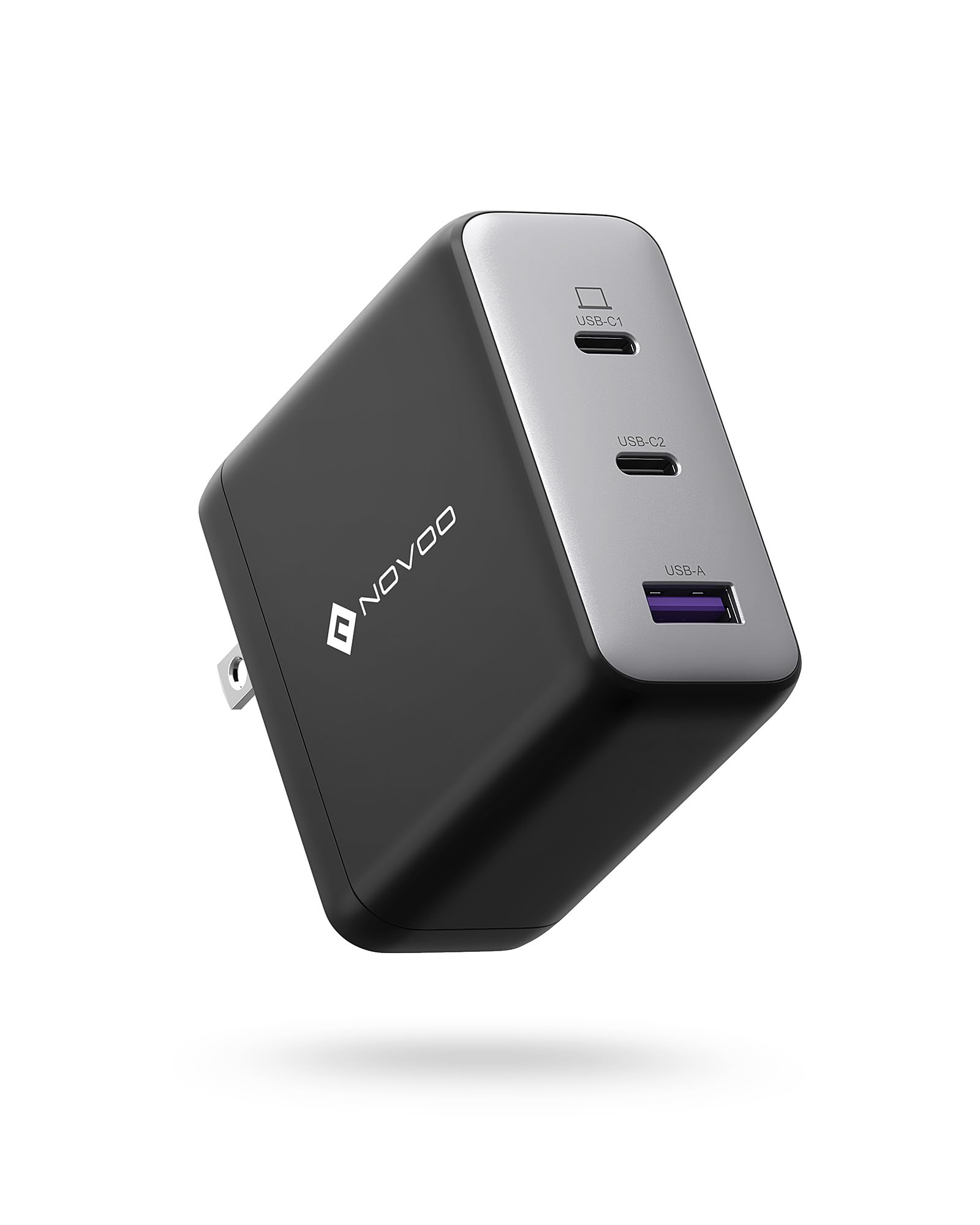
Image showing the NOVOO USB-C 120W Charger, a compact power adapter designed for fast charging.
2. Drošības instrukcijas
Lai nodrošinātu drošu darbību un novērstu bojājumus, lūdzu, ievērojiet šādus drošības pasākumus:
- Nepakļaujiet lādētāju ūdenim, mitrumam vai ekstremālām temperatūrām.
- Izvairieties no lādētāja nomešanas, trieciena vai izjaukšanas.
- Lietojiet tikai ar saderīgām ierīcēm un kabeļiem.
- Pārliecinieties, vai ievades tilptage matches the specifications (100V AC).
- Atvienojiet lādētāju no strāvas zibens laikā vai tad, ja to ilgstoši nelietojat.
- Uzglabāt bērniem nepieejamā vietā.
3. Iepakojuma saturs
Komplektā jābūt šādam priekšmetam:
- 1 x NOVOO USB-C 120W Charger (Model: NCUS120D-255C)
4. Iestatīšana
Lai iestatītu lādētāju, veiciet tālāk norādītās darbības.
- Pievienojiet strāvas kontaktligzdai: Plug the charger into a standard 100V AC wall outlet.
- Pievienojiet ierīci: Use a compatible USB-C charging cable (not included) to connect your device to the USB-C port on the charger.
5. Darbība
The NOVOO USB-C 120W Charger is designed for efficient power delivery:
- Once connected, the charger will automatically detect your device and deliver the optimal charging power up to 120W, depending on your device's capabilities.
- Ensure your device supports USB Power Delivery (PD) for fast charging.
- Monitor your device's charging indicator to confirm it is receiving power.
6. Apkope
Pareiza apkope nodrošina lādētāja ilgmūžību:
- Tīrīšana: Pirms tīrīšanas atvienojiet lādētāju no strāvas kontaktligzdas un ierīcēm. Virsmas noslaukšanai izmantojiet mīkstu, sausu drānu. Nelietojiet šķidrus tīrīšanas līdzekļus vai aerosolus.
- Uzglabāšana: Uzglabājiet lādētāju vēsā, sausā vietā, prom no tiešiem saules stariem un ekstremālām temperatūrām.
- Apstrāde: Avoid bending or stressing the charging cable excessively, especially near the connectors.
7. Traucējummeklēšana
Ja rodas problēmas ar lādētāju, skatiet tālāk norādītās bieži sastopamās problēmas un risinājumus.
- Ierīce netiek uzlādēta:
- Pārliecinieties, vai lādētājs ir droši pievienots darbojošai sienas kontaktligzdai.
- Verify the USB-C cable is properly connected to both the charger and your device.
- Try using a different USB-C cable or a different wall outlet.
- Pārliecinieties, vai jūsu ierīce ir saderīga ar USB-C uzlādi.
- Lēna uzlāde:
- Ensure your device and cable support fast charging (e.g., USB Power Delivery).
- Pārbaudiet, vai kabelis nav bojāts.
- Some devices may charge slower if they are in heavy use during charging.
- Lādētājs ir silts:
- It is normal for the charger to become warm during operation, especially when delivering high power. If it becomes excessively hot or emits smoke/odor, unplug it immediately and discontinue use.
8. Specifikācijas
| Funkcija | Specifikācija |
|---|---|
| Zīmols | NOVOO |
| Modeļa numurs | NCUS120D-255C |
| Ievades apjomstage | 100 volti (maiņstrāva) |
| Izejas apjomstage | 20 volts |
| Izejas strāva | 5 Amperes |
| Maksimālā jauda | 120W |
| Preces svars | 226 grami |
| ASIN | B0CM6GGDF2 |
9. Garantija
This NOVOO USB-C 120W Charger comes with a 2 gadu ražotāja garantija from the date of purchase. This warranty covers manufacturing defects. It does not cover damage caused by misuse, accidents, unauthorized modifications, or normal wear and tear. Please retain your proof of purchase for warranty claims.
10. Atbalsts
For further assistance, technical support, or warranty inquiries, please contact NOVOO customer service through the retailer where the product was purchased or visit the official NOVOO webvietne kontaktinformācijai.