
1. Ievads
Paldies par pirkumuasing the Samsung UE50DU7172 50-inch 4K LED Smart TV. This manual provides essential information for the safe and efficient use of your television. Please read these instructions thoroughly before operating the device and retain them for future reference.
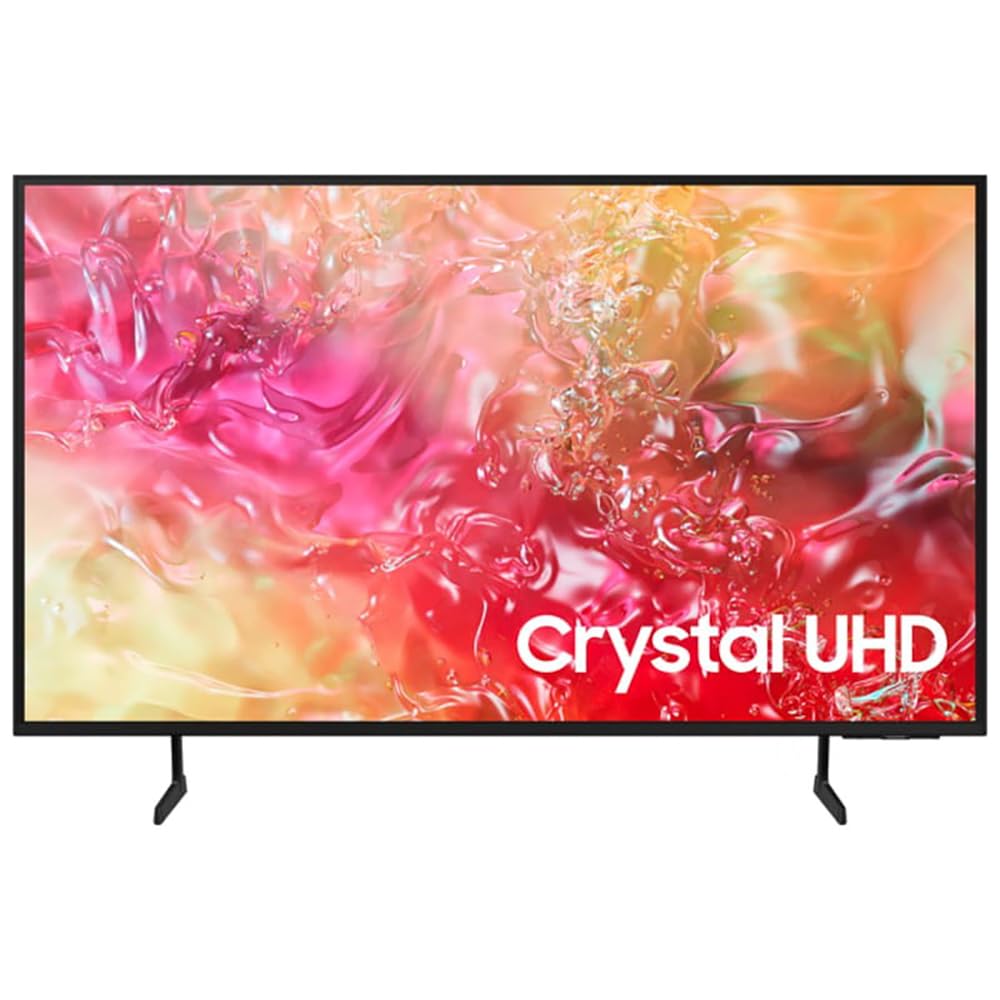
1.1. attēls: priekšpuse view of the Samsung UE50DU7172 50-inch 4K LED Smart TV.
2. Drošības informācija
Lai samazinātu elektriskās strāvas trieciena, ugunsgrēka vai traumu risku, vienmēr ievērojiet šos pamata drošības pasākumus:
- Nepakļaujiet šo ierīci lietus vai mitruma iedarbībai.
- Neaizbloķējiet ventilācijas atveres. Uzstādiet saskaņā ar ražotāja norādījumiem.
- Neuzstādiet tuvu siltuma avotiem, piemēram, radiatoriem, siltuma reģistriem, krāsnīm vai citām ierīcēm (tostarp amppacēlāji), kas ražo siltumu.
- Aizsargājiet strāvas vadu no uzkāpšanas vai saspiešanas, jo īpaši pie kontaktdakšām, kontaktligzdām un vietā, kur tie iziet no ierīces.
- Izmantojiet tikai ražotāja norādītos piederumus/piederumus.
- Visu apkopi uzticiet kvalificētam servisa personālam. Apkope ir nepieciešama, ja iekārta ir jebkādā veidā bojāta.
3. Iepakojuma saturs
Pārliecinieties, vai kastē ir visas sastāvdaļas:
- Samsung UE50DU7172 50-inch 4K LED Smart TV
- Remote Control (Bluetooth)
- Strāvas kabelis (AC)
- Statīva sastāvdaļas (ja nav piestiprinātas pie sienas)
- Lietotāja rokasgrāmata (šis dokuments)
- Batteries for Remote Control (2 x AAAA, may be included)
4. Iestatīšana
4.1. Statīva uzstādīšana vai stiprinājums pie sienas
If using the included stand, carefully attach it to the TV following the instructions provided in the separate stand assembly guide. Ensure all screws are tightened securely.
For wall mounting, use a VESA-compatible wall mount (200 x 200 mm standard) and consult a professional for installation to prevent damage or injury. The TV weighs approximately 11 kg.
4.2. Strāvas pieslēgšana
Connect the power cable to the TV's power input and then plug it into a wall outlet (220-240V AC, 50Hz). Ensure the connection is firm.
4.3. Sākotnējā iestatīšana
Pēc pirmās ieslēgšanas televizors jūs vadīs cauri sākotnējai iestatīšanas procedūrai. Tas ietver:
- Language selection (French is an available option).
- Tīkla savienojums (Wi-Fi vai Ethernet).
- Channel scanning (DVB-T2, DVB-S2, DVB-C tuners are supported).
- Samsung account login (optional, for full Smart TV features).
5. Lietošanas instrukcijas
5.1. Tālvadības pults
The included Bluetooth remote control allows you to navigate the TV's interface. Insert 2 AAAA batteries (if not pre-installed) into the remote. Pair the remote with the TV during initial setup or by following the on-screen instructions if pairing is lost.
5.2. Pamatfunkcijas
- Ieslēgšana/izslēgšana: Nospiediet barošanas pogu uz tālvadības pults.
- Skaļuma kontrole: Izmantojiet skaļuma palielināšanas/samazināšanas pogas.
- Kanāla izvēle: Use the Channel Up/Down buttons or the number pad (if available on your remote model).
- Ievades avots: Press the Source button to select between connected devices (HDMI, USB, etc.).
6. Viedās funkcijas
Your Samsung UE50DU7172 TV runs on the Tizen operating system, offering a range of smart functionalities:
- Smart Hub: Access streaming applications, web browser, and other smart features.
- Apple AirPlay 2: Straumējiet saturu tieši no savām Apple ierīcēm.
- Bixby: Use voice commands for TV control and information.
- SmartThings integrācija: Connect and control compatible smart home devices.
- Elektroniskais programmu ceļvedis (EPG): View TV schedules for digital channels.
- HbbTV: Access interactive services from broadcasters.
7. Savienojamība
The TV offers various ports and wireless options for connecting external devices:
- HDMI porti: 3 ports (HDMI 1.4 compatible), supporting eARC (Enhanced Audio Return Channel) for high-quality audio to sound systems.
- USB porti: 1 port (USB 2.0/3.0 compatible) for media playback from USB drives.
- Ethernet (LAN): RJ45 ports vadu interneta savienojumam.
- RF ieeja: 2 inputs for antenna/cable and satellite connections.
- CI+ slots: For conditional access modules (CAM) to decrypt pay-TV channels.
- Wi-Fi: Built-in Wi-Fi (5 GHz) for wireless internet access.
- Bluetooth 5.2: For connecting wireless headphones, soundbars, and other compatible devices.
- Anynet+: Samsung's HDMI-CEC feature for controlling compatible devices connected via HDMI with a single remote.
8. Apkope
8.1. Televizora tīrīšana
Always unplug the TV before cleaning. Use a soft, dry cloth to wipe the screen and cabinet. Do not use liquid cleaners, sprays, or abrasive materials, as they may damage the TV's surface.
8.2. Programmatūras atjauninājumi
Ensure your TV's software is up to date for optimal performance and security. You can check for updates via the TV's settings menu (Settings > Support > Software Update).
9. Traucējummeklēšana
Ja rodas problēmas ar televizoru, skatiet tālāk norādītos bieži sastopamos risinājumus.
- Nav jaudas: Pārbaudiet, vai strāvas kabelis ir droši pievienots gan televizoram, gan sienas kontaktligzdai. Pārliecinieties, vai kontaktligzda darbojas.
- Nav attēla/skaņas: Pārliecinieties, vai ir izvēlēts pareizais ievades avots. Pārbaudiet visus kabeļu savienojumus (HDMI, antena). Mēģiniet restartēt televizoru.
- Tālvadības pults nedarbojas: Nomainiet baterijas. Pārliecinieties, vai starp tālvadības pulti un televizoru nav šķēršļu. Ja nepieciešams, atkārtoti savienojiet Bluetooth tālvadības pulti pārī.
- Slikta attēla kvalitāte: Check antenna/cable connections. Adjust picture settings in the TV menu. Ensure the source content is high quality.
- Nav interneta savienojuma: Check your Wi-Fi router or Ethernet cable. Reconnect to the network via TV settings.
For more detailed troubleshooting, consult the e-Manual accessible through your TV's settings or visit the Samsung support webvietne.
10. Specifikācijas
| Funkcija | Specifikācija |
|---|---|
| Modeļa nosaukums | Smart TV Samsung 50DU7172 |
| Modeļa numurs | 8806095478357 |
| Ekrāna izmērs | 50 collas (127 cm) |
| Displeja tehnoloģija | LED |
| Izšķirtspēja | 4K Ultra HD (3840 x 2160 pikseļi) |
| Atsvaidzināšanas biežums | 60 Hz |
| HDR atbalsts | HDR10 and/or HLG |
| Operētājsistēma | Tizen |
| Savienojamība | Wi-Fi (5 GHz), Bluetooth 5.2, Ethernet LAN |
| HDMI porti | 3 (HDMI 1.4, eARC saderīgs) |
| USB porti | 1 (USB 2.0/3.0 compatible) |
| Audio izvade | 2.0 Channels, 20W RMS, Q-Symphony |
| VESA montāžas standarts | 200 x 200 mm |
| Izmēri (P x A x D) | 112 cm x 64.7 cm x 6 cm (bez statīva) |
| Svars | 11 kilogrami |
| Barošanas avots | 220-240V maiņstrāva, 50Hz |
| Enerģijas klase | G |
11. Garantija un atbalsts
This Samsung UE50DU7172 TV comes with a 1 gads ierobežota garantija no iegādes datuma. Šī garantija attiecas uz ražošanas defektiem normālas lietošanas apstākļos. Lūdzu, saglabājiet pirkuma apliecinājumu garantijas prasību iesniegšanai.
For technical support, service requests, or further information, please visit the official Samsung support website or contact your local Samsung customer service center. You may need your model number (UE50DU7172) and serial number (found on the back of the TV) when contacting support.