1. Produkts beidziesview
This replacement remote control is designed for use with various Pioneer Smart 4K LCD LED HDTV models. It is pre-programmed and requires no additional setup or coding. Simply insert batteries, and it is ready for immediate use.
Iepakojuma saturs:
- 1 x rezerves tālvadības pults
Note: Batteries and a separate instruction manual are not included in the package.
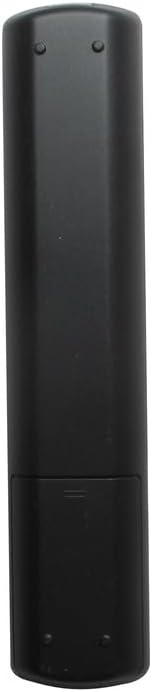
1.1. attēls: priekšpuse view of the Generic replacement remote control. This image displays the full layout of the remote's buttons, including power, channel, volume, navigation, and smart TV function buttons.
2. Uzstādīšana un akumulatora ievietošana
This remote control is designed for immediate use without any programming. The only setup required is the installation of batteries.
- Obtain Batteries: Purchase two (2) new AAA batteries from a local retailer. These are not included with the remote control.
- Atvērts akumulatora nodalījums: Locate the battery compartment cover on the back of the remote control. Gently slide the cover downwards or press the latch (if present) to open it.
- Ievietojiet baterijas: Insert the two AAA batteries into the compartment, ensuring that the positive (+) and negative (-) terminals align correctly with the markings inside the compartment. Incorrect insertion can prevent the remote from functioning.
- Aizveriet akumulatora nodalījumu: Pabīdiet bateriju nodalījuma vāciņu atpakaļ vietā, līdz tas droši noklikšķ.
- Testēšanas tālvadības pults: Point the remote control towards your Pioneer TV and press the Power button. The TV should respond. If not, recheck battery orientation or replace with new batteries.
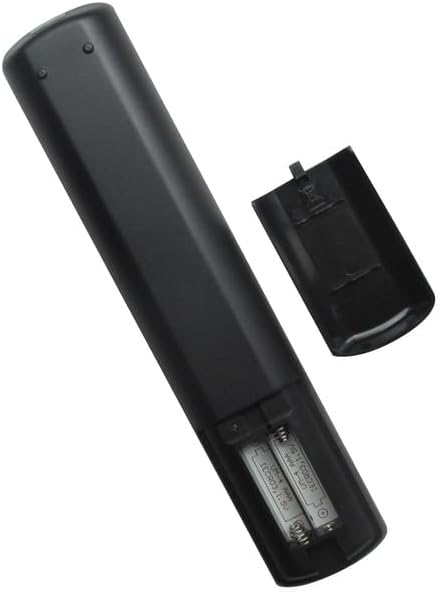
2.1. attēls: Aizmugure view of the remote control with the battery compartment open. This image illustrates the correct placement of AAA batteries within the remote's battery compartment.
3. Lietošanas instrukcijas
Once batteries are installed, the remote control is ready to operate your compatible Pioneer TV. Point the remote directly at the TV's infrared receiver for optimal performance.
Pamatfunkcijas:
- Barošanas poga: Ieslēdz vai izslēdz televizoru.
- Kanālu pogas (CH+/CH-): Pārslēdz TV kanālu uz augšu vai uz leju.
- Skaļuma pogas (VOL+/VOL-): Palielina vai samazina televizora skaļumu.
- Izslēgt pogu: Izslēdz vai ieslēdz TV audio.
- Ievades/avota poga: Pārslēdz pieejamos ievades avotus (HDMI, AV utt.).
- Navigācijas pogas (augšup, lejup, pa kreisi, pa labi, Labi/Ievadīt): Used to navigate menus and select options on the TV screen.
- Izvēlnes poga: Atver televizora galveno izvēlni.
- Izejas/atpakaļ poga: Closes menus or returns to the previous screen.
- Ciparu pogas (0-9): Tieši ievada kanālu numurus.
For specific advanced functions or smart TV features, refer to your Pioneer TV's original user manual, as button labels and functions may vary slightly depending on the TV model.
4. Apkope
Akumulatora nomaiņa:
- Nomainiet baterijas, ja tālvadības pults reaģē lēni vai pārstāj darboties.
- Always replace both batteries at the same time with new AAA batteries.
- Nelietojiet kopā vecas un jaunas baterijas vai dažāda veida baterijas.
- Izņemiet baterijas, ja tālvadības pults netiks izmantota ilgāku laiku, lai novērstu bateriju noplūdi.
Tīrīšana:
- Noslaukiet tālvadības pulti ar mīkstu, sausu drānu.
- Nelietojiet šķidrus tīrīšanas līdzekļus, aerosolus vai abrazīvus materiālus, jo tie var sabojāt tālvadības pults virsmu vai iekšējās sastāvdaļas.
5. Traucējummeklēšana
-
Tālvadība nedarbojas:
- Pārliecinieties, vai baterijas ir ievietotas pareizi ar pareizo polaritāti (+/-).
- Nomainiet vecās baterijas ar jaunām AAA baterijām.
- Check for any obstructions between the remote and the TV's infrared receiver.
- Ensure you are within a reasonable range and pointing the remote directly at the TV.
-
Certain buttons not responding:
- This remote is a generic replacement. While it supports primary functions, some highly specific or advanced smart TV features might require the original TV remote.
- Clean the remote's surface, especially around the unresponsive buttons, to remove any dirt or debris.
6. Specifikācijas
| Zīmols | Vispārējs |
| Ražotājs | Vispārējs |
| Saderīgas ierīces | Pioneer Television models: PLE-43S05FHD, PLE-55S05FHD, PLE-43S07FHD, PLE-2405HD, PLE-55S06UHD |
| Maksimālais atbalstīto ierīču skaits | 1 (One Television) |
| Īpaša iezīme | Programmēšana nav nepieciešama |
| Barošanas avots | 2 x AAA baterijas (nav iekļautas) |
7. Garantija un atbalsts
No specific warranty information is provided for this generic replacement remote control. For any issues or inquiries, please refer to the retailer from whom the product was purchased.
As this is a generic replacement, direct manufacturer support may not be available. Please consult your TV's original manual for detailed information regarding your television's functions.


