1. Ievads
Thank you for choosing the Samsung Pet Tool Pet Hair Brush VCA-PTA95/VT. This accessory is designed to enhance the cleaning capabilities of your Samsung Bespoke Jet 75E or Jet 65 vacuum cleaner, specifically for effective removal of pet hair from various surfaces. This manual provides essential information for safe and efficient use, installation, operation, and maintenance of your new pet hair brush.
Produkts beidziesview
The Samsung Pet Tool is a motorized brush attachment engineered to tackle stubborn pet hair on carpets, sofas, beds, and mattresses. Its specialized design includes a self-cleaning shredder to prevent hair tangles, ensuring consistent performance.
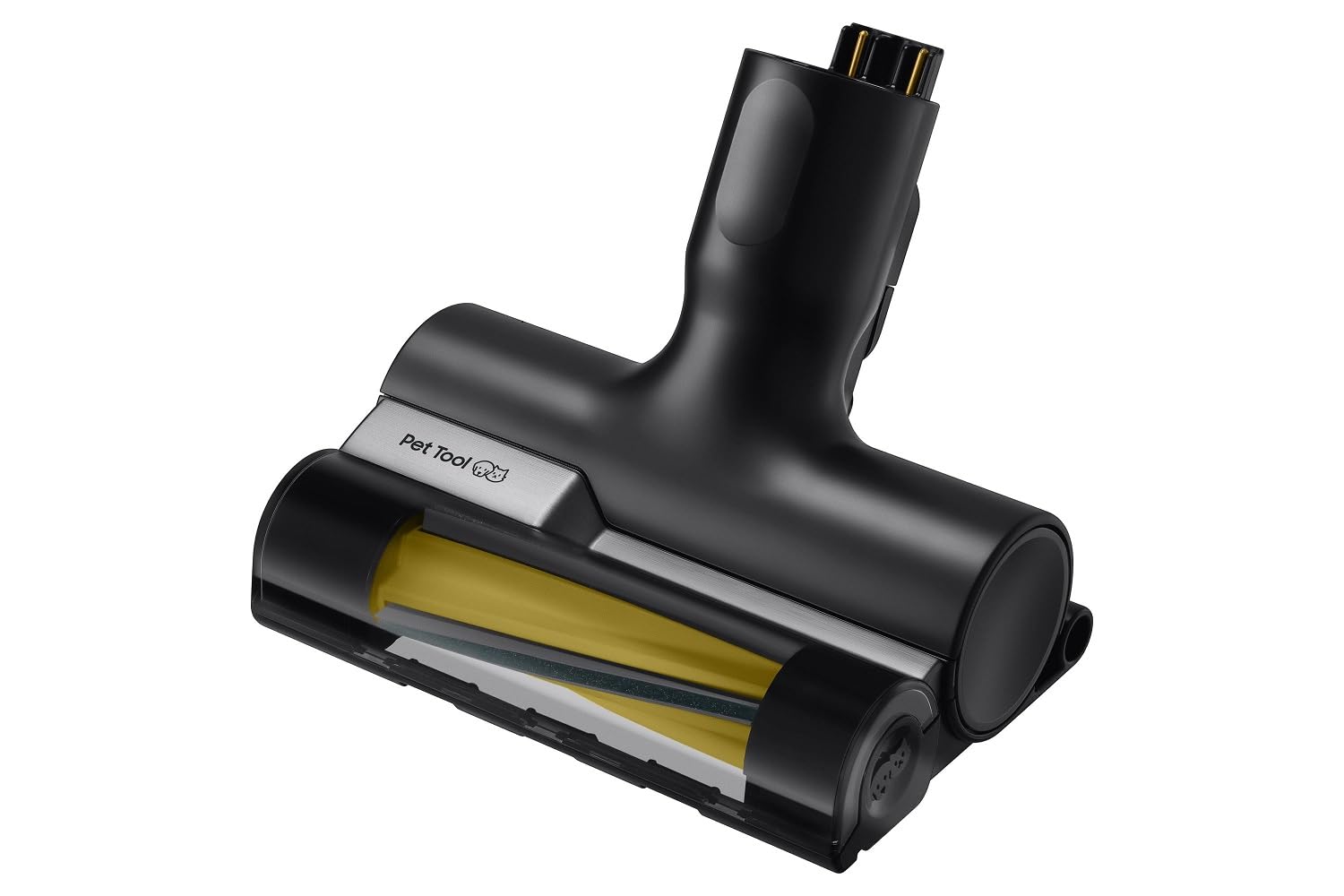
1.1. attēls: Samsung Pet Tool Pet Hair Brush VCA-PTA95/VT. This image shows the compact design of the pet hair brush attachment, featuring its main brush head and connection point.
2. Drošības informācija
Please read all safety instructions carefully before using the Pet Tool brush. Failure to follow these instructions may result in electric shock, fire, or serious injury.
- Always ensure the vacuum cleaner is turned off and unplugged before attaching or detaching the Pet Tool brush, or performing any maintenance.
- Do not use the Pet Tool brush on wet surfaces or to pick up liquids.
- Darbības laikā turiet pirkstus, matus un vaļīgu apģērbu tālāk no rotējošās birstes.
- Do not use the brush if it is damaged. Contact Samsung customer service for assistance.
- Šis piederums ir paredzēts tikai lietošanai mājsaimniecībā.
- Uzglabāt bērniem nepieejamā vietā.
3. Iepakojuma saturs
Pārliecinieties, vai iepakojumā ir visi priekšmeti:
- 1 x Samsung VCA-PTA95/VT Pet Tool Pet Hair Brush (Black)
- Lietotāja rokasgrāmata (šis dokuments)
4. Iestatīšana un instalēšana
The Samsung Pet Tool brush is designed for easy attachment to your compatible Samsung Bespoke Jet 75E or Jet 65 vacuum cleaner.
- Ensure your Samsung Bespoke Jet vacuum cleaner is powered off and disconnected from its charging station.
- Locate the attachment point on the main body or extension pipe of your vacuum cleaner.
- Align the connector of the Pet Tool brush with the attachment point on the vacuum cleaner.
- Push the Pet Tool brush firmly onto the vacuum cleaner until it clicks securely into place. Ensure there is no gap and the connection is stable.
- To detach, press the release button (if present on your vacuum model) and pull the brush away from the vacuum cleaner.
Piezīme: Refer to your main Samsung Bespoke Jet vacuum cleaner manual for specific instructions on attaching accessories if you encounter any difficulties.
5. Lietošanas instrukcijas
Once the Pet Tool brush is securely attached, you can begin cleaning.
- Turn on your Samsung Bespoke Jet vacuum cleaner. The Pet Tool brush's motorized function will activate automatically.
- Gently place the brush head onto the surface you wish to clean (e.g., carpet, sofa, bed, mattress).
- Move the brush slowly and steadily over the surface. The rotating brush and strong suction will work together to lift and remove pet hair.
- For heavily soiled areas, you may need to make multiple passes.
- Avoid pressing down too hard, as this can reduce the effectiveness of the brush and potentially damage the surface or the brush itself.
- After use, turn off the vacuum cleaner.
Uzmanību: Do not use the Pet Tool brush on delicate fabrics or surfaces that may be damaged by a rotating brush. Test on an inconspicuous area first if unsure.
6. Apkope un tīrīšana
Regular cleaning of your Pet Tool brush will ensure optimal performance and extend its lifespan.
Birstes ruļļa tīrīšana
- Ensure the vacuum cleaner is turned off and the Pet Tool brush is detached.
- Inspect the brush roll for tangled hair or debris. The integrated self-cleaning shredder helps minimize tangles, but some manual cleaning may still be required.
- Carefully use scissors or a brush cleaning tool (often included with your vacuum cleaner) to cut and remove any hair or threads wrapped around the brush roll.
- Wipe the exterior of the brush head with a soft, damp audums. Neizmantojiet spēcīgas ķīmiskas vielas vai abrazīvus tīrīšanas līdzekļus.
- Allow all parts to air dry completely before reattaching the brush to the vacuum cleaner.
Svarīgi: Do not immerse the Pet Tool brush in water or any other liquid.
7. Traucējummeklēšana
If you experience issues with your Samsung Pet Tool brush, refer to the following common problems and solutions.
| Problēma | Iespējamais cēlonis | Risinājums |
|---|---|---|
| Brush not rotating. |
|
|
| Samazināta sūkšanas vai tīrīšanas veiktspēja. |
|
|
If the problem persists after trying these solutions, please refer to your main Samsung Bespoke Jet vacuum cleaner manual or contact Samsung customer support.
8. Specifikācijas
| Modeļa numurs | VCA-PTA95/VT |
| Zīmols | Samsung |
| Krāsa | Melns |
| Materiāls | Plastmasa |
| Produkta izmēri (P x D x A) | 15.6 x 10.5 x 18.4 cm (aptuveni) |
| Svars | 600 g (aptuveni) |
| Īpašas funkcijas | Motorized pet hair brush, self-cleaning shredder |
| Ieteicamā lietošana | Carpets, sofas, beds, mattresses |
| Saderība | Samsung Bespoke Jet 75E, Samsung Jet 65 |
9. Garantija un atbalsts
For information regarding the warranty of your Samsung Pet Tool Pet Hair Brush, please refer to the warranty documentation included with your main Samsung Bespoke Jet vacuum cleaner or visit the official Samsung webvietne jūsu reģionam.
For technical support, spare parts, or service inquiries, please contact Samsung Customer Service. You can find contact information on the official Samsung webvietne: www.samsung.com/support.
10. Oficiālie produktu video
No official product videos from the seller were provided for this accessory. Please refer to the main Samsung Bespoke Jet vacuum cleaner product page or Samsung's official channels for relevant videos.