1. Produkts beidziesview
The Atopskins X7 Bone Conduction Headphones are designed for active lifestyles, offering a unique open-ear listening experience combined with robust waterproofing and an integrated MP3 player. This manual provides essential information for safe and effective use of your headphones.
Galvenās funkcijas:
- IPX8 ūdensizturības novērtējums: Fully submersible up to 1 meter for 1 hour, ideal for swimming and water sports.
- Divkāršā režīma funkcionalitāte: Seamlessly switch between Bluetooth 5.3 for wireless connectivity and a built-in 32GB MP3 player for offline music.
- Kaulu vadīšanas tehnoloģija: Delivers sound through vibrations to your cheekbones, keeping your ears open to ambient sounds for enhanced safety.
- Ērts un drošs pieguļošs: Lightweight design with an adjustable silicone cord ensures stability during intense activities.
- Ilgs akumulatora darbības laiks: Up to 5 hours of playback on a single 1-hour charge.
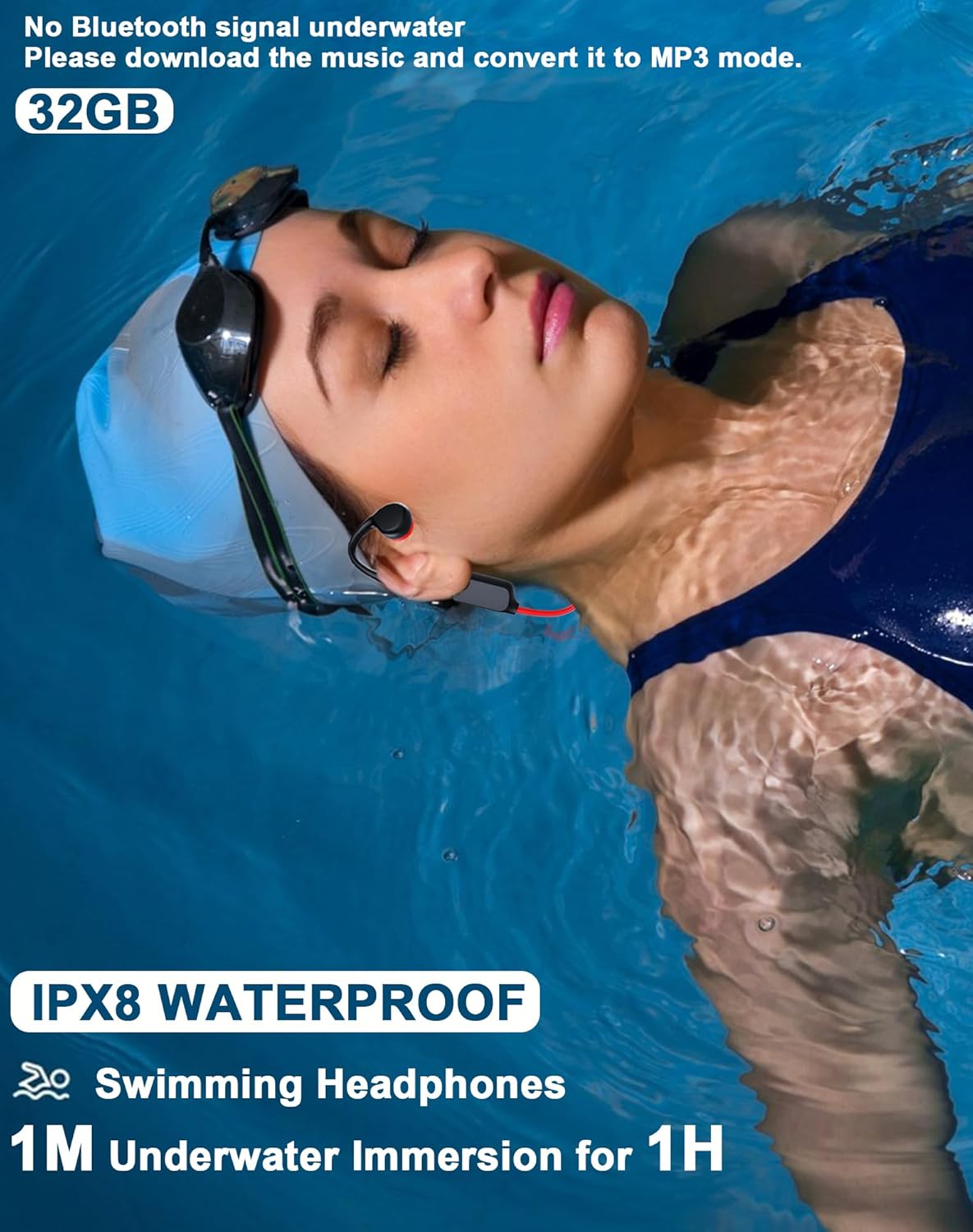
Image: A woman swimming with the Atopskins X7 headphones, demonstrating their IPX8 waterproof capability and integrated 32GB MP3 player. The image emphasizes that Bluetooth signals are unavailable underwater, requiring MP3 mode.
2. Sākotnējā iestatīšana
2.1 Austiņu uzlāde
Before first use, fully charge your headphones. Use the provided magnetic charging cable.
- Connect the magnetic end of the charging cable to the charging port on the headphones.
- Pievienojiet kabeļa USB galu USB strāvas adapterim (nav iekļauts komplektā) vai datora USB portam.
- The LED indicator will show charging status. A full charge takes approximately 1 hour.

Image: A woman exercising while wearing the Atopskins X7 headphones, with an overlay indicating a 1-hour recharge time and 5 hours of use, illustrating the battery performance.
2.2 Adjusting the Fit
The headphones feature an adjustable silicone cord for a secure and comfortable fit.
- Place the headphones over your ears with the bone conduction transducers resting on your cheekbones, just in front of your ears.
- Pass the round head of the adjustable cord through the circular opening on the earphone frame.
- Adjust the position of the connecting cable until the earphone fits perfectly and securely around your head.

Image: A diagram showing the adjustable silicone cord and how to thread it through the earphone frame to customize the fit of the headphones.
3. Lietošanas instrukcijas
3.1 Ieslēgšana/izslēgšana un režīmu pārslēgšana
- Ieslēgšana/izslēgšana: Turiet nospiestu barošanas pogu 3 sekundes.
- Balss vadība: After powering on, long press the Power button for 2 seconds to activate voice control.
- Pārslēgt režīmus: Double click the Power button to switch between Bluetooth Mode and MP3 Mode.
- Atskaņot/pauzēt: While music is playing, click the Power button to Play or Pause.
3.2 Skaļuma un celiņu vadība
- Skaļāk: Click the "+" button.
- Nākamā dziesma: Nospiediet un turiet nospiestu pogu "+".
- Skaļums uz leju: Click the "-" button.
- Iepriekšējā dziesma: Nospiediet un turiet nospiestu pogu "-".

Image: A detailed diagram illustrating the location and function of the Power, Volume Up (+), and Volume Down (-) buttons on the headphones, alongside a smartphone screen showing a successful Bluetooth connection to "X7".
3.3 Bluetooth savienojums
- Ensure the headphones are powered on and in Bluetooth Mode (red and blue lights flashing).
- On your device (smartphone, tablet, etc.), go to Bluetooth settings and search for "X7".
- Select "X7" to connect. A successful connection will be indicated by a voice prompt and stable LED light.
3.4 MP3 atskaņotāja funkcionalitāte
The Atopskins X7 headphones have 32GB of built-in memory for storing music files, allowing you to listen without a connected device.
- Connect the headphones to your computer using the magnetic charging cable.
- The headphones will appear as a removable drive.
- Drag and drop your MP3 music files into the headphone's storage folder.
- Safely eject the headphones from your computer.
- Switch the headphones to MP3 Mode (double click Power button) to play stored music.

Attēls: Tuvplāns view of the Atopskins X7 headphones, featuring an icon of a 32GB memory card, highlighting the integrated MP3 storage capability.
4. Waterproof Use (IPX8)
The Atopskins X7 headphones are rated IPX8, making them suitable for swimming and other water activities. However, specific considerations apply:
- Zemūdens izmantošana: The headphones can be submerged up to 1 meter for 1 hour.
- Bluetooth Limitation: Bluetooth signals do not transmit effectively underwater. For swimming or diving, you obligāti use the built-in 32GB MP3 player mode. Ensure your music is downloaded to the headphones before entering the water.

Image: A man swimming with the Atopskins X7 headphones, illustrating their IPX8 waterproof design and the necessity of using the 32GB MP3 mode for underwater listening due to Bluetooth signal limitations.
5. Bone Conduction Technology
The Atopskins X7 headphones utilize advanced bone conduction technology to deliver sound. This method transmits sound vibrations through your cheekbones directly to your inner ear, bypassing the eardrums.
Benefits of Bone Conduction:
- Atvērto ausu dizains: Your ears remain open to ambient sounds, allowing you to stay aware of your surroundings for increased safety during outdoor activities like cycling or running.
- Komforts: No ear canal insertion means no ear fatigue, even during long periods of wear.
- Higiēna: Reduces the risk of ear infections compared to in-ear headphones.

Image: A diagram illustrating the principle of bone conduction, showing how sound vibrations are transmitted through the bone to the inner ear, leaving the external auditory canal open.

Image: A graphic emphasizing the integration of Bluetooth 5.3 connectivity with advanced bone conduction technology in the headphones.
6. Kopšana un uzturēšana
- Tīrīšana: Noslaukiet austiņas ar mīkstu, damp cloth after use, especially after exposure to sweat, saltwater, or chlorinated water.
- Žāvēšana: Pirms uzlādes pārliecinieties, vai uzlādes ports ir pilnībā sauss, lai novērstu bojājumus.
- Uzglabāšana: Uzglabāt vēsā, sausā vietā, prom no tiešiem saules stariem un ekstremālām temperatūrām.
- Izvairieties no ķimikālijām: Do not use harsh chemicals or abrasive cleaners on the headphones.
7. Traucējummeklēšana
| Problēma | Iespējamais risinājums |
|---|---|
| Austiņas neieslēdzas. | Ensure the headphones are fully charged. Long press the Power button for 3 seconds. |
| Nevar izveidot savienojumu, izmantojot Bluetooth. |
|
| No sound in MP3 Mode. |
|
| Sound quality is poor or low. |
|
| Dators neatpazīst austiņas. |
|
8. Produkta specifikācijas
| Funkcija | Detaļas |
|---|---|
| Modeļa nosaukums | X7 |
| Zīmols | Atopskins |
| Savienojamības tehnoloģija | Bezvadu (Bluetooth) |
| Bezvadu sakaru tehnoloģija | Bluetooth 5.3 |
| Ūdensizturības līmenis | IPX8 ūdensizturīgs |
| Audio draivera tips | Kaulu vadītspējas draiveris |
| Iebūvēta atmiņa | 32GB (for MP3 mode) |
| Akumulatora darbības laiks | Līdz 5 stundām |
| Uzlādes laiks | 1 stundas |
| Kontroles metode | Pieskāriena (pogas) |
| Materiāls | Plastmasa, Silikons |
| Preces svars | 5 unces |
| Iekļautie komponenti | Lietotāja rokasgrāmata |
9. Garantija un atbalsts
For warranty information or technical support, please refer to the product packaging or contact Atopskins customer service directly. Contact details are typically available on the manufacturer's official webvietnē vai izmantojot jūsu pirkumu platformu.