
1. Ievads
This manual provides essential information for setting up, operating, maintaining, and troubleshooting your realme Note 70T smartphone. Please read this guide thoroughly to ensure optimal performance and longevity of your device.
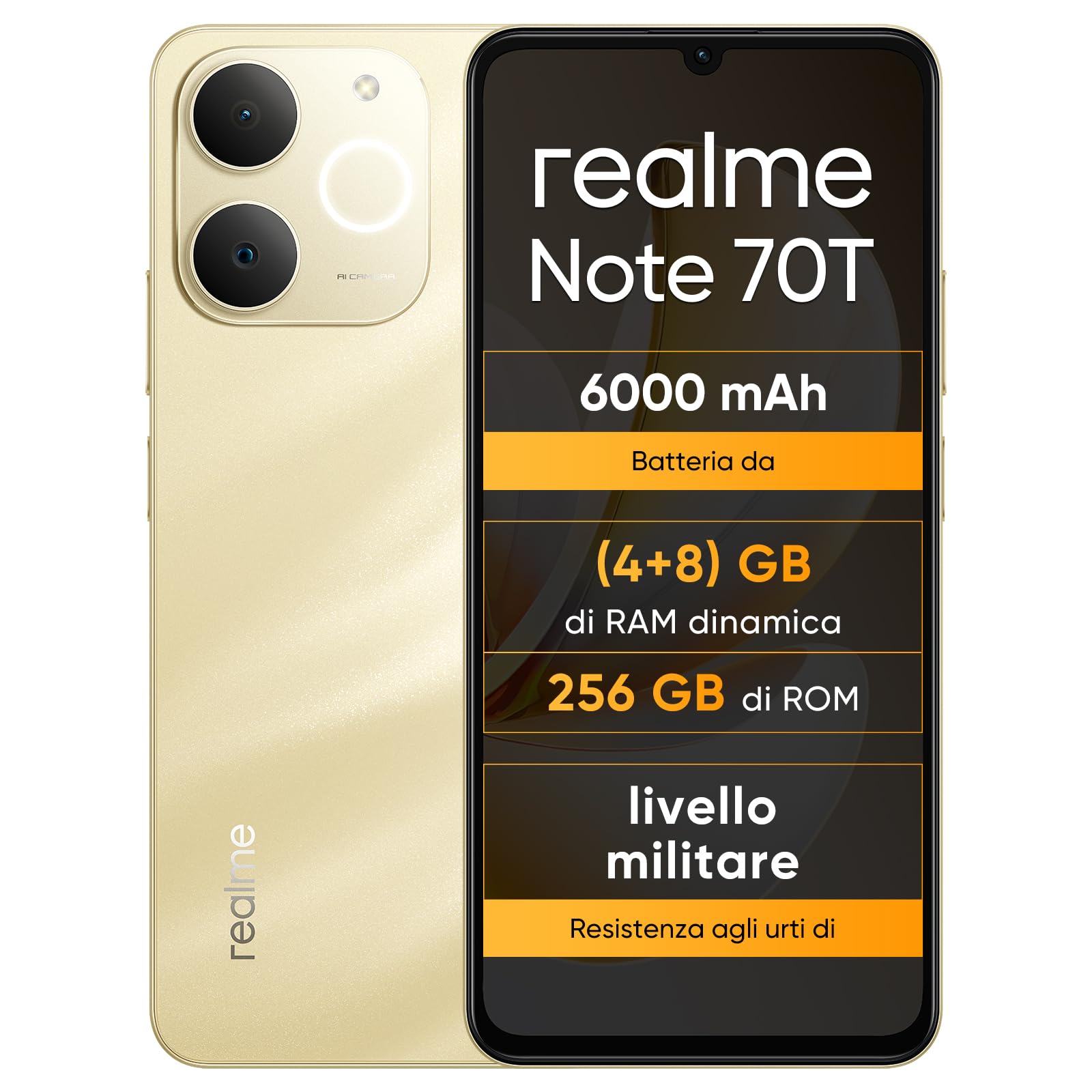
Attēls: Priekšpuse un aizmugure view of the realme Note 70T smartphone.
2. Iestatīšanas rokasgrāmata
2.1. Iepakojuma saturs
Pārbaudiet, vai jūsu iepakojumā ir šādas preces:
- realme Note 70T Smartphone
- USB kabelis
- Tālruņa futrālis
- Aizsargplēve
2.2 SIM kartes ievietošana un ieslēgšana
- Locate the SIM card tray on the side of the device. Use the provided SIM ejector tool to open the tray.
- Carefully place your Nano-SIM card(s) and/or microSD card into the tray, ensuring correct orientation. The realme Note 70T supports Dual SIM.
- Viegli iebīdiet paplāti atpakaļ slotā, līdz tā ir vienā līmenī ar tālruņa korpusu.
- Press and hold the Power button (located on the right side) until the realme logo appears on the screen.

Attēls: Sāns view of the realme Note 70T, illustrating the location of the SIM card tray.
2.3. Sākotnējā uzlāde
Before first use, it is recommended to fully charge your device. Connect the USB cable to the phone's USB-C port and the other end to a compatible power adapter (not included) or a computer's USB port.

Attēls: Apakšdaļa view of the realme Note 70T, highlighting the USB-C charging port.
3. Lietošanas instrukcijas
3.1 Pamatfunkcijas
- Ieslēgšana/izslēgšana: Nospiediet un turiet ieslēgšanas/izslēgšanas pogu. Atlasiet “Izslēgt” vai “Restartēt”.
- Skaļuma kontrole: Izmantojiet skaļuma palielināšanas un skaļuma samazināšanas pogas ierīces sānos.
- Ekrāna bloķēšana/atbloķēšana: Īsi nospiediet ieslēgšanas/izslēgšanas pogu, lai bloķētu vai atbloķētu ekrānu.
- Sejas atpazīšana: Configure facial recognition in Settings for quick and secure unlocking.

Attēls: Sāns view of the realme Note 70T, showing the power and volume buttons.
3.2. Displeja funkcijas
The realme Note 70T features a 6.75-inch Eye Comfort Display with a 90Hz refresh rate. This provides smooth visuals and reduces eye strain. The display offers vivid clarity and comfortable viewing.

Image: The realme Note 70T display showcasing its 90Hz refresh rate and eye comfort features with a vibrant beach scene.
3.3 Kameras funkcijas
Capture every moment with the 13MP rear camera and 5MP front camera. The device includes advanced AI features to enhance your photography:
- AI Clear Face: Improves blurry portraits for sharper results.
- AI dzēšgumija: Removes unwanted elements from photos.
- AI Image Matting: Allows you to easily remove subjects from backgrounds.

Image: Demonstration of the AI Clear Face feature, showing a blurry portrait before and after AI enhancement.

Image: Demonstration of the AI Eraser feature, showing an object removed from a photo.

Image: Demonstration of the AI Image Matting feature, showing a person isolated from the background.
3.4. Akumulatora pārvaldība
The 6000mAh battery provides up to two days of usage on a single charge. It supports extended standby and includes 38 levels of charging protection for long-term battery health.

Image: Illustration of the realme Note 70T's 6000mAh battery capacity and estimated usage times for various activities.
3.5 Performance and Audio
Powered by an octa-core chipset with speeds up to 1.8 GHz, the realme Note 70T ensures smooth performance for gaming and applications. It supports fast app launch times and keeps up to 16 apps active in the background.
Experience enhanced audio with 300% ultra volume and AI Call 2.0, which provides intelligent noise reduction for clear calls.

Image: Visual representation of the realme Note 70T's octa-core processor.

Image: Illustration of the AI Call 2.0 feature, demonstrating noise reduction during calls.
4. Apkope
4.1 Ūdens un putekļu izturība (IP54)
The realme Note 70T is rated IP54 for water and dust resistance, protecting against splashes and dust ingress. The speaker vibrates at a specific frequency to expel accumulated water. This feature ensures the device remains functional in various daily situations.

Image: The realme Note 70T being splashed with water, demonstrating its IP54 water resistance.
4.2 ArmorShell Protection
The device features ArmorShell protection, having passed the MIL-STD 810H military-grade shock resistance test. This includes multi-angle drop tests and high-intensity impact tests, ensuring durability against accidental drops from up to 1.8 meters.

Image: The realme Note 70T being dropped onto a rocky surface, illustrating its military-grade resistance.
4.3 Vispārēja aprūpe
- Keep the device clean using a soft, dry cloth. Avoid abrasive materials.
- Izvairieties no tālruņa ilgstošas pakļaušanas ekstremālām temperatūrām vai tiešiem saules stariem.
- Nemēģiniet pats izjaukt vai remontēt ierīci, jo tas var anulēt garantiju un radīt bojājumus.
5. Traucējummeklēšana
5.1. Bieži sastopamās problēmas un risinājumi
- Ierīce neieslēdzas: Pārliecinieties, vai akumulators ir uzlādēts. Pievienojiet lādētājam un mēģiniet vēlreiz.
- Ekrāns nereaģē: Restart the device by holding the Power button for an extended period (usually 10-15 seconds).
- Lietotņu avarē vai darbojas lēni: Close background applications. Utilize the AI Optimization feature to improve app smoothness.

Image: Screenshot of the AI Optimization feature on the realme Note 70T, showing options to improve app smoothness.
5.2 Rūpnīcas atiestatīšana
If issues persist, you may consider a factory reset. Brīdinājums: This will erase all data on your device. Back up important information before proceeding. Navigate to Iestatījumi > Sistēma > Atiestatīšanas opcijas > Dzēst visus datus (rūpnīcas datu atiestatīšana).
6. Specifikācijas
| Funkcija | Specifikācija |
|---|---|
| Zīmols | realme |
| Modeļa nosaukums | realme Note 70T |
| Operētājsistēma | Android 15 |
| RAM lielums | 4 GB |
| Uzglabāšanas ietilpība | 256 GB |
| Ekrāna izmērs | 6.75 collas |
| Izšķirtspēja | 720 x 1600 |
| Atsvaidzināšanas biežums | 90 Hz |
| Šūnu tehnoloģija | 4G |
| Savienojamības tehnoloģija | Bluetooth |
| Krāsa | Sandy Gold |
| Number of SIM Card Slots | Divas SIM kartes |
| Uzlādes porta veids | USB-C |
| Biometric Identification Features | Sejas atpazīšana |
| Ūdensizturības līmenis | Ūdensizturīgs (IP54) |
| Austiņu ligzda | No 3.5 mm Jack |
| Maximum Supported Flash Memory Size | 256 GB |
| Front Camera Sensor Resolution | 5 MP |
| Rear Camera Sensor Resolution | 13 MP |
| Number of Rear Cameras | 1 |
| Number of Front Cameras | 1 |
| Maksimālā akumulatora jauda | 6000 miljoniamper-hour (mAh) |
| Preces izmēri | 15.7 x 7.4 x 0.9 cm |
| Vidējais akumulatora darbības laiks | 2 dienas |
| Video uzņemšanas izšķirtspēja | 1080p |
| Kadru ātrums | 30 kadri sekundē |
| GPS and Georeferencing Features | Taisnība |
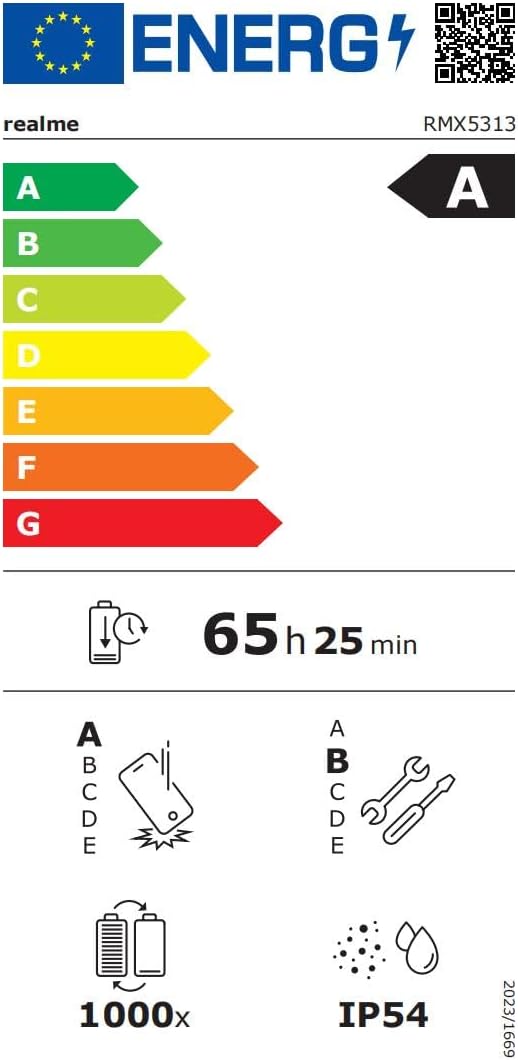
Image: EU Energy Label for realme Note 70T, showing energy efficiency, battery life, and IP54 rating. For more details, visit eprel.ec.europa.eu/qr/2361473.
7. Informācija par garantiju
Your realme Note 70T smartphone comes with a limited manufacturer's warranty. Please refer to the warranty card included in your package or visit the official realme webvietnē, lai iepazītos ar detalizētiem noteikumiem un nosacījumiem par garantijas segumu, tā ilgumu un apkalpošanas procedūrām.
8. Klientu atbalsts
Lai saņemtu papildu palīdzību, tehnisko atbalstu vai pakalpojumu jautājumus, lūdzu, sazinieties ar Realme klientu atbalsta dienestu, izmantojot viņu oficiālo website or the contact information provided in your product documentation. You can also find FAQs and troubleshooting tips on the realme support portal.
Additional resources, including a Data Transparency Declaration, can be found šeit.


