
1. Ievads
Thank you for choosing the BUGANI OWSB10S Open Ear Wireless Headphones. These headphones are designed to provide a comfortable listening experience while maintaining situational awareness. Featuring Bluetooth 5.4 technology, HiFi stereo sound, and an IPX5 waterproof rating, they are suitable for various activities including sports, running, and cycling. This manual provides detailed instructions for setup, operation, maintenance, and troubleshooting to ensure optimal performance.
2. Iepakojuma saturs
- BUGANI OWSB10S Open Ear Wireless Headphones (Left and Right)
- Uzlādes futrālis
- USB-C uzlādes kabelis
- Lietotāja rokasgrāmata
3. Produkts beidziesview
The BUGANI OWSB10S headphones feature an open-ear design that rests gently outside your ears, reducing pressure and fatigue. This design allows you to stay aware of your surroundings, making them ideal for outdoor activities. They are equipped with custom dynamic drivers for rich audio and an HD microphone for clear calls.

Figure 3.1: BUGANI OWSB10S Open Ear Wireless Headphones worn on ear, demonstrating the comfortable fit.

3.2. attēls: eksplodēja view of a BUGANI OWSB10S earbud, showcasing the custom dynamic driver and internal structure.

Figure 3.3: Diagram illustrating the directional sound transmission technology of the BUGANI OWSB10S, designed to reduce sound leakage.
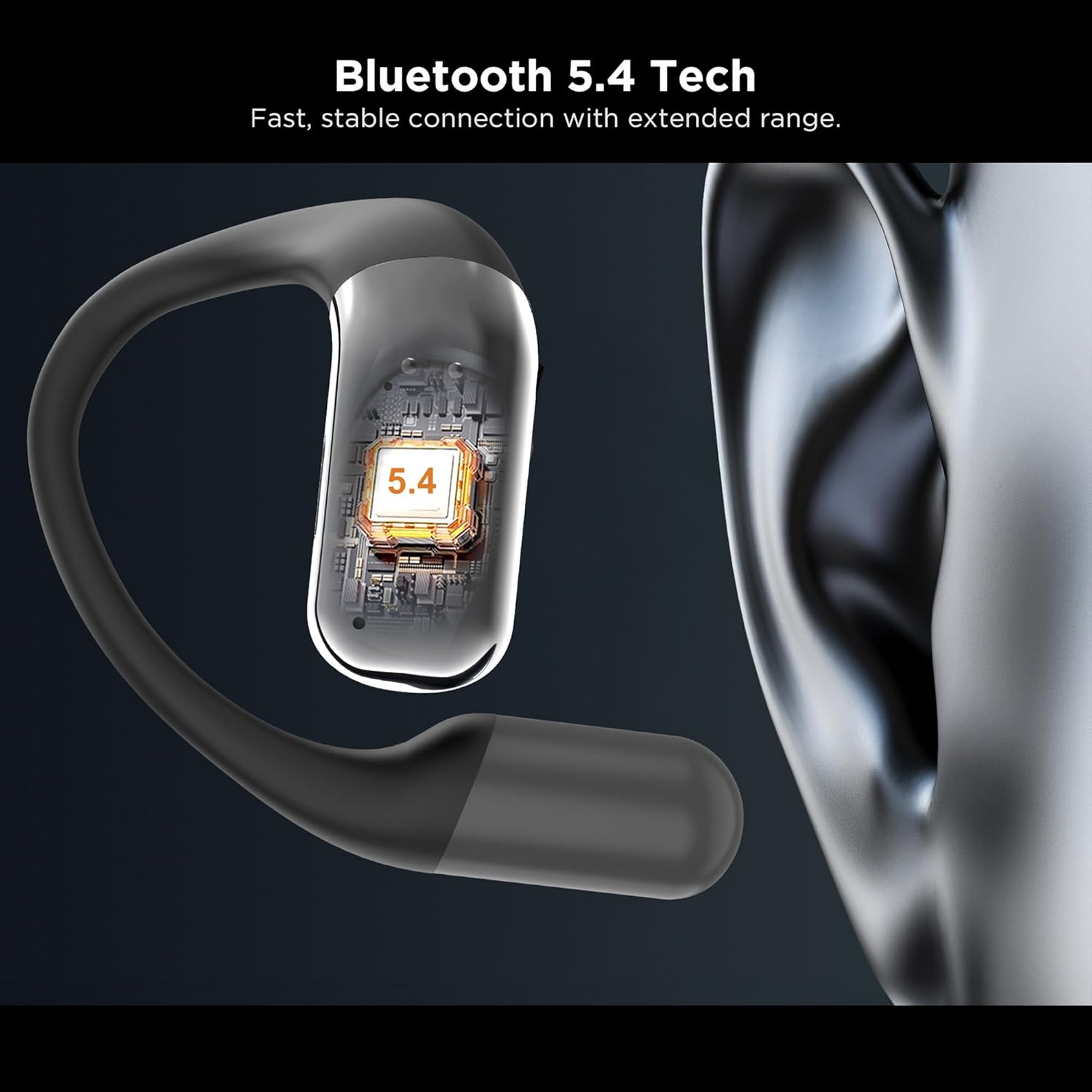
3.4. attēls: Tuvplāns view of the integrated Bluetooth 5.4 chip within the BUGANI OWSB10S earbud, ensuring stable connectivity.

Figure 3.5: The BUGANI OWSB10S earbuds securely placed in their charging case, ready for recharging.
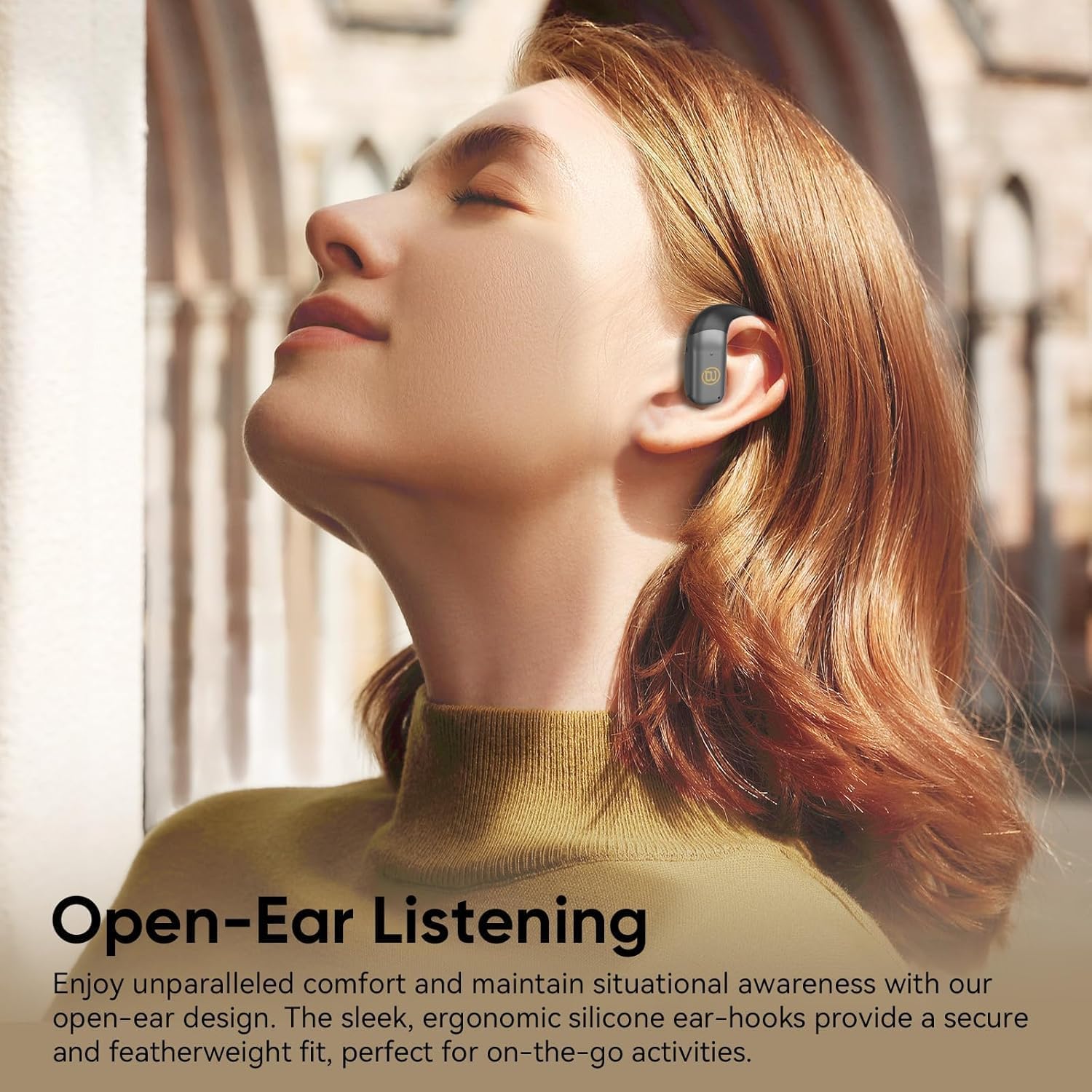
Figure 3.6: A user wearing the BUGANI OWSB10S headphones, highlighting the open-ear design for comfort and environmental awareness.
4. Iestatīšana
4.1. Sākotnējā uzlāde
Before first use, ensure the charging case is fully charged. Connect the provided USB-C cable to the charging port on the case and to a power source. The indicator light on the case will show charging status. Once fully charged, the case can provide multiple recharges for the earbuds.
4.2 Aizsargplēves noņemšana
Upon unboxing, remove any protective plastic film covering the charging contacts on the earbuds. This film prevents charging and proper connection. Place the earbuds back into the charging case after removing the film.
4.3 Bluetooth savienošana pārī
- Atveriet uzlādes futrāli. Austiņas automātiski pārslēgsies pārī savienošanas režīmā.
- Savā ierīcē (viedtālrunī, planšetdatorā utt.) iespējojiet Bluetooth.
- Meklēt available Bluetooth devices and select "BUGANI B10" from the list.
- Kad savienojums būs izveidots, atskanēs skaņas signāls, un austiņas būs gatavas lietošanai.
Video 4.1: This video demonstrates the unboxing and initial setup process for the BUGANI OWSB10S headphones, including how to remove protective films and place them in the charging case.
5. Lietošanas instrukcijas
5.1 Austiņu valkāšana
Gently place the ear hooks over your ears, ensuring the earbud rests comfortably outside your ear canal. Adjust for a secure fit. The open-ear design allows for ambient sound awareness.
5.2. Skārienvadības ierīces
The BUGANI OWSB10S headphones feature touch controls for various functions:
- Atskaņot/pauzēt: Viens pieskāriens austiņām.
- Nākamais ieraksts: Veiciet dubultskārienu labajai austiņai.
- Iepriekšējais ieraksts: Veiciet dubultskārienu kreisajā austiņā.
- Atbildēt/beigt zvanu: Ienākošā zvana laikā vienreiz pieskarieties jebkurai austiņai.
- Noraidīt zvanu: Ienākošā zvana laikā nospiediet un turiet uz jebkuras austiņas.
- Balss palīga aktivizēšana: Trīsreiz pieskarieties jebkurai austiņai.
5.3 AI Translation Feature
These headphones support AI translation capabilities when used with a compatible application on your smartphone. Once the app is set up and connected, you can utilize the earbuds for real-time translation. This feature allows you to hear translated speech and/or read translated text on your phone, facilitating communication across different languages.
6. Uzlāde
The earbuds provide 8-10 hours of playtime on a single charge. The 500mAh charging case offers up to 6 full recharges for the earbuds, extending total usage time to approximately 60 hours.
6.1 Austiņu uzlāde
Place the earbuds into the charging case. Ensure the charging contacts align. The earbuds will automatically begin charging. Indicator lights on the earbuds or case will confirm charging status.
6.2 Korpusa uzlādēšana
Connect the USB-C charging cable to the charging port on the case and to a 5V/1A power adapter (not included). The indicator light on the case will illuminate to show charging progress. A full charge typically takes a few hours.
7. Apkope
The BUGANI OWSB10S headphones are IPX5 waterproof, meaning they are resistant to sweat, light rain, and splashes. They are not designed for submersion in water.
- Tīrīšana: Use a soft, dry cloth to wipe the earbuds and charging case. Do not use abrasive cleaners or solvents.
- Uzglabāšana: Kad austiņas netiek lietotas, uzglabājiet tās uzlādes futrālī, lai tās aizsargātu un uzlādētu. Izvairieties no ekstremālām temperatūrām.
- Ūdens iedarbība: Ja austiņas kļūst mitras, pirms ievietošanas atpakaļ uzlādes futrālī tās rūpīgi nosusiniet, lai nesabojātu uzlādes kontaktus.
8. Traucējummeklēšana
| Problēma | Iespējamais cēlonis | Risinājums |
|---|---|---|
| Austiņas netiek savienotas pārī | Protective film still on contacts; Bluetooth not enabled; Earbuds not in pairing mode. | Remove protective film. Ensure Bluetooth is on. Place earbuds in case, close, then open to re-enter pairing mode. |
| Nav skaņas | Pārāk kluss skaļums; Nav savienojuma; Multivides atskaņošana ir apturēta. | Increase volume on device and earbuds. Reconnect Bluetooth. Check media playback status. |
| Uzlādes futrālis netiek uzlādēts | Kabelis nav pareizi pievienots; Bojāts kabelis/adapteris. | Ensure cable is securely connected. Try a different USB-C cable or power adapter. |
| Austiņas neuzlādējas futrālī | Protective film on contacts; Dirty contacts; Case battery low. | Remove protective film. Clean charging contacts on earbuds and case. Charge the charging case. |
9. Specifikācijas
| Funkcija | Detaļas |
|---|---|
| Modeļa nosaukums | OWSB10S |
| Savienojamības tehnoloģija | Bezvadu (Bluetooth 5.4) |
| Austiņas forma | Atveriet ausi |
| Ūdensizturības līmenis | IPX5 (ūdensizturīgs) |
| Kontroles metode | Pieskarieties |
| Austiņu akumulatora darbības laiks | 8-10 Hours (per charge) |
| Uzlādes korpusa ietilpība | 500mAh (up to 6 full recharges) |
| Kopējais spēles laiks ar futrāli | Līdz 60 stundām |
| Audio draivera tips | Dinamiskais draiveris |
| Produkta izmēri | 1.9 x 4.5 x 4.5 collas |
| Preces svars | 6.7 unces |
10. Garantija un atbalsts
BUGANI products are designed and manufactured to the highest quality standards. For warranty information, technical support, or customer service inquiries, please refer to the contact details provided on the product packaging or visit the official BUGANI webvietne. Lūdzu, saglabājiet pirkuma apliecinājumu jebkādu garantijas prasību gadījumā.