
1. Ievads
Paldies par pirkumuasing the LG 27G411A UltraGear Gaming Monitor. This manual provides essential information for the safe and efficient use of your monitor. Please read it thoroughly before operating the product and retain it for future reference. This 27-inch Full HD (1920 x 1080) IPS display is designed for an immersive gaming experience, featuring a 144Hz refresh rate, 1ms Motion Blur Reduction (MBR), HDR10 support, and compatibility with NVIDIA G-Sync and AMD FreeSync technologies.
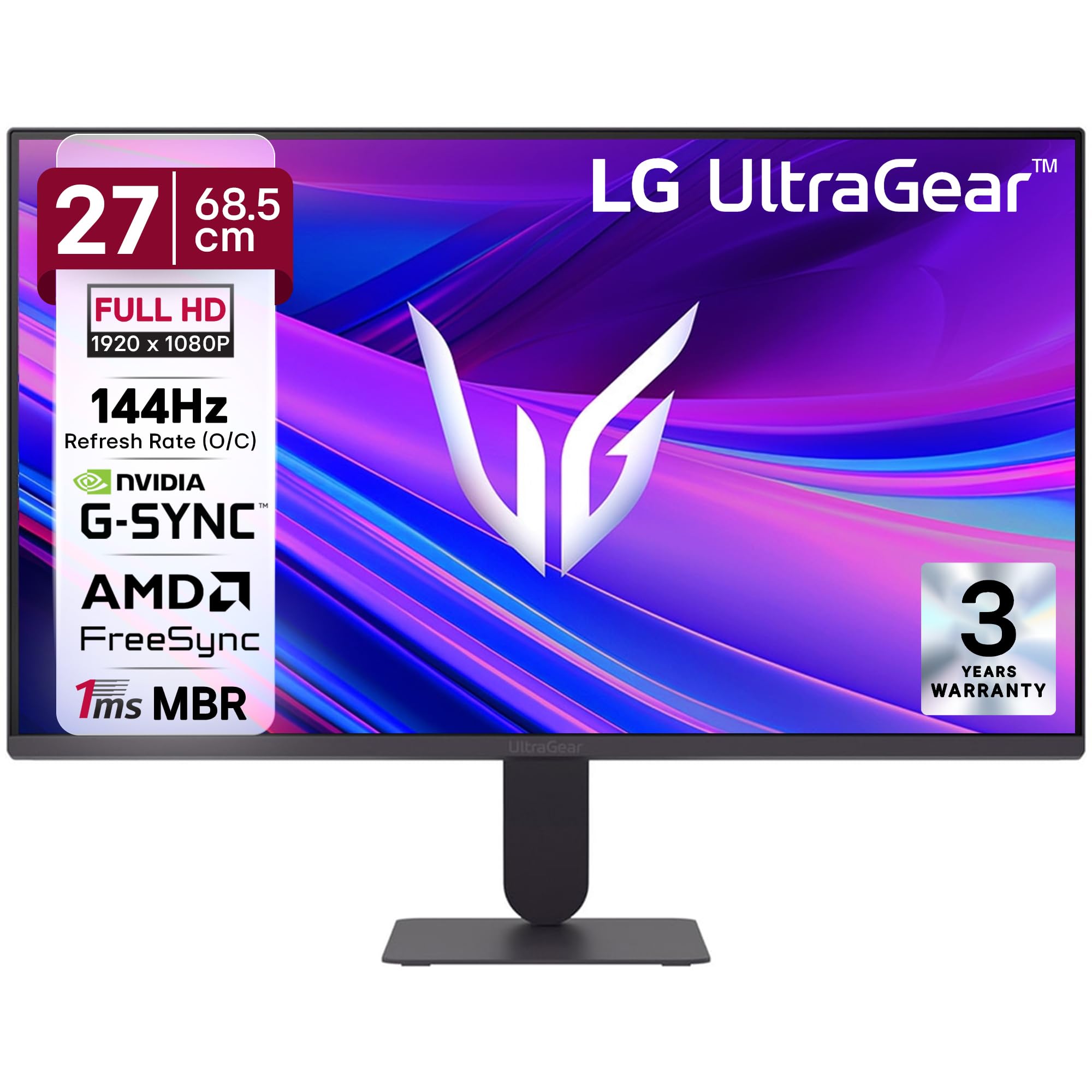
1. attēls. Priekšpuse view of the LG 27G411A UltraGear Gaming Monitor.
2. Drošības informācija
Lai novērstu produkta bojājumus vai savainojumus sev un citiem, ievērojiet tālāk norādītos drošības pasākumus.
- Jauda: Use only the power cord and adapter supplied with the monitor. Do not overload power outlets.
- Izvietojums: Place the monitor on a stable, level surface. Avoid direct sunlight, heat sources, and areas with high humidity or dust. Ensure adequate ventilation around the monitor.
- Apstrāde: Do not drop the monitor or subject it to strong impacts. Avoid touching the screen with sharp objects.
- Tīrīšana: Pirms tīrīšanas atvienojiet strāvas vadu. Izmantojiet mīkstu, sausu drānu. Nelietojiet šķidrus tīrīšanas līdzekļus vai aerosola aerosolus.
- Remonts: Nemēģiniet apkalpot šo produktu pats. Visu apkopi uzticiet kvalificētam servisa personālam.
3. Iepakojuma saturs
Pārliecinieties, vai produkta iepakojumā ir visi nepieciešamie priekšmeti:
- LG 27G411A UltraGear Monitor
- Strāvas kabelis
- HDMI kabelis
- Monitora statīvs (pamatne un kakls)
- Lietotāja rokasgrāmata (šis dokuments)
4. Iestatīšana
4.1 Monitora montāža
Lai saliktu monitora statīvu un piestiprinātu to pie displeja paneļa, veiciet šīs darbības.
- Carefully place the monitor face down on a soft cloth or cushion to prevent scratches.
- Attach the stand neck to the base, securing it with the captive screw.
- Align the assembled stand with the mounting slot on the back of the monitor panel and push until it clicks into place.
- Alternatively, the monitor supports VESA 100x100mm wall mounting. Remove the stand if using a wall mount.

Figure 2: Illustration of the monitor's ultra-slim design, tilt adjustment, and VESA wall mount compatibility.
4.2 Monitora pievienošana
Savienojiet ierīces ar monitoru, izmantojot atbilstošus kabeļus.
- Strāvas pieslēgums: Pievienojiet strāvas kabeli monitora strāvas ieejai un pēc tam sienas kontaktligzdai.
- HDMI savienojums: Use the supplied HDMI cable to connect your computer or gaming console to the HDMI port on the monitor.
- DisplayPort savienojums: For optimal performance, especially for 144Hz refresh rate, connect your computer to the DisplayPort (DP) on the monitor using a DisplayPort cable (not always included).
- Austiņu izeja: Connect headphones or external speakers to the 3-pole headphone out port for audio output.

3. attēls. Aizmugure view of the monitor displaying the power input, HDMI, DisplayPort, and headphone out ports.

4. attēls: detalizēti view of the DisplayPort (DP-IN), HDMI, and Headphone (HP) ports.
5. Lietošanas instrukcijas
5.1 Ieslēgšana/izslēgšana
Press the joystick button located at the bottom center of the monitor to turn it on or off. A short press will bring up the OSD menu, while a long press will power off the monitor.
5.2 Ekrāna displeja (OSD) izvēlne
OSD izvēlne ļauj pielāgot dažādus monitora iestatījumus. Izmantojiet kursorsviras pogu, lai pārvietotos:
- Pārvietojiet kursorsviru uz augšu/uz leju/pa kreisi/pa labi, lai pārvietotos pa izvēlnes opcijām.
- Nospiediet kursorsviru, lai atlasītu opciju vai apstiprinātu iestatījumu.
5.3 Attēla režīmi
The monitor offers several preset picture modes optimized for different content types:
- Pielāgots: Allows manual adjustment of all picture settings.
- Gamer1/Gamer2: User-configurable modes for gaming preferences.
- FPS/RTS: Optimized for First-Person Shooter and Real-Time Strategy games.
- Spilgts: Enhances color and contrast for general viewing.
- Lasītājs: Samazina zilo gaismu ērtai lasīšanai.
- HDR efekts: Simulates HDR content for non-HDR sources.
- Krāsu vājums: Adjusts color settings to assist users with color vision deficiency.
5.4 Spēļu uzlabojumi
The LG 27G411A is equipped with features to enhance your gaming experience:
- 144Hz Refresh Rate & 1ms MBR: Experience fluid motion and reduced ghosting. The monitor supports a native 120Hz refresh rate and up to 144Hz in overclock mode via DisplayPort 1.4 (HDMI 2.0 supports up to 144Hz).
- AMD FreeSync & NVIDIA G-Sync Compatible: Sinhronizē monitora atsvaidzes intensitāti ar GPU kadru ātrumu, lai novērstu ekrāna plēšanu un raustīšanos.
- Melns stabilizators: Brightens dark areas to help you spot enemies hiding in shadows.
- Dinamiskā darbības sinhronizācija (DAS): Samazina ievades aizkavi reāllaika darbībai.
- Krusts: Novieto fiksētu krustpunktu ekrāna centrā, lai uzlabotu mērķēšanu FPS spēlēs.
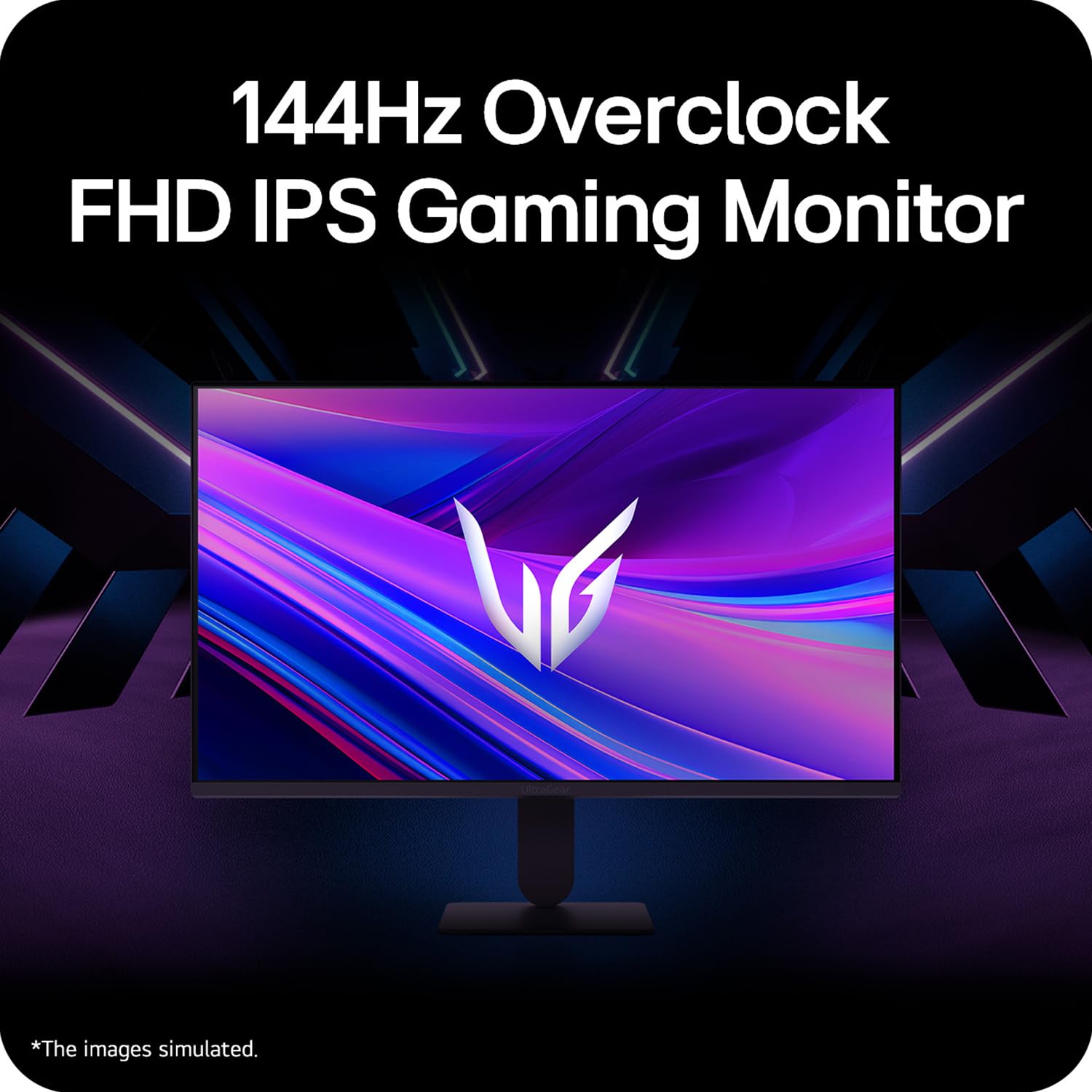
Figure 5: Visual representation of 144Hz overclock for fluid gaming motion.

Figure 6: Illustration of 1ms Motion Blur Reduction (MBR) for fast-paced gaming. Note: 1ms MBR causes lowered luminance and cannot be used with AMD FreeSync/DAS. Flicker may occur during 1ms MBR operation.

Figure 7: The monitor is certified compatible with NVIDIA G-Sync and AMD FreeSync technologies.

Figure 8: Precision Gaming Mode features: Dynamic Action Sync (DAS), Black Stabilizer, and Crosshair.
5.5 Acu kopšanas funkcijas
To reduce eye strain during prolonged use, the monitor includes:
- Mirgojošs: Reduces screen flicker to minimize eye fatigue.
- Lasītāja režīms: Adjusts color temperature and brightness to simulate paper, making it easier on the eyes for reading tasks.
- Krāsu vājums: Provides color adjustments for users with color vision deficiencies.
5.6 Smart Convenience (LG Switch App)
The LG Switch app offers enhanced control and customization options for your monitor directly from your computer. Features include Dual mode, Smart screen split, Launch a video call, and Personalized Picture Wizard.

Figure 9: The LG Switch app provides smarter control and seamless switching between various display modes and settings.
6. Apkope
6.1 Monitora tīrīšana
Lai saglabātu monitora izskatu un veiktspēju:
- Pirms tīrīšanas vienmēr atvienojiet monitoru no strāvas kontaktligzdas.
- Izmantojiet mīkstu, nepūkošu drānu, lai maigi noslaucītu ekrānu un ārējās virsmas.
- Noturīgiem traipiem viegli uzslaucītampNoslaukiet drānu ar ūdeni vai maigu, neabrazīvu ekrāna tīrīšanas līdzekli. Neizsmidziniet šķidrumu tieši uz ekrāna.
- Avoid using benzene, alcohol, or other volatile solvents, as they may damage the monitor.
7. Traucējummeklēšana
Ja rodas problēmas ar monitoru, skatiet tālāk norādītos bieži sastopamos risinājumus.
| Problēma | Iespējamais cēlonis/risinājums |
|---|---|
| Nav jaudas | Ensure the power cable is securely connected to the monitor and a working power outlet. Check if the power outlet is functional. |
| Nav signāla / Tukšs ekrāns | Verify that the video cable (HDMI or DisplayPort) is securely connected to both the monitor and your computer/device. Ensure the correct input source is selected in the OSD menu. Check if the computer is powered on and not in sleep mode. |
| Mirgojošs vai izkropļots attēls | Check the video cable for damage or loose connections. Try a different video cable or port. Adjust the refresh rate settings on your computer. Disable 1ms MBR if flicker is observed. |
| Backlight leakage on corners | Minor backlight leakage can be a characteristic of IPS panels, especially visible on a completely black screen in a dark environment. This is generally not considered a defect unless it significantly impacts normal viewing. |
| Monitor not recognized by PC | Update your graphics card drivers. Restart your computer. |
8. Specifikācijas
Key technical specifications for the LG 27G411A UltraGear Gaming Monitor:
- Ekrāna izmērs: 27 collas (68.5 cm)
- Paneļa veids: IPS
- Izšķirtspēja: FHD (1920 x 1080)
- Malu attiecība: 16:9
- Atsvaidzināšanas biežums: 144 Hz (Overclock)
- Atbildes laiks: 1ms MBR (5ms GTG)
- Spilgtums: 250 cd/m² (parasti)
- Kontrasta attiecība: 1500:1
- Krāsu gamma: sRGB 99%
- HDR atbalsts: HDR10
- Adaptīvā sinhronizācija: NVIDIA G-Sync Compatible, AMD FreeSync
- Viewleņķis: 178° (H/V)
- Savienojamība: 1 x HDMI, 1 x DisplayPort, 1 x austiņu izeja
- Dimensions (with stand, WxHxD): 61.2 x 45.2 x 22 cm (24.07 x 17.81 x 8.66 collas)
- Svars (ar statīvu): 3.8 kg
- Enerģijas patēriņš: 20 W (parasti)
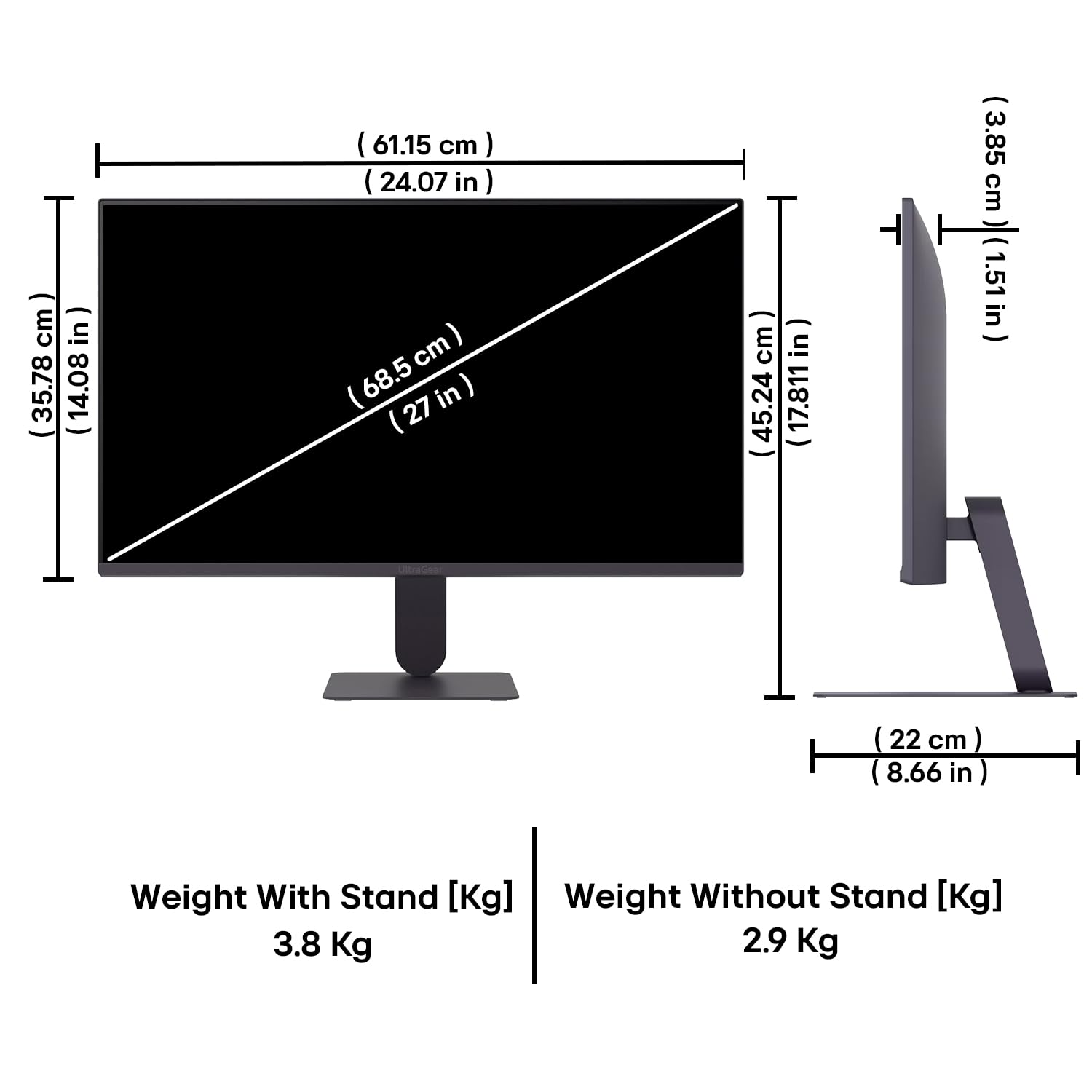
Figure 10: Physical dimensions and weight of the LG 27G411A monitor with and without the stand.
9. Informācija par garantiju
This LG 27G411A UltraGear Gaming Monitor comes with a 3 gadu ražotāja garantija covering parts and labor. Please retain your proof of purchase for warranty claims. For detailed terms and conditions, refer to the warranty card included in your product packaging or visit the official LG webvietne.
10. Klientu atbalsts
Lai saņemtu papildu palīdzību, tehnisko atbalstu vai pakalpojumu jautājumus, lūdzu, sazinieties ar LG klientu apkalpošanas dienestu. Kontaktinformāciju varat atrast oficiālajā LG tīmekļa vietnē. webvietnē vai monitoram pievienotajā dokumentācijā.
LG Electronics India Pvt. SIA
PLOT NO. A-5, MIDC RANJANGAON.
TALUKA SHIRUR, PUNE, MAHRASHTRA (INDIA), 412220