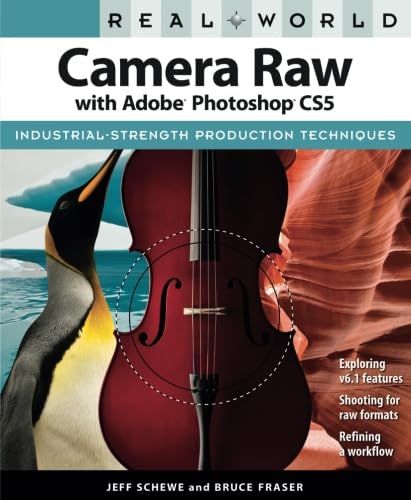
Introduction to Raw Image Processing
This manual provides in-depth guidance for photographers utilizing Adobe Camera Raw within Adobe Photoshop CS5. It explains the advantages and methodologies for processing raw images to achieve optimal results. The content covers essential techniques for image optimization and conversion, leveraging the powerful features of Camera Raw 6 and Adobe Bridge CS5.
The focus is on practical, hands-on approaches to enhance image quality, manage digital assets efficiently, and develop a robust raw workflow.
Setup: Getting Started with Adobe Camera Raw
To begin processing raw images, ensure Adobe Photoshop CS5 is installed. Adobe Camera Raw (ACR) is a plug-in integrated with Photoshop and Adobe Bridge. When you open a raw file (e.g., .CR2, .NEF, .DNG) in Photoshop or Bridge, it will automatically launch the Camera Raw interface.
- Launching Camera Raw: Open a raw image file directly from Adobe Bridge CS5 or Photoshop CS5.
- Sākotnējie iestatījumi: Understand the default settings and how they apply to your camera's raw files.
- Exposing for Raw: Learn techniques for exposing and shooting images specifically to maximize the data captured in raw format, providing greater flexibility in post-processing.
Operating: Key Features and Techniques
Adobe Camera Raw 6 offers a comprehensive suite of tools for precise image adjustments. This section details the effective use of these features:
- Adjustment Brush: Utilize the Adjustment Brush for localized corrections, such as brightening specific areas, adjusting contrast, or modifying color temperature on selected parts of an image.
- Graduated Filter: Apply gradual adjustments across a region of the image, ideal for balancing exposure between a bright sky and a darker foreground.
- Trokšņa samazināšana: Master the improved Noise Reduction features to minimize digital noise while preserving image detail.
- Perspective Crop: Correct perspective distortions and crop images with precision.
- Automatic Lens Correction: Apply automatic corrections for lens distortions, chromatic aberration, and vignetting based on your lens profile.
- Color and Tone Adjustments: Fine-tune white balance, exposure, contrast, highlights, shadows, whites, blacks, clarity, vibrance, and saturation for optimal image appearance.
For a visual reference of the book's content and scope, observe the back cover:

Image: Back cover detailing key features and author insights.
Workflow Optimization and Best Practices
An efficient workflow is crucial for managing large volumes of raw images. This section outlines strategies for streamlining your post-processing:
- Adobe Bridge Integration: Utilize Adobe Bridge CS5 to select, sort, annotate, and edit thousands of raw images quickly and efficiently before detailed processing in Camera Raw.
- Developing a Raw Workflow: Establish a consistent workflow incorporating Adobe Photoshop CS5, Camera Raw 6, and Bridge CS5 to ensure optimal image quality and data management.
- Maximizing Image Data: Understand how basic tone controls impact available image data and learn techniques, such as slightly overexposing images, to maximize information for post-processing.
- Sharpening and Noise Reduction: Apply these adjustments effectively within the context of your overall workflow to achieve clean, sharp images.
Common Challenges and Solutions
While comprehensive, mastering raw image processing can present challenges. This manual addresses common areas of difficulty:
- Understanding Concepts: The book emphasizes the fundamental concepts behind digital image data and processing, which is key to effective use of Camera Raw.
- Applying Adjustments: Learn to connect specific image problems with the appropriate Camera Raw tools and adjustments, moving beyond a simple checklist approach.
- Navigācija interfeisā: Detailed explanations guide users through the Camera Raw interface, ensuring all tools and dialog boxes are easily located and understood.
Produkta specifikācijas
Detailed information regarding the "Real World Camera Raw with Adobe Photoshop CS5" manual:
| Specifikācija | Detaļas |
|---|---|
| Izdevējs | Peachpit Press |
| Publicēšanas datums | 20. gada 2010. jūlijs |
| Izdevums | 1 |
| Valoda | angļu valoda |
| Drukas garums | 480 lapas |
| ISBN-10 | 0321713095 |
| ISBN-13 | 978-0321713094 |
| Preces svars | 2.15 mārciņas |
| Izmēri | 7.5 x 1.09 x 9.13 collas |
For a visual representation of the book's dimensions:

Image: Book dimensions for physical reference.
Par Autoriem
This manual was authored by leading experts in digital imaging:
- Jeff Schewe: A professional advertising photographer and digital imaging pioneer. Jeff Schewe has contributed significantly to the development of Adobe Camera Raw and Adobe Photoshop, earning acknowledgements within the software itself.
- Bruce Fraser: An internationally recognized author, consultant, and speaker on digital imaging and color reproduction. Bruce Fraser was known for his bestselling books, including previous editions of Real World Camera Raw with Adobe Photoshop, Real World Adobe Photoshop, Real World Image Sharpening, and Real World Color Management.


