Ievads
Thank you for choosing the Altec Lansing iMW475 Mini Life Jacket Bluetooth Speaker. This speaker is designed for portability and durability, featuring a rugged, compact, waterproof, dustproof, and shockproof design. It also floats, making it ideal for outdoor and water-related activities. This manual provides essential information for setting up, operating, and maintaining your speaker.
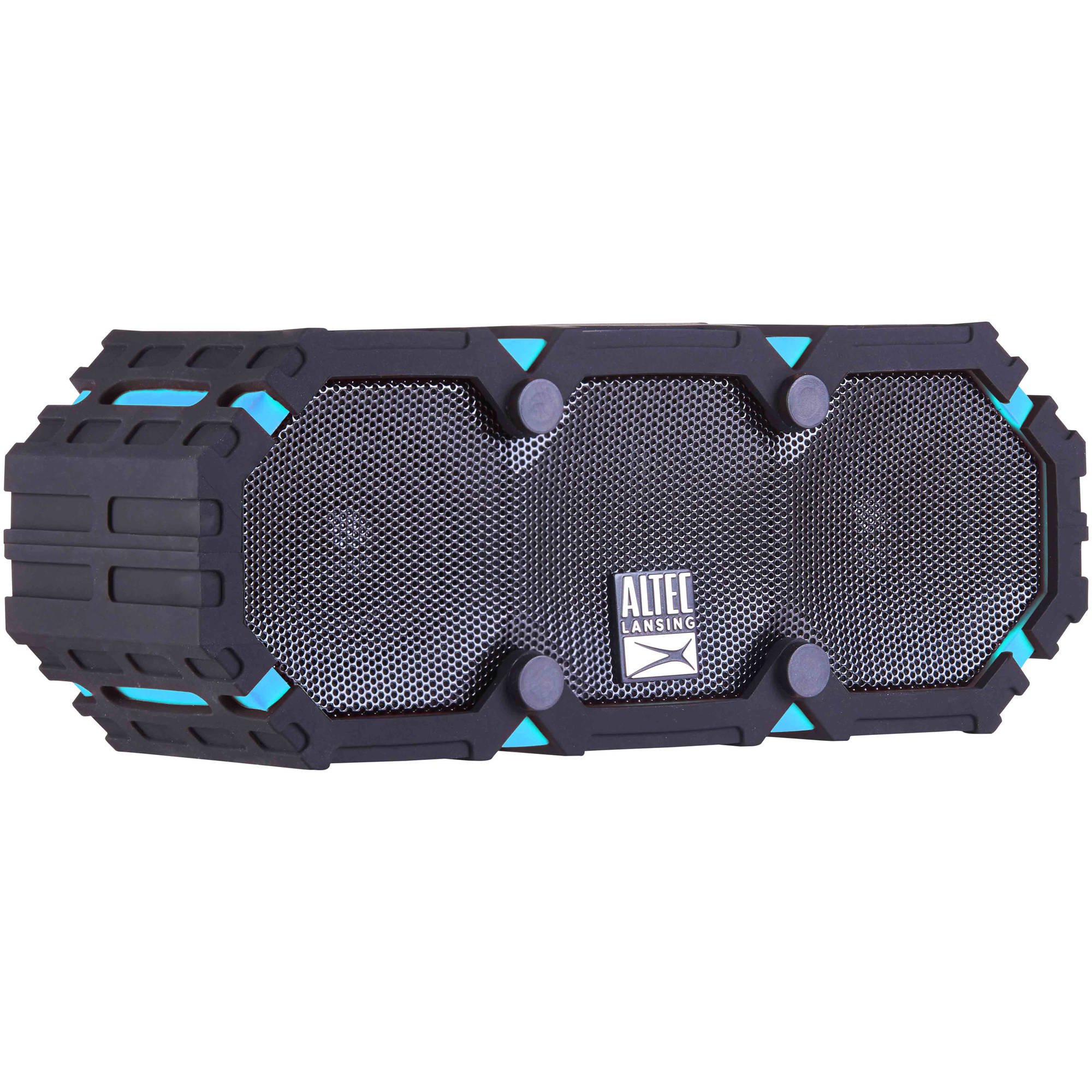
Image: The Altec Lansing iMW475 Mini Life Jacket Bluetooth Speaker, showcasing its compact, rugged design in black and blue.
Iepakojuma saturs
- Altec Lansing iMW475 Mini Life Jacket Bluetooth Speaker
- Montāžas kronšteins
- USB uzlādes kabelis (Note: Specific cable type not detailed in product data, typically Micro-USB or USB-C)
- Auxiliary Cable (Note: Not explicitly listed but common for such speakers)
- Ātrā pamācība (Not explicitly listed but common)
Pirms turpināt iestatīšanu, lūdzu, pārliecinieties, vai visi priekšmeti ir pieejami.
Vadības ierīces un indikatori
The speaker features intuitive controls for power, volume, and Bluetooth pairing. Specific button layouts may vary slightly, but common functions include:
- Barošanas poga: Nospiediet un turiet, lai ieslēgtu vai izslēgtu skaļruni.
- Skaļuma palielināšanas/nākamā celiņa poga: Nospiediet, lai palielinātu skaļumu. Turiet, lai pārietu uz nākamo ierakstu.
- Skaļuma samazināšanas/iepriekšējā celiņa poga: Nospiediet, lai samazinātu skaļumu. Turiet, lai pārietu uz iepriekšējo ierakstu.
- Atskaņošanas/pauzes/zvanīšanas poga: Press to play or pause audio. Press to answer or end a phone call. Hold to activate voice assistant (if supported by your device).
- Bluetooth savienošanas pārī poga: Nospiediet un turiet, lai ieietu Bluetooth savienošanas pārī režīmā.
- LED indikators: Parāda barošanas statusu, uzlādes statusu un Bluetooth savienojuma statusu.
Refer to the quick start guide included with your product for a detailed diagram of button placement.
Iestatīšana
1. Skaļruņa uzlāde
Before first use, fully charge your Altec Lansing iMW475 speaker. A full charge provides approximately 10 hours of battery life.
- Locate the charging port, usually protected by a waterproof flap.
- Pievienojiet komplektā iekļauto USB uzlādes kabeli skaļruņa uzlādes portam.
- Pievienojiet USB kabeļa otru galu USB strāvas adapterim (nav iekļauts komplektā) vai datora USB portam.
- The LED indicator will show the charging status (e.g., solid red while charging, off or green when fully charged).
- Once fully charged, disconnect the cable and ensure the waterproof flap is securely closed.
2. Bluetooth savienošana pārī
Lai savienotu skaļruni ar Bluetooth iespējotu ierīci:
- Ensure the speaker is charged and turned off.
- Lai ieslēgtu skaļruni, nospiediet un turiet ieslēgšanas/izslēgšanas pogu. LED indikators mirgos, norādot, ka tas ir savienošanas pārī režīmā.
- On your mobile device (smartphone, tablet, laptop), go to the Bluetooth settings.
- Meklēt available devices. You should see "iMW475" or a similar name in the list.
- Select "iMW475" to connect. The LED indicator will turn solid when successfully paired.
- A voice prompt may confirm "You are now connected."
- Once paired, the speaker will automatically connect to the last paired device when turned on, if the device is within range (up to 30 feet or 9.14 meters).
Lietošanas instrukcijas
Audio atskaņošana
- After successful Bluetooth pairing, open your preferred music application on your connected device.
- Start playing audio. The sound will be routed through your Altec Lansing iMW475 speaker.
- Use the Volume Up/Down buttons on the speaker or your connected device to adjust the audio level.
- Nospiediet pogu Atskaņot/Pauze, lai apturētu vai atsāktu atskaņošanu.
- Hold the Volume Up/Down buttons to skip tracks forward or backward.
Brīvroku zvani
The speaker features an onboard microphone for hands-free communication.
- When a call comes in, the music will pause, and you will hear a ringtone through the speaker.
- Press the Play/Pause/Call button once to answer the incoming call.
- Speak clearly into the speaker's microphone.
- To end the call, press the Play/Pause/Call button once again.
- To reject an incoming call, press and hold the Play/Pause/Call button.
Izmantojot papildu ievadi
For devices without Bluetooth, you can connect via the auxiliary input.
- Locate the auxiliary input port, usually protected by a waterproof flap.
- Connect one end of a 3.5mm auxiliary cable (not included) to the speaker's AUX port.
- Pievienojiet otru galu audioierīces austiņu ligzdai.
- The speaker will automatically switch to AUX mode, or you may need to press the Mode button (if available).
- Kontrolējiet atskaņošanu un skaļumu no pievienotās audioierīces.
Apkope
- Tīrīšana: Noslaukiet skaļruni ar mīkstu, damp audums. Neizmantojiet abrazīvus tīrīšanas līdzekļus vai šķīdinātājus.
- Ūdensnecaurlaidīga kopšana: Ensure all port covers are securely closed before exposing the speaker to water to maintain its waterproof integrity. After exposure to saltwater or chlorinated water, rinse the speaker with fresh water and allow it to air dry completely.
- Uzglabāšana: Uzglabājiet skaļruni vēsā, sausā vietā, pasargājot to no tiešiem saules stariem un ekstremālām temperatūrām.
- Akumulatora kopšana: Lai paildzinātu akumulatora darbības laiku, izvairieties no biežas akumulatora pilnīgas izlādes. Regulāri uzlādējiet skaļruni, pat ja tas ilgstoši netiek lietots.
Problēmu novēršana
| Problēma | Risinājums |
|---|---|
| Skaļrunis neieslēdzas. | Pārliecinieties, vai akumulators ir uzlādēts. Pievienojiet skaļruni strāvas avotam, izmantojot USB uzlādes kabeli. |
| No skaļruņa nav skaņas. |
|
| Bluetooth savienošana pārī neizdodas. |
|
| Poor audio quality or distortion. |
|
Specifikācijas
- Modeļa nosaukums: iMW475 Mini Life Jacket
- Skaļruņa tips: Ārā
- Īpašas funkcijas: Waterproof, Dustproof, Shockproof, Floats
- Savienojamība: Bluetooth
- Bluetooth diapazons: Līdz 30 pēdām (9.14 metriem)
- Akumulatora darbības laiks: Līdz 10 stundām
- Barošanas avots: Battery and AC (via USB charging)
- Audio izvades režīms: Stereo
- Skaļruņa maksimālā izejas jauda: 10 vati
- Kontroles metode: Balss, pogas
- Iekļautie komponenti: Montāžas kronšteins
- Produkta izmēri: 7 x 3 x 4.5 collas
- Preces svars: 1 mārciņa (16 unces)
- Ūdens izturības līmenis: Ūdensizturīgs
- UPC: 021331205841
Garantija un atbalsts
Altec Lansing products are designed for reliability and performance. For specific warranty information regarding your iMW475 Mini Life Jacket Bluetooth Speaker, please refer to the warranty card included with your purchase or visit the official Altec Lansing webvietne.
For technical support, frequently asked questions, or to register your product, please visit the Altec Lansing support page or contact their customer service directly. Contact details are typically available on the manufacturer's webvietne.
Note: Warranty terms and conditions may vary by region and retailer. Keep your proof of purchase for warranty claims.


