1. Produkts beidziesview
The NETGEAR Powerline 1000 Adapter Kit (PL1000-100PES) provides a simple solution to extend your internet network using your home's existing electrical wiring. This kit includes two Powerline 1000 adapters, enabling you to connect devices like smart TVs, gaming consoles, and computers to the internet in areas where Wi-Fi signals may be weak or unreliable.
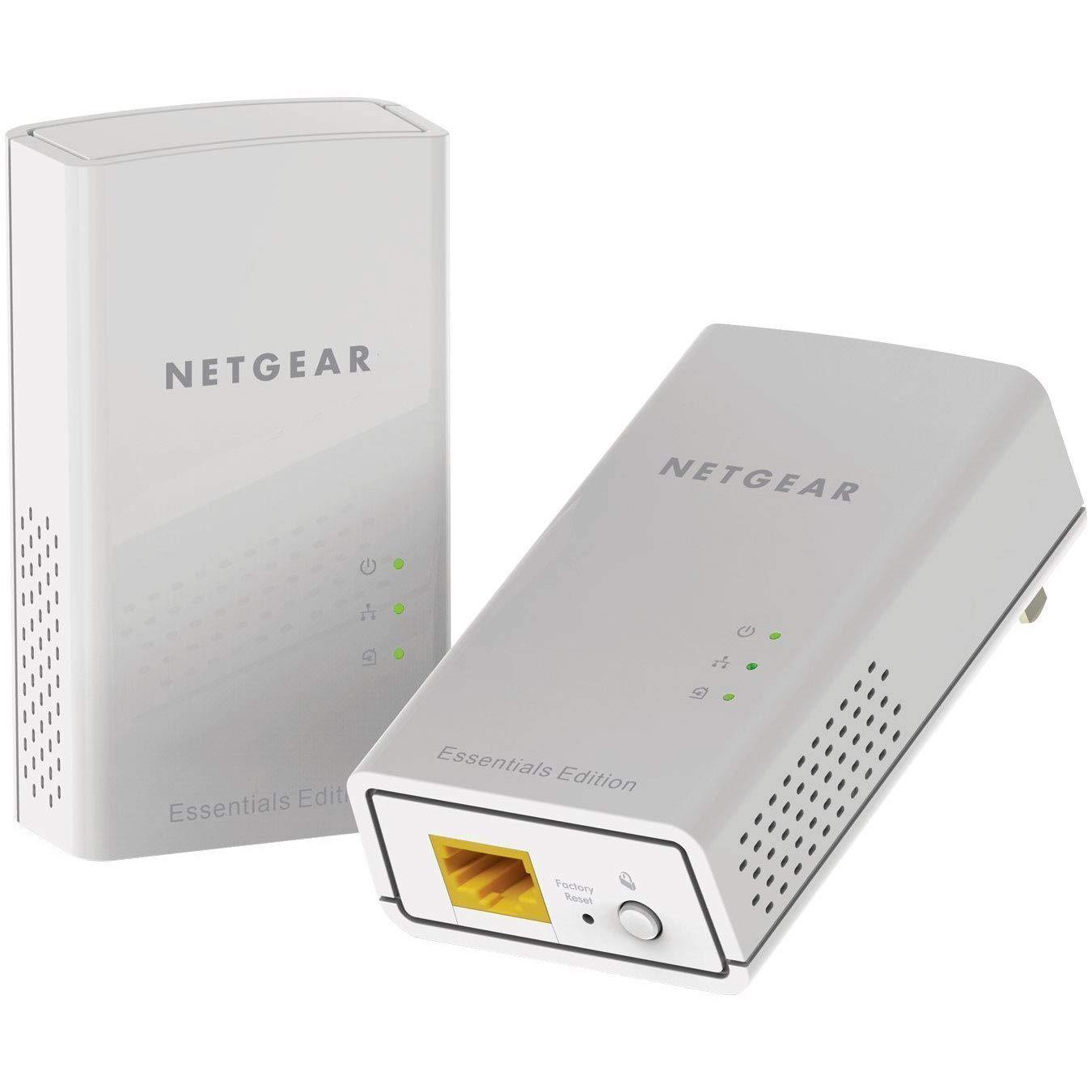
Attēls: priekšpuse view of the NETGEAR Powerline 1000 Adapter.
2. Iestatīšana
2.1. Iepakojuma saturs
Pārbaudiet, vai jūsu iepakojumā ir šādas preces:
- Two (2) NETGEAR Powerline 1000 Adapters (PL1000)
- Two (2) Ethernet cables
- Īsā lietošanas pamācība (nav iekļauta šajā rokasgrāmatā)
2.2. Uzstādīšanas soļi
Lai iestatītu Powerline tīklu, veiciet tālāk norādītās darbības.
- Pievienojiet pirmo adapteri: Plug one Powerline adapter directly into an electrical outlet near your internet router or modem. Do not use a power strip or extension cord, as this can degrade performance.
- Savienojuma izveide ar maršrutētāju/modemu: Use one of the provided Ethernet cables to connect the Powerline adapter to an available LAN port on your router or modem.
- Pievienojiet otro adapteri: Plug the second Powerline adapter directly into an electrical outlet in the room where you want to extend your network.
- Pievienojiet ierīci: Use the second Ethernet cable to connect your network-enabled device (e.g., computer, smart TV, gaming console) to the second Powerline adapter.
- Pārbaudiet savienojumu: Pagaidiet, līdz abu adapteru Powerline gaismas diode sāk degt zaļā krāsā, norādot uz veiksmīgu savienojumu.

Image: A NETGEAR Powerline 1000 Adapter plugged into a wall outlet, ready for connection.

Image: Diagram illustrating how two Powerline adapters connect to a router and an Ethernet-enabled device in different rooms, utilizing the home's electrical wiring.
3. Darbība
3.1 LED indikatoru izpratne
The Powerline adapters feature LED indicators to show their status:
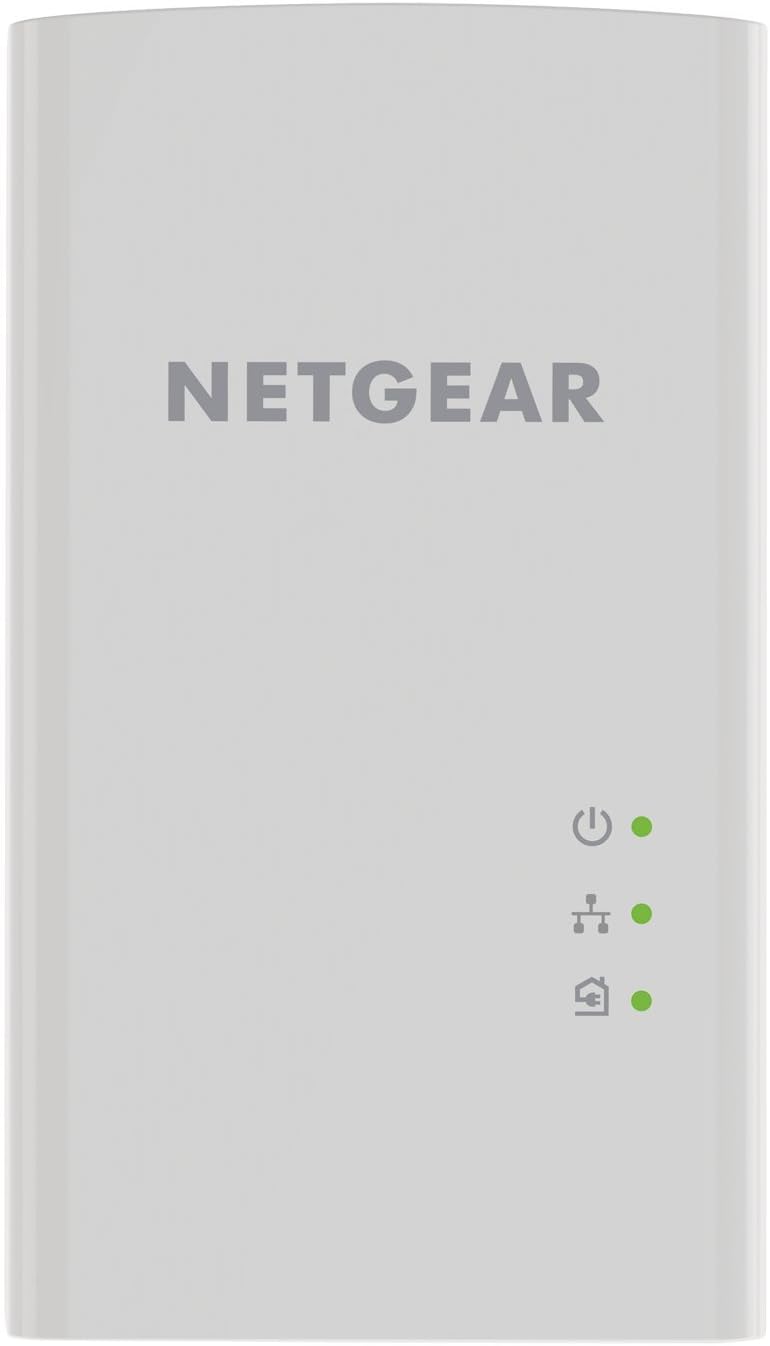
Attēls: priekšpuse view of the Powerline 1000 Adapter showing the Power, Powerline, and Ethernet LED indicators.
| LED indikators | Statuss | Apraksts |
|---|---|---|
| Power LED | Vienmērīgi zaļš | The Powerline adapter is powered on. |
| Power LED | Izslēgts | The Powerline adapter is off. |
| Elektrolīnijas gaismas diode | Vienmērīgi zaļš | The Powerline adapter is connected to a Powerline network. |
| Elektrolīnijas gaismas diode | Mirgo zaļš | The Powerline adapter is in pairing mode. |
| Elektrolīnijas gaismas diode | Izslēgts | The Powerline adapter is not connected to a Powerline network. |
| Ethernet gaismas diode | Vienmērīgi zaļš | An Ethernet device is connected to the adapter's Ethernet port. |
| Ethernet gaismas diode | Mirgo zaļš | Data is being transmitted or received through the Ethernet port. |
| Ethernet gaismas diode | Izslēgts | Nav pievienota neviena Ethernet ierīce. |
3.2 Pairing Powerline Adapters
Your Powerline adapters are typically pre-paired from the factory. If they do not connect automatically (Powerline LED is off or blinking), you may need to pair them manually:
- Plug both Powerline adapters into electrical outlets in the same room.
- Press the Security button (often labeled 'Pair' or 'Security') on the side or bottom of the first adapter for 2 seconds. The Powerline LED will start blinking.
- Within two minutes, press the Security button on the second adapter for 2 seconds. Its Powerline LED will also start blinking.
- After a short period, the Powerline LEDs on both adapters should turn solid green, indicating a successful secure connection.
4. Apkope
4.1. Kopšana un tīrīšana
- Keep the adapters in a dry environment, away from excessive heat or moisture.
- Do not block the ventilation holes on the adapters.
- To clean, gently wipe the surface with a soft, dry cloth. Do not use liquid or aerosol cleaners.
4.2 Rūpnīcas atiestatīšana
If you experience persistent issues or wish to clear all settings, you can perform a factory reset:

Attēls: Apakšdaļa view of the Powerline 1000 Adapter, highlighting the Ethernet port and the recessed Factory Reset button.
- With the adapter plugged into an electrical outlet, use a paperclip or similar pointed object to press and hold the recessed Rūpnīcas atiestatīšana pogu apmēram 10 sekundes.
- Release the button when the LEDs briefly flash. The adapter will restart with factory default settings.
5. Traucējummeklēšana
5.1. Bieži sastopamās problēmas un risinājumi
- Nav savienojuma ar elektrotīklu (elektrotīkla gaismas diode izslēgta):
Ensure both adapters are plugged directly into wall outlets, not power strips. Try different outlets. Perform manual pairing as described in Section 3.2. - Lēns savienojuma ātrums:
Avoid plugging adapters into outlets on different electrical circuits if possible. Remove any high-power electrical appliances (e.g., washing machines, refrigerators) from outlets near the adapters, as they can cause interference. - Nav piekļuves internetam:
Verify that your router/modem is working correctly and has an active internet connection. Ensure the Ethernet cable between the first adapter and the router is securely connected. Check the Ethernet LED on both adapters. - Adapter Not Responding:
Unplug the adapter from the wall outlet, wait 10 seconds, and plug it back in. If the issue persists, perform a factory reset (Section 4.2).
6. Specifikācijas
6.1 Tehniskās specifikācijas
| Funkcija | Detaļas |
|---|---|
| Zīmols | NETGEAR |
| Modeļa numurs | PL1000-100PES |
| Izmēri (LxWxH) | 2.32 x 1.41 x 3.94 collas (5.89 x 3.58 x 10.01 cm) |
| Preces svars | 4.4 unces (126 grami) |
| Krāsa | Balts |
| Datu pārsūtīšanas ātrums | Up to 1000 Mbps (Megabytes Per Second) |
| Datu saites protokols | Gigabit Ethernet, IEEE 802.3 |
| Aparatūras saskarne | Ethernet ports (RJ-45) |
| Saderīgas ierīces | Desktop, Laptop, Smart TV, Gaming Console, Smartphone, Tablet (via Ethernet connection to adapter) |
| Voltage | 15.0V (Internal) |
| UPC | 606449109825 |
7. Garantija un atbalsts
7.1 Informācija par garantiju
NETGEAR products typically come with a limited hardware warranty. For specific warranty terms and conditions applicable to your region and product, please refer to the warranty card included with your purchase or visit the official NETGEAR webvietne.
7.2 Klientu atbalsts
For further assistance, technical support, or to download the latest firmware and documentation, please visit the official NETGEAR support webvietne. Tur varat atrast detalizētus bieži uzdotos jautājumus, problēmu novēršanas rokasgrāmatas un klientu apkalpošanas kontaktinformāciju.