Ievads
Paldies par pirkumuasing the Havit HV-MS991GT Wireless Mouse. This manual provides essential information for setting up, operating, maintaining, and troubleshooting your device. Please read it carefully before use to ensure optimal performance and longevity of your mouse.
Iestatīšanas instrukcijas
- Izpakojiet peli: Uzmanīgi izņemiet peli un USB uztvērēju no iepakojuma.
- Bateriju uzstādīšana:
Locate the battery compartment on the underside of the mouse. Open the cover and insert one AA battery (not included), ensuring correct polarity (+/-). Close the battery compartment cover.
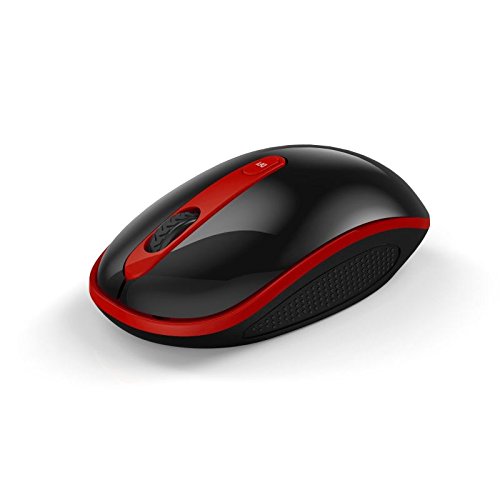
Image: The Havit HV-MS991GT Wireless Mouse, featuring a black body with red accents and a scroll wheel. This image illustrates the overall design of the mouse.
- Pievienojiet USB uztvērēju: Plug the mini USB receiver into an available USB port on your computer. The system will automatically detect and install the necessary drivers.
- Ieslēdziet peli: Locate the power switch on the underside of the mouse and slide it to the "ON" position. The mouse is now ready for use.
Lietošanas instrukcijas
The Havit HV-MS991GT Wireless Mouse is designed for intuitive use with standard mouse functions.
- Pamatfunkcijas:
- Kreisais klikšķis: Primārā atlase un aktivizēšana.
- Ar peles labo pogu noklikšķiniet: Piekļūst kontekstuālajām izvēlnēm.
- Ritināšanas ritenis: Ritina dokumentus un web lappuses vertikāli. Ritināšanas ritenītis darbojas arī kā vidējā klikšķa poga.
- DPI pielāgošana: This mouse features adjustable DPI settings (1000-1600 DPI) for varying cursor speeds and precision. A dedicated DPI button, usually located near the scroll wheel, allows you to cycle through these settings. Press the button to switch between DPI levels.
- Bezvadu diapazons: The advanced 2.4GHz wireless technology provides an effective working distance of up to 15 meters (approximately 49 feet) from the USB receiver.
- Sistēmas saderība: This mouse is compatible with Windows 2000, Windows XP, Windows Vista, Windows 7, and Windows 8 operating systems.
Apkope
- Tīrīšana: To clean the mouse, gently wipe its surface with a soft, dry cloth. For stubborn dirt, slightly dampen the cloth with water. Avoid using harsh chemicals or abrasive cleaners, as these can damage the mouse's finish.
- Akumulatora nomaiņa: When the mouse performance degrades or it stops responding, it is likely time to replace the battery. Follow the battery installation steps in the "Setup Instructions" section.
- Automātiskā miega funkcija: The mouse features a built-in auto sleep function to conserve battery life. If the mouse is inactive for a period, it will enter a low-power sleep mode. To wake it up, simply move the mouse or click any button.
- Uztvērēja glabāšana: The mini USB receiver can be stored inside the mouse's battery compartment when not in use, making it convenient for travel and preventing loss.
Problēmu novēršana
| Problēma | Risinājums |
|---|---|
| Pele nereaģē. |
|
| Kursora kustība ir nevienmērīga vai lēna. |
|
| Bezvadu savienojums ir nestabils. |
|
Specifikācijas
| Funkcija | Detaļas |
|---|---|
| Zīmols | Havit |
| Modeļa numurs | HV-MS991GT |
| Savienojamības tehnoloģija | 2.4GHz bezvadu |
| DPI iestatījumi | 1000-1600 DPI |
| Pogu skaits | 4 |
| Atslēgas dzīve | 1,000,000 reizes |
| Wireless Range | Līdz 15 metriem |
| Operētājsistēmas atbalsts | Windows 2000/XP/Vista/7/8 |
| Vidējais akumulatora darbības laiks | 12 mēneši |
| Baterijas ir iekļautas | No (Requires 1x AA battery) |
| Preces svars | 120 g |
| Iepakojuma izmēri | 16.2 x 10.8 x 6 cm |
Garantija un atbalsts
Specific warranty information for the Havit HV-MS991GT Wireless Mouse is not provided in this manual. Please refer to the product packaging or the manufacturer's official website for details regarding warranty coverage and customer support contact information.