1. Produkts beidziesview
The Sequential Prophet Rev2-08 is an 8-voice polyphonic analog synthesizer, an evolution of the classic Prophet '08. It features two digitally controlled oscillators (DCOs) per voice, each with four waveforms (sawtooth, saw+tri, triangle, square with pulse-width modulation), a sub-oscillator on oscillator 1, and a noise generator. The Rev2-08 incorporates 2/4-pole resonant low-pass Curtis filters, providing a rich and versatile sound palette. Its bi-timbral operation allows for layering or splitting two distinct sounds across the 61-key keyboard.
Key features include a polyphonic step sequencer, waveshape modulation, and a comprehensive onboard effects engine. The modulation matrix offers extensive routing possibilities for complex sound design. This instrument is designed for musicians seeking a powerful and expressive analog synthesizer for studio and live performance.
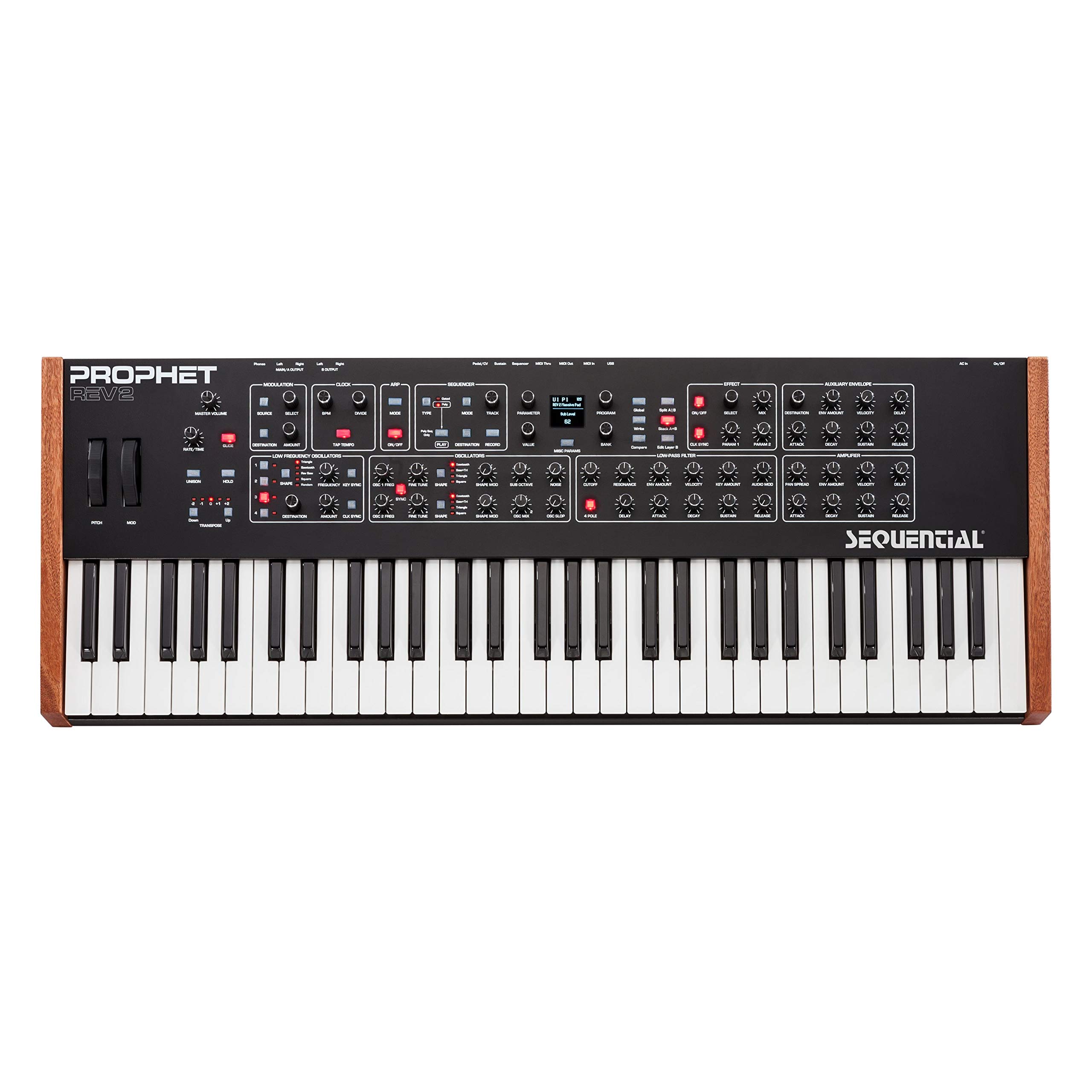
1.1. attēls. Priekšpuse view of the Sequential Prophet Rev2-08 synthesizer, showcasing the 61-key keyboard, control panel with knobs, buttons, and display.
2. Iestatīšanas rokasgrāmata
Follow these steps to set up your Prophet Rev2-08 synthesizer:
- Izpakošana: Carefully remove the synthesizer and all accessories from the packaging. Ensure the following items are present:
- Prophet Rev2-08 Synthesizer
- Strāvas adapteris
- USB kabelis
- Strāvas pieslēgums: Connect the included power adapter to the 'DC IN' port on the rear panel of the synthesizer. Plug the other end of the adapter into a suitable electrical outlet.
- Audio savienojums: Connect the 'MAIN OUT' (Left/Mono and Right) 1/4-inch jacks on the rear panel to your audio interface, mixer, or amplifier using appropriate audio cables. For mono operation, use the Left/Mono output.
- MIDI/USB savienojums (pēc izvēles):
- For MIDI control, connect MIDI cables from your MIDI controller or computer's MIDI interface to the 'MIDI IN' and 'MIDI OUT' ports on the Rev2-08.
- For USB MIDI communication with a computer, connect the included USB cable from the 'USB' port on the Rev2-08 to an available USB port on your computer.
- Austiņas: If desired, connect headphones to the 3.5mm 'PHONES' jack on the rear panel for private monitoring.
- Ieslēgšana: Locate the power switch on the rear panel and turn the unit on. The display will illuminate, indicating the synthesizer is ready for use.

2.1. attēls. Aizmugurējais panelis view of the Prophet Rev2-08, displaying all input and output connections including power, USB, MIDI, audio outputs, and pedal inputs.
3. Lietošanas instrukcijas
3.1 Pamata navigācija un iestatījumi
The Prophet Rev2-08 features a clear OLED display and dedicated encoders and buttons for intuitive navigation. Use the 'PROGRAM' knob to browse through factory and user presets. Press the 'BANK' and 'PROGRAM' buttons to select different banks and programs.
3.2 Sound Editing and Synthesis
The front panel provides direct access to most sound parameters. The signal flow generally moves from Oscillators to Filters, then to Amplifiers, all shaped by Envelopes and LFOs.
- Oscilatori: Adjust 'WAVE' to select waveforms (Saw, Tri, Pulse) and 'PULSE WIDTH' for square waves. 'FREQ' controls pitch, and 'FINE' offers fine-tuning. Oscillator 1 includes a 'SUB' oscillator for added depth.
- Filtri: The 'FILTER' section features a resonant low-pass filter with 'CUTOFF', 'RESONANCE', 'ENVELOPE AMOUNT', and 'KEYBOARD AMOUNT' controls. Select between 2-pole and 4-pole modes.
- Aploksnes: Dedicated ADSR (Attack, Decay, Sustain, Release) envelopes are available for the filter and amplifier, allowing precise control over the sound's dynamics.
- LFO: Four LFOs (Low-Frequency Oscillators) can be routed to various destinations via the modulation matrix to create movement and evolving textures.
- Modulation Matrix: This powerful section allows you to assign a wide range of sources (LFOs, envelopes, velocity, etc.) to modulate various destinations (pitch, filter cutoff, pulse width, etc.) for complex sound design.
3.3 Polyphonic Step Sequencer
The integrated polyphonic step sequencer allows you to create sequences of up to 64 steps with up to 6 notes per step. It can be synchronized to internal or external MIDI clock. Refer to the dedicated sequencer section in the full manual for detailed programming instructions.
3.4 Effects Engine
The Prophet Rev2-08 includes a dual effects engine with various effects such as reverb, delay, chorus, phase shifter, and distortion. Effects can be applied globally or per layer in bi-timbral mode. Use the 'EFFECTS' section controls to select and adjust parameters.
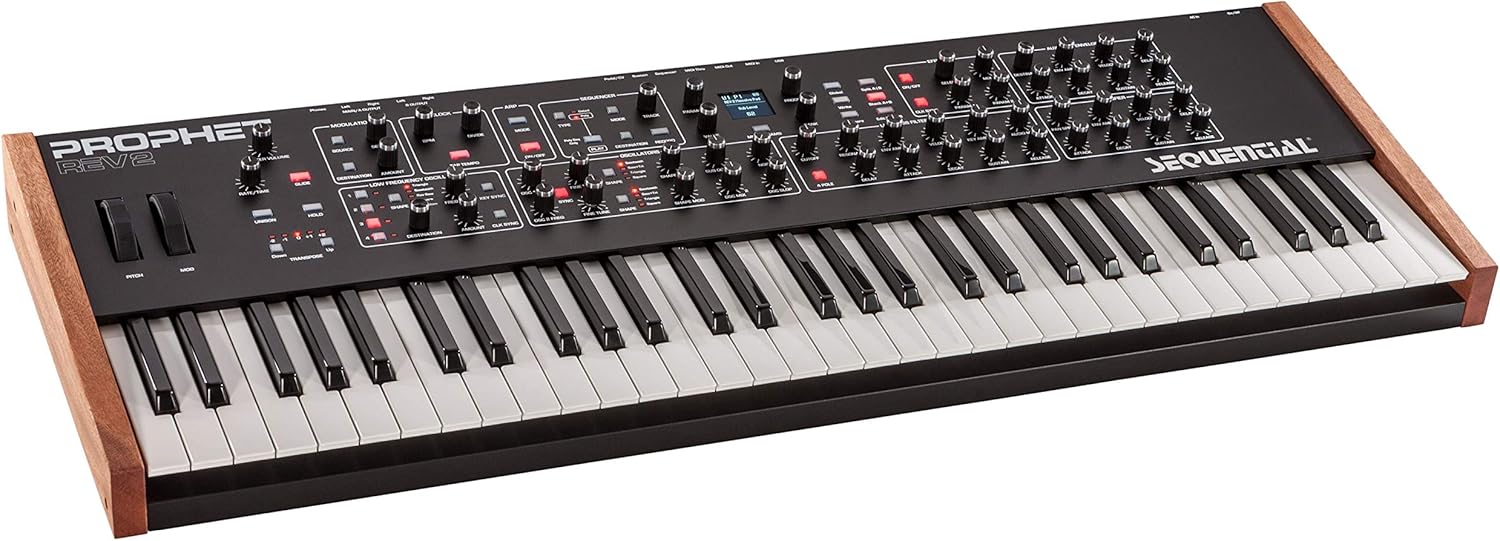
3.1. attēls: No augšas uz leju leņķī view of the Prophet Rev2-08, providing a clear perspective of the entire control surface and keyboard.
4. Apkope
Proper maintenance ensures the longevity and optimal performance of your Prophet Rev2-08.
- Tīrīšana: Use a soft, dry, lint-free cloth to clean the exterior of the synthesizer. Avoid abrasive cleaners, solvents, or waxes, as these can damage the finish. Do not spray liquids directly onto the instrument.
- Programmatūras/programmaparatūras atjauninājumi: Periodically check the Sequential webvietne (www.sequential.com) for firmware updates. Updates can provide new features, bug fixes, and performance enhancements. Follow the instructions provided with the update carefully.
- Uzglabāšana: When not in use, store the synthesizer in a dry, dust-free environment. If transporting, use a padded case to protect it from physical damage. Avoid exposing the instrument to extreme temperatures or humidity.
- Klaviatūras kopšana: Keep the keyboard free of dust and debris. If a key becomes sticky, consult a qualified technician.
5. Traucējummeklēšana
If you encounter issues with your Prophet Rev2-08, refer to the following common troubleshooting steps:
- Nav skaņas izvades:
- Check all audio cable connections from the 'MAIN OUT' to your speakers/mixer.
- Ensure the master volume knob on the Rev2-08 is turned up.
- Verify that your speakers/mixer are powered on and their volume is set appropriately.
- Check if a preset is selected and not muted or set to a very low volume internally.
- If using headphones, ensure they are properly connected and the headphone volume is adjusted.
- MIDI Communication Issues:
- Verify MIDI cables are correctly connected ('OUT' to 'IN', 'IN' to 'OUT').
- Check MIDI channel settings on both the Rev2-08 and your external device/software.
- If using USB MIDI, ensure the USB cable is connected and the correct MIDI driver (if required) is installed on your computer.
- Jaudas problēmas:
- Ensure the power adapter is securely connected to both the synthesizer and a working electrical outlet.
- Pārbaudiet, vai aizmugurējā paneļa ieslēgšanas/izslēgšanas slēdzis ir pozīcijā “ON” (ieslēgts).
- If the unit does not power on, try a different power outlet.
- Unexpected Behavior/Freezing:
- Try turning the unit off and then on again.
- As a last resort, a factory reset may resolve persistent issues. Warning: A factory reset will erase all user presets and global settings. Back up any important data before proceeding. Refer to the full manual for factory reset procedures.
For further assistance, contact Sequential customer support or visit their webvietne.
6. Tehniskās specifikācijas
| Funkcija | Specifikācija |
|---|---|
| Modeļa nosaukums | Rev2 |
| Preces modeļa numurs | DSI-2808-08 |
| Zīmols | Secīgi |
| Instrumenta veids | Sintezators |
| Balsu skaits | 8 balsu polifonija |
| Atslēgu skaits | 61 |
| Savienojamības tehnoloģija | USB, MIDI (DIN), CV/Gate |
| Savienotāja veids | USB |
| Barošanas avots | Līdzstrāvas barošanas avots |
| Austiņas Džeks | 3.5 mm domkrats |
| Korpusa Materiāls | Metāls |
| Materiāla veids | Nerūsējošais tērauds |
| Krāsa | Melns |
| Preces svars | 11.89 kg (26.2 mārciņas) |
| Produkta izmēri | 41.5 x 19 x 9 collas |
| UPC/GTIN | 855346000722 |
| ASIN | B01N3B0GI1 |
| Datums pirmais pieejams | 3. gada 2017. februāris |
7. Informācija par garantiju
Sequential (formerly Dave Smith Instruments) products are covered by a limited warranty against defects in materials and workmanship for a specified period from the original date of purchase. The exact terms and duration of the warranty may vary by region and product. Please retain your proof of purchase.
This warranty typically covers manufacturing defects but does not cover damage caused by misuse, accident, unauthorized modification, improper installation, or normal wear and tear. For detailed warranty terms and conditions, please visit the official Sequential webvietni vai sazinieties ar viņu klientu atbalsta dienestu.
8. Klientu atbalsts
For technical assistance, product registration, or further inquiries, please contact Sequential customer support:
- Webvietne: Visit the official Sequential webvietne plkst www.sequential.com for FAQs, support resources, firmware downloads, and contact information.
- Tiešsaistes resursi: The website provides comprehensive manuals, tutorials, and a community forum where you can find answers to common questions and interact with other users.


