1. Ievads
Paldies par pirkumuasing the Gingko Cube LED Click Clock. This innovative alarm clock combines elegant design with smart functionality, displaying time, date, and temperature. Its unique sound-activated display ensures a dark room at night, illuminating only when needed. Please read this manual carefully to ensure proper setup and operation of your device.
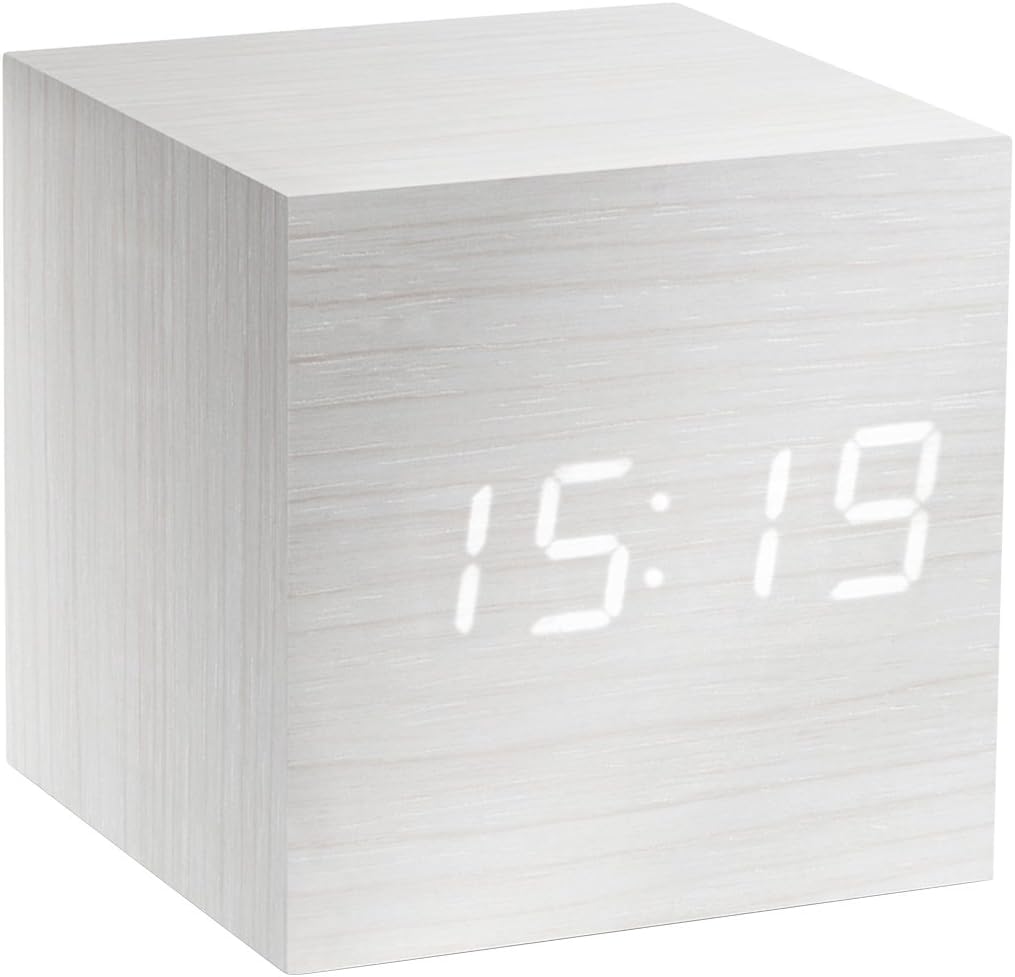
Figure 1: The Gingko Cube LED Click Clock displaying the time 15:19. The clock features a minimalist cube design with a white wood-grain finish and bright white LED digits.
2. Drošības informācija
- Nepakļaujiet ierīci ūdens vai pārmērīga mitruma iedarbībai.
- Izvairieties no ekstremālām temperatūrām, tiešiem saules stariem vai siltuma avotiem.
- Nemēģiniet izjaukt vai pārveidot ierīci. Tas anulēs garantiju.
- Use only the provided USB adapter or compatible power sources.
- Uzglabāt bērniem nepieejamā vietā.
- Atbrīvojieties no baterijām atbildīgi saskaņā ar vietējiem noteikumiem.
3. Iepakojuma saturs
Lūdzu, atzīmējiet izvēles rūtiņu pie šādiem vienumiem:
- Gingko Cube LED Click Clock (Model GK08W13)
- USB barošanas adapteris
- USB kabelis
- Lietošanas instrukcija (šis dokuments)
4. Produkts beidziesview
The Gingko Cube LED Click Clock is designed for simplicity and functionality. Its main features include a hidden LED display that appears through the wood-grain finish, and control buttons located on the back panel.

2. attēls. Aizmugure view of the Gingko Cube LED Click Clock. This image shows the battery compartment cover removed, revealing slots for three AAA batteries. Above the battery compartment, five small control buttons are visible: SET, UP, DOWN, V/S, and RESET.
4.1 vadības pogas
- KOMPLEKTS: Enters setting mode for time, date, and alarms. Confirms selections.
- UP: Palielina vērtības iestatīšanas laikā.
- LEJĀ: Samazina vērtības iestatīšanas laikā.
- V/S (balss/skaņa): Toggles between sound-activated display mode and permanent display mode.
- ATIESTATĪT: Atiestata pulksteni uz rūpnīcas iestatījumiem.
4.2 Strāvas padeve
The clock can be powered via the included USB cable and adapter, or by 3 x AAA batteries (not included). An internal battery is included to retain settings during power outages.
5. Iestatīšana
5.1. Ieslēgšanās
- Izmantojot USB barošanas avotu: Connect the small end of the USB cable to the DC5V port on the back of the clock. Plug the larger end into the USB power adapter, then plug the adapter into a wall outlet.
- Bateriju lietošana: Open the battery compartment cover on the back of the clock. Insert 3 x AAA batteries, ensuring correct polarity (+/-). Close the battery compartment cover securely.
Displejs iedegsies, norādot, ka pulkstenis ir ieslēgts.
5.2 Initial Settings (Time, Date, Temperature Format)
Nospiediet un turiet IESTATĪT button for 3 seconds to enter setting mode. The display will flash, indicating the current setting is ready for adjustment. Use the UP un UZ LEJU buttons to change values. Press IESTATĪT lai apstiprinātu un pārietu uz nākamo iestatījumu.
- Gada iestatījums: Adjust the year (e.g., 2024). Press IESTATĪT.
- Mēneša iestatījums: Adjust the month. Press IESTATĪT.
- Datuma iestatīšana: Adjust the day. Press IESTATĪT.
- 12/24 stundu formāts: Select "12H" or "24H". Press IESTATĪT.
- Stundu iestatījums: Adjust the hour. Press IESTATĪT.
- Minūtes iestatījums: Adjust the minute. Press IESTATĪT.
- Temperatūras mērvienība: Select "°C" (Celsius) or "°F" (Fahrenheit). Press IESTATĪT.
The clock will exit setting mode automatically after a few seconds of inactivity or after the last setting is confirmed.
6. Lietošanas instrukcijas
6.1 Display Modes (Time, Date, Temperature)
The clock can cycle through displaying time, date, and temperature. By default, it will alternate between these displays.

Figure 3: The clock displaying the time 11:43, positioned on a dark desk next to a laptop. This illustrates the clock's compact size and clear LED display in a typical environment.
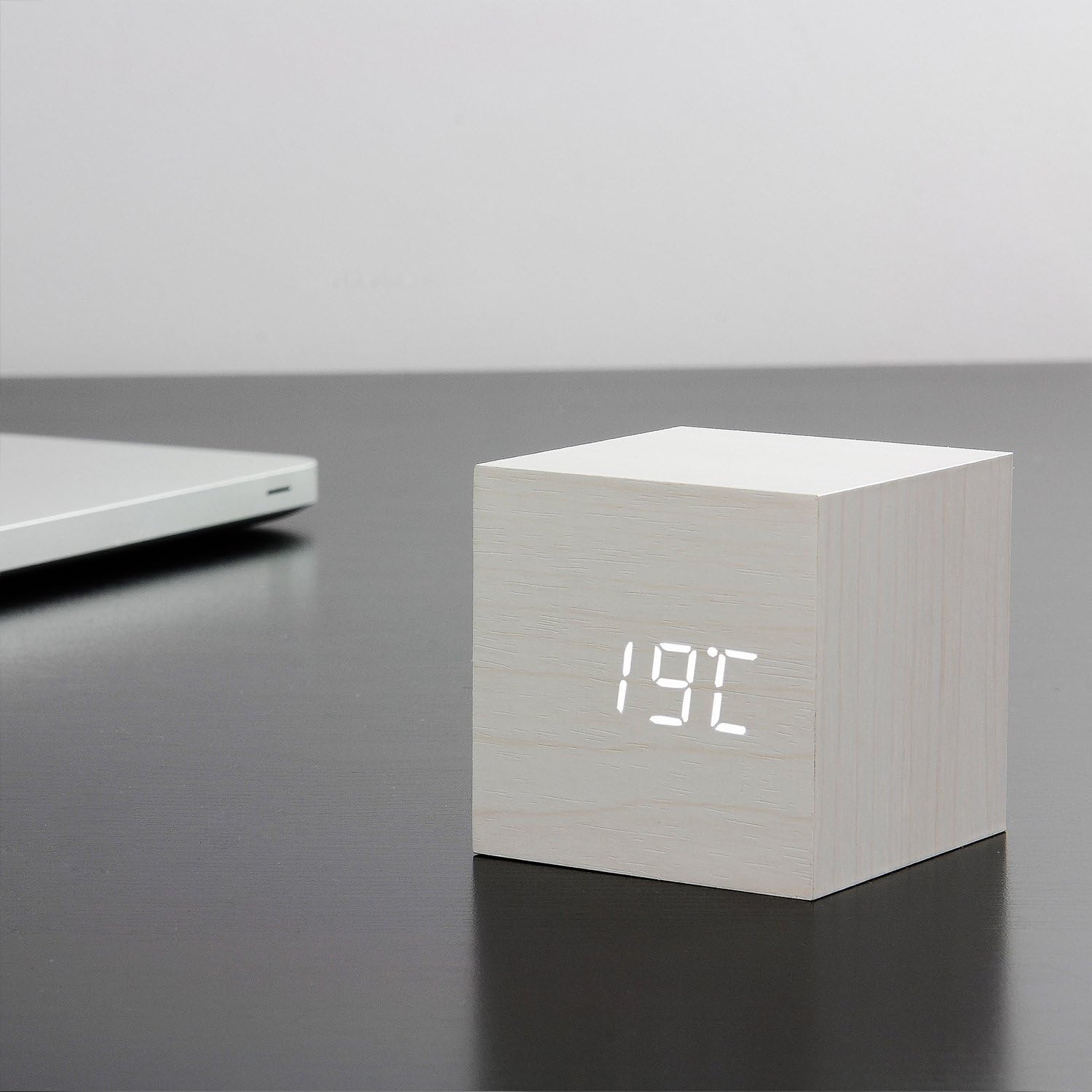
Figure 4: The clock displaying the temperature 19°C, also on a dark desk next to a laptop. This shows the clock's ability to display environmental temperature in addition to time and date.
6.2 Sound Activation (V/S Mode)
The clock features a sound-activated display mode, which conserves power and keeps your room dark. In this mode, the display turns off when the room is quiet and illuminates when a sound (like a clap or tap) is detected.
- Nospiediet pogu V/S button to toggle between sound-activated display (display turns off after a few seconds of silence) and permanent display (display remains on).
- When in sound-activated mode, a sound above 60dB (e.g., a clap, finger snap, or gentle tap on the clock/surface) will activate the display for approximately 10 seconds.
6.3 Signalizācijas iestatījumi
The clock supports up to three different alarm settings (AL1, AL2, AL3).
- From the normal display mode, short press the IESTATĪT button repeatedly until "AL1", "AL2", or "AL3" appears.
- Lai iestatītu modinātāju, nospiediet un turiet IESTATĪT button for 3 seconds when the desired alarm (e.g., "AL1") is displayed. The hour digits will flash.
- Izmantot UP un UZ LEJU lai iestatītu modinātāja stundu. Nospiediet IESTATĪT.
- Izmantot UP un UZ LEJU lai iestatītu modinātāja minūtes. Nospiediet IESTATĪT.
- The display will show "ON:AL" or "OFF:AL". Use UP or UZ LEJU to toggle the alarm ON or OFF. Press IESTATĪT lai apstiprinātu.
- Repeat for AL2 and AL3 if desired.
When an alarm sounds, it will last for 1 minute. To stop the alarm, press any button. The alarm will automatically turn off after 1 minute if no button is pressed.
6.4 Dimmer Function
The clock features an automatic dimmer function. The display brightness will automatically adjust between brighter (7:00 AM - 6:59 PM) and dimmer (7:00 PM - 6:59 AM) modes to suit ambient light conditions.
7. Apkope
- Clean the clock surface with a soft, dry cloth. Do not use abrasive cleaners or solvents.
- If using batteries, replace them when the display becomes dim or erratic. Remove batteries if the clock will not be used for an extended period.
8. Traucējummeklēšana
| Problēma | Iespējamais cēlonis | Risinājums |
|---|---|---|
| Displejs ir izslēgts vai blāvs. | Sound-activated mode is on; low batteries; no power. | Tap the clock or make a sound to activate. Press V/S to switch to permanent display. Replace batteries or ensure USB power is connected. |
| Clock not responding to buttons. | Pagaidu programmatūras kļūme. | Press the RESET button on the back of the clock. Re-enter settings if necessary. |
| Trauksmes signāls neskan. | Alarm is set to OFF; incorrect alarm time. | Check alarm settings (AL1/AL2/AL3) to ensure it is set to ON and the time is correct. |
| Incorrect time/date/temperature. | Settings not correctly configured. | Re-enter setting mode (Section 5.2) and adjust values. |
9. Specifikācijas
| Funkcija | Detaļas |
|---|---|
| Modeļa numurs | GK08W13 |
| Izmēri (G x P x A) | 68 x 68 x 68 mm (2.68 x 2.68 x 2.68 collas) |
| Svars | 120 grami (0.26 mārciņas) |
| Materiāls | Plastmasa |
| Krāsa | White / White LED |
| Displeja veids | Digitālā LED |
| Barošanas avots | USB Cable (DC5V) or 3 x AAA Batteries |
| Funkcijas | Time, Date, Temperature Display, Sound Activation, 3 Alarm Settings, Dimmer Function, Internal Battery for Settings Retention |
10. Garantija un atbalsts
Gingko products are designed and manufactured to the highest standards. For warranty information or technical support, please refer to the official Gingko website or contact your retailer. Please have your model number (GK08W13) and purchase details ready when seeking support.
Lai iegūtu vairāk informācijas, apmeklējiet: www.gingkodesign.com


