1. Ievads
The Acer Predator Cestus 500 PMW730 is a high-performance wired gaming mouse designed for precision and customization. It features an ambidextrous ergonomic design, adjustable Omron switches, and programmable buttons to enhance your gaming experience. This manual provides detailed instructions for setting up, operating, maintaining, and troubleshooting your gaming mouse.
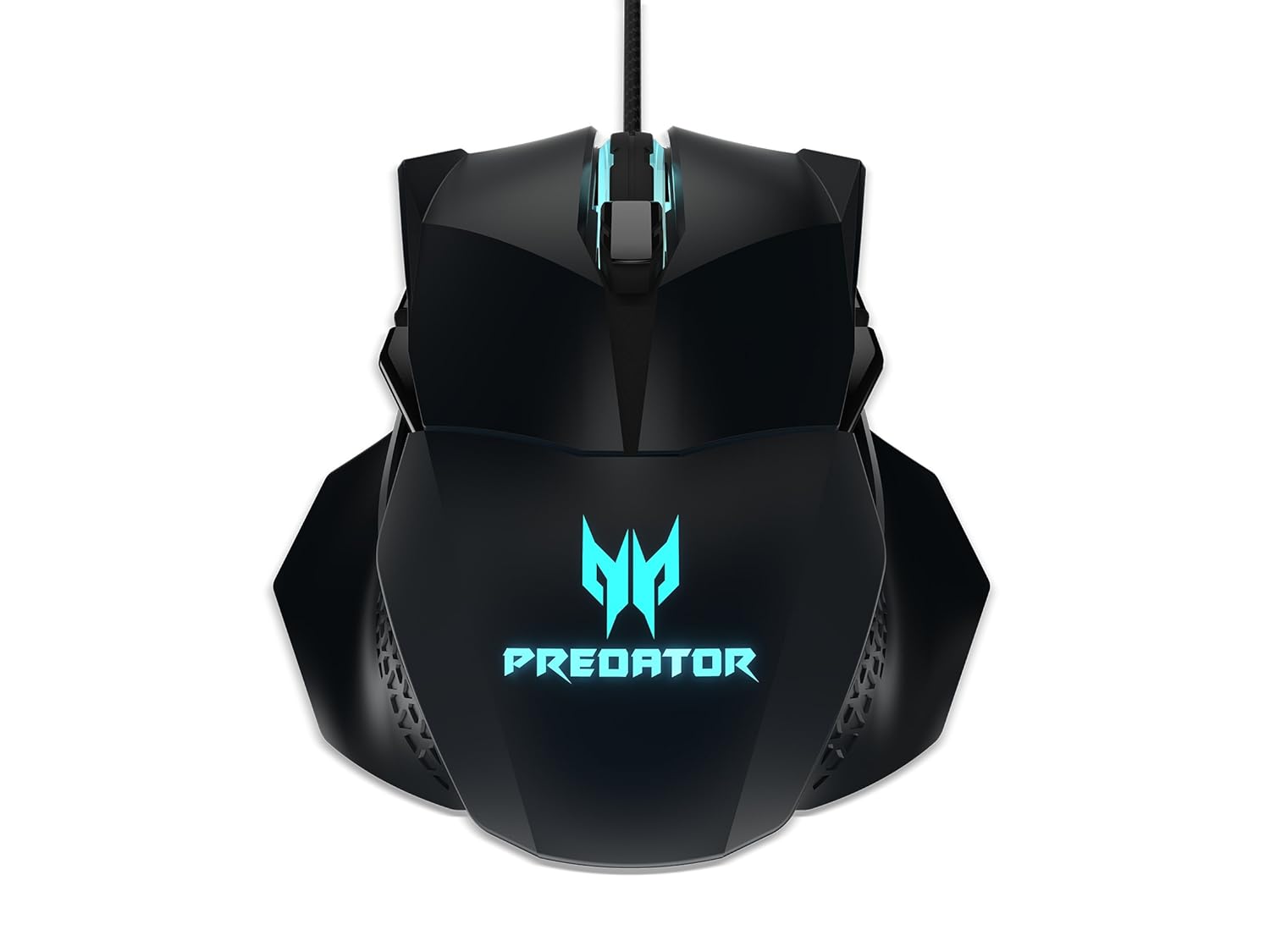
1. attēls: augšdaļa view of the Acer Predator Cestus 500 Gaming Mouse, showcasing its symmetrical design and illuminated Predator logo.
2. Iepakojuma saturs
Lūdzu, pārliecinieties, vai jūsu iepakojumā ir visas preces:
- 1 x Acer Predator Cestus 500 Wired Gaming Mouse
- 4 x Magnetic Side Panels (2 sets for customization)
- 1 x Īsā lietošanas pamācība
- 1 x Carry Kit
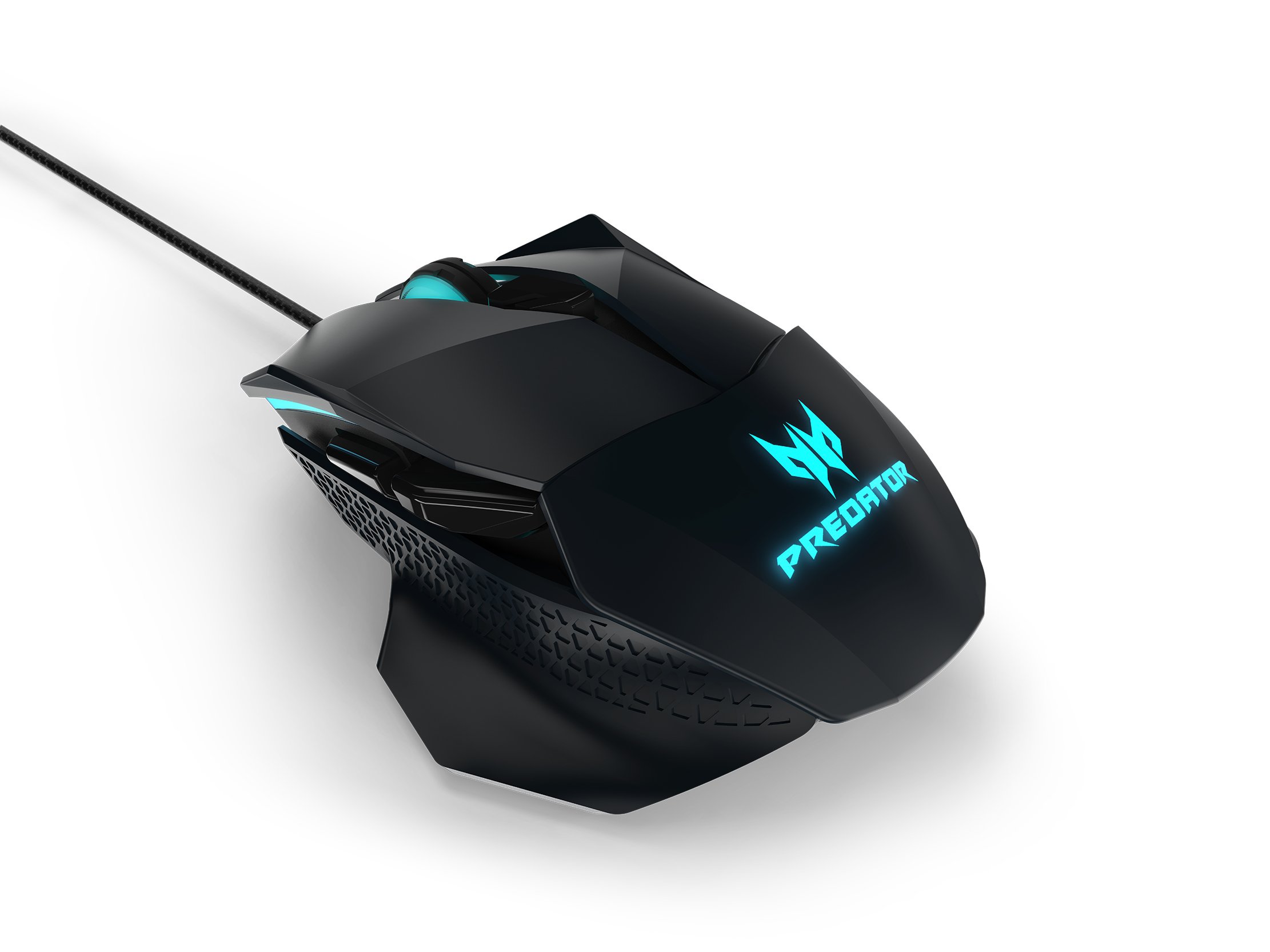
Figure 2: The Acer Predator Cestus 500 mouse with its detachable side panels, illustrating the customization options.
3. Iestatīšana
3.1 Peles pievienošana
- Unpack the Acer Predator Cestus 500 gaming mouse from its packaging.
- Connect the USB cable of the mouse to an available USB port on your computer.
- Operētājsistēma automātiski noteiks un instalēs nepieciešamos draiverus.
3.2 Attaching Side Panels
The mouse comes with two sets of magnetic side panels to accommodate different grip styles (claw or palm) and hand sizes. To attach or swap panels:
- Align the desired side panel with the magnetic connectors on either side of the mouse.
- Gently push the panel until it snaps securely into place.
- Atkārtojiet to otrai pusei.
3.3 Installing Predator Quartermaster Software
For full customization of DPI settings, programmable buttons, and RGB lighting, install the Predator Quartermaster software. This software can typically be downloaded from the official Acer support webvietne jūsu konkrētajam modelim.
- Visit the Acer support webvietne.
- Meklēt 'Predator Quartermaster' or navigate to the support page for the Predator Cestus 500 (Model NP.MCE11.008).
- Lejupielādējiet un palaidiet instalētāju.
- Izpildiet ekrānā redzamos norādījumus, lai pabeigtu instalēšanu.
4. Lietošanas instrukcijas
4.1 Peles pamatfunkcijas
The mouse functions as a standard plug-and-play device for basic navigation (left-click, right-click, scroll wheel).
4.2 DPI regulēšana
The Predator Cestus 500 features a maximum DPI of 7200 and a tracking speed of 150 IPS. DPI settings can be adjusted on-the-fly using dedicated buttons on the mouse or through the Predator Quartermaster software. The software allows for precise configuration of multiple DPI levels to suit different gaming scenarios.
4.3 programmējamās pogas
The mouse is equipped with 8 programmable buttons. These buttons can be assigned various functions, macros, or key combinations using the Predator Quartermaster software. Refer to the software's user interface for detailed instructions on button mapping.
4.4 Adjustable Omron Switches
The mouse features dual Omron switches with a total lifespan of 70 million clicks (50M + 20M). A unique toggle on the base of the mouse allows you to adjust the click force, providing a personalized tactile response.
4.5 RGB Lighting Profiles
Customize the mouse's 16.8 million RGB lighting with five distinct profiles. Šie profiles can be configured and saved using the Predator Quartermaster software, allowing you to switch between different lighting effects and colors for various games or moods.

3. attēls: sāni view of the Acer Predator Cestus 500, highlighting its ergonomic contours and side buttons.
5. Apkope
5.1 Peles tīrīšana
Lai saglabātu optimālu veiktspēju un izskatu:
- Pirms tīrīšanas atvienojiet peli no datora.
- Peles virsmas noslaukšanai izmantojiet mīkstu, sausu, bezplūksnu drānu.
- Noturīgiem netīrumiem nedaudz uzsūcietampNoslaukiet drānu ar ūdeni vai maigu tīrīšanas līdzekli. Izvairieties no spēcīgām ķīmiskām vielām.
- Use a can of compressed air to clear dust from crevices and around buttons.
- Neiegremdējiet peli ūdenī vai citā šķidrumā.
5.2. Kabeļu pārvaldība
Avoid sharp bends or kinks in the mouse cable to prevent damage. Store the mouse and its cable neatly when not in use, ideally in the provided carry kit.
6. Traucējummeklēšana
6.1 Pele nereaģē
- Ensure the USB cable is securely connected to a functioning USB port on your computer.
- Mēģiniet pievienot peli citam USB portam.
- Pārbaudiet peli citā datorā, lai noteiktu, vai problēma ir saistīta ar peli vai jūsu sistēmu.
- Restartējiet datoru.
6.2 DPI or Button Settings Not Working
- Ensure the Predator Quartermaster software is installed and running.
- Check for software updates for Predator Quartermaster.
- Verify that the settings are correctly configured and saved within the software.
- If using multiple profiles, nodrošiniet pareizu profile ir aktīvs.
6.3 RGB apgaismojuma problēmas
- Confirm that the Predator Quartermaster software is installed and that lighting effects are enabled.
- Check for any conflicting software that might be controlling RGB lighting.
- Ensure the mouse firmware is up to date via the Predator Quartermaster software.
7. Specifikācijas
| Funkcija | Specifikācija |
|---|---|
| Zīmols | Acer |
| sērija | Predator Cestus |
| Modeļa numurs | NP.MCE11.008 |
| Krāsa | Melns |
| Savienojamības tehnoloģija | Vadu |
| DPI | Līdz 7200 DPI |
| IPS Speed | 150 IPS |
| Pogu skaits | 8 (programmējams) |
| Slēdža veids | Omron (Adjustable Click Force) |
| Pārslēdziet dzīves ilgumu | 70 Million Clicks (50M + 20M) |
| RGB apgaismojums | 16.8 Million Colors, 5 Customizable Profiles |
| Dizains | Ambidextrous, Ergonomic with 4 Magnetic Side Panels |
| Aparatūras platforma | Klēpjdators, personālais dators |
| Operētājsistēmas saderība | Linux, Windows 7, Windows XP (and newer Windows versions) |
| Produkta izmēri (LxWxH) | 12.4 x 9.64 x 4.03 cm |
| Preces svars | 100 g |
| Iekļautie komponenti | Gaming Mouse, 4 Side Panels, Quick Start Guide, Carry Kit |
8. Informācija par garantiju
Detalizētu informāciju par garantiju skatiet garantijas kartē, kas iekļauta produkta iepakojumā, vai apmeklējiet oficiālo Acer atbalsta vietni. webvietne. Garantijas noteikumi un nosacījumi var atšķirties atkarībā no reģiona un iegādes datuma.
9. Atbalsts
If you encounter issues not covered in this manual or require further assistance, please contact Acer customer support through their official website or the contact information provided in your product documentation. Ensure you have your product model number (NP.MCE11.008) and serial number ready when contacting support.
Acer atbalsts Webvietne: https://www.acer.com/support