
1. Ievads un beigasview
The Intel Core i5-8600 is an 8th generation desktop processor designed for reliable performance in a wide range of computing tasks. Featuring 6 cores and a maximum turbo frequency of 4.3 GHz, this processor is suitable for gaming, content creation, and everyday productivity. It supports Intel Turbo Boost Technology 2.0 for dynamic performance scaling and Intel Optane Memory for enhanced system responsiveness. The processor also includes Intel UHD Graphics 630, providing integrated graphics capabilities.
Svarīga saderības piezīme:
This processor is exclusively compatible with motherboards based on Intel 300 Series Chipsets (e.g., Z370, H370, B360, H310). Ensure your motherboard supports the LGA1151 socket and is from the 300 series to guarantee proper functionality.
2. Kas ir kastē
Upon opening your Intel Core i5-8600 processor package, you should find the following components:
- Intel Core i5-8600 procesors
- Intel Stock Fan/Heatsink with pre-applied thermal solution
- Lietošanas pamācība

Attēls: Atpakaļ view of the Intel Core i5-8600 Desktop Processor retail packaging, detailing contents and compatibility information.
3. Specifikācijas
| Funkcija | Detaļas |
|---|---|
| Procesora modelis | Intel Core i5-8600 |
| Serdeņi / pavedieni | 6 kodoli / 6 pavedieni |
| Bāzes frekvence | 3.10 GHz |
| Maksimālā turbo frekvence | 4.30 GHz |
| Kešatmiņa | 9 MB Intel viedā kešatmiņa |
| Socket Type | LGA 1151 |
| Integrētā grafika | Intel UHD Graphics 630 |
| Atmiņas atbalsts | DDR4 SDRAM |
| TDP | 65W |
| Produkta izmēri (LxWxH) | 4.57 x 2.76 x 3.98 collas |
| Preces svars | 5.3 unces |
| Modeļa numurs | BX80684I58600 |
4. Iestatīšana un instalēšana
Installing your Intel Core i5-8600 processor requires careful handling and adherence to your motherboard's specific instructions. Always consult your motherboard manual for detailed steps.
4.1 Pirmsinstalācijas kontrolsaraksts
- Ensure your motherboard is compatible (LGA1151 socket, Intel 300 Series Chipset).
- Gather necessary tools (screwdriver, thermal paste if not pre-applied).
- Ground yourself to prevent electrostatic discharge (ESD).
4.2 Procesora instalēšanas darbības
- Atveriet procesora ligzdas sviru uz mātesplates.
- Carefully align the processor with the socket. Look for the gold triangle or arrow on the CPU and match it with the corresponding mark on the socket.
- Gently place the processor into the socket. Do not force it; it should sit without resistance.
- Aizveriet centrālā procesora ligzdas sviru, lai nostiprinātu procesoru.
- If your heatsink does not have pre-applied thermal paste, apply a small amount (pea-sized dot) to the center of the CPU's integrated heat spreader (IHS).
- Install the Intel stock heatsink/fan assembly onto the motherboard, ensuring all four push-pins are securely fastened. Connect the fan's power cable to the CPU_FAN header on the motherboard.
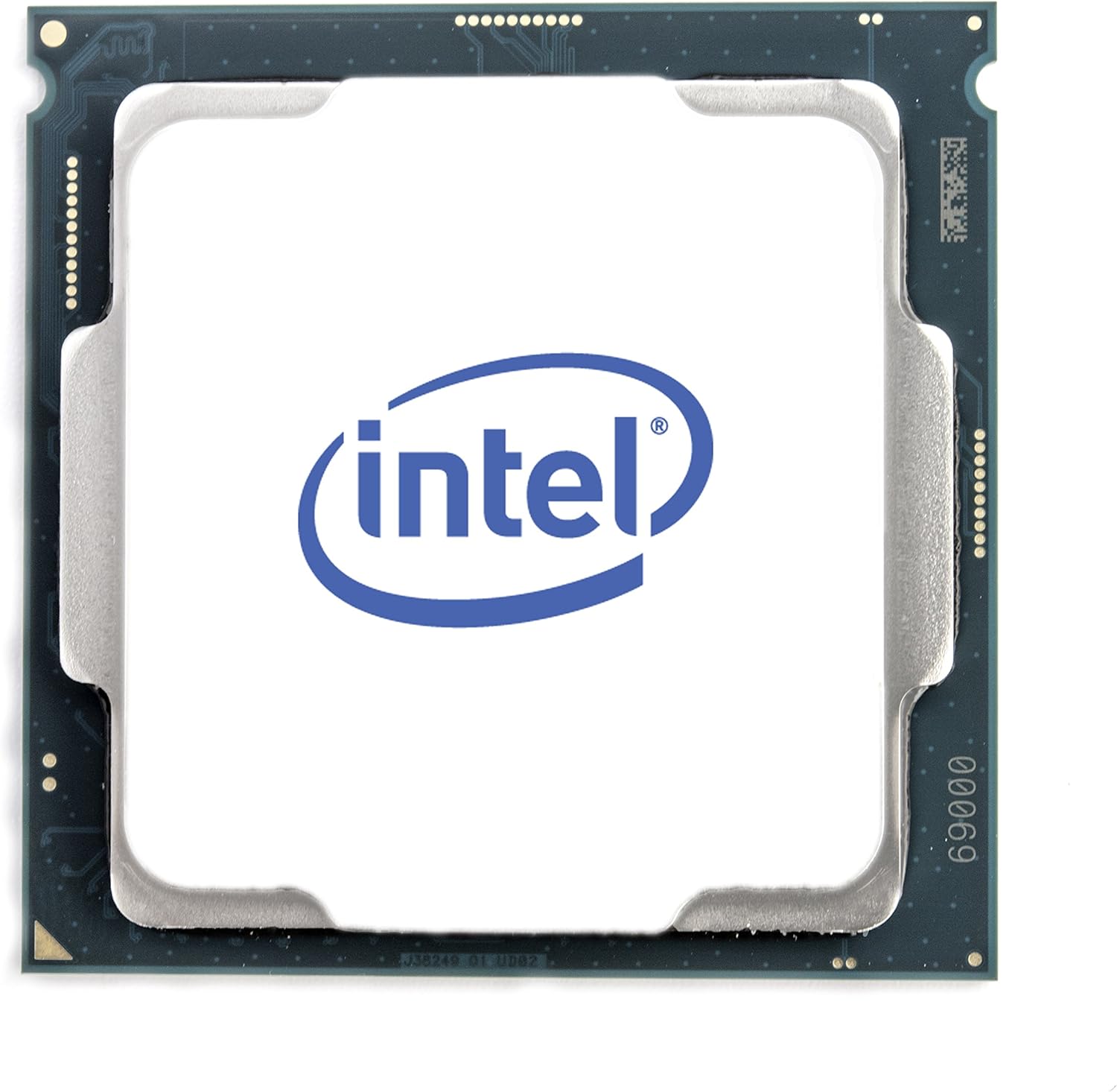
Attēls: Augšpusē view of the Intel Core i5-8600 processor, showing the IHS.

Attēls: Apakšdaļa view of the Intel Core i5-8600 processor, showing the LGA pins.
4.3 Video Guide: CPU Installation Overview
Video: oversview of CPU installation, demonstrating the process with a similar Intel processor. This video is provided by a merchant and offers general guidance for processor setup.
5. Jūsu procesora darbība
The Intel Core i5-8600 is designed to deliver consistent performance for various computing needs. Its 6 cores provide strong multitasking capabilities, while Intel Turbo Boost Technology 2.0 automatically increases the processor's frequency when needed, providing a performance boost for demanding applications and games.
5.1. Veiktspējas līdzekļi
- Intel Turbo Boost tehnoloģija 2.0: Dynamically increases the processor's frequency up to 4.3 GHz when operating below power, current, and temperature specification limits.
- Intel Optane atmiņas atbalsts: Enhances system responsiveness by accelerating frequently accessed data and applications. Requires compatible Intel Optane Memory modules.
- Intel UHD Graphics 630: Integrated graphics solution capable of handling everyday visual tasks and light gaming without a dedicated graphics card.
5.2 Video Guide: Intel Core i5 Processor Overview
Video: An official Intel overview of a 9th Gen Intel Core i5 processor, highlighting its features and performance capabilities for gaming and general use.
6. Apkope
Pareiza apkope nodrošina procesora ilgmūžību un optimālu veiktspēju.
6.1 Thermal Solution
The included Intel stock heatsink and fan are designed to adequately cool the i5-8600 under normal operating conditions. Ensure the fan is free from dust and obstructions. Periodically clean the fan blades and heatsink fins using compressed air to maintain efficient cooling.
6.2 Termiskā pasta
The stock heatsink comes with pre-applied thermal paste. If you ever need to remove and re-install the heatsink, or replace it with an aftermarket cooler, you will need to clean off the old thermal paste from both the CPU and the heatsink base using isopropyl alcohol and apply new thermal paste.
7. Traucējummeklēšana
Ja rodas problēmas ar Intel Core i5-8600 procesoru, apsveriet tālāk norādītās problēmu novēršanas darbības.
7.1 Sistēma netiek startēta / Nav attēla
- Pārbaudiet saderību: Verify that your motherboard is an Intel 300 Series Chipset and uses an LGA1151 socket. Incompatible motherboards will prevent the system from booting.
- Reseat CPU: Carefully remove and re-install the CPU, ensuring it is correctly seated in the socket and the retention lever is fully closed.
- Pārbaudiet strāvas savienojumus: Ensure all power cables, especially the 8-pin (or 4+4-pin) CPU power connector, are securely plugged into the motherboard.
- RAM problēmas: Incorrectly installed or faulty RAM can prevent booting. Try booting with only one RAM stick installed, or reseat all RAM modules.
7.2 Overheating / Loud Fan Noise
- Verify Heatsink Installation: Ensure the stock heatsink is properly installed and making full contact with the CPU's IHS. All four push-pins should be locked.
- Termiskā pasta: Confirm that thermal paste is present between the CPU and heatsink. If you re-installed the heatsink, new thermal paste might be required.
- Putekļu uzkrāšanās: Clean any dust from the heatsink fins and fan blades using compressed air.
- Korpusa gaisa plūsma: Ensure your PC case has adequate airflow with properly installed intake and exhaust fans.
- Consider Aftermarket Cooler: If the stock cooler's noise or cooling performance is unsatisfactory under heavy load, an aftermarket CPU cooler can provide quieter operation and better thermal management.
8. Garantija un atbalsts
The Intel Core i5-8600 Desktop Processor typically comes with a trīs gadu ierobežota garantija no pirkuma datuma. Šī garantija attiecas uz materiālu un ražošanas defektiem normālas lietošanas apstākļos.
For detailed warranty terms, technical support, and driver downloads, please visit the official Intel support webvietne:
When contacting support, please have your processor's model number (i5-8600) and the full item model number (BX80684I58600) readily available.


