Ievads
This manual provides essential instructions for the Lexmark E460DN laser printer. Designed for small and midsize workgroups, the E460DN offers efficient, high-quality monochrome printing with advanced features. This document covers unpacking, setup, operation, maintenance, and troubleshooting to ensure optimal performance of your device.
The Lexmark E460DN is a Certified Refurbished product, meaning it has been tested and certified to function like new. It includes a toner drum and comes with a 90-day warranty.
Produkts beidziesview
The Lexmark E460DN is a compact laser printer featuring a light gray and dark gray exterior. It is equipped with a user-friendly control panel and supports various paper handling options.
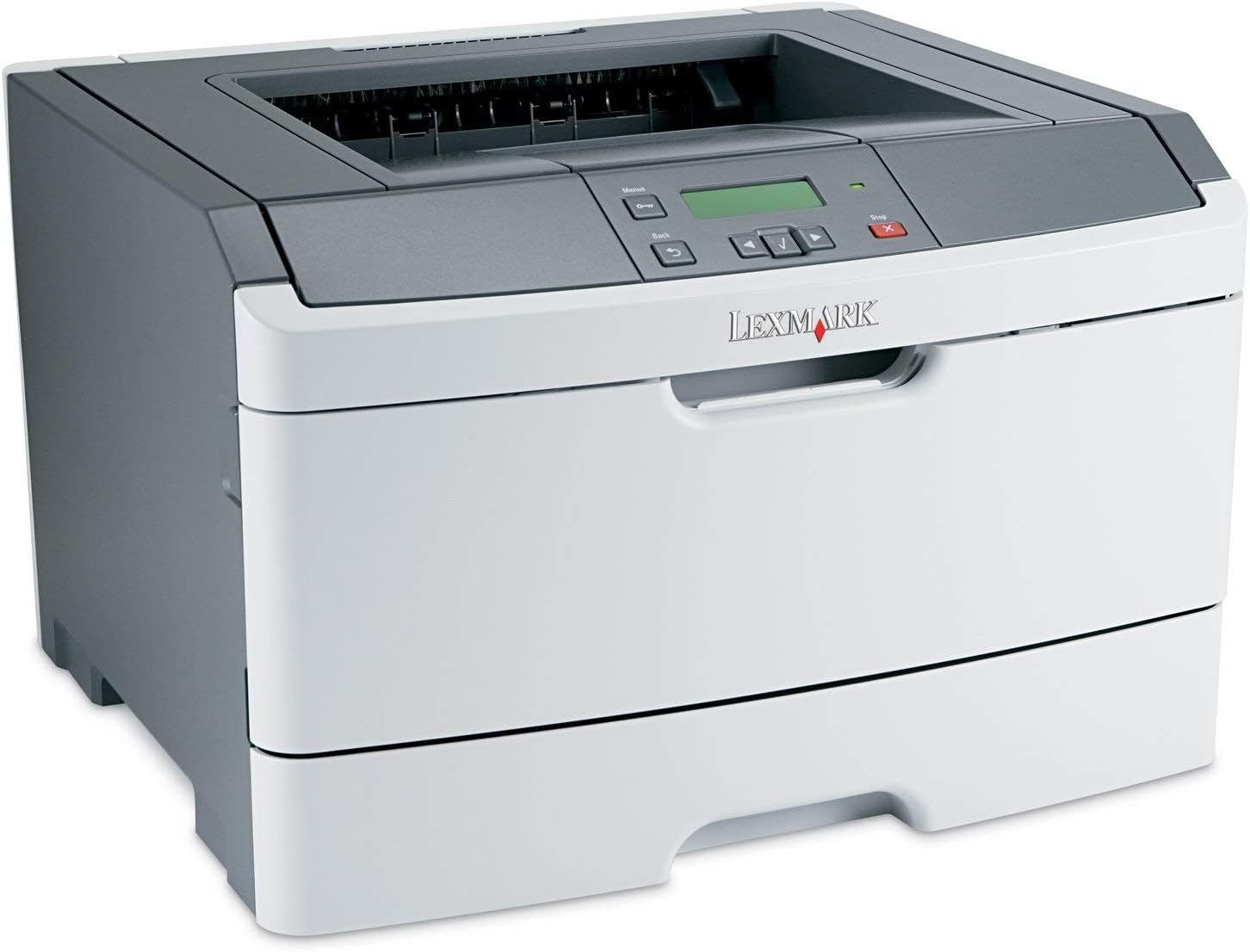
1. attēls: Priekšpuse view of the Lexmark E460DN Laser Printer. The image displays the printer's light gray body with a dark gray top section, including the output tray and control panel. The Lexmark logo is visible on the front panel.
Galvenās funkcijas:
- Ātrs drukas ātrums: Up to 40 pages per minute (ppm) for monochrome documents.
- High Print Quality: True 1200 x 1200 dpi resolution for sharp text and graphics.
- Automātiska divpusēja drukāšana: Standard feature for two-sided printing, reducing paper consumption.
- Network Ready: Ethernet connectivity for shared use in workgroup environments.
- Lietotājam draudzīgs interfeiss: Four-line operator panel for easy navigation and control.
- Uzlabota drošība: Numeric pad for confidential printing.
- Efektīva darbība: Instant warm-up fuser for fast first-page-out times and reduced power consumption.
Iestatīšanas instrukcijas
- Izpakojiet printeri: Uzmanīgi izņemiet printeri no iepakojuma. Noņemiet visus iepakojuma materiālus, lentes un aizsargplēves.
- Novietojiet printeri: Position the printer on a stable, level surface with adequate ventilation. Ensure sufficient space around the printer for paper loading and output.
- Pievienojiet strāvu: Plug the power cord into the printer's power inlet, then into a grounded electrical outlet.
- Install Toner/Drum (if applicable): If the toner cartridge and imaging drum are not pre-installed, follow the instructions provided with the consumables to install them. For refurbished units, these components are typically pre-installed.
- Ievietojiet papīru: Open the paper tray and adjust the paper guides to fit the paper size. Load the desired print media (e.g., plain paper, envelopes) into the tray.
- Savienojuma izveide ar tīklu/datoru:
- Ethernet (vadu): Pievienojiet Ethernet kabeli printera Ethernet portam tīkla maršrutētājam vai komutatoram.
- USB (Optional, if available): Pievienojiet printeri datoram, izmantojot USB kabeli.
- Instalējiet draiverus: Turn on the printer. Install the appropriate printer drivers on your computer. Drivers can usually be found on the manufacturer's webvietne.
- Veiciet testa drukāšanu: After driver installation, print a test page to confirm proper setup and connectivity.
Lietošanas instrukcijas
Vadības paneļa navigācija:
The Lexmark E460DN features a four-line display and several buttons for navigating menus and controlling printer functions. Use the arrow buttons to scroll through options and the 'Menu' or 'Select' button to confirm selections. The 'Back' button allows you to return to previous menus, and the 'Stop' button can cancel print jobs.
Pamata drukāšana:
- Pārliecinieties, vai printeris ir ieslēgts un pievienots datoram vai tīklam.
- Atveriet datorā dokumentu, kuru vēlaties drukāt.
- Izvēlieties File > Drukāt (vai līdzvērtīgu komandu jūsu lietojumprogrammā).
- Choose the Lexmark E460DN from the list of available printers.
- Pielāgojiet drukas iestatījumus pēc nepieciešamības (piemēram, kopiju skaitu, papīra izmēru, drukas kvalitāti).
- For two-sided printing, select the duplex option in your printer settings. The E460DN supports automatic duplexing.
- Noklikšķiniet Drukāt.
Konfidenciāla drukāšana:
The printer supports confidential printing using a numeric pad. When sending a confidential print job from your computer, you will be prompted to enter a PIN. To release the job at the printer, enter the same PIN using the control panel's numeric pad.
Apkope
Toner Cartridge and Imaging Drum Replacement:
The Lexmark E460DN uses a combined toner cartridge and imaging drum unit. The printer's control panel will display early-warning alerts for low toner. When prompted:
- Atveriet printera priekšējās piekļuves durtiņas.
- Carefully remove the old toner/drum unit by pulling it straight out.
- Unpack the new toner/drum unit and gently shake it to distribute the toner.
- Insert the new unit into the printer until it clicks into place.
- Aizveriet priekšējās piekļuves durtiņas.
Dispose of used toner cartridges according to local regulations or return them to Lexmark for recycling.
Printera tīrīšana:
- Ārpuse: Noslaukiet ārējās virsmas ar mīkstu, damp, nepūkojošu drānu. Nelietojiet abrazīvus tīrīšanas līdzekļus vai šķīdinātājus.
- Interjers: Periodically clean the paper path and other accessible interior areas to remove dust and paper debris. Refer to the printer's on-screen messages or full service manual for detailed internal cleaning procedures.
Problēmu novēršana
This section provides solutions to common issues you may encounter with your Lexmark E460DN printer. For more complex problems, consult the full service manual or Lexmark support.
Bieži sastopamās problēmas un risinājumi:
- Printeris nereaģē:
- Pārbaudiet strāvas savienojumus un pārliecinieties, vai printeris ir ieslēgts.
- Verify network or USB cable connections.
- Restartējiet printeri un datoru.
- Pārliecinieties, vai printera draiveri ir pareizi instalēti un atjaunināti.
- Papīra iestrēgšana:
- Follow the instructions on the printer's display or in the full service manual to locate and clear jammed paper.
- Pārliecinieties, vai papīrs ir pareizi ievietots un teknē nav pārāk daudz papīra.
- Izmantojiet ieteicamos papīra veidus.
- Slikta drukas kvalitāte:
- Check toner levels. Replace the toner/drum unit if low or empty.
- Ensure the imaging drum is clean and free from damage.
- Perform a print quality test from the printer's menu to diagnose issues.
- Clean the printer's interior as described in the maintenance section.
- Kļūdu ziņojumi:
Refer to the customizable operator panel messaging for specific error codes or descriptions. Consult the full service manual for detailed explanations and solutions for each error message.
Specifikācijas
| Funkcija | Specifikācija |
|---|---|
| Modeļa numurs | E460DN |
| Drukas tehnoloģija | Lāzers |
| Printera izvade | Vienkrāsains |
| Maksimālais drukas ātrums (vienkrāsains) | Up to 40 ppm (letter-size paper) |
| Drukas izšķirtspēja | 1200x1200 dpi |
| Dupleksā druka | Automatic (Dual-sided printing) |
| Savienojamības tehnoloģija | Wired; Ethernet |
| Aparatūras saskarne | Ethernet |
| Atmiņas krātuves ietilpība | 64 MB |
| Maksimālā ievades loksnes ietilpība | 300 XNUMX loksnes |
| Izvades loksnes ietilpība | 150 XNUMX loksnes |
| Atbalstītie drukas materiāli | Envelopes, Plain Paper |
| Produkta izmēri | 14.55 x 15.98 x 10.2 collas |
| Krāsa | Gaiši pelēks/tumši pelēks |
| UPC | 748926547406 |
Garantija un atbalsts
This Lexmark E460DN printer is a Certified Refurbished product and comes with a 90 dienu ierobežota garantija. Šī garantija attiecas uz materiālu un ražošanas defektiem normālas lietošanas apstākļos.
For warranty claims, technical support, or further assistance, please refer to the documentation provided with your refurbished product or contact the seller directly. Additional support resources may be available on the official Lexmark webvietne.


