Ievads
Welcome to your Sony WH-1000XM3 Wireless Noise Canceling Stereo Headset. This manual provides essential information for setting up, operating, and maintaining your headphones.

The Sony WH-1000XM3 headphones are designed for superior audio and noise cancellation, ideal for travel and daily use.
Kas atrodas kastē
- Austiņas
- Aizsargmaciņa
- Cable (USB-C charging cable and audio cable for wired connection)

The included protective case ensures safe storage and transport of your headphones and accessories.
Produkts beidziesview
Galvenās iezīmes
- Smart listening by Sense Engine.
- Quick Attention Mode for effortless conversations without removing headphones.
- Industry-leading noise canceling for immersive audio.
- Premium sound quality from 40mm Liquid Crystal Polymer drivers.
- Volume Control Touch Sensor.
Sastāvdaļas
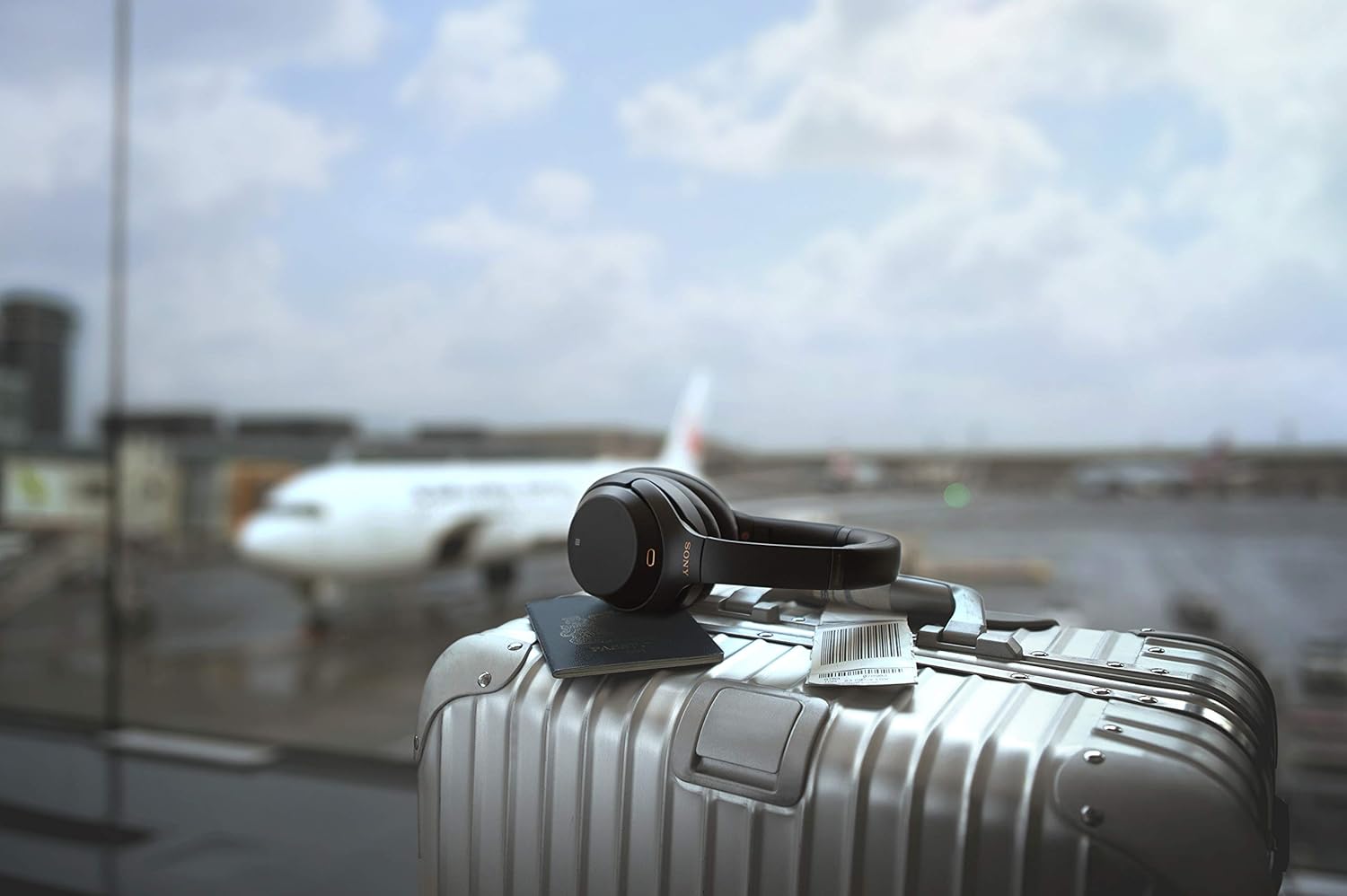
The headphones feature a sleek, over-ear design with comfortable earcups.

The left earcup houses the power button, noise canceling/ambient sound mode button, and USB-C charging port.

The right earcup features a touch control panel for managing playback, volume, and calls.
Iestatīšana
Austiņu uzlāde
Connect the supplied USB-C cable to the USB-C port on the left earcup and to a USB power adapter (not supplied) or a computer. The indicator light will show charging status. A full charge provides approximately 30 hours of playback.
Ieslēgšana/izslēgšana
To power on, press and hold the power button on the left earcup until the indicator light flashes. To power off, press and hold the power button again until the indicator light turns off.
Bluetooth savienojums
- Pārliecinieties, vai austiņas ir izslēgtas.
- Press and hold the power button for about 7 seconds until the indicator light flashes blue rapidly. This indicates pairing mode.
- On your device, enable Bluetooth and select "WH-1000XM3" from the list of available devices.
- Kad savienojums ir izveidots, indikatora lampiņa lēni mirgos zilā krāsā.
Lietošanas instrukcijas
Noise Canceling and Ambient Sound Mode
Press the NC/AMBIENT button on the left earcup to cycle through Noise Canceling, Ambient Sound Mode, and Off.
Ātrās uzmanības režīms
To activate Quick Attention Mode, place your hand over the entire touch control panel on the right earcup. The volume will lower, and ambient sound will be heard, allowing you to hear announcements or conversations without removing your headphones. Remove your hand to resume normal playback.
Pieskarieties vadīklām
Labajā austiņā ir skārienvadības panelis dažādām funkcijām:
- Atskaņot/pauzēt: Double-tap the center.
- Skaļuma palielināšana/ samazināšana: Swipe up/down.
- Nākamais celiņš/iepriekšējais celiņš: Swipe forward/backward.
- Atbildēt/beigt zvanu: Double-tap the center during an incoming call.
Vadu savienojums
Use the supplied audio cable to connect the headphones to a device with a 3.5mm audio jack. This allows for audio playback even if the battery is depleted.
Apkope
- Turiet austiņas tīras, noslaukot tās ar mīkstu, sausu drānu.
- Nepakļaujiet austiņas ekstremālām temperatūrām, mitrumam vai tiešiem saules stariem.
- Kad austiņas netiek lietotas, glabājiet tās aizsargapvalkā, lai novērstu bojājumus.
- Nemēģiniet izjaukt vai pārveidot austiņas.
Problēmu novēršana
Nav spēka
- Pārliecinieties, vai austiņas ir pilnībā uzlādētas.
- Check the USB-C charging cable and power source.
Nav Bluetooth savienojuma
- Ensure the headphones are in pairing mode (rapidly flashing blue indicator).
- Check that Bluetooth is enabled on your device and the headphones are selected.
- Pārvietojiet austiņas tuvāk ierīcei.
Noise Canceling Not Effective
- Ensure the earcups fit snugly over your ears.
- Adjust the noise canceling settings using the NC/AMBIENT button.
Specifikācijas
| Funkcija | Detaļas |
|---|---|
| Zīmols | Sony |
| Modeļa nosaukums | WH-1000XM3 |
| Krāsa | Melns |
| Ausu novietojums | Virs auss |
| Formas faktors | Virs auss |
| Impedance | 47 omi |
| Savienojamības tehnoloģija | Wired, Wireless (Bluetooth, NFC) |
| Bluetooth versija | 5 |
| Bluetooth diapazons | 10 metri |
| Trokšņa kontrole | Aktīvā trokšņu slāpēšana |
| Frekvences reakcija | 4 Hz–40,000 XNUMX Hz |
| Vidējais akumulatora darbības laiks | 30 stundas |
| Kontroles metode | Pieskarieties |
| Preces svars | 0.56 mārciņas |
| Materiāls | Plastmasa |
| Ražotājs | Blu |
Garantija un atbalsts
This product comes with a seller warranty. For detailed warranty information and support, please refer to your purchase documentation or contact the seller directly.
For additional product information and support resources, visit the Oficiālais Sony veikals vietnē Amazon.


