1. Ievads
This manual provides detailed instructions for the safe and efficient operation, setup, and maintenance of your Bernina 590 Sewing and Embroidery Machine. Please read this manual thoroughly before using the machine to ensure optimal performance and longevity.
2. Drošības instrukcijas
Lietojot elektriskās ierīces, vienmēr ievērojiet pamata drošības pasākumus, lai samazinātu ugunsgrēka, elektriskās strāvas trieciena vai personu traumu risku.
- Ensure the machine is unplugged before cleaning, lubricating, or performing any user servicing.
- Turiet pirkstus prom no visām kustīgajām daļām. Īpaša piesardzība ir nepieciešama ap šujmašīnas adatu.
- Izmantojiet pareizo adatas plāksni. Nepareiza plāksne var izraisīt adatas salūšanu.
- Neizmantojiet saliektas adatas.
- Šūšanas laikā nevelciet un negrūdiet audumu. Tas var novirzīt adatu un izraisīt tās salūšanu.
- Valkājiet aizsargbrilles.
- Nekad nedarbiniet šujmašīnu, ja gaisa atveres ir aizsprostotas. Turiet šujmašīnas un kājas vadības ierīces ventilācijas atveres tīras no pūkām, putekļiem un vaļīgiem auduma gabaliem.
3. Produkts beidziesview
The Bernina 590 is a versatile machine designed for both sewing and embroidery tasks, offering advanced features for precision and ease of use.
Galvenās funkcijas:
- Automātisks diega griezējs: Performs three steps in one: cuts the thread, positions the needle, and lifts the presser foot.
- Bernina Hook: Ensures consistent and precise stitches at speeds up to 1,000 stitches per minute.
- Bernina Dual Feed: Moves fabric evenly from both top and bottom, easily activated and deactivated.
- Embroidery Capabilities: Maximum embroidery area of 400 x 150 mm, includes 275 embroidery designs and 8 embroidery alphabets.
- Krāsu skārienekrāns: Intuitive interface for machine control and stitch selection.
- LED gaisma: Provides bright illumination of the work area.
- Invisible Secure Stitch and Intelligent Tie-off Recognition: Ensures high-quality embroidery results.
- Precise Motif Positioning: Allows accurate placement of embroidery designs on hooped fabric.
- On-screen Guides: Sewing and embroidery guides provide direct assistance and answer questions.
Mašīnas sastāvdaļas:


4. Iestatīšana
Before operating your Bernina 590, ensure it is properly set up.
4.1 Sākotnējais barošanas pieslēgums
- Novietojiet iekārtu uz stabilas, līdzenas virsmas.
- Pievienojiet strāvas vadu ierīcei un pēc tam piemērotai elektrotīkla kontaktligzdai.
- Ieslēdziet ierīci, izmantojot galveno strāvas slēdzi.
4.2 Mašīnas diega ievēršana
Follow the numbered threading path indicated on the machine for the upper thread. For the bobbin, refer to the following illustration:

4.3 Attaching the Presser Foot and Needle
Ensure the correct presser foot and needle are installed for your chosen task.

5. Lietošanas instrukcijas
5.1 Sewing Operations
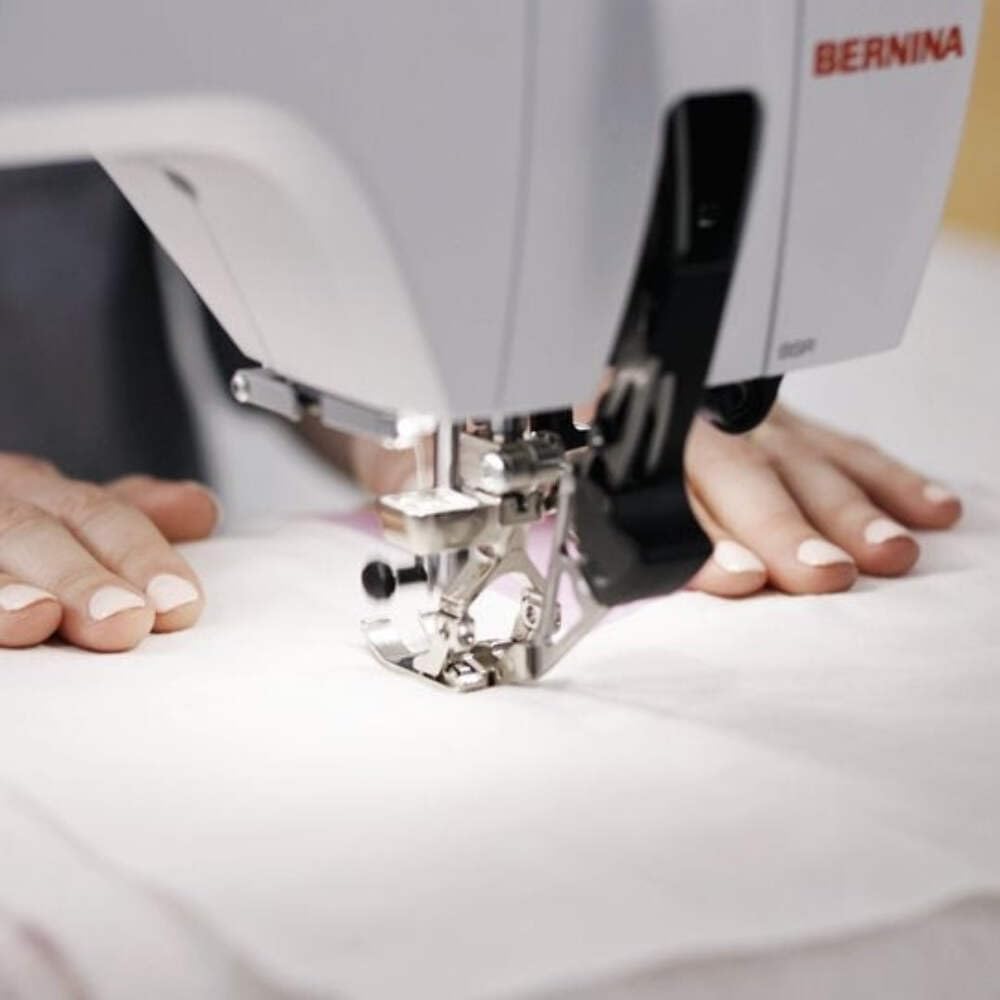
Select your desired stitch pattern and adjust settings using the color touchscreen. The Bernina 590 offers precise control for various sewing projects.
- Dūriena izvēle: Navigate the touchscreen to choose from a wide range of utility and decorative stitches.
- Bernina Dual Feed: Activate the dual feed for even fabric transport, especially useful for challenging materials.
- Automātisks diega griezējs: Utilize this feature to automatically cut threads at the end of a seam.
5.2 Embroidery Operations
Attach the embroidery module and hoop your fabric to begin embroidery projects.
- Design Selection: Choose from 275 built-in embroidery designs or load your own.
- Motif Positioning: Use the precise motif positioning feature to align your design accurately on the fabric.
- Embroidery Guide: Follow the on-screen guide for step-by-step assistance during embroidery.

6. Apkope
Regular maintenance ensures the smooth operation and extends the lifespan of your Bernina 590.
- Tīrīšana: Regularly clean the bobbin area, feed dogs, and needle plate to remove lint and dust. Use a small brush provided with the machine.
- Eļļošana: Refer to the machine's internal instructions for specific lubrication points and frequency.
- Adatas nomaiņa: Replace needles frequently, especially when working with different fabric types or if the needle shows signs of wear.
- Programmatūras atjauninājumi: Check the official Bernina website for any available software updates for your machine.
7. Traucējummeklēšana
This section addresses common issues you might encounter. For more complex problems, contact Bernina support.
| Problēma | Iespējamais cēlonis | Risinājums |
|---|---|---|
| Izlaistas šuves | Nepareiza adata, saliekta adata, nepareiza diega ievēršana. | Nomainiet adatu, ieveriet diegu atkārtoti ierīcē un pārliecinieties, vai audumam ir piemērots adatas tips. |
| Vītnes pārrāvums | Nepareizs diega spriegums, sliktas kvalitātes diegs, atgremts uz adatas plāksnes, nepareiza diega ievēršana. | Adjust tension, use quality thread, check for burrs, re-thread machine. |
| Mašīna neieslēdzas | Power cord not connected, main switch off, foot control issue. | Check power connections, ensure switch is on, inspect foot control. |
8. Specifikācijas
Detailed technical specifications for the Bernina 590 Sewing and Embroidery Machine.
- Modelis: Bernina 590
- Izmēri (iepakojumā): 58 x 50 x 48 cm
- Svars (produkts): 15 kg
- Maximum Embroidery Area: 400 x 150 mm
- Maximum Embroidery Speed: 1000 šuves minūtē
- Included Embroidery Designs: 275
- Embroidery Alphabets: 8
- Āķu sistēma: Bernina Hook
- Displejs: Krāsu skārienekrāns
- Apgaismojums: LED

9. Garantija un atbalsts
For warranty information, please refer to the documentation provided with your purchase or visit the official Bernina website. For technical support, service, or to order parts, please contact your authorized Bernina dealer or Bernina customer service.
Bernina Official Webvietne: www.bernina.com


