Ievads
This user manual provides comprehensive instructions for the setup, operation, maintenance, and troubleshooting of your Alienware M15 Gaming Laptop. Please read this manual thoroughly to ensure optimal performance and longevity of your device. For additional support, refer to the official Alienware support resources.
Produkts beidziesview
Galvenās iezīmes
- 8th Generation Intel Core i7-8750H (6-Core, 9MB Cache, up to 4.1GHz w/ Turbo Boost)
- 15.6" FHD (1920 x 1080) 60Hz Anti-glare IPS, 300-nits 72% Color gamut, narrow-border Display
- 16GB, 2x8GB, DDR4, 2666MHz RAM
- 128GB PCIe M.2 SSD + 1TB (+8GB SSHD) Hybrid Drive
- Nvidia GeForce GTX 1060 with 6GB GDDR5 Graphics Card
- Windows 10 mājas operētājsistēma
Fiziskās sastāvdaļas

1. attēls: Priekšpuse view of the Alienware M15 laptop, showcasing the display with the Alienware logo.

2. attēls: No augšas uz leju view of the open Alienware M15 laptop, highlighting the keyboard layout and touchpad.

3. attēls: Kreisā puse view of the Alienware M15 laptop, showing various ports such as USB 3.0.
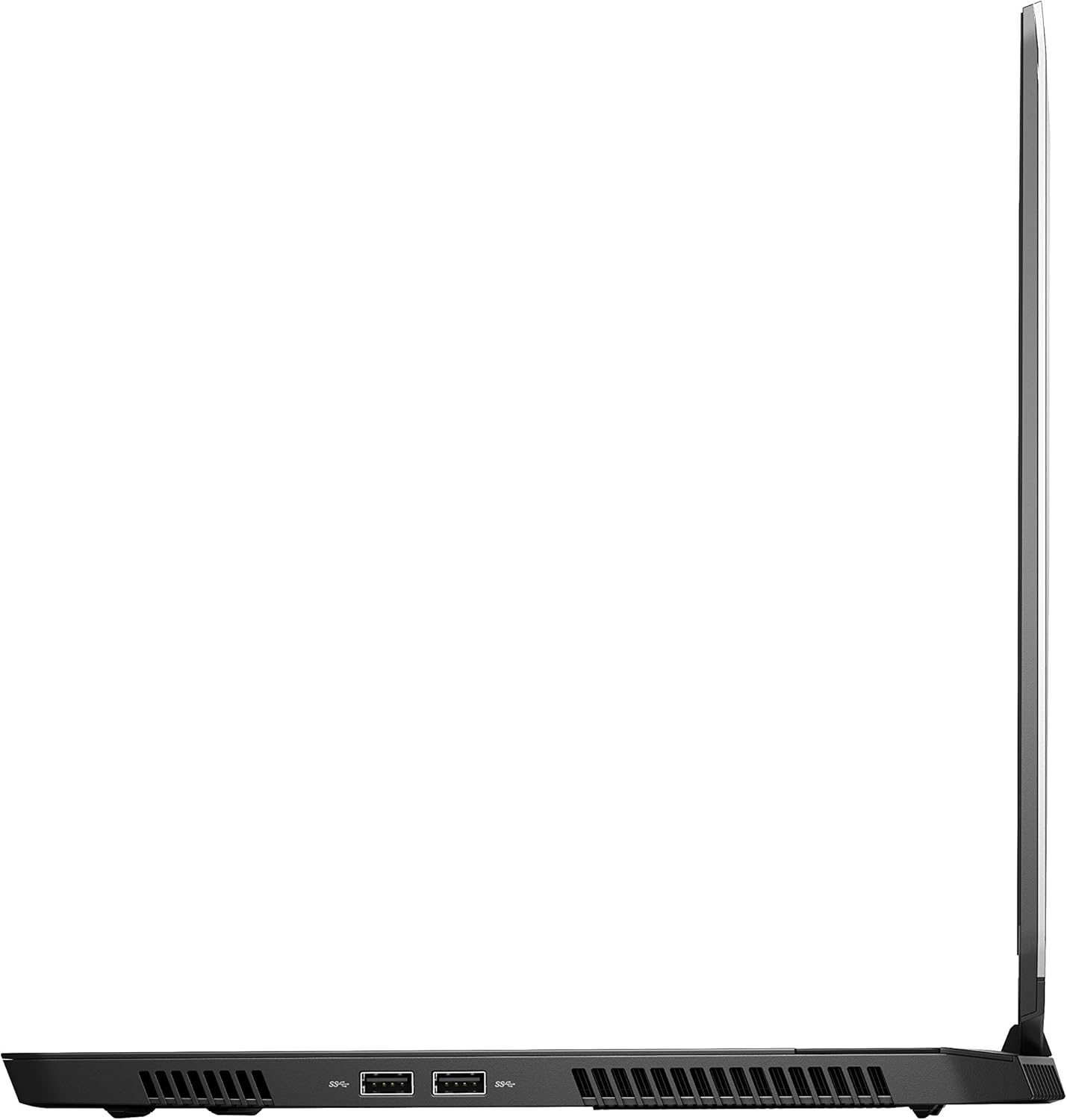
4. attēls: Labā puse view of the Alienware M15 laptop, displaying additional ports and ventilation.

5. attēls: Uzsprāga view illustrating the internal cooling system of the Alienware M15 laptop, including fans and heat sinks.
Iestatīšana
Izpakošana
Uzmanīgi izņemiet visas sastāvdaļas no iepakojuma. Pārliecinieties, vai ir šādas lietas:
- Alienware M15 Gaming Laptop
- Strāvas vads
- 180 W barošanas adapteris
Sākotnējā ieslēgšana
- Pievienojiet strāvas adapteri klēpjdatora barošanas ieejas portam.
- Pievienojiet strāvas vadu sienas kontaktligzdai.
- Open the laptop lid and press the power button, typically located on the top right of the keyboard deck or a dedicated button on the chassis.
- Izpildiet ekrānā redzamos norādījumus, lai pabeigtu Windows 10 Home iestatīšanas procesu, tostarp valodas izvēli, tīkla savienojuma izveidi un lietotāja konta izveidi.
Lietošanas instrukcijas
Pamatdarbība
Your Alienware M15 laptop runs on Windows 10 Home. Familiarize yourself with the operating system's interface. The keyboard features customizable backlighting via Alienware's software. The touchpad supports multi-touch gestures for navigation.
Spēļu veiktspēja
The Alienware M15 is designed for high-performance gaming. For optimal gaming experience, ensure the laptop is connected to the power adapter. This allows the system to utilize its full power capabilities for the CPU and GPU. While gaming, the laptop may generate significant heat; this is normal for high-performance hardware. Consider using a cooling pad for extended gaming sessions to enhance thermal management.
Apkope
Tīrīšana
- Ekrāns: Izmantojiet mīkstu, neplūksnu drānu nedaudz dampnoskalot ar ūdeni vai ekrāna tīrīšanas līdzekli. Izvairieties no spēcīgām ķīmiskām vielām.
- Tastatūra un korpuss: Use a soft brush or compressed air to remove dust from keys and vents. Wipe surfaces with a microfiber cloth.
- Porti: Use compressed air to clear dust from USB, HDMI, and other ports.
Programmatūras atjauninājumi
Regularly update your Windows operating system, graphics drivers (NVIDIA GeForce), and Alienware software. Updates often include performance improvements, security patches, and bug fixes. Access Windows updates through Settings > Update & Security. Graphics drivers can be updated via the NVIDIA GeForce Experience application.
Akumulatora kopšana
To maximize battery lifespan, avoid consistently discharging the battery completely. For prolonged use while plugged in, consider using battery management features (if available in Alienware Command Center) to limit charging to 80-90% capacity.
Problēmu novēršana
This section addresses common issues you might encounter with your Alienware M15 laptop.
| Problēma | Iespējamais cēlonis/risinājums |
|---|---|
| Laptop gets excessively hot during use. | High-performance components generate heat. Ensure ventilation vents are clear. Use a cooling pad. Update graphics drivers. |
| "No media present" error or SSD/HDD not detected. | This can sometimes be a temporary software glitch. Try restarting the laptop. If persistent, ensure the power cable is securely connected and try a hard reboot (unplug power, hold power button for 15 seconds, then reconnect and power on). If the issue persists, contact support. |
| Wi-Fi connection drops frequently. | Ensure Wi-Fi drivers are up to date. Check for interference from other devices. Restart your router and the laptop. If the issue persists, consider reinstalling Wi-Fi drivers or contacting support. |
| System performance is slow or lagging. | Ensure the laptop is plugged into power for full performance. Close unnecessary background applications. Check for malware. Ensure sufficient free space on the SSD/HDD. |
Specifikācijas
Detailed technical specifications for the Alienware M15 Gaming Laptop (Model: AWM15-7830SLV-PUS).
| Funkcija | Detaļas |
|---|---|
| Standarta ekrāna displeja izmērs | 15.6 collas |
| Ekrāna izšķirtspēja | 1920x1080 pikseļi |
| Maksimālā ekrāna izšķirtspēja | 1920x1080 pikseļi |
| Procesors | 4.1 GHz core_i7_8750h |
| RAM | 16 GB DDR4 |
| Atmiņas ātrums | 2666 MHz |
| Cietais disks | 1000 GB 128GB PCIe M.2 SSD + 1TB (+8GB SSHD) Hybrid Drive |
| Grafikas kopprocesors | NVIDIA GeForce GTX 1060 |
| Chipset Brand | NVIDIA |
| Kartes apraksts | Veltīts |
| Grafikas kartes RAM izmērs | 6 GB |
| Bezvadu tips | 802.11a/b/g/n |
| USB 3.0 portu skaits | 3 |
| Zīmols | Alienware |
| sērija | AWm15-7830SLV-PUS |
| Preces modeļa numurs | AWM15-7830SLV-PUS |
| Operētājsistēma | Windows 10 Home |
| Preces svars | 4.8 mārciņas |
| Produkta izmēri | 10.8 x 14.3 x 0.8 collas |
| Krāsa | Melns |
| Procesora zīmols | Intel |
| Procesoru skaits | 6 |
| Datora atmiņas veids | DDR4 SDRAM |
| Zibatmiņas lielums | 16 |
| Cietā diska saskarne | Cietvielu |
| Cietā diska rotācijas ātrums | 5400 XNUMX RPM |
| Optiskā diskdziņa veids | Nav optiskā diskdziņa |
| Voltage | 240 volts |
| Baterijas | Nepieciešamas 1 litija metāla baterijas. (iekļauts) |
| Datums pirmais pieejams | 5. gada 2019. janvāris |
| Modeļa nosaukums | AWm15-7830SLV-PUS |
| Ekrāna izmērs | 15.6 collas |
| Cietā diska izmērs | 1000 GB |
| CPU modelis | Core i7 8750H |
| Instalētās operatīvās atmiņas izmērs | 16 GB |
| Īpaša iezīme | Pretspīduma pārklājums |
Garantija un atbalsts
For detailed warranty information, please refer to the documentation included with your purchase or visit the official Alienware support website. For technical assistance, driver downloads, and further resources, please visit the Alienware support portal.
Lejupielādei ir pieejama arī oficiāla lietotāja rokasgrāmata (PDF formātā): Lejupielādēt lietotāja rokasgrāmatu PDF formātā


