1. Ievads
Welcome to the user manual for your Genius Manticore Gaming Keyboard. This guide provides essential information for setting up, operating, maintaining, and troubleshooting your new gaming keyboard. Please read these instructions carefully to ensure optimal performance and longevity of your device.
2. Produkts beidziesview
The Genius Manticore Gaming Keyboard is designed for an enhanced gaming experience, featuring a durable build and responsive keys. It connects via USB and is compatible with a wide range of devices. The keyboard includes 104 keys with a standard QWERTY layout, complemented by additional gaming-specific features.
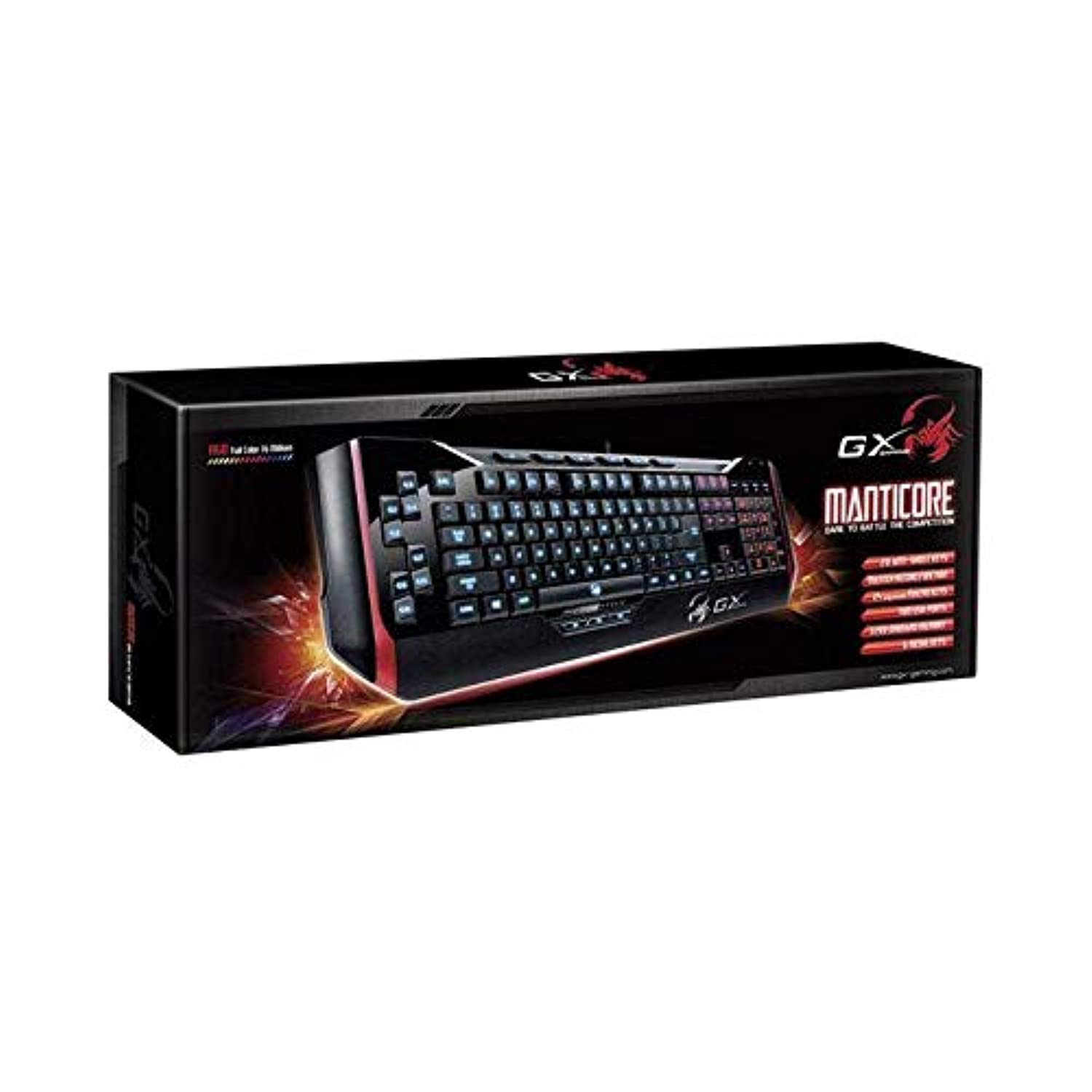
1. attēls: Genius Manticore Gaming Keyboard. This image displays the Genius Manticore Gaming Keyboard, featuring a black body with red accents on the sides. The keys are illuminated, indicating its gaming functionality. The keyboard has a standard QWERTY layout with additional keys on the left side, likely for macros, and a numeric keypad on the right.
3. Iestatīšana
- Izpakojiet tastatūru: Carefully remove the Genius Manticore Gaming Keyboard from its packaging. Ensure all components are present.
- Izveidojiet savienojumu ar ierīci: Locate an available USB port on your computer or compatible device. Insert the USB connector of the keyboard firmly into the USB port.
- Draivera instalēšana (ja nepieciešams): For most modern operating systems, the keyboard will be recognized automatically, and standard drivers will be installed. If prompted, follow the on-screen instructions to complete any driver installation.
- Testa funkcionalitāte: Open a text editor or a web browser and test the keys to ensure they are responding correctly.
4. Lietošanas instrukcijas
The Genius Manticore Gaming Keyboard offers a standard QWERTY layout for general typing and dedicated features for gaming.
- Standarta taustiņu funkcijas: All standard alphanumeric, symbol, and function keys operate as expected on a typical QWERTY keyboard.
- Spēļu funkcijas: The keyboard is designed for gaming. Specific gaming features, such as customizable backlighting or programmable macro keys (if available on your model), can typically be configured through dedicated software provided by Genius or through specific key combinations. Refer to the Genius website for any available software downloads or advanced feature guides.
- Barošanas avots: The keyboard is powered directly via the USB connection to your device. No external power supply or batteries are required.
5. Apkope
Pareiza apkope nodrošina tastatūras ilgmūžību un veiktspēju.
- Tīrīšana: Tastatūras virsmas noslaukšanai izmantojiet mīkstu, sausu drānu. Putekļu un gružu notīrīšanai starp taustiņiem izmantojiet saspiestu gaisu. Izvairieties no spēcīgu ķīmisku vielu vai abrazīvu materiālu lietošanas.
- Šķidruma iedarbība: Šī tastatūra ir nav ūdensizturīgs. Avoid spilling liquids on the keyboard, as this can cause permanent damage. If liquid exposure occurs, immediately disconnect the keyboard from your device and allow it to dry completely before attempting to use it again.
- Uzglabāšana: Kad tastatūru nelietojat, uzglabājiet to tīrā, sausā vietā, prom no ekstremālām temperatūrām un tiešiem saules stariem.
6. Traucējummeklēšana
Ja rodas problēmas ar tastatūru, izmēģiniet šādus risinājumus:
- Tastatūra nereaģē:
- Pārliecinieties, vai USB kabelis ir droši pievienots gan tastatūrai, gan datoram.
- Mēģiniet pievienot tastatūru citam datora USB portam.
- Pārbaudiet tastatūru citā datorā, lai noteiktu, vai problēma ir saistīta ar tastatūru vai oriģinālo datoru.
- Restartējiet datoru.
- Atsevišķas atslēgas nedarbojas:
- Check for any physical obstructions under the non-functional keys.
- Notīriet tastatūru, kā aprakstīts sadaļā Apkope.
- Ensure no software conflicts are present (e.g., macro software interfering with standard key functions).
- Fona apgaismojuma problēmas:
- If your model features adjustable backlighting, ensure it is not turned off or set to the lowest brightness level. Consult the Genius website for specific key combinations to control backlighting.
If these steps do not resolve the issue, please contact Genius customer support for further assistance.
7. Specifikācijas
| Funkcija | Detaļas |
|---|---|
| Zīmola nosaukums | Ģeniāls |
| Modeļa numurs | GE31310058108 |
| Saderīgas ierīces | Visi |
| Savienojamības tehnoloģija | USB |
| Tastatūras apraksts | Spēles |
| Īpašas funkcijas | Spēles |
| Krāsa | Multi-color (Black and Red) |
| Stils | Mūsdienīgs |
| Materiāls | Vairāki materiāli |
| Tēma | Spēles |
| Barošanas avots | USB barošana |
| Atslēgu skaits | 104 |
| Tastatūras izkārtojums | QWERTY tastatūra |
| Roku orientācija | Divpusējs |
| Pogas daudzums | 104 |
| Ūdensizturības līmenis | Nav ūdensizturīgs |
| Ražotājs | Ģeniāls |
| ASIN | B07MQMXJS9 |
8. Garantija un atbalsts
Your Genius Manticore Gaming Keyboard is covered by a standard manufacturer's warranty. For detailed information regarding warranty terms, registration, or to access technical support, please visit the official Genius webvietnē vai sazinieties ar klientu apkalpošanas nodaļu. Saglabājiet pirkuma čeku kā pirkuma apliecinājumu.
Lai saņemtu papildu palīdzību, varat apmeklēt vietni Genius Official Webvietne.


