Ievads
This manual provides comprehensive instructions for the safe and efficient installation, operation, and maintenance of your LogiLink BP0074 Dual Monitor Desk Mount. Please read this manual thoroughly before beginning installation to ensure correct setup and to prevent damage to the product or injury. Keep this manual for future reference.
Drošības informācija
- Pirms montāžas pārliecinieties, vai visas sastāvdaļas ir savās vietās un nav bojātas. Nelietojiet ierīci, ja kāda no tām trūkst vai ir bojāta.
- Verify that the desk surface can support the combined weight of the mount and two monitors.
- Do not exceed the maximum load capacity of 6 kg (13.22 lbs) per arm.
- Use appropriate tools and follow all steps carefully. Improper installation may result in product failure or personal injury.
- Uzstādīšanas laikā turiet prom bērnus un mājdzīvniekus.
Iepakojuma saturs
Please check the package to ensure all items listed below are included:
- 1 x Dual Monitor Desk Mount Assembly
- 2 x VESA Monitor Plates
- 1 x Galds Clamp Montāža
- 1 x Hardware Kit (screws, washers, spacers, Allen keys)
- 1x lietošanas instrukcija
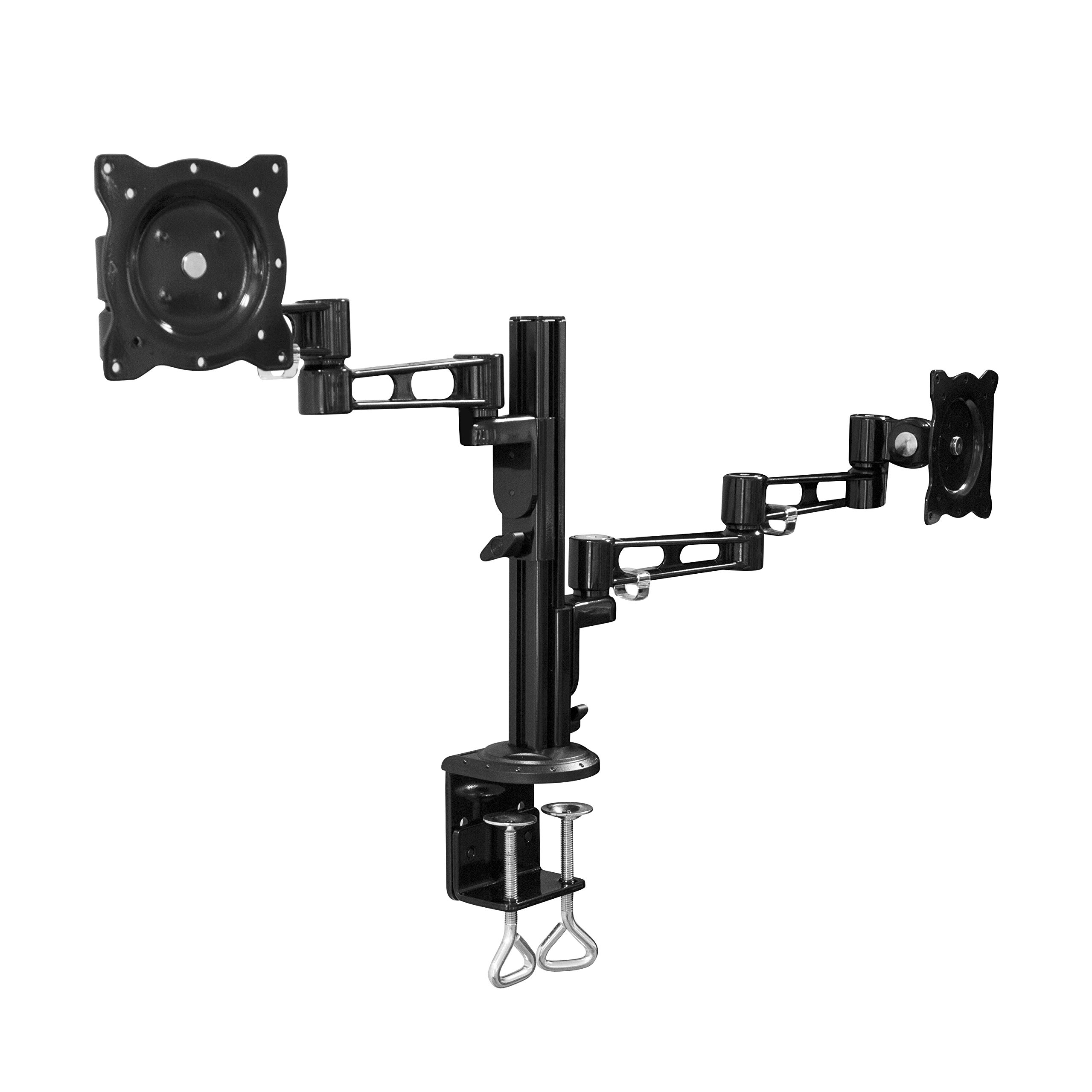
Image: All components of the LogiLink BP0074 Dual Monitor Desk Mount.
Iestatīšanas instrukcijas
Step 1: Attach Desk Clamp uz rakstāmgaldu
Novietojiet galdu klamp assembly on the edge of your desk. Tighten the clamp screws securely until the mount is stable. Ensure the clamp is flush with the desk surface for maximum stability.
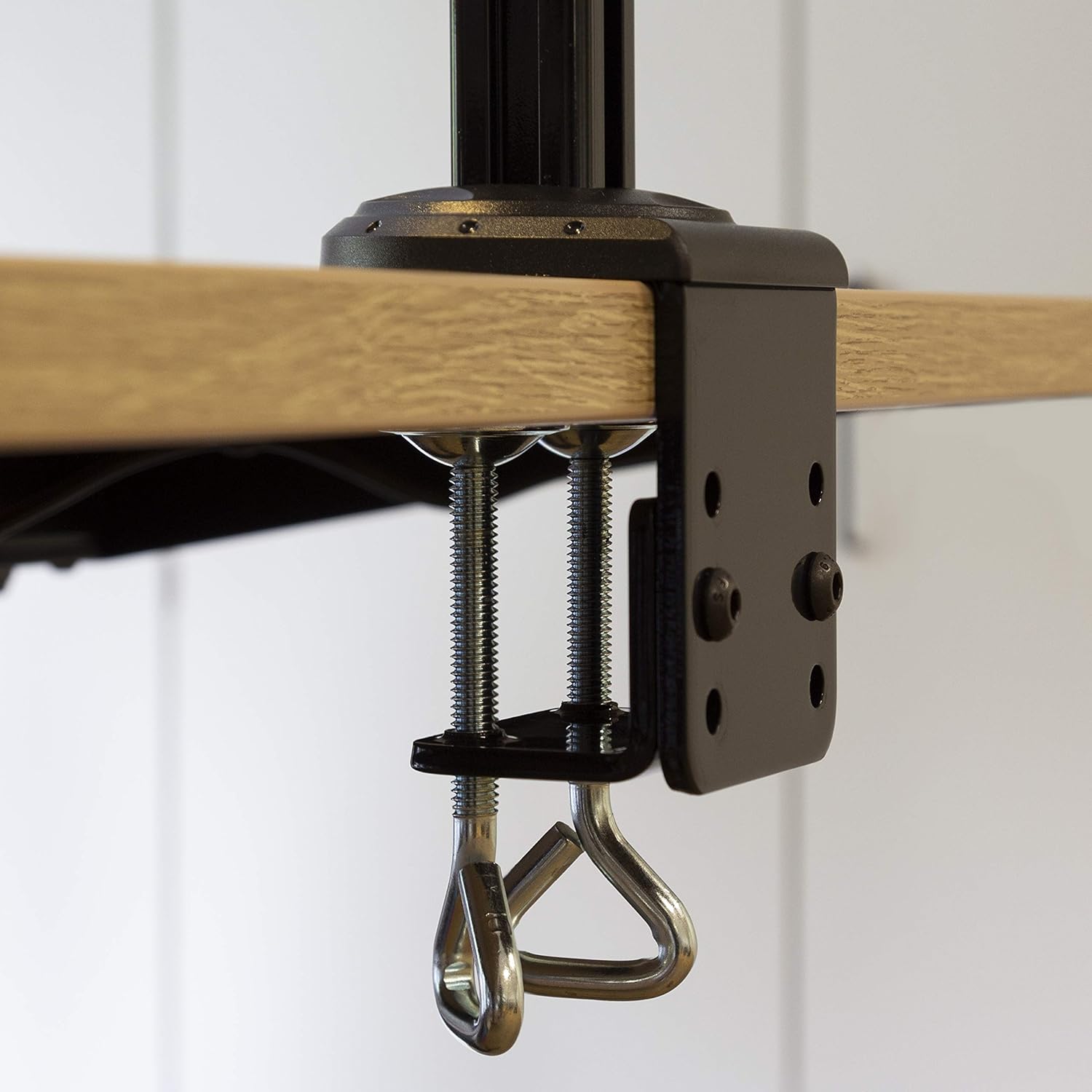
Image: Close-up of the desk clamp mechanism securely attached to a desk.
Step 2: Assemble Monitor Arms
Slide the monitor arms onto the main pole of the desk clamp assembly. Adjust their height to your desired position and secure them using the provided locking mechanisms. Ensure both arms are at a similar height for ergonomic viewing.
3. darbība. Pievienojiet monitoriem VESA plāksnes
Align the VESA monitor plates with the mounting holes on the back of your monitors. Use the appropriate screws, washers, and spacers from the hardware kit to secure the plates to each monitor. Ensure the screws are tightened firmly but do not overtighten.

Image: VESA plate attached to the back of a monitor.
Step 4: Mount Monitors to Arms
Carefully slide the monitors (with VESA plates attached) onto the ends of the monitor arms. Secure them in place using the quick-release or locking mechanisms on the arms. Ensure both monitors are firmly attached before releasing viņiem.

Image: Two monitors mounted on the LogiLink BP0074 desk mount.
Lietošanas instrukcijas
Monitora pozīcijas regulēšana
The LogiLink BP0074 mount offers full motion capabilities:
- Tilt: Adjust the monitor vertically (up/down) to reduce glare and optimize viewleņķi.
- Grozāmais: Rotate the monitor horizontally (left/right) to share your screen or change viewvirzienu.
- Rotācija: Rotate the monitor 360 degrees to switch between landscape and portrait orientation.
Loosen the adjustment screws slightly with the provided Allen key before making adjustments, then tighten them once the desired position is achieved.

Image: Demonstrating the flexible positioning of monitors on the mount.
Kabeļu pārvaldība
Utilize the integrated cable management clips on the monitor arms to route and organize your cables. This helps maintain a tidy workspace and prevents cable damage.

Image: Cable management clips on the monitor arm.

Image: Detail of cables routed through the clips for organization.
Apkope
Regular maintenance ensures the longevity and safe operation of your monitor mount:
- Tīrīšana: Noslaukiet stiprinājumu ar mīkstu drānuamp Izvairieties no abrazīviem tīrīšanas līdzekļiem vai šķīdinātājiem.
- Pārbaudiet hermētiskumu: Periodically check all screws and bolts, especially the desk clamp and VESA plate attachments, to ensure they remain tight. Retighten if necessary.
- Eļļošana: Šāda veida stiprinājumam parasti nav nepieciešama eļļošana.
Problēmu novēršana
Ja rodas problēmas, skatiet tālāk norādītās bieži sastopamās problēmas un risinājumus.
| Problēma | Iespējamais cēlonis | Risinājums |
|---|---|---|
| Monitor is unstable or sags | Screws are loose; monitor weight exceeds capacity | Tighten all connection screws. Verify monitor weight is within 6 kg per arm. |
| Grūtības pielāgot monitora pozīciju | Adjustment screws are too tight | Slightly loosen the relevant adjustment screws with the Allen key. |
| Mount slides on desk | Rakstāmgalds clamp is not tight enough | Nodrošiniet rakstāmgalda clamp is fully tightened and flush against the desk surface. |
Specifikācijas
| Funkcija | Detaļas |
|---|---|
| Modeļa numurs | BP0074 |
| Atbalstītais ekrāna izmērs | 13 - 26 inches (per monitor) |
| Monitoru skaits | 2 |
| Maksimālā kravnesība | 6 kg (13.22 lbs) per arm |
| VESA saderība | 75x75mm, 100x100mm |
| Kustības diapazons | Full Motion (Tilt, Swivel, Rotation) |
| Materiāls | Metāls |
| Produkta izmēri (LxWxH) | 55.3 x 79.2 x 11.6 cm (overall package/product dimensions) |
| Preces svars | 4.1 kg |
| Rokas garums | Each 358 mm |

Image: Technical drawing showing key dimensions and VESA patterns.
Garantija un atbalsts
LogiLink products are designed for reliability and performance. For warranty information or technical support, please refer to the contact details provided with your purchase documentation or visit the official LogiLink webvietne. Lūdzu, saglabājiet pirkuma apliecinājumu garantijas prasību iesniegšanai.


