Ievads
This manual provides essential information for the setup, operation, and maintenance of your OREI Sony UBP-X800M2 Region Free 4K UHD Blu-ray Player. This player is designed for worldwide use, supporting all Blu-ray disc zones (A/B/C) and DVD regions (0-8), with a built-in NTSC↔PAL 4K HD converter. Enjoy stunning 4K UHD visuals, high-resolution audio including Dolby Atmos and DTS:X, and seamless access to streaming services via Wi-Fi or Ethernet.

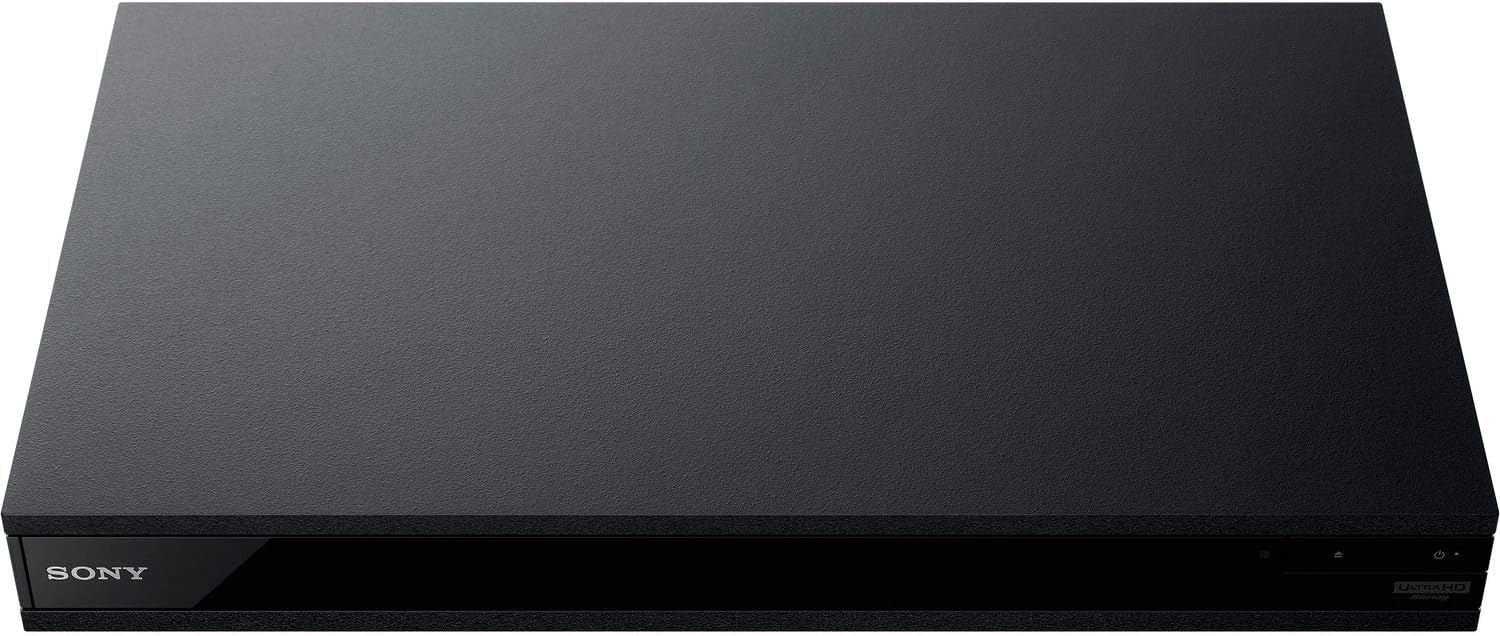
1. attēls. Priekšpuse view of the OREI Sony UBP-X800M2 4K UHD Blu-ray Player.
Iestatīšana
1. Izpakošana un novietošana
- Uzmanīgi izņemiet visas sastāvdaļas no iepakojuma.
- Novietojiet atskaņotāju uz stabilas, līdzenas virsmas ar atbilstošu ventilāciju.
- Ensure no objects block the ventilation openings.
2. Savienojuma izveide ar televizoru
Connect the player to your TV using an HDMI cable for optimal 4K UHD video and audio.
- Pievienojiet vienu HDMI kabeļa galu pie HDMI OUT portu Blu-ray atskaņotāja aizmugurē.
- Pievienojiet otru HDMI kabeļa galu televizora HDMI ieejai.
- If using an audio receiver, connect the player's HDMI OUT to the receiver's HDMI IN, then the receiver's HDMI OUT to the TV's HDMI IN.

Figure 2: Rear panel connections, showing HDMI, LAN, and audio outputs.
3. Strāvas pieslēgums
- Connect the AC power cord to the player's power input and then to a suitable electrical outlet.
4. Tīkla savienojums (pēc izvēles)
For streaming services and firmware updates, connect the player to your home network.
- Vadu savienojums: Connect an Ethernet cable from the player's LAN (100) port to your router or modem.
- Bezvadu savienojums: Navigate to the network settings in the player's menu to connect to your Wi-Fi network.
5. Region Changing Instructions
This player supports all DVD regions (0-8) automatically. Blu-ray regions (A, B, C) are changed manually using the remote control.
- Turn the player ON un OPEN THE DISC TRAY.
- Once the tray is completely open, press the corresponding colored button on the remote to select the desired Blu-ray region:
- A zona: Nospiediet pogu DZELTENĀ POGA uz tālvadības pults.
- B zona: Nospiediet pogu ZILĀ POGA uz tālvadības pults.
- C zona: Nospiediet pogu Sarkans taustiņš uz tālvadības pults.
- You can now put your disc in the tray and then close the tray.

Figure 3: Remote control with colored buttons for region selection.
Lietošanas instrukcijas
1. Diska atskaņošana
The player supports a wide range of disc formats, including 4K UHD Blu-ray, standard Blu-ray, Blu-ray 3D, DVD, CD, and Super Audio CD (SACD).
- Nospiediet pogu ATVĒRT/AIZVĒRT pogu uz atskaņotāja vai tālvadības pults, lai atvērtu disku paliktni.
- Uzmanīgi novietojiet disku uz paplātes ar etiķetes pusi uz augšu.
- Nospiediet pogu ATVĒRT/AIZVĒRT vēlreiz, lai aizvērtu paplāti.
- The player will automatically begin playback or display a disc menu.

4. attēls. Priekšpuse view atskaņotāja daļu ar atvērtu disku paliktni, gatavu diska ievietošanai.
2. Straumēšanas pakalpojumi
Access popular streaming services like Netflix and YouTube directly from the player's home menu.
- Ensure the player is connected to the internet (Wi-Fi or Ethernet).
- From the home screen, select the desired streaming application.
- Log in with your account credentials to begin streaming.
3. USB multivides atskaņošana
Atskaņot multividi files (audio, video, photos) from a USB storage device.
- Insert your USB device into the front USB port.
- Select the USB option from the player's home menu to browse and play your media.
5. attēls. Priekšpuse view of the player with a USB drive inserted into the front port.
Apkope
1. Atskaņotāja tīrīšana
- Noslaukiet atskaņotāja ārpusi ar mīkstu, sausu drānu.
- Nelietojiet abrazīvus tīrīšanas līdzekļus, vasku vai šķīdinātājus.
- Ensure ventilation openings remain clear of dust and debris.
2. Disku kopšana
- Lai izvairītos no pirkstu nospiedumiem un skrāpējumiem, diskus turiet aiz malām.
- Tīriet diskus ar mīkstu, neplūksnojošu drānu, slaukot no centra uz āru.
- Store discs in their cases away from direct sunlight and extreme temperatures.
3. Programmaparatūras atjauninājumi
Firmware updates can be done via the internet to ensure optimal performance and access to the latest features.
- Go to the home menu, then setup menu, and then to Software Update.
- Click on "Update Via Internet". If a new firmware is available, the player will automatically update.
- NEDRĪKST turn off the player while it is updating.
- NEDRĪKST perform firmware updates by USB unless instructed by OREI support.
Problēmu novēršana
Bieži sastopamās problēmas
- Nav attēla/skaņas:
- Check all HDMI and audio cable connections.
- Ensure the TV input is set to the correct HDMI port.
- Verify the player is powered on.
- Disks netiek atskaņots:
- Pārliecinieties, vai disks ir tīrs un bez skrāpējumiem.
- Pārliecinieties, vai disks ir ievietots pareizi (ar etiķeti uz augšu).
- For Blu-ray discs, confirm the player's region setting matches the disc's region (refer to "Region Changing Instructions" in the Setup section).
- Open the tray again and leave the disc in the tray. Once fully open, press the color button to select the region. Then close the tray.
- Region Code Error Message:
If you put in a disc before changing regions, you may get an error message indicating the wrong region. The player remembers this message. To remove that error, you need to reset the player.
- Nospiediet pogu MĀJAS button on the remote with no disc inside to go to the home screen.
- Use arrow buttons on the remote to go to the upper right corner where it says Iestatīšana un nospiediet ENTER.
- Ritiniet uz leju līdz Notiek atiestatīšana on the bottom of the menu.
- Izvēlieties Atiestatīt uz rūpnīcas noklusējuma iestatījumiem.
- Ritiniet uz leju un atlasiet VISI IESTATĪJUMI un nospiediet ENTER -> Nospiediet Sāciet Enter -> Close ENTER.
- Turn the player off and then on again after 30 seconds.
- Select Language English and then select quick start mode OFF. You may need to activate network settings again.
- If you prefer not to connect the player to the internet, you may press the MĀJAS button and go to the home screen. Now start from step 1 under "Region Changing Instructions" to change regions.
Specifikācijas
| Zīmols | OREI |
| Modeļa nosaukums | Sony X800M2 (UBP-X800M2) |
| Produkta izmēri | 19 x 14.1 x 3.8 collas |
| Preces svars | 8.82 mārciņas (4000 grami) |
| Multivides veids | Blu-Ray Disc, DVD, 4K UHD Blu-ray, Blu-ray 3D, CD, Super Audio CD |
| Izšķirtspēja | 3840x2160 (4K UHD) |
| Savienojamības tehnoloģija | Ethernet, HDMI, USB, Wi-Fi |
| Savienotāja veids | HDMI |
| Audio izvades režīms | Surround (Dolby Atmos, DTS:X, High-Resolution Audio) |
| Krāsa | Melns |
| Baterijas | Nepieciešamas 2 AAA baterijas (tālvadības pultij) |
| Īpaša iezīme | Region Free (Blu-ray Zones A/B/C, DVD Regions 0-8), Built-in NTSC↔PAL 4K HD Converter |
Garantija un atbalsts
Garantijas informācija
For specific warranty details, please refer to the warranty card included with your product or visit the official OREI webvietne. Saglabājiet pirkuma čeku kā pirkuma apliecinājumu.
Klientu atbalsts
If you encounter any issues or have questions regarding your OREI Sony UBP-X800M2 Blu-ray Player, please contact OREI customer support.
- Tiešsaistes atbalsts: Apmeklējiet OREI Store on Amazon FAQ un atbalsta resursiem.
- Tehniskā palīdzība: Contact OREI directly for technical support. (Specific contact details not provided in source data, please refer to product packaging or official webvietne).


