1. Ievads
Thank you for choosing the Audeze LCD-1 Audiophile Open-Back Headphones. These headphones are engineered for exceptional audio fidelity, offering a wide soundstage and precise imaging for critical listening, mixing, and mastering. Designed for comfort and portability, the LCD-1 delivers the renowned Audeze planar magnetic sound in a compact form factor.
2. Drošības informācija
- Dzirdes aizsardzība: Izvairieties no ilgstošas klausīšanās lielā skaļumā, lai novērstu dzirdes bojājumus.
- Vides apziņa: Due to their open-back design, these headphones do not provide noise isolation. Be aware of your surroundings when using them, especially in environments where attention is required (e.g., near traffic).
- Tīrīšana: Tīrīšanai izmantojiet mīkstu, sausu drānu. Izvairieties no spēcīgu ķīmisku vielu vai abrazīvu materiālu lietošanas.
- Uzglabāšana: Kad austiņas netiek lietotas, glabājiet tās aizsargapvalkā, lai novērstu bojājumus.
- Mitrums: Keep the headphones away from water and excessive moisture. They are not water resistant.
3. Iepakojuma saturs
Lūdzu, atzīmējiet izvēles rūtiņu pie šādiem vienumiem:
- Audeze LCD-1 Audiophile Open-Back Headphones
- 3.5mm to dual 3.5mm audio cable
- 1/4-inch adapter
- Aizsargājošs ceļojumu maciņš
- Lietotāja rokasgrāmata (šis dokuments)
4. Produkts beidziesview
The Audeze LCD-1 headphones feature a lightweight, foldable design with comfortable memory foam ear pads and headband. The open-back earcups house the planar magnetic drivers, delivering exceptional sound clarity.

4.1. attēls. Priekšpuse view no Audeze LCD-1 austiņām, demonstrētsasing the open-back design and comfortable earcups.
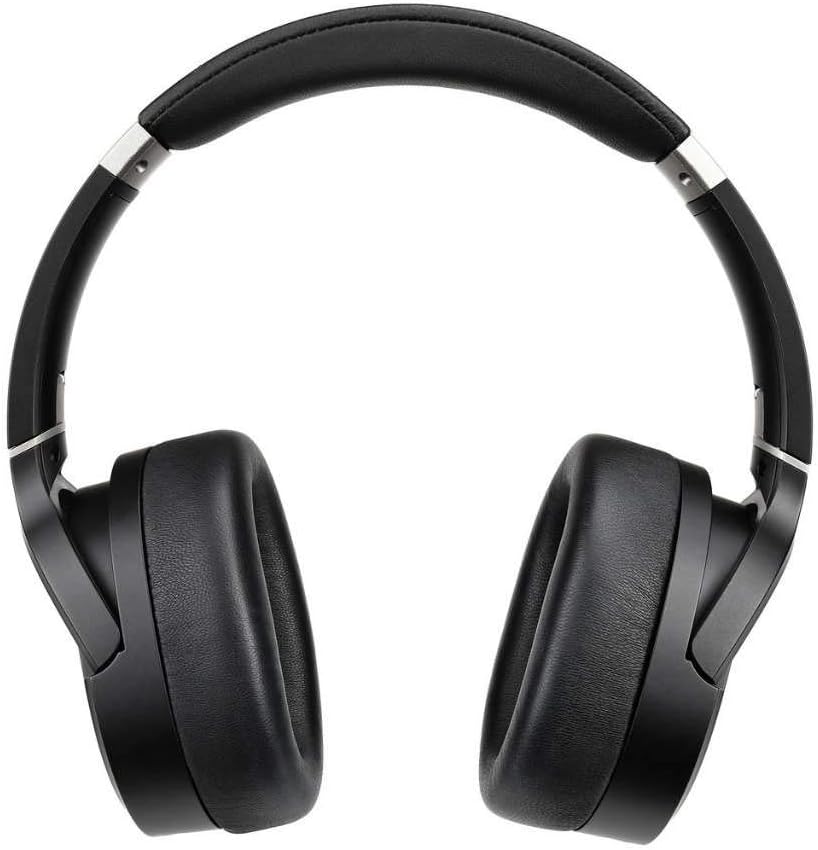
4.2. attēls: augšdaļa view of the Audeze LCD-1 headphones, highlighting the adjustable headband and earcups.
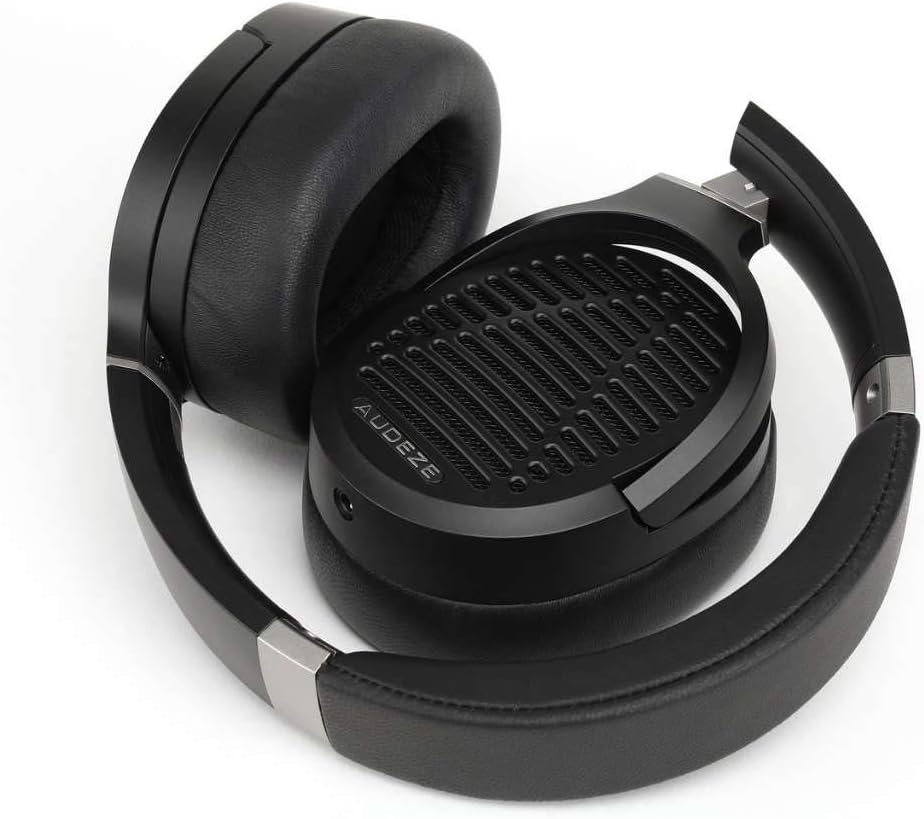
Figure 4.3: The Audeze LCD-1 headphones folded, demonstrating their compact design for easy portability and storage.
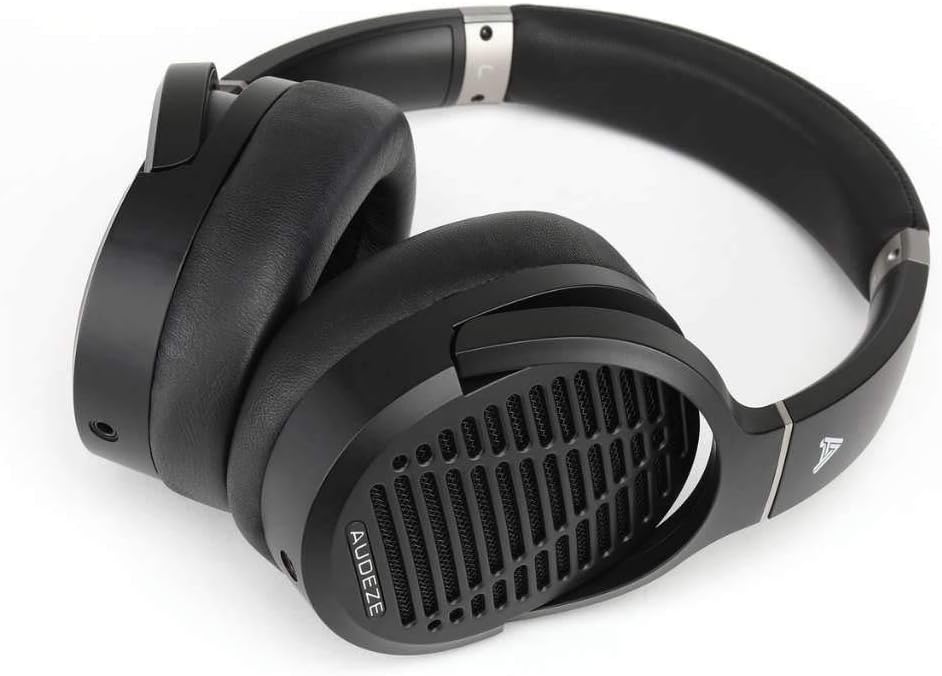
4.4. attēls: Leņķis view of the Audeze LCD-1 headphones in their folded state, ready to be placed in the protective case.
5. Iestatīšana
5.1 Kabeļa pievienošana
- Locate the dual 3.5mm connectors on one end of the included audio cable.
- Insert each 3.5mm connector into the corresponding jack on the bottom of each earcup. Ensure they are fully seated.
- Connect the single 3.5mm end of the cable to your audio source (e.g., smartphone, computer, audio interface).
- If your audio source requires a 1/4-inch connection, attach the included 1/4-inch adapter to the single 3.5mm end of the cable before connecting to the source.
5.2 Austiņu valkāšana
- Gently unfold the headphones.
- Place the earcups over your ears, ensuring the memory foam pads fully encompass your ears for optimal comfort and sound.
- Adjust the headband by sliding the earcups up or down until the headphones fit comfortably and securely on your head. The headband should rest gently on the top of your head.

Figure 5.1: A user wearing the Audeze LCD-1 headphones, demonstrating proper fit and use with a laptop.
6. Darbība
6.1 Audio atskaņošana
Once connected to your audio source, begin playback from your device. Adjust the volume on your audio source to a comfortable listening level. The LCD-1 headphones are designed to be easily driven by most portable devices and audio interfaces without the need for a dedicated amplifier, though a high-quality source will enhance the listening experience.
6.2 Optimal Listening Experience
- For the best sound quality, use high-resolution audio files vai straumēšanas pakalpojumus.
- Ensure the audio cable is securely connected to both earcups and your audio source.
- The open-back design means sound will leak out and ambient noise will enter. For critical listening, use in a quiet environment.
7. Apkope
7.1. Tīrīšana
- Ear Pads and Headband: Wipe gently with a soft, dry, lint-free cloth. Do not use liquid cleaners or solvents.
- Ausu aizbāžņi: Use a soft, dry brush to remove any dust from the grilles.
- Kabelis: Wipe the cable with a dry cloth if it becomes dirty.
7.2. Uzglabāšana
When not in use, fold the headphones and store them in the provided protective travel case. This will protect them from dust, scratches, and accidental damage.
8. Traucējummeklēšana
| Problēma | Iespējamais cēlonis | Risinājums |
|---|---|---|
| Nav skaņas | Cable not connected properly; Audio source volume too low; Incorrect audio output selected on device. | Ensure all cable connections are secure; Increase volume on audio source; Verify correct audio output is selected on your device. |
| Skaņa ir izkropļota vai neskaidra | Cable damage; Audio source issue; Volume too high causing clipping. | Try a different audio cable if available; Test with another audio source; Reduce volume. |
| Austiņas ir neērtas | Nepareiza piegulēšana. | Adjust the headband and earcup position until a comfortable fit is achieved. Ensure ear pads fully surround your ears. |
9. Specifikācijas
| Funkcija | Detaļas |
|---|---|
| Modeļa nosaukums | LCD-1 |
| Savienojamības tehnoloģija | Vadu (3.5 mm ligzda) |
| Audio draivera tips | Plakanais magnētiskais draiveris |
| Ausu novietojums | Virs auss |
| Formas faktors | Virs auss |
| Materiāls | Memory Foam (ear pads), Leather (carrying case) |
| Preces svars | 250 grami (8.8 unces) |
| Produkta izmēri | 12.28 x 10.31 x 6.77 collas |
| Iekļautie komponenti | Aizsargmaciņa |
| UPC | 819343013093 |
| Ražotājs | Audeze |
10. Garantija un atbalsts
10.1 Informācija par garantiju
Audeze products typically come with a limited warranty covering manufacturing defects. For specific warranty terms and conditions, including duration and coverage, please refer to the warranty card included with your product or visit the official Audeze webvietne. Saglabājiet pirkuma apliecinājumu garantijas prasību iesniegšanai.
10.2 Klientu atbalsts
For technical assistance, troubleshooting beyond this manual, or warranty service, please contact Audeze customer support. You can find contact information on the official Audeze webvietne:
Webvietne: www.audeze.com/support
Please have your product model number (LCD-1, Model: 210-L1-1200-00) and proof of purchase ready when contacting support.