1. Ievads
Paldies par pirkumuasing the Ematic LED Projector. This manual provides essential information for setting up, operating, and maintaining your projector to ensure optimal performance and longevity. Please read this manual thoroughly before using the product and retain it for future reference.
2. Drošības informācija
To prevent fire or electric shock, do not expose this appliance to rain or moisture. To avoid electric shock, do not open the cabinet. Refer servicing to qualified personnel only.
- Neskatieties tieši projektora objektīvā, kad tas iramp ir ieslēgts.
- Nodrošiniet atbilstošu ventilāciju ap projektoru. Neaizsedziet ventilācijas atveres.
- Izmantojiet tikai projektoram komplektā iekļauto strāvas adapteri.
- Turiet projektoru tālāk no ūdens vai jebkādiem šķidrumiem.
- Do not place the projector on an unstable surface.
- Atvienojiet projektoru no strāvas kontaktligzdas zibens laikā vai tad, ja tas ilgstoši netiek lietots.
3. Iepakojuma saturs
- Ematic LED Projector
- Tālvadības pults
- Strāvas adapteris
- Lietotāja rokasgrāmata
- AV Cable (if included)
4. Produkts beidziesview
4.1 priekšā View
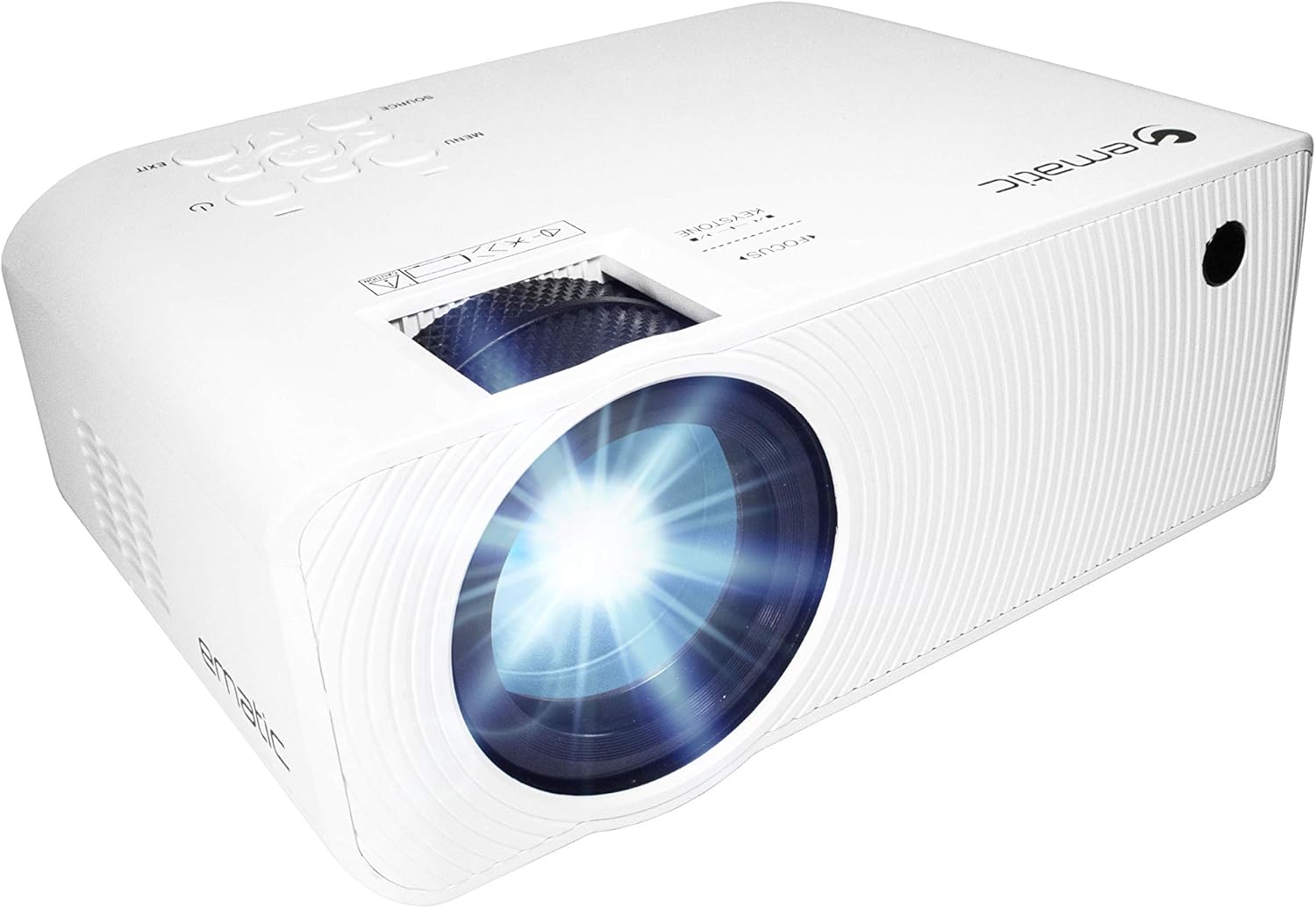
4.1. attēls. Priekšpuse view of the Ematic LED Projector, highlighting the projection lens.
4.2 Augšpusē View un vadīklas

4.2. attēls: augšdaļa view of the projector showing the control panel (Menu, Source, Exit, Navigation buttons) and the Focus and Keystone correction dials. A remote control is also visible.
- Fokusa gredzens: Pielāgo attēla skaidrību.
- Keystone korekcija: Koriģē trapecveida attēla kropļojumus.
- Vadības panelis: Buttons for Menu, Source selection, Exit, and navigation.
4.3 Aizmugure un sāni Views with Ports

Figure 4.3: Rear panel of the projector displaying the connectivity options: AUX audio output, AV input, MicroSD card slot, two HDMI inputs, USB port, and DC power input.

4.4. attēls: sāni view of the projector, highlighting the VGA input port and the infrared (IR) receiver for the remote control.
- AUX: 3.5mm audio output for external speakers or headphones.
- NO: Composite video and stereo audio input.
- MicroSD: Slot for MicroSD memory cards.
- HDMI 1/HDMI 2: High-Definition Multimedia Interface inputs for digital audio/video.
- USB: USB port for media playback from USB drives.
- DC IN: Projektora barošanas ieeja.
- VGA: Video Graphics Array input for computer connection.
5. Iestatīšana
- Izvietojums: Novietojiet projektoru uz stabilas, līdzenas virsmas. Pārliecinieties, vai ap projektoru ir pietiekami daudz vietas ventilācijai. Optimālai darbībai viewing, position the projector perpendicular to the projection screen or wall.
- Strāvas pieslēgums: Connect the supplied power adapter to the DC IN port on the projector and then plug the adapter into a power outlet.
- Sākotnējā ieslēgšana: Lai ieslēgtu ierīci, nospiediet projektora vai tālvadības pults ieslēgšanas/izslēgšanas pogu. Iedegsies ieslēgšanas/izslēgšanas indikators.
- Fokusa regulēšana: Once the projector is on, rotate the Focus Ring (refer to Figure 4.2) until the projected image is clear and sharp.
- Keystone korekcija: If the image appears trapezoidal (wider at the top or bottom), adjust the Keystone Correction dial (refer to Figure 4.2) until the image is rectangular.
6. Lietošanas instrukcijas
- Ieslēgšana/izslēgšana: Press the power button on the projector or remote control. Press again to turn off.
- Ievades avota izvēle: Press the "Source" button on the projector or remote control to cycle through available input sources (HDMI 1, HDMI 2, AV, VGA, USB, MicroSD). Select the desired input.
- Navigācija izvēlnē: Press the "Menu" button to access the projector's settings. Use the navigation buttons on the projector or remote to browse options and the "OK" button to confirm selections.
- Media Playback (USB/MicroSD): Insert a USB drive or MicroSD card into the respective port. Select "USB" or "MicroSD" as the input source. The projector will display a file browser. Navigate to your desired media file (video, photo, music, text) and press "OK" to play.
- Audio izvade: The projector has built-in speakers (refer to Figure 6.1). For external audio, connect headphones or external speakers to the AUX port (3.5mm audio jack).

Figure 6.1: Projector highlighting its built-in speaker functionality.
7. Savienojamība
The Ematic LED Projector offers multiple connection options to various devices, ensuring versatility for your entertainment and presentation needs.

Figure 7.1: Multimedia device compatibility chart for the projector.

7.2. attēls: Piemamples of projector connections to a laptop and smartphone, highlighting supported input types.
- HDMI: Connect Blu-ray players, game consoles (PS4, Xbox), streaming devices (Amazon Fire TV Stick, Chromecast), laptops, and other HDMI-enabled devices.
- USB: Atskaņot multividi files (videos, photos, music) directly from USB flash drives.
- MicroSD: Atskaņot multividi files directly from MicroSD memory cards.
- NO: Connect older devices like DVD players or VCRs using the included AV cable.
- VGA: Pievienojiet galddatorus vai vecākus klēpjdatorus.
- Audio Out (AUX): Pievienojiet ārējos skaļruņus vai austiņas, lai uzlabotu audio pieredzi.
8. Apkope
- Objektīva tīrīšana: Projektora objektīva maigai noslaukšanai izmantojiet mīkstu, nepūkojošu drānu, kas īpaši paredzēta optiskajām lēcām. Nelietojiet abrazīvus tīrīšanas līdzekļus vai pārmērīgu spēku.
- Putekļu noņemšana: Regularly clean the ventilation grilles with a soft brush or compressed air to prevent dust buildup, which can affect performance and lifespan.
- Ārpuses tīrīšana: Noslaukiet projektora ārpusi ar mīkstu, sausu drānuamp audums. Izvairieties no skarbu ķīmisko vielu lietošanas.
- Uzglabāšana: Ja projektoru ilgstoši nelietojat, uzglabājiet to vēsā, sausā vietā, ideālā gadījumā oriģinālajā iepakojumā vai aizsargapvalkā, lai novērstu putekļu uzkrāšanos un bojājumus.
9. Traucējummeklēšana
| Problēma | Iespējamais cēlonis | Risinājums |
|---|---|---|
| Nav projicēts attēls | No power; Incorrect input source; Cable not connected properly. | Check power connection; Select correct input source; Reconnect cables securely. |
| Attēls ir neskaidrs | Fokuss nav noregulēts; Projektors ir pārāk tālu/pārāk tuvu ekrānam. | Adjust the Focus Ring; Adjust projection distance. |
| Attēls ir trapecveida | Keystone not adjusted; Projector not level. | Adjust the Keystone Correction dial; Ensure projector is on a flat surface. |
| Nav skaņas | Volume too low; Muted; External speakers not connected or off. | Increase volume; Unmute; Check external speaker connection and power. |
| Tālvadības pults nedarbojas | Batteries dead; Obstruction between remote and IR receiver. | Replace batteries; Remove obstructions; Point remote directly at the projector's IR receiver. |
10. Specifikācijas
| Funkcija | Detaļas |
|---|---|
| Zīmols | Ematic |
| Modelis | EMP-720 (Generic) |
| Displeja izšķirtspēja | 1280 x 720 (oriģinālā) |
| Savienojamības tehnoloģija | HDMI, USB, AV, VGA, MicroSD, AUX |
| Īpaša iezīme | Portable, Built-in Speakers |
| Preces svars | 3.5 mārciņas |
| Produkta izmēri | 13.85 x 5 x 8.8 collas |
| Lamp Dzīve | Līdz 20,000 stundām (normālā režīmā) |
11. Garantija un atbalsts
For warranty information and technical support, please refer to the warranty card included with your product or visit the official Ematic webvietne. Saglabājiet pirkuma apliecinājumu garantijas prasību iesniegšanai.
Ematic Customer Support: www.ematic.us/support (Piemamp(Saite)


