1. Ievads
This manual provides instructions for the proper setup, operation, and maintenance of your IPD IPH-160 Monaural Wired Headset. The IPH-160 is designed for clear communication in various environments, featuring a noise-cancelling microphone and a 3.5mm jack for broad compatibility.
2. Iepakojuma saturs
Lūdzu, pārliecinieties, vai jūsu iepakojumā ir visas preces:
- IPD IPH-160 Monaural Headset
- Quick Disconnect (QD) to 3.5mm Jack Cable (4-pole)
- Ausu spilventiņi (iepriekš uzstādīti vai rezerves)
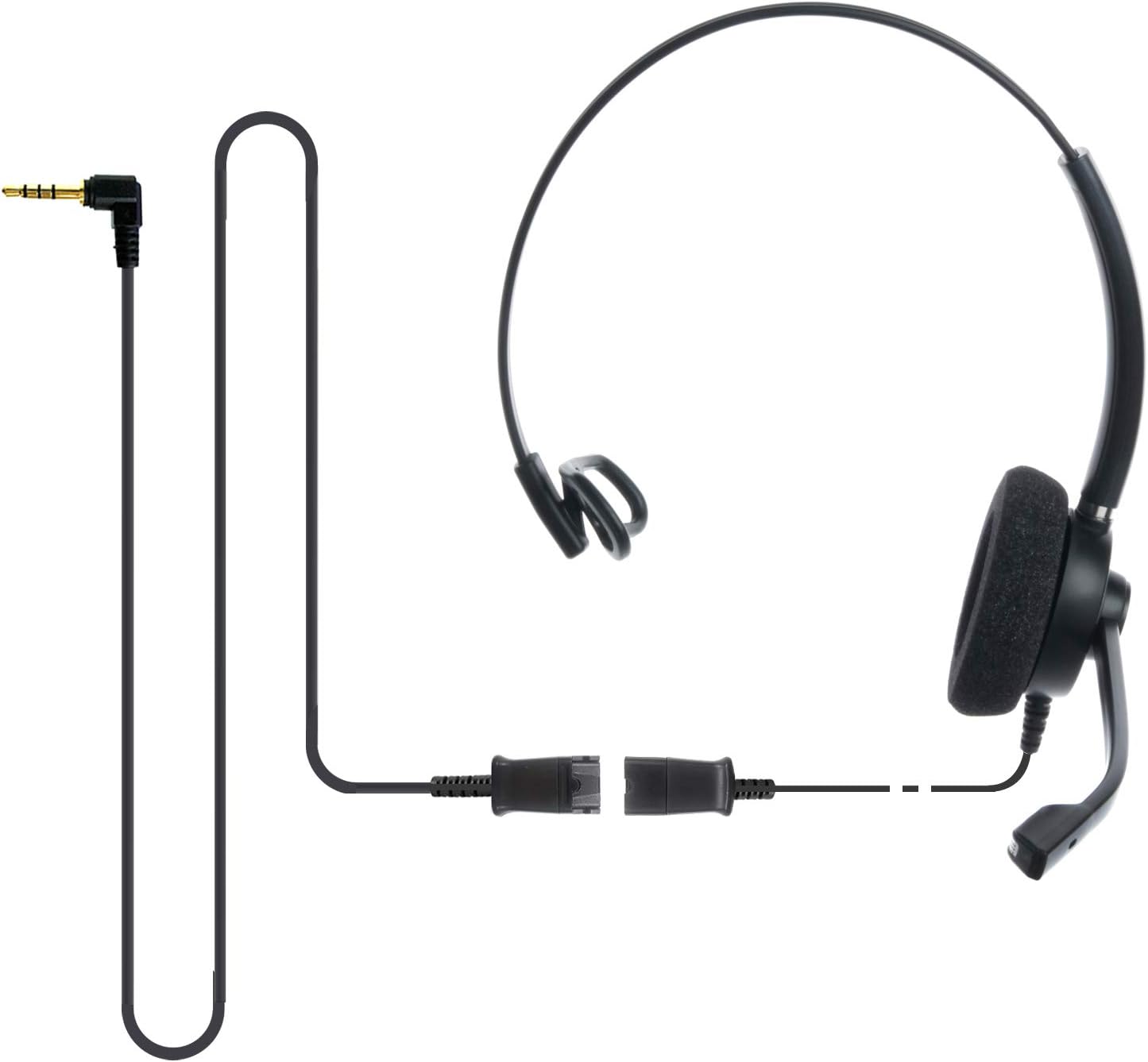
Image: The IPD IPH-160 headset with its detachable Quick Disconnect cable and 3.5mm jack connector.
3. Iestatīšana
3.1 Austiņu pievienošana
- Connect the Quick Disconnect (QD) cable to the headset. Ensure a secure connection.
- Insert the 3.5mm jack of the cable into the corresponding port on your device (Android cell phone, laptop, tablet, Apple MacBook, or other smart device).

Attēls: Tuvplāns view of the 3.5mm jack connector, illustrating its connection to a mobile device and laptop.
3.2. Ierīču saderība
The 3.5mm jack (4 poles) is compatible with a wide range of devices including:
- Android cell phones (e.g., Samsung, Huawei, HTC, ZTE)
- Portatīvie datori
- Tabletes
- Apple MacBooks with a single 3.5mm headset port
Piezīme:
- iPhone 7/7S and later models may require an additional Lightning to 3.5mm adapter (not included).
- If your specific phone model is not listed or you encounter compatibility issues, please contact IPD support for assistance.

Image: The IPD headset shown with various connection options for desk phones, PCs/softphones, and mobile phones, highlighting the versatility of Quick Disconnect cables.
4. Austiņu lietošana
4.1 Valkāšana un regulēšana
The IPH-160 headset is designed for all-day comfort. Adjust the headband for a secure yet comfortable fit. The microphone boom is flexible; position it approximately 1-2 inches from your mouth for optimal voice pickup.
4.2 Trokšņu slāpēšanas mikrofons
The headset features a passive noise-cancelling microphone to reduce background noise, ensuring clearer conversations. Proper microphone positioning is crucial for effective noise cancellation.

Image: A user wearing the headset, demonstrating the microphone's position and illustrating the effect of noise cancellation on audio waveforms.
4.3 Acoustic Shock Protection (ASP)
The headset incorporates an Acoustic Shock Protection (ASP) circuit on the speaker. This feature protects your hearing from sudden, unwanted loud noises by cutting sounds over 105dB and maintaining levels below 105dB.
4.4 Wideband Audio
The HD Wideband speaker delivers clear sound, enhancing the quality of your calls and audio monitoring.

Image: A close-up of the headset's ear cushion, visually representing the distinction between acoustic noise and clear sound for high-quality voice communication.
5. Apkope
5.1. Tīrīšana
To maintain hygiene and performance, regularly clean the ear cushions and other surfaces of the headset with a soft, dry cloth. Avoid using harsh chemicals or abrasive materials.
5.2. Uzglabāšana
When not in use, store the headset in a clean, dry place away from direct sunlight and extreme temperatures. Avoid tangling the cable to prevent damage.
6. Traucējummeklēšana
6.1 Nav skaņas vai kluss skaļums
- Pārliecinieties, vai 3.5 mm ligzda ir pilnībā ievietota ierīcē.
- Pārbaudiet ierīces skaļuma iestatījumus.
- Verify that the headset is selected as the audio output device in your computer's sound settings.
- Confirm the Quick Disconnect (QD) cable is securely connected to the headset.
6.2 Mikrofons nedarbojas
- Ensure the microphone boom is positioned correctly near your mouth.
- Check your device's microphone input settings and ensure the headset is selected as the input device.
- Test the headset with another compatible device to rule out a device-specific issue.
6.3. Saderības problēmas
If you experience compatibility problems with your device, especially if it's not explicitly listed as compatible, please contact IPD customer support for guidance.
7. Specifikācijas
| Funkcija | Specifikācija |
|---|---|
| Modeļa nosaukums | IPH-160-35 |
| Savienojamības tehnoloģija | Vadu |
| Austiņas Džeks | 3.5 mm Jack (4-pole) |
| Trokšņa kontrole | Pasīvā trokšņa atcelšana |
| Frekvences reakcija | 10 KHz |
| Jutīgums | 58 dB |
| Impedance | 150 omi |
| Preces svars | 198 grami (7 unces) |
| Materiāls | Plastmasa |
| Ausu novietojums | Virs auss |
| Īpaša iezīme | Trokšņu atcelšana |
| Iekļautie komponenti | Ausu spilventiņi |
8. Informācija par garantiju
The IPD IPH-160 Headset comes with a 3 gada garantija no iegādes datuma. Šī garantija attiecas uz ražošanas defektiem normālas lietošanas apstākļos. Lūdzu, saglabājiet pirkuma apliecinājumu garantijas prasību iesniegšanai.
9. Atbalsts
For technical assistance, warranty claims, or any questions regarding your IPD IPH-160 Headset, please contact IPD customer support. You can find contact information on the official IPD webvietnē vai ar sava mazumtirgotāja starpniecību.
Apmeklējiet IPD Store lai iegūtu plašāku informāciju un produktus.


