1. Ievads
Welcome to the Daewoo Vision+ WiFi GSM Home Alarm System user manual. This system is designed to provide reliable and expandable security for your home. It integrates wireless technology for easy installation and control via a dedicated smartphone application, and is compatible with Amazon Alexa and Google Home for voice control.
This manual will guide you through the installation, operation, and maintenance of your alarm system, ensuring optimal performance and peace of mind.
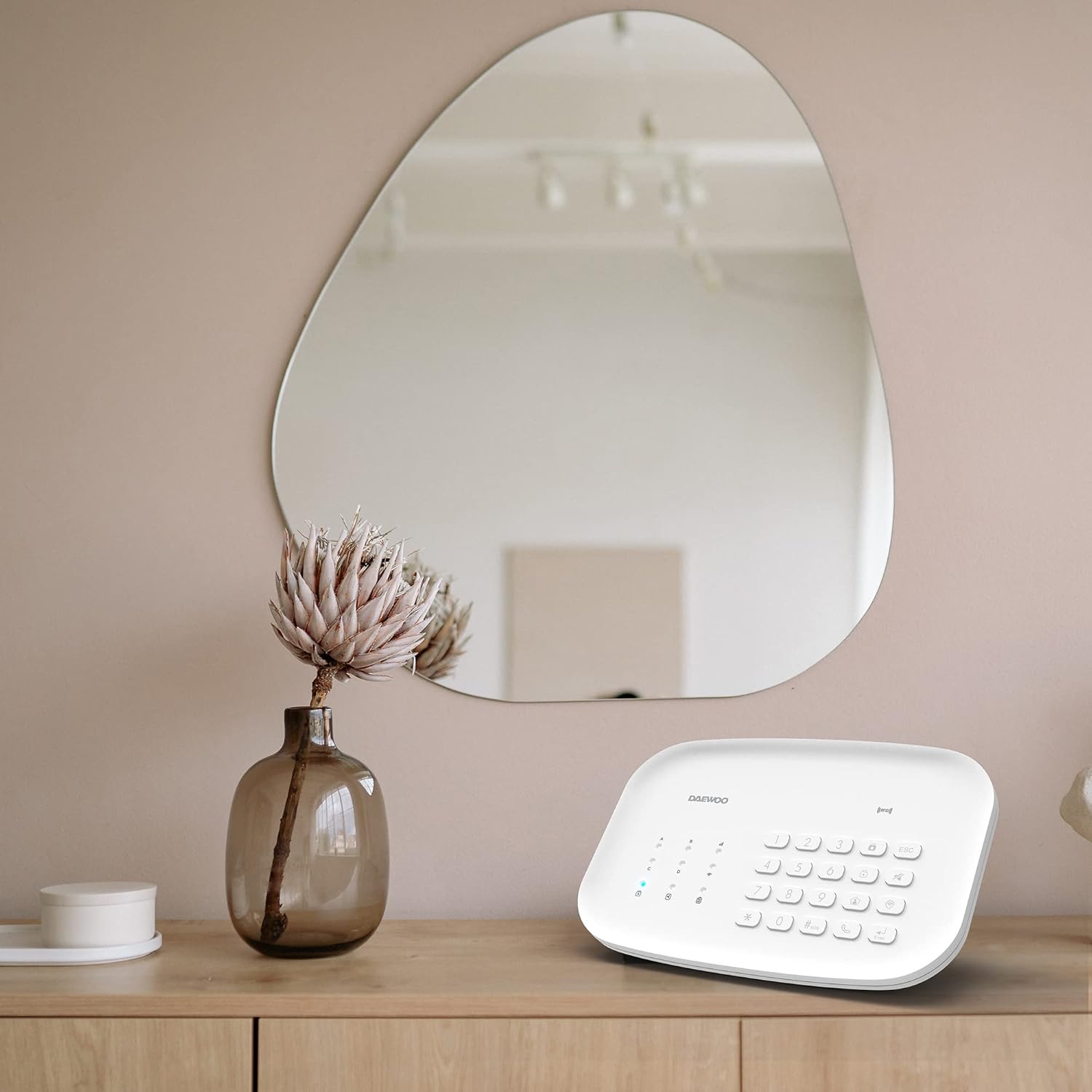
Image: The Daewoo Vision+ alarm control panel placed on a wooden surface in a modern home interior, demonstrating its discreet design.
2. Iepakojuma saturs
The Daewoo Vision+ alarm system package includes the following components:
- 1 Full HD Motorized Indoor Camera (DAEWOO IP501)
- 1 Wireless Motion Detector (WMS501 Daewoo)
- 1 Outdoor Siren (DAEWOO WOS501) with backup battery (requires electrical outlet)
- 2 RFID Badges for disarming the system
- 2 Remote Controls (WRC501 Daewoo)
- 4 Wireless Door Contact Sensors (WDS501 Daewoo)
- 1 WiFi / GSM Alarm Control Panel with integrated battery and siren

Attēls: Pāriview of the Daewoo Vision+ alarm system components, including the control panel, camera, motion sensor, door contacts, remote controls, and RFID badges.
3. Sistēmas komponentiview
3.1. Alarm Control Panel

Attēls: Detalizēts view of the Daewoo alarm control panel, highlighting its features such as 2.4 GHz WiFi/GSM connectivity, integrated siren (85 dB), keypad for arming/disarming, RFID reader, LEDs for status indication, electrical power requirement, and integrated battery with up to 4 hours of autonomy. It also shows the capacity to add up to 90 accessories.
- Savienojamība: Supports 2.4 GHz WiFi and GSM for reliable communication.
- Integrētā sirēna: 85 dB siren for immediate alerts.
- Tastatūra: For arming and disarming the system directly.
- RFID lasītājs: Allows quick disarming using RFID badges.
- LED indikatori: Display the current status of the alarm system.
- Jauda: Requires electrical connection; includes an integrated backup battery for up to 4 hours of operation during power outages.
- Paplašināmība: Supports up to 90 additional accessories.
3.2. Indoor Camera (DAEWOO IP501)
The included Full HD motorized indoor camera provides live video monitoring and records events upon motion detection.

Image: A smartphone held by hands, displaying a live video feed from the Daewoo indoor camera, showing two children at a doorway.
- Izšķirtspēja: Full HD (1080p) for clear video.
- Motorizēts: Allows remote adjustment of viewleņķis.
- Kustības noteikšana: Sends notifications with photos upon detection.
- Uzglabāšana: Supports SD card for video recording.
3.3. Outdoor Siren (DAEWOO WOS501)
The outdoor siren provides an audible and visual deterrent in case of an intrusion.

Image: Daewoo outdoor siren mounted on a house wall, illustrating its flashing light and audible alarm function.
- Signalizācija: Produces a loud sound and flashing light.
- Jauda: Darbībai nepieciešama elektrības kontaktligzda.
- Rezerves akumulators: Ensures functionality during power interruptions.
4. Iestatīšana un instalēšana
4.1. Initial Setup and App Installation
- Lejupielādējiet lietotni: Meklēt "Daewoo Home Connect" in your smartphone's app store (iOS or Android) and install it.
- Izveidot kontu: Atveriet lietotni un izpildiet ekrānā redzamos norādījumus, lai izveidotu jaunu lietotāja kontu.
- Power On Control Panel: Connect the alarm control panel to a power outlet. The system will power on automatically.
- Izveidojiet savienojumu ar WiFi:
- Ensure your smartphone is connected to a 2.4 GHz WiFi network. The Daewoo system is compatible with all internet boxes.
- In the Daewoo Home Connect app, select "Add Device" and choose your alarm control panel model.
- Follow the app's instructions to connect the control panel to your home WiFi network. You may need to temporarily disable your WiFi password or ensure you are on a 2.4 GHz band if you have a dual-band router.
- GSM Connection (Optional): Insert a SIM card into the designated slot on the control panel if you wish to receive SMS and calls during intrusions or in case of WiFi outage.
4.2. Piederumu uzstādīšana
All accessories are wireless and designed for easy installation.
- Savienošana pārī: In the Daewoo Home Connect app, navigate to the accessory pairing section. Follow the specific instructions for each accessory (e.g., pressing a button on the sensor).
- Door Contact Sensors (WDS501):
- Mount the main sensor unit on the door frame and the smaller magnet unit on the door itself, ensuring they are aligned and within 1 cm of each other when the door is closed.
- Use screws or the provided adhesive pads. Ensure the surface is clean and dry before applying adhesive.
- Motion Detector (WMS501):
- Install the motion detector in a corner or on a wall, typically 2-2.5 meters (6.5-8 feet) above the floor.
- Avoid placing it directly facing heat sources, windows, or areas with strong air currents.
- Outdoor Siren (WOS501):
- Mount the siren on an exterior wall in a visible location, ensuring it is connected to a power outlet.
- Ensure the siren is within wireless range of the control panel.
- Indoor Camera (IP501):
- Place the camera on a flat surface or mount it to a wall/ceiling using the provided hardware.
- Pievienojiet kameru strāvai.
- Add the camera to your Daewoo Home Connect app by following the in-app instructions for camera setup.
5. Sistēmas operētājsistēma
5.1. Using the Daewoo Home Connect App
The Daewoo Home Connect app is your central control hub for the entire system.

Image: Screenshot of the Daewoo Home Connect application interface, displaying various connected devices such as cameras, alarms, and smart plugs, demonstrating the unified control platform.
- Ieslēgt/izslēgt: Easily arm or disarm your alarm system from anywhere.
- Tiešraidē View: Access live video feeds from your indoor camera.
- Paziņojumi: Receive instant push notifications with photos upon intrusion detection.
- Accessory Management: Add, remove, or configure additional sensors and smart devices.
- Automatizācija: Create smart scenarios, such as closing roller shutters when the system is armed.

Image: A smartphone screen displaying a push notification for an intrusion detected by the Daewoo alarm system, showing the time and date of the alert.

Image: Illustration showing the Daewoo alarm control panel and roller shutters, indicating the ability to create interactions like closing shutters when the system is armed and opening them when disarmed.
5.2. Voice Control with Amazon Alexa and Google Home
The Daewoo Vision+ system is compatible with Amazon Alexa and Google Home, allowing you to control your alarm using voice commands.

Image: The Daewoo alarm control panel alongside an Amazon Echo Dot and an Echo Show, illustrating compatibility with Amazon Alexa and Google Home for voice control. A speech bubble says "Alexa, arm the alarm in away mode."
- Iespējot prasmi/darbību: In the Alexa or Google Home app, search for and enable the "Daewoo Home Connect" skill or action.
- Saistīt kontu: Link your Daewoo Home Connect account to your Alexa or Google Home account.
- Balss komandas: Izmantojiet tādas komandas kā:
- "Alexa, arm the alarm in away mode."
- "Hey Google, disarm the alarm."
- "Alexa, what is the status of my alarm?"
6. Apkope
6.1. Akumulatora nomaiņa
The control panel has an integrated backup battery. Accessories like door contacts and motion detectors use CR2 batteries. The app will notify you when accessory batteries are low.
- Vadības panelis: The internal battery is designed for long-term use. If replacement is needed, contact customer support.
- Piederumi: To replace batteries in sensors, carefully open the device, remove the old battery, and insert a new CR2 battery, ensuring correct polarity.
6.2. Tīrīšana
Clean the surfaces of the control panel, camera, and sensors with a soft, dry cloth. Avoid using abrasive cleaners or solvents.
7. Traucējummeklēšana
| Problēma | Iespējamais cēlonis | Risinājums |
|---|---|---|
| Alarm system not connecting to WiFi. | Incorrect WiFi password, 5 GHz network selected, or weak signal. | Ensure correct 2.4 GHz WiFi network and password. Move the control panel closer to the router. Temporarily disable WiFi password if necessary for initial setup, then re-enable. |
| Accessories not pairing. | Low battery, out of range, or incorrect pairing procedure. | Replace batteries in accessories. Ensure accessories are within range of the control panel. Follow in-app pairing instructions carefully. |
| No notifications from the app. | App permissions not granted, notification settings disabled, or no internet connection. | Check app notification permissions in your phone settings. Verify the alarm system has an active internet connection (WiFi or GSM). |
| Outdoor siren not working. | Not connected to power, out of range, or internal battery depleted. | Ensure the siren is plugged into a working electrical outlet. Check wireless connection to the control panel. Allow time for the internal backup battery to charge. |
| Balss vadība nereaģē. | Skill/action not enabled, account not linked, or incorrect commands. | Verify "Daewoo Home Connect" skill/action is enabled and accounts are linked in Alexa/Google Home app. Use precise voice commands. |
8. Specifikācijas
| Modeļa numurs | SA602 |
| Zīmols | Daewoo |
| Savienojamības tehnoloģija | Wi-Fi (2.4 GHz), GSM |
| Barošanas avots | Battery Powered (with electrical connection for main unit) |
| Battery Type (Main Unit) | Lithium-polymer (integrated backup) |
| Baterijas ir iekļautas | Yes (6 CR2 batteries for accessories) |
| Skaņas līmenis | 95 Decibels (Outdoor Siren) |
| Video ierakstīšanas izšķirtspēja | 1080p (Indoor Camera) |
| Uzstādīšanas metode | Screw-in / Adhesive |
| Saderīgas ierīces | Smartphone (iOS/Android), Amazon Alexa, Google Home |
| Produkta izmēri (G x P x A) | 20 x 12 x 3 cm (Control Panel) |
| Preces svars | 1676 Grams (Total package) |
9. Garantija un atbalsts
For warranty information, please refer to the documentation included with your purchase or visit the official Daewoo webvietne.
If you encounter any issues or require technical assistance, please contact Daewoo customer support. Contact details can typically be found on the product packaging, the official website, or within the Daewoo Home Connect application.


