Produkts beidziesview
The FLEXISPOT EN1 Electric Height Adjustable Standing Desk is designed to enhance your workspace with its seamless, sturdy, and ergonomically conscious features. This whole-piece desktop provides a smooth surface, while the electric lift system allows for effortless transitions between sitting and standing positions, promoting a healthier work environment.
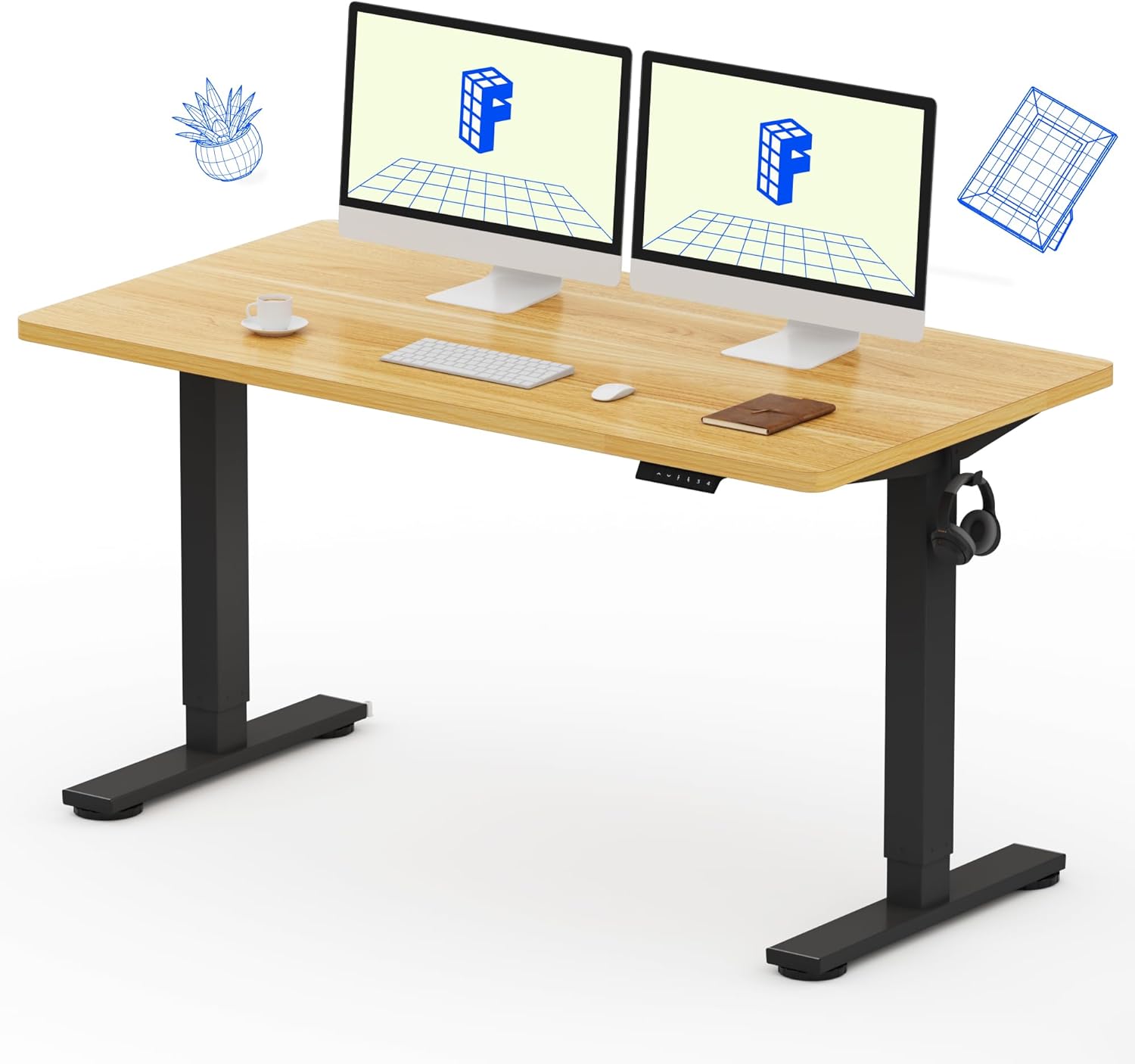
Image: The FLEXISPOT EN1 Standing Desk featuring a maple top and black frame, set up in a home office environment with dual monitors.
Galvenās iezīmes
- 1" Thick One-Piece Desktop: Provides a completely smooth, seamless, and stable work surface.
- Smooth Electric Height Adjustment: Easily adjust desk height from 28.1" to 45.7" (without 1" thickness of table top included) with quiet motor operation (below 50 dB).
- 4 atmiņas iestatījumi: Store and recall preferred sitting and standing heights for quick transitions.
- Izturīga un stabila konstrukcija: Industrial-grade steel frame supports up to 176 lbs, ensuring durability and stability.
- Viegla uzstādīšana: Comes with assembly tools and detailed instructions for straightforward setup.

Attēls: Detalizēts view highlighting the 1-inch thick one-piece desktop and the robust industrial-grade steel frame of the FLEXISPOT EN1 desk, emphasizing its stability and durability.
Iepakojuma saturs
Your FLEXISPOT EN1 Standing Desk package includes the following components, typically shipped in two separate boxes:
- One-piece Desktop (Maple, 55x28")
- Electric Height Adjustable Desk Frame (Black)
- Control Panel with LED Display and Memory Presets
- Strāvas adapteris un kabeļi
- Montāžas instrumenti
- Sīki izstrādātas montāžas instrukcijas

Image: An illustration showing two separate packages, one for the desktop and one for the desk frame, indicating that the components may arrive in different shipments.
Uzstādīšana un montāža
Assembly of your FLEXISPOT EN1 desk is designed to be straightforward. Please follow the included detailed instructions and use the provided assembly tools. It is recommended to have two people for assembly due to the size and weight of the components.
- Izpakojiet sastāvdaļas: Carefully unbox all components and verify against the package contents list.
- Salieciet galda rāmi: Follow the step-by-step instructions to connect the legs, crossbar, and motor components of the desk frame. Ensure all screws are tightened securely.
- Pievienot darbvirsmu: Carefully place the desktop upside down on a soft, clean surface. Align the assembled desk frame with the pre-drilled holes on the desktop and secure it using the provided screws.
- Connect Control Panel and Power: Attach the control panel to the underside of the desktop and connect all necessary cables to the motor and power adapter.
- Amata vieta: With assistance, carefully flip the desk upright and place it in your desired location. Ensure cables are not pinched.
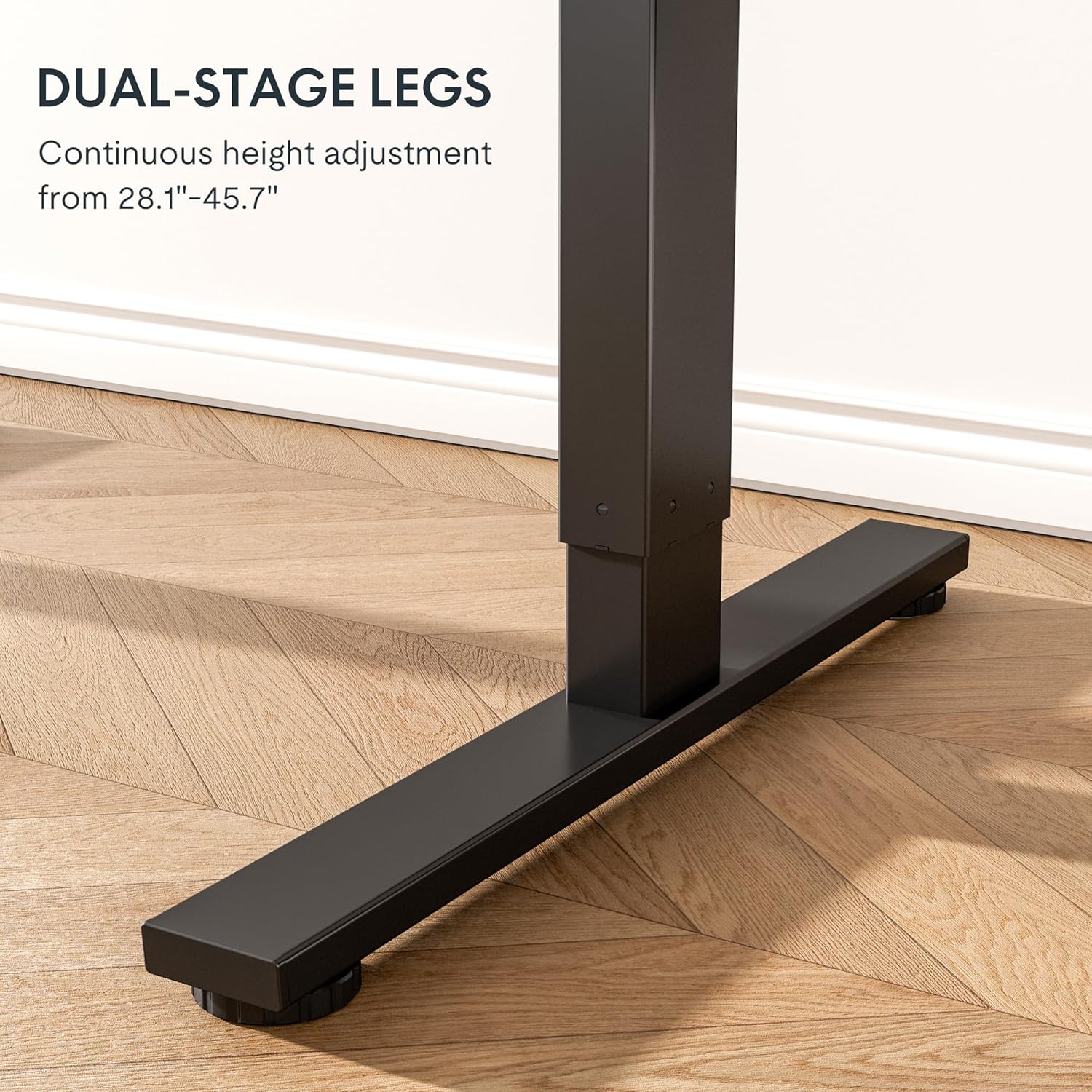
Attēls: Tuvplāns view no divējādajiemtage legs of the FLEXISPOT EN1 standing desk, illustrating the sturdy base and adjustable height mechanism.
Lietošanas instrukcijas
Your FLEXISPOT EN1 desk features an intuitive control panel for easy height adjustment and memory functions.
- Augstuma regulēšana: Izmantojiet Augšup (▲) un Lejā (▼) arrow buttons on the control panel to raise or lower the desk to your desired height. The LED display will show the current height.
- Atmiņas iestatījumu iestatīšana:
- Adjust the desk to your preferred height.
- Nospiediet pogu 'M' button (or similar memory set button) once. The display may flash.
- Nekavējoties nospiediet vienu no numurētajām iepriekš iestatītajām pogām (1, 2, 3 vai 4), lai saglabātu pašreizējo augstumu šajā iestatījumā.
- Atmiņas iestatījumu atsaukšana: Vienkārši nospiediet vēlamo numurēto iepriekš iestatīto pogu (1, 2, 3 vai 4) and the desk will automatically move to the saved height.

Image: A close-up of the programmable control panel located on the underside of the desk, showing the LED display, up/down buttons, and four height memory settings.
Apkope
To ensure the longevity and optimal performance of your FLEXISPOT EN1 desk, follow these maintenance guidelines:
- Tīrīšana: Noslaukiet darbvirsmas virsmu ar mīkstu, damp Izvairieties no spēcīgām ķīmiskām vielām vai abrazīviem tīrīšanas līdzekļiem, kas varētu sabojāt apdari.
- Pārbaudiet savienojumus: Periodiski pārbaudiet visas skrūves un savienojumus, lai pārliecinātos, ka tie ir cieši pievilkti. Ja nepieciešams, pievelciet tos atkārtoti.
- Kabeļu vadība: Keep cables organized and free from tangles to prevent interference with the desk's movement.
- Svara ierobežojums: Nepārsniedziet maksimālo svara ierobežojumu 176 mārciņas (78 kg), lai nesabojātu motoru un rāmi.
Problēmu novēršana
If you encounter any issues with your FLEXISPOT EN1 desk, refer to the following common troubleshooting steps:
| Problēma | Risinājums |
|---|---|
| Desk not moving / Display shows "RST" or "E01/E02" | Unplug the desk for at least 18 minutes, then plug it back in. If "RST" is displayed, press and hold the Down (▼) key until the desk reaches its lowest height and rebounds slightly. Release the button. |
| Desk is unresponsive / Other error codes | Check all cable connections to ensure they are secure. Unplug the desk for 10 seconds, then plug it back in. If the issue persists, contact customer service. |
| Desk wobbles at full height | Ensure all screws are tightly secured, especially those connecting the legs to the desktop and the crossbar. Adjust the leveling feet on the base if the floor is uneven. |
For further assistance, please do not hesitate to contact FLEXISPOT customer support.
Specifikācijas
| Atribūts | Detaļas |
|---|---|
| Zīmols | FLEXISPOT |
| Modeļa numurs | MAH0002193 |
| Darbvirsmas izmēri (dziļums x platums) | 28" dziļums x 55" platums |
| Darbvirsmas biezums | 1" |
| Krāsa | Maple Top / Black Frame |
| Augstuma regulēšanas diapazons | 28.1" to 45.7" (without 1" thickness of table top included) |
| Bāzes materiāls | Leģētais tērauds |
| Maksimālā svara ietilpība | 176 mārciņas (80 kg) |
| Pacelšanas mehānisms | Elektriskā |
| Trokšņa līmenis | Zem 50 dB |
| Nepieciešama montāža | Yes (Assembly tools included) |
Garantija un atbalsts
FLEXISPOT offers a limited warranty for this product. For specific warranty details, please refer to the documentation included with your purchase or contact FLEXISPOT customer service.
Klientu atbalsts: If you have any questions during assembly, use, or require technical assistance, please contact FLEXISPOT customer support. Contact information can be found in your product packaging or on the official FLEXISPOT webvietne.
Atgriež: Šim produktam ir 30 dienu vienkārša atgriešanas iespēja. Sīkāku informāciju skatiet savas pirkšanas platformas atgriešanas politikā.
Drošības informācija
Please read all safety instructions carefully before assembling and using your FLEXISPOT EN1 desk. Keep children and pets away from the desk during operation. Ensure the desk is placed on a level surface and that all connections are secure. Do not attempt to modify the desk or its components. Use only as intended for office and computer workstation purposes.
Official FLEXISPOT Factory Tour
Gain insight into the precision and innovation behind every FLEXISPOT product by watching this official factory tour video:
Video: "Welcome to FLEXISPOT'S Mega Factory" - An official video showcasing the manufacturing process and quality control at the FLEXISPOT factory.


