1. Ievads un beigasview
The Tera Mini 1D 2D QR Wireless Barcode Scanner is a compact, robust, and versatile device designed for efficient barcode data collection. Its IP66 waterproof and dustproof rating ensures durability in various environments. With multiple connection options and support for a wide range of barcode types, this scanner is suitable for diverse applications.

Figure 1.1: Tera Mini 1100D Barcode Scanner and accessories.
2. Iepakojuma saturs
Lūdzu, pārliecinieties, ka iepakojumā ir visi nepieciešamie priekšmeti:
- Svītrkoda skeneris x1
- USB kabelis x1
- Dongle x1
- User Manual x1 (this document)
3. Produkta īpašības un sastāvdaļas
The Tera Mini 1100D is designed with user convenience and durability in mind. Key components and features include:
-
Silicone Button: Provides a soft and smooth scanning experience.
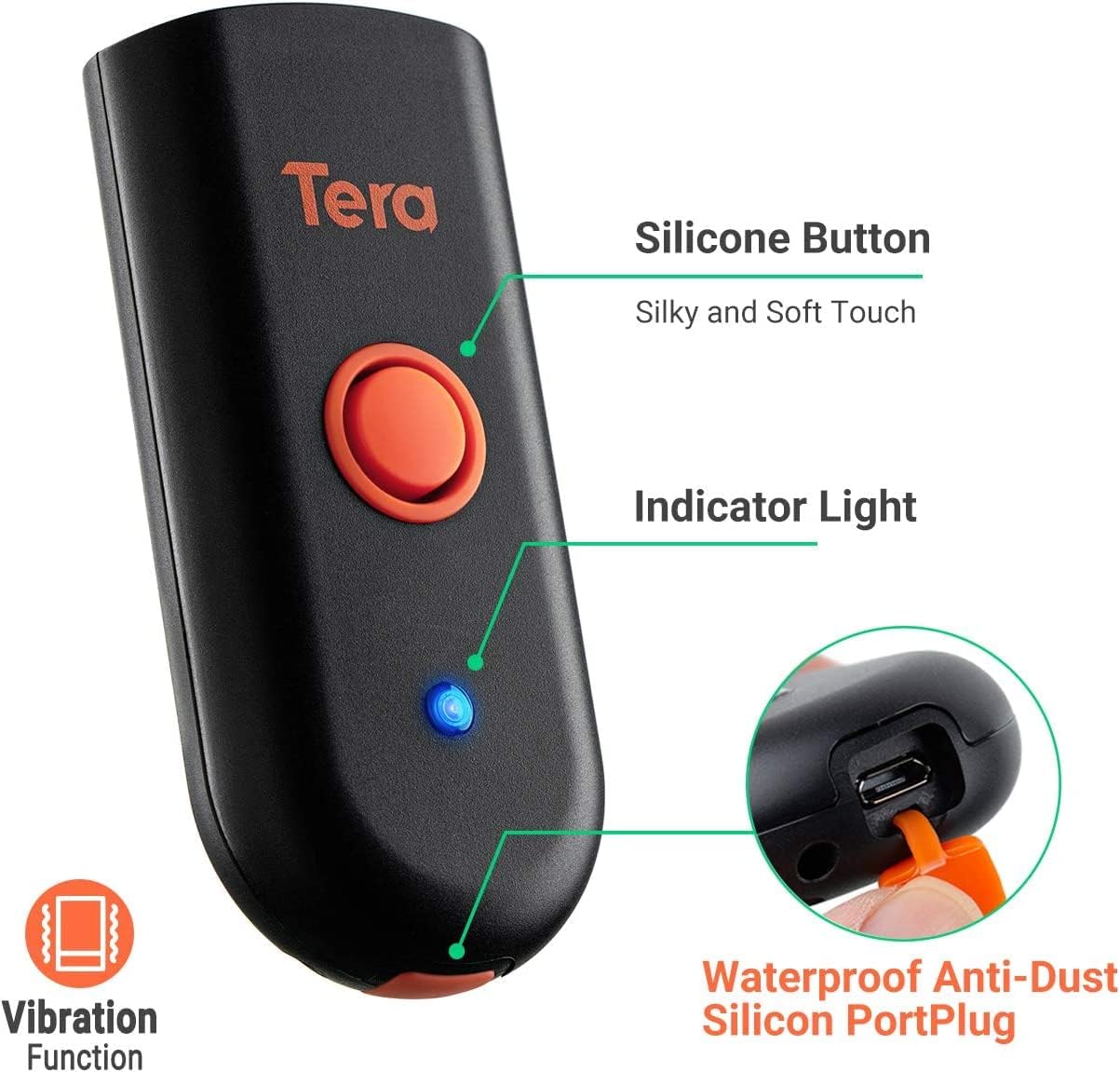
Figure 3.1: Scanner components including the silicone button and port plug.
- Indikatora gaisma: Provides visual feedback on scanner status.
-
Waterproof Anti-Dust Silicone Port Plug: Ensures better performance in various working conditions by protecting the charging port.

Figure 3.2: Detail of the waterproof silicone port plug.
-
Vibrācijas brīdinājums: Provides tactile feedback when a barcode is detected, useful for quiet environments.
Figure 3.3: Vibration alert functionality.
-
Kompakts un viegls dizains: Easily fits into a pocket for portability.

Figure 3.4: Scanner dimensions and portability.
4. Iestatīšana
The Tera Mini 1100D offers three connection methods:
-
Bluetooth savienojums:
To connect via Bluetooth, ensure your device's Bluetooth is enabled. Scan the Bluetooth pairing barcode (usually found in the full user manual or quick start guide) with the scanner. The scanner will then appear in your device's Bluetooth settings for pairing.
-
2.4 GHz bezvadu savienojums:
Insert the provided 2.4G USB dongle into a USB port on your computer. The scanner will automatically connect to the dongle. This mode offers a transmission distance of up to 656ft in barrier-free environments and 98ft with obstacles.
-
USB vadu savienojums:
Connect the scanner directly to your computer using the provided USB cable. The scanner will function as a wired device and also charge simultaneously.

Figure 4.1: Three-in-one connection modes.
5. Darbības režīmi
The scanner supports different operating and data upload modes to suit various workflows:
-
Datu augšupielādes režīmi:
- Tūlītējas augšupielādes režīms: Barcodes are uploaded directly to your connected device immediately after scanning.
- Uzglabāšanas režīms: Scan and store up to 10,000 barcodes internally. Data can be uploaded to a computer later when available.
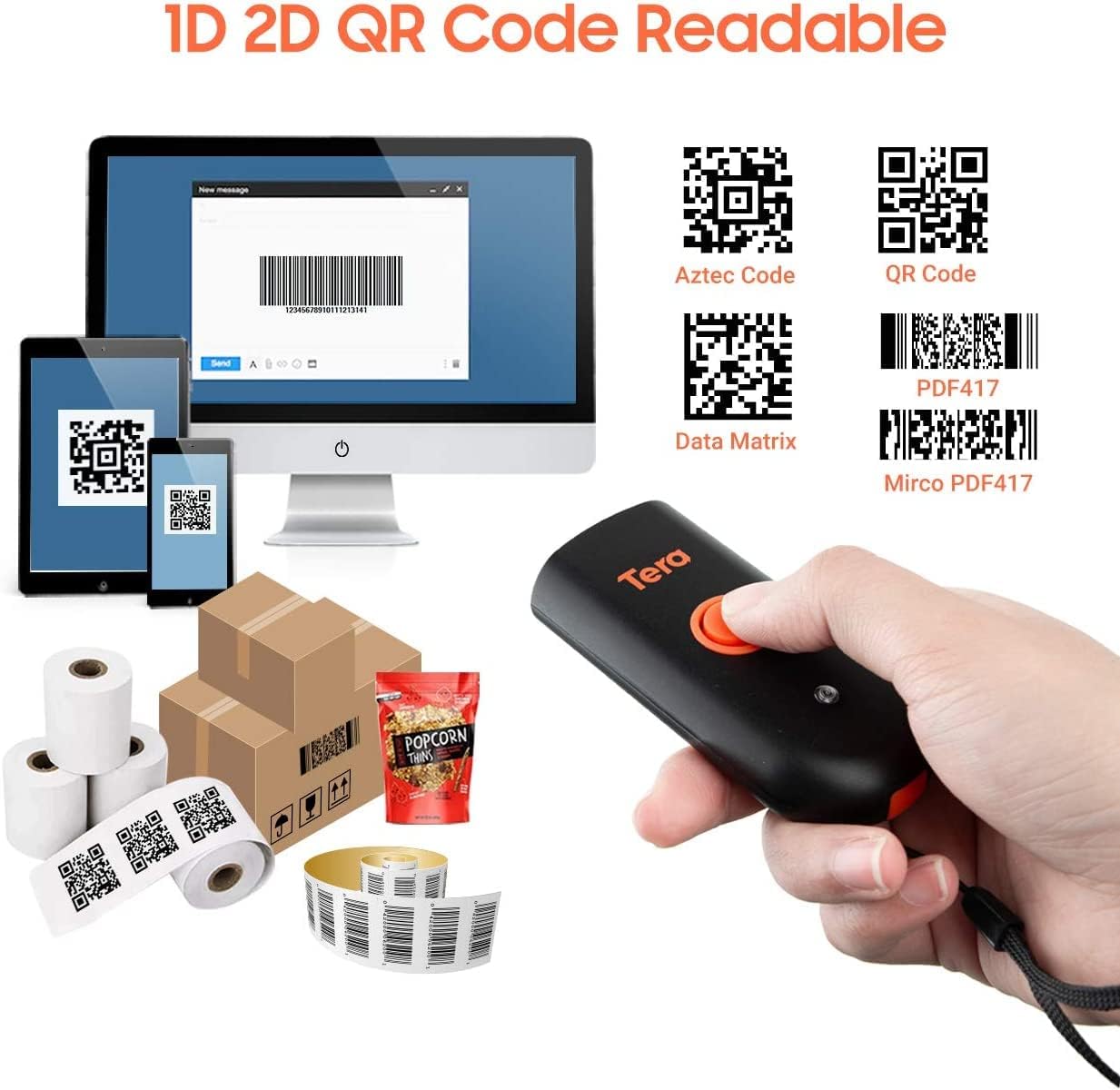
Figure 5.1: Data upload modes.
-
Skenēšanas režīmi:
- Taustiņu palaišanas režīms: Scan a barcode by pressing the trigger button for each scan.
- Nepārtraukts režīms: The scanner continuously emits its scan beam, allowing for rapid scanning without repeatedly pressing the trigger.

Figure 5.2: Scanning modes.
6. Uzlāde
To charge the Tera Mini 1100D, use the provided USB cable. Connect it to a standard USB power source. Observe the following charging guidelines:
- Ieteicamā uzlādes strāva: 5V/1A.
- Maksimālā uzlādes strāva: 5V/1.2A.
- Svarīgi: Do NAV use quick charge adapters or USB Power Delivery (USB PD) standard power adapters and data cables to charge this scanner. Use only the original USB cable included in the package for optimal charging and to prevent damage.
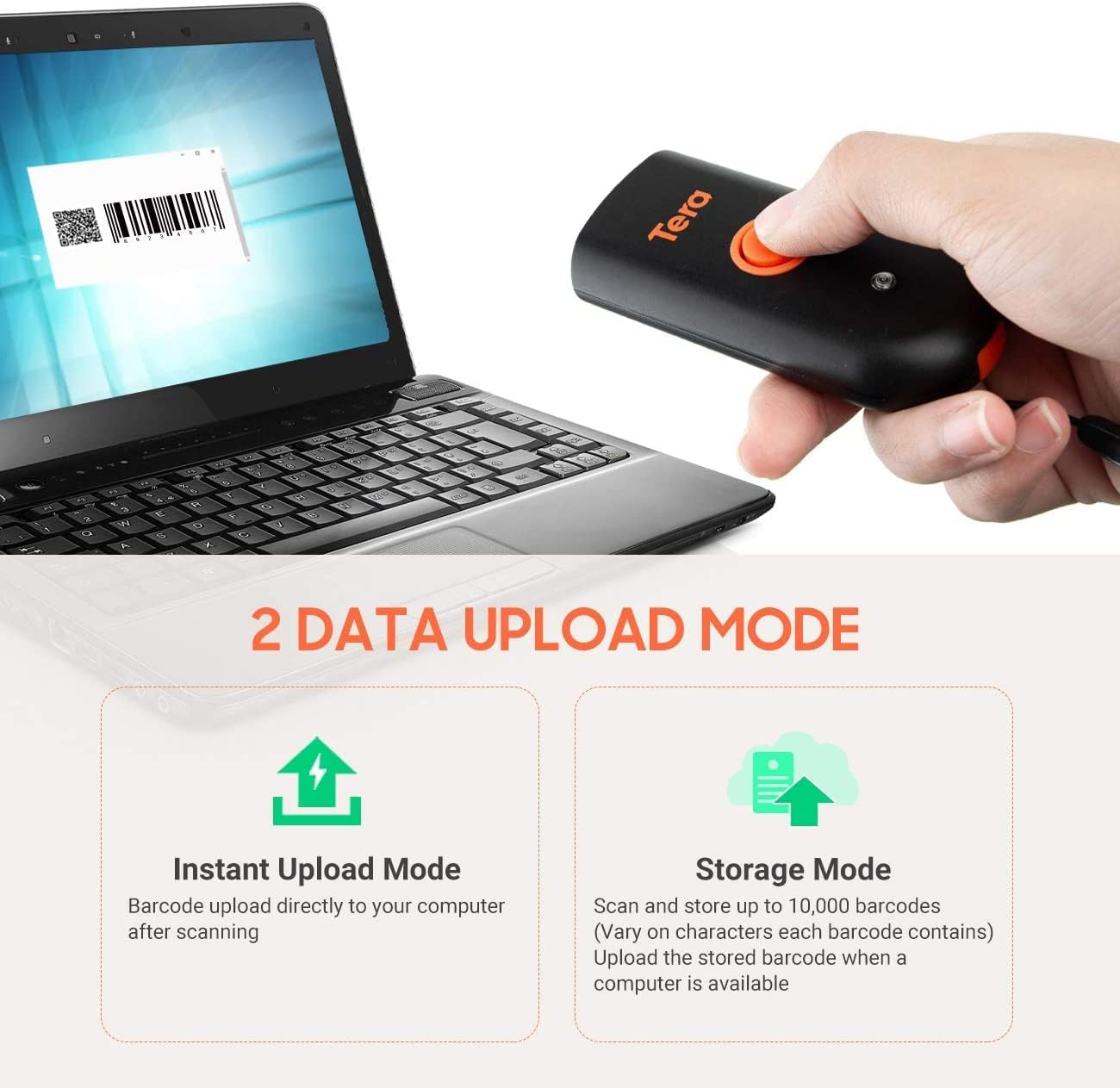
Figure 6.1: Charging specifications and warnings.
7. Saderība
The Tera Mini 1100D barcode scanner is compatible with a wide range of devices and operating systems:
- Saderīgas ierīces: Desktop computers, laptops, smartphones, tablets.
- Saderīgas operētājsistēmas: Windows (11/10/8/7/XP), Mac OS, iOS, Android, Linux.
- Piezīme: This scanner is nē compatible with Square POS systems.
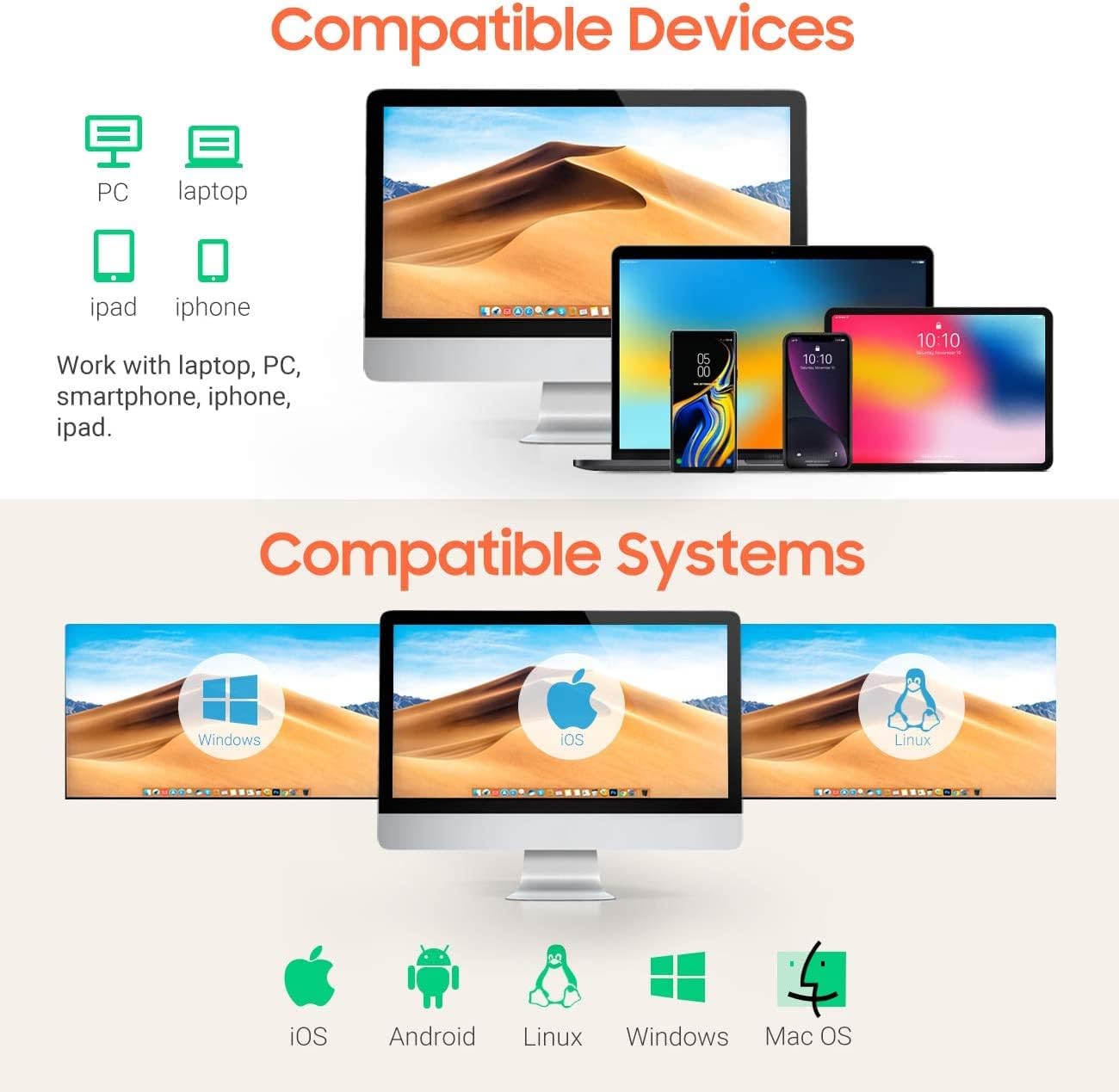
Figure 7.1: Device and system compatibility.
8. Skenēšanas iespējas
The Tera Mini 1100D is capable of reading both digital and printed 1D, 2D, and QR barcode symbologies. It features a global shutter for fast and accurate decoding performance.
- 1D Decode Capability: Codabar, Code 11, Code93, MSI, Code 128, UCC/EAN-128, Code 39, EAN-8, EAN-13, UPC-A, ISBN, Industrial 25, Interleaved 25, Standard 25, 2/5 Matrix.
- 2D Decode Capability: QR, PDF417, Data Matrix, Aztec code, Maxi Code.
- The scanner supports reading barcodes directly from computer screens and mobile phones.
- It also supports adding time prefixes or suffixes to scanned data.
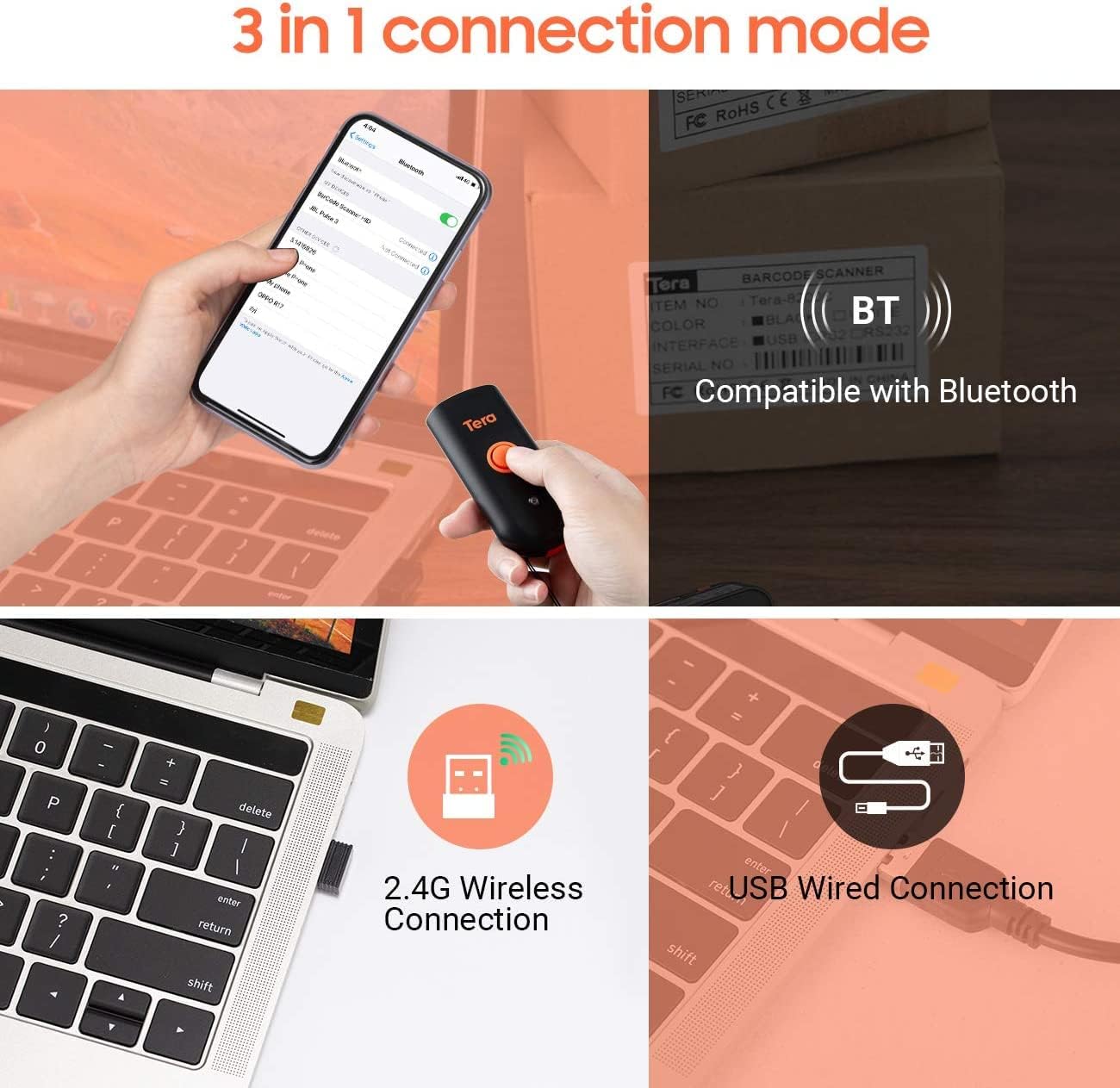
Figure 8.1: 1D, 2D, and QR code readability.
Figure 8.2: Reading barcodes from screens.
Figure 8.3: Time prefix/suffix support.
9. Papildu iestatījumi
The scanner can be configured for various advanced functionalities by scanning specific setup barcodes (refer to the comprehensive user manual for all configuration barcodes):
-
Ciparu pievienošana vai slēpšana: Customize scanned data by adding or removing specific digits from the barcode output.

Figure 9.1: Customizing barcode output.
-
Vairāku valodu atbalsts: Configure the scanner to support various keyboard layouts for different languages, including English, Spanish, German, Japanese, French, and Italian.

Figure 9.2: Multi-language keyboard support.
10. Specifikācijas
| Funkcija | Detaļas |
|---|---|
| Produkta izmēri | 3.43 collas dziļums x 1.57 collas platums x 0.79 collas augstums (87 x 40 x 20 mm) |
| Preces svars | 5.3 unces (150 g) |
| Savienojamības tehnoloģija | 2.4G bezvadu, Bluetooth, USB kabelis |
| Barošanas avots | Corded Electric (Internal Battery) |
| Saderīgas ierīces | Galddators, klēpjdators, viedtālrunis, planšetdators |
| Ražotājs | Tera |
| IP reitings | IP66 (ūdensizturīgs un putekļu necaurlaidīgs) |

Figure 10.1: IP66 Waterproof and Dustproof design.
11. Apkope
Pareiza apkope nodrošina skenera ilgmūžību un optimālu veiktspēju:
- Tīrīšana: Use a soft, dry cloth to clean the scanner's exterior. For stubborn dirt, a slightly damp Var izmantot audumu, taču pārliecinieties, ka portos neiekļūs mitrums.
- Uzglabāšana: Uzglabājiet skeneri vēsā, sausā vietā, pasargājot to no tiešiem saules stariem un ekstremālām temperatūrām.
- Ostas aizsardzība: Always ensure the silicone port plug is securely in place when the USB cable is not connected to maintain its waterproof and dustproof integrity.
- Akumulatora kopšana: Izvairieties no biežas akumulatora pilnīgas izlādes. Regulāri uzlādējiet skeneri, it īpaši, ja tas tiks ilgstoši uzglabāts.
12. Traucējummeklēšana
If you encounter issues with your Tera Mini 1100D scanner, please refer to the following common troubleshooting steps:
-
Skeneris neizveido savienojumu:
- Pārliecinieties, vai skeneris ir pilnībā uzlādēts.
- Verify the correct connection mode (Bluetooth, 2.4G, or USB) is selected and properly set up.
- For Bluetooth, ensure your host device's Bluetooth is on and the scanner is in pairing mode.
- For 2.4G wireless, ensure the USB dongle is securely inserted and recognized by your computer.
- Mēģiniet restartēt gan skeneri, gan resursdatora ierīci.
-
Nevar noskenēt svītrkodus:
- Ensure the scanner is powered on and connected.
- Pārbaudiet, vai svītrkods nav bojāts vai slikti iespiests.
- Adjust the scanning distance and angle. The scanner works best within 2 to 16 inches.
- Ensure there is sufficient lighting for the barcode to be read.
- Pārliecinieties, vai skeneris atbalsta svītrkoda veidu (skatiet 8. sadaļu).
- Ja skenējat no ekrāna, pārliecinieties, vai ekrāna spilgtums ir pietiekams un nav atspīduma.
-
Data Not Uploading Correctly:
- Confirm the correct data upload mode (Instant or Storage) is selected.
- If using Storage Mode, ensure you have initiated the upload process to transfer stored data.
- Check for any software or driver issues on your host device.
-
Akumulators ātri izlādējas:
- Ensure the scanner is fully charged before use.
- Reduce continuous scanning if not necessary, as this consumes more power.
- Check for any background processes or settings that might be keeping the scanner active.
13. Oficiālais produkta video
Watch the official product video for a visual guide on the Tera Pro 1100D Waterproof Mini Barcode Scanner's features and capabilities.
Video 13.1: Tera Pro 1100D Waterproof Mini Barcode Scanner Overview.
14. Garantija un atbalsts
For warranty information, technical support, or further assistance, please contact Tera customer service through the official website or your point of purchase. Keep your purchase receipt as proof of purchase.
A detailed PDF user manual is also available for download: Lejupielādēt lietotāja rokasgrāmatu (PDF)


