1. Ievads
Thank you for choosing the Hama 186369 Weather Forecast Center. This device provides comprehensive weather data, including satellite-based forecasts, indoor and outdoor temperature/humidity, and more. This manual will guide you through the setup, operation, and maintenance of your weather station to ensure optimal performance.
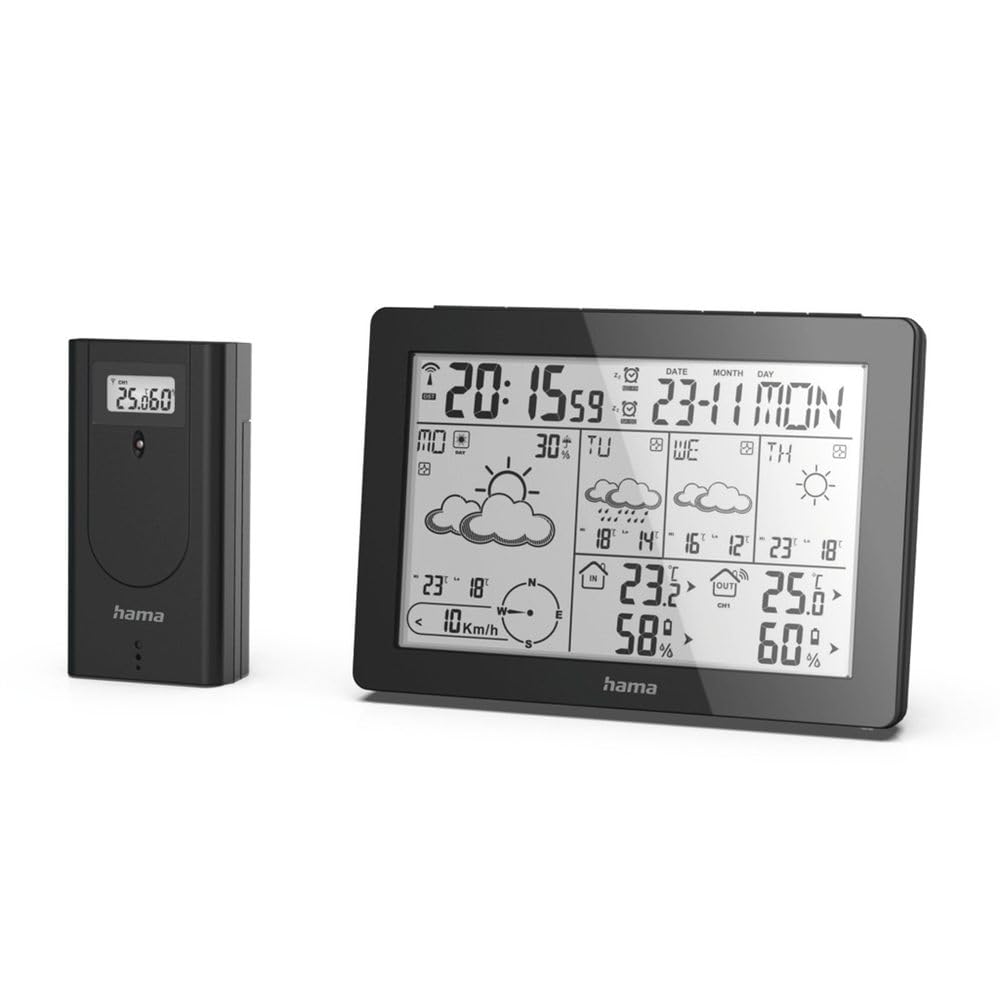
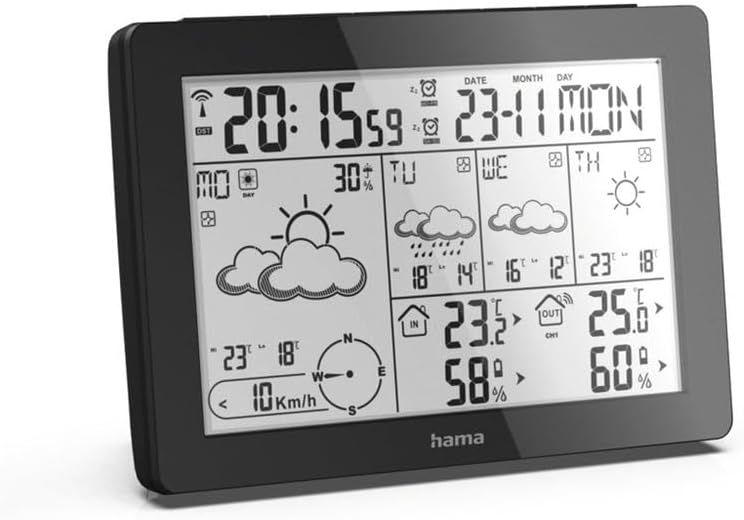
The Hama 186369 Weather Forecast Center main unit, showcasing its digital display with various weather parameters.
2. Iepakojuma saturs
Please check that all items listed below are present and in good condition:
- Hama 186369 Weather Forecast Center (Base Station)
- Bezvadu āra sensors
- 4 x AA Batteries (for both units)
- Šī lietošanas instrukcija

The complete set, including the base station and the wireless outdoor sensor.
3. Drošības instrukcijas
- Do not open the device. Improper repair can lead to considerable hazards for the user.
- Do not expose the product to direct sunlight, extreme temperatures, or high humidity.
- Glabājiet šo izstrādājumu, tāpat kā visus elektriskos izstrādājumus, bērniem nepieejamā vietā.
- Sargājiet produktu no netīrumiem, mitruma un pārkaršanas.
- Izmantojiet produktu tikai paredzētajam mērķim.
- Neizmantojiet izstrādājumu vietās, kur elektroniskie izstrādājumi nav atļauti.
- When inserting batteries, note the correct polarity (+ and - markings) and insert the batteries accordingly. Otherwise, the batteries could leak or explode.
- Replace all batteries of a set at the same time. Do not mix old and new batteries or batteries of different types.
4. Iestatīšana
4.1. Akumulatoru ievietošana
The Hama 186369 Weather Forecast Center and its outdoor sensor require AA batteries for operation.
- Open the battery compartment cover on the back of both the base station and the outdoor sensor.
- Insert the AA batteries, ensuring correct polarity (+ and -). The base station requires 2x AA batteries, and the outdoor sensor requires 2x AA batteries.
- Droši aizveriet bateriju nodalījuma vākus.
Inserting batteries into the base station. Ensure correct polarity.

The wireless outdoor sensor, which also requires batteries.
4.2 Initial Operation and Signal Reception
After inserting the batteries, the base station will automatically search for the DCF-77 signal and connect to the outdoor sensor.
- Place the base station and the outdoor sensor close to each other during initial setup.
- The DCF-77 radio signal for time and date synchronization will be automatically received. This process may take several minutes.
- The outdoor sensor will transmit temperature and humidity data to the base station. Ensure they are within range (up to 30 meters in open areas).

Beigāsview of the weather station's features and components, including the outdoor sensor and base station display.
5. Operating the Weather Forecast Center
5.1 Displejs beidziesview
The main display shows various information at a glance:
- Laiks un datums: Synchronized via DCF-77 signal.
- Iekštelpu temperatūra un mitrums: Measured by the base station.
- Āra temperatūra un mitrums: Received from the wireless outdoor sensor.
- Laika prognoze: Satellite-based 4-day forecast for 60 regions/30 regions in Europe, updated daily.
- Rain Probability: Indication of precipitation likelihood.
- Vēja ātrums un virziens: Displayed graphically.
- Sala trauksme: Activates when temperatures drop to a critical level.
5.2 Pogu funkcijas
The buttons on the top of the base station allow you to adjust settings and view atšķirīga informācija.

Augšā view of the base station showing the control buttons.
- REŽĪMS: Switches between display modes (e.g., time, alarm setting).
- KANĀLS: Selects different outdoor sensor channels if multiple sensors are used.
- DAY/NIGHT/SNOOZE+LIGHT: Activates backlight, snooze function for alarm, or switches between day/night display.
- TESTS: Initiates a test of the sensor connection.
- UZ AUGŠU UZ LEJU: Adjusts values during settings or navigates through forecast data.
5.3 Setting Time and Date (Manual Adjustment)
While the time and date are usually set automatically via the DCF-77 signal, you can manually adjust them if needed.
- Nospiediet un turiet REŽĪMS pogu, līdz sāk mirgot laika displejs.
- Izmantojiet UP un UZ LEJU pogas, lai pielāgotu stundu, pēc tam nospiediet REŽĪMS , lai apstiprinātu un pārietu uz minūtēm.
- Atkārtojiet ar minūtēm, gadu, mēnesi un dienu.
- Nospiediet REŽĪMS vēlreiz, lai izietu no iestatīšanas režīma.
5.4 Signalizācijas funkcija
The weather station includes an alarm function.
- Nospiediet pogu REŽĪMS button repeatedly until the alarm time is displayed.
- Nospiediet un turiet REŽĪMS lai pārietu uz modinātāja iestatīšanas režīmu.
- Izmantot UP un UZ LEJU lai iestatītu vajadzīgo modinātāja laiku.
- Nospiediet REŽĪMS lai apstiprinātu katru iestatījumu.
- Lai aktivizētu/deaktivizētu modinātāju, nospiediet UP pogu, kad tiek parādīts modinātāja laiks. Parādīsies/pazudīs modinātāja ikona.
6. Apkope
6.1. Tīrīšana
- Tīriet šo produktu tikai ar nelielu damp, bezplūksnu drānu un neizmantojiet agresīvus tīrīšanas līdzekļus.
- Ensure that no water gets into the device.
6.2. Akumulatora nomaiņa
When the battery indicator appears on the display, replace all batteries in the respective unit (base station or outdoor sensor).
- Follow the steps in section 4.1 "Inserting Batteries".
- Atbrīvojieties no izlietotajām baterijām saskaņā ar vietējiem noteikumiem.
7. Traucējummeklēšana
| Problēma | Iespējamais cēlonis | Risinājums |
|---|---|---|
| No display / Weak display | Baterijas ir tukšas vai nepareizi ievietotas. | Nomainiet baterijas, nodrošinot pareizu polaritāti. |
| Nav āra temperatūras/mitruma rādījumu | Outdoor sensor not connected or out of range. |
|
| Nepareizs laiks/datums | DCF-77 signal not received or interference. |
|
| Neprecīza laika prognoze | Incorrect region setting or temporary signal issue. |
|
8. Specifikācijas
| Funkcija | Detaļas |
|---|---|
| Modeļa numurs | 186369 |
| Dimensions (Base Station) | 3 x 15.3 x 10.5 cm |
| Svars | 510 g |
| Materiāls | Akrils |
| Barošanas avots | Battery-powered (4 AA batteries required, included) |
| Savienojamība | Bezvadu (āra sensoram) |
| Īpašas funkcijas | Alarm, Wireless Outdoor Sensor, Frost Alarm, DCF-77 Radio Clock |
| Laika prognoze | Satellite-based 4-day forecast for 60 regions/30 regions in Europe, daily updated data for 611 locations. |
| Ieteicamā lietošana | Temperature measurement, hobby, private, business. |
9. Garantija un atbalsts
Hama GmbH & Co KG neuzņemas nekādu atbildību un nesniedz garantiju par bojājumiem, kas radušies nepareizas uzstādīšanas/montāžas, nepareizas izstrādājuma lietošanas vai lietošanas instrukciju un/vai drošības norādījumu neievērošanas dēļ.
For technical support or warranty claims, please contact your retailer or visit the official Hama webvietne, lai saņemtu papildu palīdzību.

Hama: Experience and competence since 1923.


