1. Ievads
The COMPUTHERM T-32 room thermostat is designed for controlling most boilers and air conditioners available in the EU. It can be easily connected to any gas boiler with a two-wire thermostatic connection point, and to all air conditioning systems or electrical appliances, whether they have a 24V or 230V control circuit.
This digital thermostat allows for more precise temperature measurement and adjustment compared to traditional thermostats. It helps reduce energy costs while maintaining comfort by regulating the connected appliance (e.g., a gas boiler or pump) based on the measured and set temperatures.
Galvenās funkcijas:
- Precīza temperatūras kontrole: Easily set desired temperature between 5°C and 30°C in 0.5°C increments.
- Constant Indoor Temperature: Switching sensitivity of ±0.2°C or 0.1°C ensures a uniform and stable room temperature.
- Daudzpusīga saderība: Suitable for boilers with a two-wire connection and various HVAC systems (24V or 230V).
- Apkures un dzesēšanas režīmi: Supports both heating and cooling functions.
- Digitālais displejs: Provides clear and accurate temperature readings.
2. Iestatīšana un instalēšana
Svarīgi: Ierīce jāuzstāda kompetentai personai.
2.1. Iepakojuma saturs
Pārliecinieties, vai ir visas sastāvdaļas:
- 1x COMPUTHERM T-32 Digital Room Thermostat
- 2x AAA baterijas
- Mounting hardware (screws and wall plugs)

Figure 1: Package contents including the thermostat, batteries, and mounting hardware.
2.2 Akumulatora uzstādīšana
- Carefully remove the back cover of the thermostat.
- Ievietojiet divas AAA baterijas bateriju nodalījumā, nodrošinot pareizu polaritāti (+/-).
- Uzlieciet aizmugurējo vāciņu.
2.3 Montāža un elektroinstalācija
The thermostat is designed for wall mounting in a room. Choose a location away from direct sunlight, drafts, or heat sources that could affect temperature readings.
- Separate the front panel from the back plate.
- Atzīmējiet vēlamo montāžas pozīciju uz sienas.
- Urbiet caurumus un ievietojiet sienas dībeļus.
- Secure the back plate to the wall using the provided screws.
- Connect the two-wire control circuit from your boiler or HVAC system to the terminals on the back plate. Refer to the wiring diagram on the back of the thermostat for correct connections.
- Carefully reattach the front panel to the back plate.

2. attēls. Aizmugure view of the thermostat with wiring terminals and battery compartment details.
3. Darbība
3.1 Displejs beidziesview
The digital display shows the current room temperature and the set desired temperature. The thermostat features three control buttons below the display.

3. attēls. Priekšpuse view of the COMPUTHERM T-32 thermostat with its digital display and three control buttons.
3.2 Vēlamās temperatūras iestatīšana
Use the temperature control buttons (typically marked with up and down arrows or similar symbols) to adjust the desired temperature. Each press changes the temperature by 0.5°C within a range of 5°C to 30°C.
- Nospiediet pogu Bultiņa uz augšu pogu, lai palielinātu vēlamo temperatūru.
- Nospiediet pogu Lejupvērstā bultiņa pogu, lai samazinātu vēlamo temperatūru.
The thermostat will automatically regulate the connected heating or cooling appliance to maintain the set temperature within its switching sensitivity of ±0.2°C.
3.3 Heating Mode Operation
In heating mode, if the measured room temperature falls below the set temperature minus the switching sensitivity (e.g., 22°C - 0.2°C = 21.8°C), the thermostat will activate the heating appliance. It will deactivate the heating when the room temperature rises above the set temperature plus the switching sensitivity (e.g., 22°C + 0.2°C = 22.2°C).
3.4 Cooling Mode Operation
In cooling mode, the operation is reversed. If the measured room temperature rises above the set temperature plus the switching sensitivity, the thermostat will activate the cooling appliance. It will deactivate cooling when the room temperature falls below the set temperature minus the switching sensitivity.
Note: After a temperature change using the thermostat's adjustment buttons, the switching sensitivity is temporarily not considered, allowing the thermostat to react to a difference of ±0.1°C for immediate response.
4. Apkope
- Tīrīšana: Wipe the thermostat with a soft, dry cloth. Do not use abrasive cleaners or solvents.
- Akumulatora nomaiņa: Replace batteries when the low battery indicator appears on the display. Always use new AAA alkaline batteries.
- Izvairieties no šķēršļiem: Ensure no objects block the thermostat's ventilation slots or sensor, as this can affect temperature accuracy.
5. Traucējummeklēšana
| Problēma | Iespējamais cēlonis | Risinājums |
|---|---|---|
| Termostata displejs ir tukšs. | Izlādējušās vai nepareizi ievietotās baterijas. | Nomainiet baterijas, nodrošinot pareizu polaritāti. |
| Apkures/dzesēšanas sistēma nereaģē. | Incorrect wiring; system power off; thermostat in wrong mode. | Check wiring connections (consult a professional); ensure system power is on; verify thermostat is set to appropriate mode (heating/cooling). |
| Neprecīzs temperatūras rādījums. | Termostats atrodas siltuma avota/caurvēja tuvumā; sensors ir aizsegts. | Relocate thermostat if possible; ensure no obstructions around the sensor. |
| Temperature fluctuates too much. | High switching sensitivity setting (not applicable for T-32 as it's fixed). | The T-32 has a fixed sensitivity of ±0.2°C. Ensure proper placement and insulation of the room. |
6. Specifikācijas
- Modelis: T32
- Barošanas avots: 2x AAA 1.5V Alkaline Batteries (included)
- Control Voltage: 24V maiņstrāva vai 230V maiņstrāva
- Kravnesība: 8 Amperes
- Temperatūras mērīšanas diapazons: 5°C līdz 30°C
- Temperatūras iestatīšanas diapazons: 5°C līdz 30°C
- Temperature Setting Increment: 0.5°C
- Pārslēgšanās jutība: ±0.2°C (or ±0.1°C after manual adjustment)
- Izmēri (G x P x A): 8.5 x 8.5 x 2.8 cm
- Svars: 160 grami
- Savienojamība: Vadu
- Krāsa: Balts


Figure 4: Dimensions of the COMPUTHERM T-32 thermostat.
7. Garantija
The COMPUTHERM T-32 Digital Room Thermostat comes with a 5 gada ražotāja garantijaLūdzu, saglabājiet pirkuma apliecinājumu garantijas prasību iesniegšanai. Garantija attiecas uz materiālu un izgatavošanas defektiem normālas lietošanas apstākļos.
8. Atbalsts
For further assistance or if you encounter issues not covered in this manual, please refer to the official COMPUTHERM website or contact your retailer. Always ensure that any electrical work is performed by a qualified professional.
For more information, you may visit the manufacturer's webvietne: www.calorsol.de
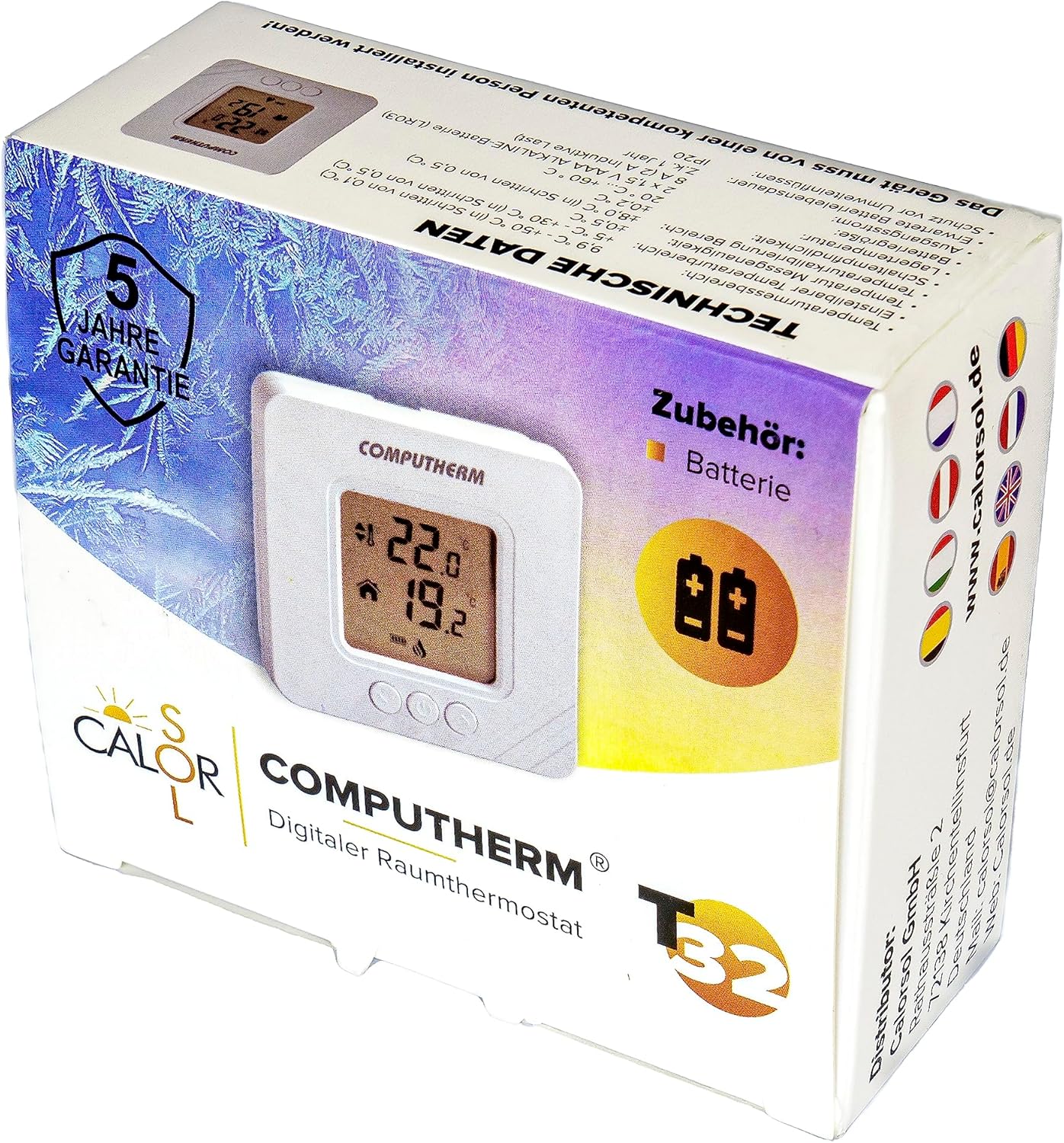
Figure 5: Product packaging displaying warranty information and technical data.


