1. Ievads
Thank you for choosing the boAt Airdopes 641 Truly Wireless Earbuds. This manual provides essential information for setting up, operating, and maintaining your earbuds to ensure optimal performance and longevity. Please read this guide carefully before using the product.
2. Produkts beidziesview
The boAt Airdopes 641 are designed for a seamless audio experience, featuring advanced connectivity and intuitive controls.

Attēls: Key features of the Airdopes 641, highlighting RGB LEDs, Instant Wake N' Pair (IWP) technology, Bluetooth 5.0 connectivity, 6mm Dual Drivers for audio, and a Capacitive Touch Panel for controls.
2.1 Sastāvdaļas
- Earbuds: Left and Right truly wireless earbuds with in-ear design.
- Uzlādes futrālis: Pārnēsājams futrālis austiņu uzlādēšanai un uzglabāšanai.
- USB tipa C kabelis: Korpusa uzlādēšanai.
- Lietotāja rokasgrāmata: Šis dokuments.
2.2. Funkcijas
- Bluetooth 5.0: Lai nodrošinātu stabilu un efektīvu bezvadu savienojumu.
- IWP (Instant Wake N' Pair): Enables quick pairing with your device once the case lid is opened.
- Capacitive Touch Panel: For easy control of music, calls, and voice assistant.
- 6mm Dual Drivers: Delivers immersive audio experience.
- RGB gaismas diodes: Indicator lights for status.
- Zvēra režīms: Low latency mode for gaming.
- IPX5 Water & Sweat Shield: Nodrošina aizsardzību pret šļakatām un sviedriem.
- Līdz 30 stundām atskaņošanas laika: Combined battery life of earbuds and charging case.
- USB tipa C uzlāde: Moderna un ērta uzlādes pieslēgvieta.
3. Iestatīšana
3.1 Austiņu un maciņa uzlāde
Pirms pirmās lietošanas reizes pārliecinieties, vai gan austiņas, gan uzlādes futrālis ir pilnībā uzlādēti.
- Place both earbuds into the charging case, ensuring they are correctly seated. The earbuds will automatically begin charging.
- Connect the USB Type-C charging cable to the charging port on the case and plug the other end into a compatible USB power adapter (not included).
- The LED indicators on the case will show the charging status. Once fully charged, the indicators may change or turn off.
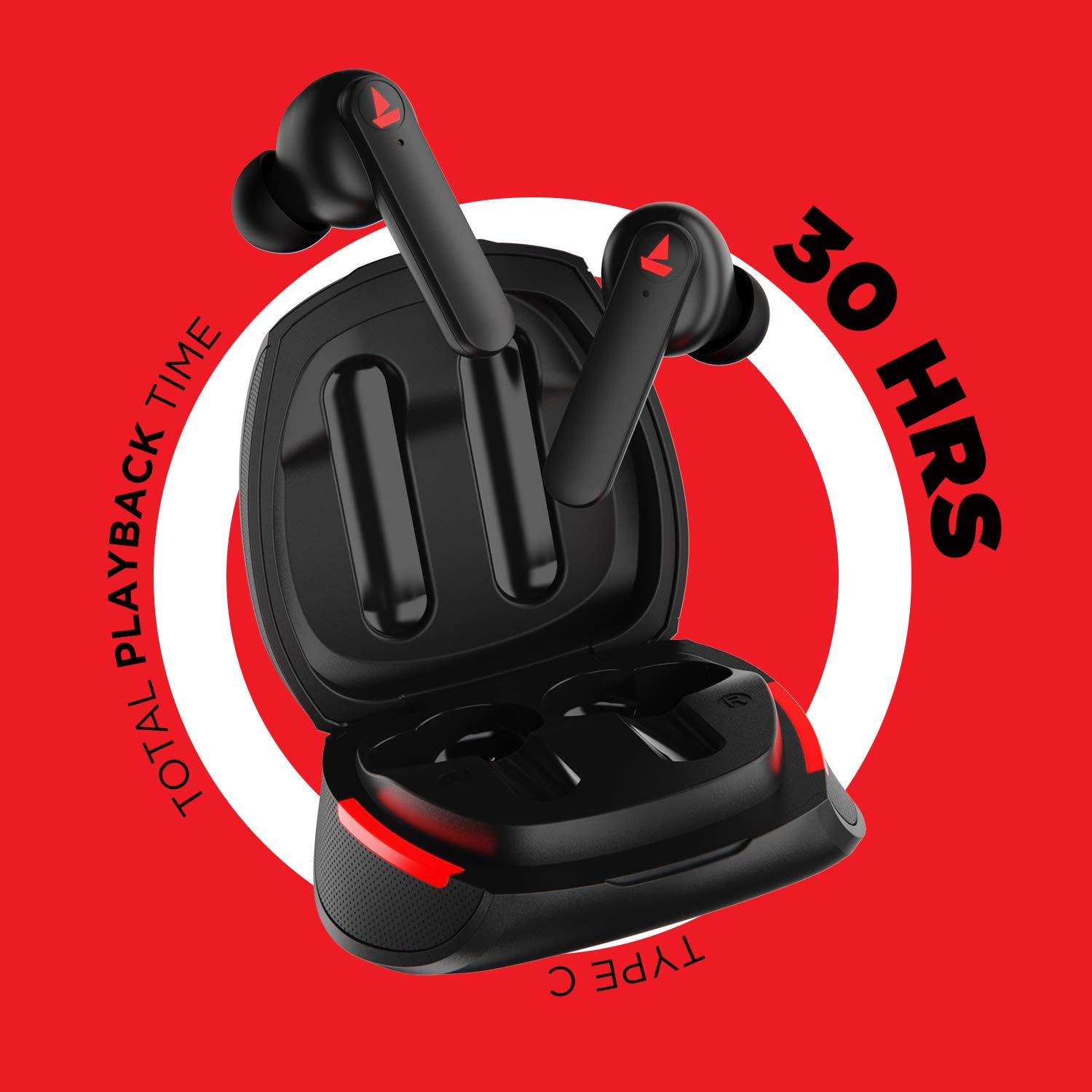
Attēls: The Airdopes 641 earbuds resting in their charging case, illustrating the Type-C charging capability and the impressive 30 hours of total playback time.
3.2 Initial Pairing (IWP Technology)
The Airdopes 641 feature Instant Wake N' Pair (IWP) technology for quick and effortless connection.
- Atveriet uzlādes korpusa vāku. Austiņas automātiski ieslēgsies un pāries savienošanas pārī režīmā.
- On your smartphone or Bluetooth-enabled device, enable Bluetooth.
- Meklēt "Airdopes 641" in the list of available devices and select it to pair.
- Once paired, you will hear an audio prompt, and the earbuds will be ready for use.
- The earbuds will automatically connect to the last paired device when the case lid is opened, provided Bluetooth is enabled on the device.
4. Lietošanas instrukcijas
4.1 Ieslēgšana/izslēgšana
- Ieslēgšana: Open the charging case lid. The earbuds will power on automatically. Alternatively, long-press the Capacitive Touch Control (CTC) on both earbuds for 3 seconds.
- Izslēgt: Place the earbuds back into the charging case and close the lid. They will power off automatically. Alternatively, long-press the CTC on both earbuds for 5 seconds.
4.2 Capacitive Touch Controls (CTC)
The Airdopes 641 feature intuitive touch controls on each earbud.
- Atskaņot/pauzēt: Single tap on either earbud's CTC.
- Nākamais ieraksts: Double tap on the right earbud's CTC.
- Iepriekšējais ieraksts: Double tap on the left earbud's CTC.
- Atbildēt/beigt zvanu: Single tap on either earbud's CTC.
- Noraidīt zvanu: Long press on either earbud's CTC for 2 seconds.
- Balss palīga aktivizēšana: Triple tap on either earbud's CTC.
- Skaļāk: Long press the right earbud's CTC.
- Skaļums uz leju: Long press the left earbud's CTC.
4.3 BEAST Mode (Low Latency Gaming)
Activate BEAST Mode for a low-latency audio experience, ideal for gaming.

Attēls: The Airdopes 641 earbuds and their sleek charging case, emphasizing the "BEAST Mode" feature designed to provide a low-latency audio experience for gamers.
- Activate BEAST Mode: Triple tap on the right earbud's CTC.
- Deactivate BEAST Mode: Triple tap on the right earbud's CTC again.
5. Apkope
Proper care ensures the longevity and performance of your Airdopes 641.
5.1. Tīrīšana
- Viegli noslaukiet austiņas un uzlādes futrāli ar mīkstu, sausu, neplūksnojošu drānu.
- Nelietojiet abrazīvus tīrīšanas līdzekļus, spirtu vai ķīmiskos šķīdinātājus.
- Regularly clean the ear tips and mesh to prevent wax buildup, which can affect sound quality.
5.2 Ūdens un sviedru izturība (IPX5)

Attēls: The Airdopes 641 earbuds and their charging case surrounded by water splashes, illustrating their IPX5 rating for water and sweat resistance.
The Airdopes 641 are rated IPX5, meaning they are protected against low-pressure water jets from any direction. This makes them suitable for workouts and light rain.
- Neiegremdējiet austiņas ūdenī.
- Do not expose them to high-pressure water or steam.
- Pirms austiņu ievietošanas atpakaļ uzlādes futrālī pārliecinieties, vai tās ir sausas, lai novērstu bojājumus.
5.3. Uzglabāšana
Glabājiet austiņas to uzlādes futrālī, kad tās nelietojat, lai aizsargātu tās un saglabātu uzlādi.
6. Traucējummeklēšana
If you encounter issues with your Airdopes 641, try the following solutions.
6.1 Austiņas nesavienojas pārī/izveido savienojumu
- Pārliecinieties, vai abas austiņas ir uzlādētas.
- Make sure Bluetooth is enabled on your device and the earbuds are within range.
- Try forgetting "Airdopes 641" from your device's Bluetooth list and re-pairing.
- Perform a factory reset as described below.
6.2 Rūpnīcas atiestatīšana
A factory reset can resolve many common issues by restoring the earbuds to their original settings.

Attēls: A visual guide detailing the steps for a factory reset of the Airdopes 641. It emphasizes clearing the device from pairing history first, then long-pressing the Capacitive Touch Control (CTC) on both earbuds inside the case for 10 seconds until a green LED flashes three times, followed by closing and reopening the case.
- 1. darbība: Before performing the reset, clear "Airdopes 641" from your pairing device history by forgetting the device on your phone/tablet.
- 2. darbība: Place both earbuds back inside the charging case in the correct orientation.
- 3. darbība: Long press the Capacitive Touch Control (CTC) on both earbuds inside the case for up to 10 seconds. The successful reset will be indicated by the flashing of a green LED three times.
- 4. darbība: Aizveriet uzlādes korpusa vāku un pēc tam vēlreiz atveriet to.
- 5. darbība: Once you take the earbuds out from the charging case, they automatically restart and are ready for a new pairing.
Note: Please make sure the case is charged before performing a factory reset.
6.3 Nav skaņas/klusa skaļuma
- Pārbaudiet skaļuma līmeņus gan ierīcē, gan austiņās.
- Pārliecinieties, vai austiņas ir pareizi ievietotas ausīs.
- Notīriet austiņu sietiņu no visiem gružiem.
- Mēģiniet atkārtoti savienot pārī austiņas.
7. Specifikācijas
| Modeļa nosaukums | Airdopes 641 |
| Savienojamības tehnoloģija | Bezvadu (Bluetooth) |
| Bezvadu sakaru tehnoloģija | Bluetooth 5.0 |
| Vadības veids | Pieskāriens, balss vadība |
| Audio draivera tips | Dinamiskais skaļrunis (6 mm) |
| Ausu novietojums | Ausī |
| Formas faktors | Ausī |
| Materiāls | Plastmasa |
| Ūdens izturības novērtējums | IPX5 |
| Uzlādes ports | C tipa USB |
| Saderīgas ierīces | Tablets, Cellphones, Laptops, Desktops, Smart Speaker, Television |
8. Garantija un atbalsts
For warranty information and customer support, please refer to the warranty card included with your product or visit the official boAt webvietne. Saglabājiet pirkuma čeku garantijas prasībām.
Ražotājs: Imagine Marketing Pvt Ltd


