Ievads
The Amazon Echo Dot (5th Generation) is a compact smart speaker with Alexa, designed to provide vibrant sound, smart home control, and hands-free assistance. This manual provides essential information for setting up, operating, and maintaining your device.

The Amazon Echo Dot (5th Gen) in Deep Sea Blue, a compact spherical smart speaker with a glowing light ring at its base.
Kas atrodas kastē
- Echo Dot (5th Gen) device
- Ledāja balts strāvas adapteris (15 W)
- Īsā lietošanas pamācība
Iestatīšana
- Ieslēgšana: Plug the included power adapter into your Echo Dot and then into a wall outlet. The light ring will turn blue, then orange.
- Lejupielādēt Alexa lietotni: Download the Amazon Alexa app on your smartphone or tablet from your device's app store.
- Izveidojiet savienojumu ar Wi-Fi: Open the Alexa app and follow the on-screen instructions to connect your Echo Dot to your Wi-Fi network. The device supports dual-band Wi-Fi (2.4 and 5 GHz).
- Personalizēt iestatījumus: Complete the setup by personalizing your device settings, including your location, preferred language, and linking music services.
For more details on Wi-Fi simple setup, visit the Amazon Wi-Fi simple setup page.
Echo Dot lietošana
Balss vadība ar Alexa
To activate Alexa, simply say the wake word "Alexa". The light ring will turn blue, indicating Alexa is listening. You can then issue commands or ask questions.

The Echo Dot ready to respond to a voice command, asking about the weather.
Mūzikas un audio atskaņošana
Play music, audiobooks, and podcasts from various services like Amazon Music, Apple Music, Spotify, and more. You can also stream audio via Bluetooth from your mobile device.

The Echo Dot supports various music streaming services and Bluetooth connectivity for audio playback.
Viedās mājas vadība
Control compatible smart home devices using your voice. The Echo Dot supports Wi-Fi, Bluetooth Low Energy Mesh, and Matter for smart home connectivity. You can also create routines triggered by built-in motion or indoor temperature sensors.
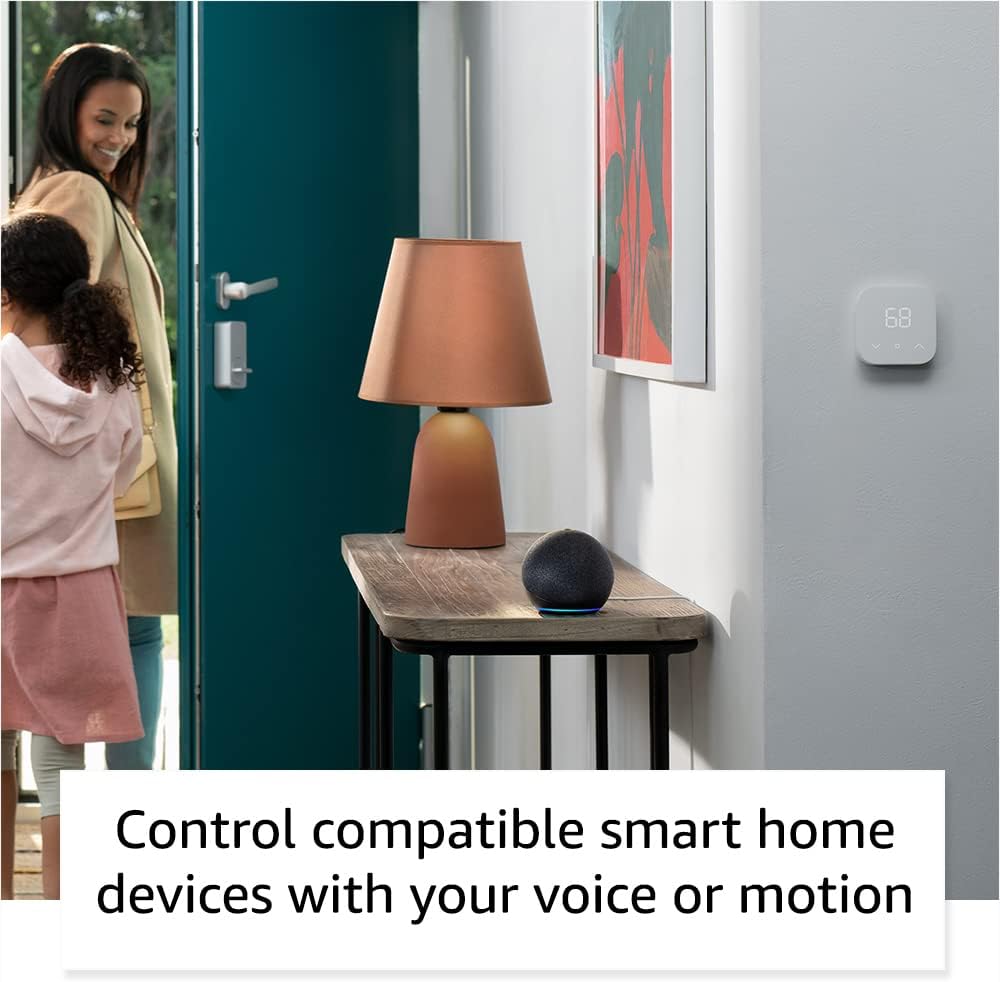
The Echo Dot can control compatible smart home devices, such as thermostats and lights, using voice commands or motion detection.
Fiziskās vadības ierīces
- Skaļuma pogas: Use the '+' and '-' buttons on top to adjust volume.
- Darbības poga: Press to wake Alexa or snooze an alarm.
- Mikrofona izslēgšanas poga: Press to disconnect the microphones for privacy. The light ring will turn red.

Tapping the top of the Echo Dot can pause music or snooze an alarm.
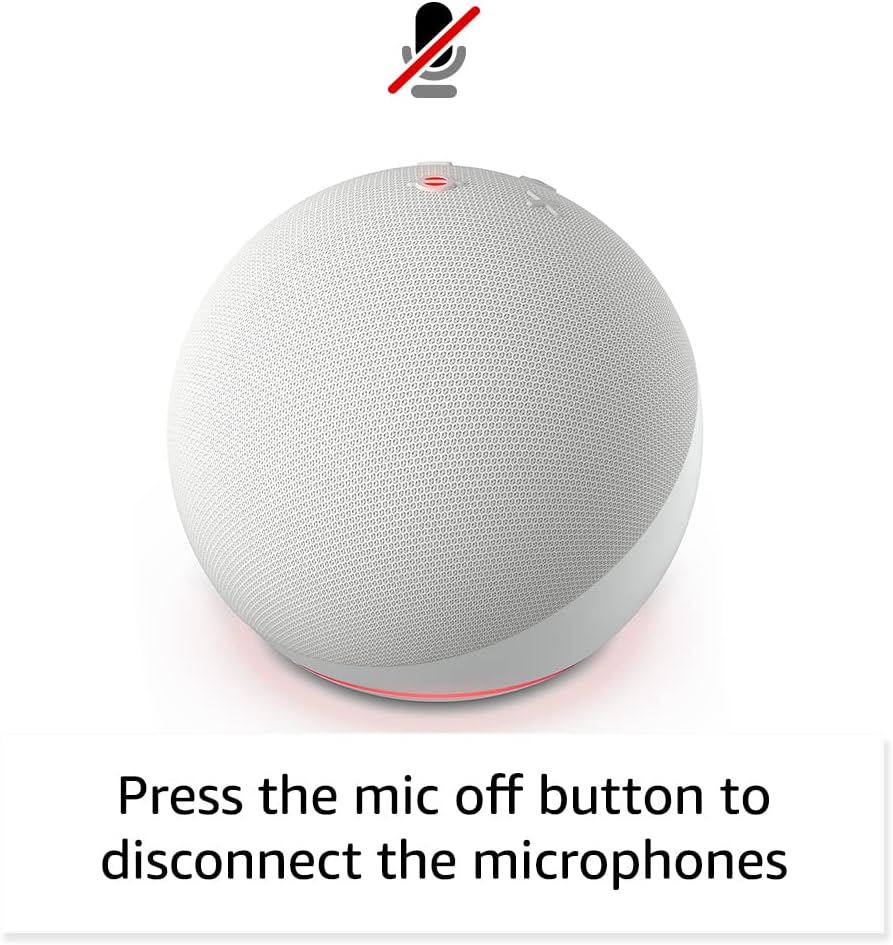
Pressing the microphone off button disconnects the microphones for enhanced privacy.
Apkope
The Echo Dot requires minimal maintenance. Keep the device clean by wiping it with a soft, dry cloth. Avoid using abrasive cleaners or submerging the device in water.
Ensure the device is placed in a well-ventilated area and not covered to prevent overheating.
Problēmu novēršana
| Problēma | Risinājums |
|---|---|
| Echo Dot not responding: | Ensure the microphone is not muted (red light ring). Check power connection. Restart the device by unplugging and plugging it back in. |
| Nevar izveidot savienojumu ar Wi-Fi: | Verify your Wi-Fi password. Ensure your router is working. Try moving the Echo Dot closer to the router. Re-run Wi-Fi setup in the Alexa app. |
| Slikta audio kvalitāte: | Check device placement; avoid corners or enclosed spaces. Ensure no obstructions are blocking the speaker. Adjust volume. |
| Alexa not understanding commands: | Speak clearly and at a normal volume. Reduce background noise. Ensure you are within listening range. |
Lai saņemtu papildu palīdzību, skatiet Amazon Echo Dot Help pages vai sazinieties ar Amazon klientu apkalpošanas dienestu.
Specifikācijas
- Izmērs: 3.9 collas x 3.9 collas x 3.5 collas (100 mm x 100 mm x 89 mm)
- Svars: 10.7 oz (304g)
- Audio: 1.73 collu (44 mm) uz priekšu vērsts skaļrunis, bezzudumu augstas izšķirtspējas skaņa
- Wi-Fi savienojums: Dual-band Wi-Fi (802.11a/b/g/n/ac, 2.4 and 5 GHz)
- Bluetooth savienojums: A2DP atbalsts audio straumēšanai, AVRCP pievienoto mobilo ierīču balss vadībai.
- Viedās mājas saderība: Wi-Fi, Bluetooth zema enerģijas patēriņa tīkls, Matter
- Paaudze: Echo Dot (5. paaudze) — 2022. gada izlaidums
- Valoda: Alexa runā angliski un spāņu valodā
Privātuma funkcijas
Echo Dot ir izstrādāts ar vairākiem privātuma kontroles slāņiem:
- Wake Word tehnoloģija: Alexa only starts listening after detecting the wake word.
- Mikrofona izslēgšanas poga: Electronically disconnects the microphones.
- Straumēšanas indikatori: Vizuālie indikatori rāda, kad Alexa straumē audio uz mākoni.
- Balss ierakstu pārvaldība: Spēja view and delete your voice recordings via the Alexa app.
Lai iegūtu papildinformāciju, apmeklējiet Alexa konfidencialitātes centrs.
Pieejamības līdzekļi
The Alexa app provides various accessibility settings:
- Adaptīvā klausīšanās: Nodrošina vairāk laika, lai pabeigtu runāšanu, pirms Alexa atbild.
- Vēlamais runas ātrums: Kontrolējiet, cik ātri vai lēni Alexa runā.
- Pieprasījuma skaņa: Plays an audible tone when you speak to Alexa.
- Kindle skaļā lasīšana: Alexa var skaļi lasīt jūsu Kindle grāmatas.
- Paziņot, kad tuvumā: Atskaņo paziņojumu skaņas, kad tiek konstatēta ierīces tuvumā.
Access these features in the Alexa App: Iestatījumi → Pieejamība.
Amazones ietve
Amazon Sidewalk uses Echo and Ring devices to securely keep other devices connected and help find lost items. It uses a small portion of your internet bandwidth to provide these benefits. Sidewalk is turned on by default but can be turned off at any time via the Alexa app.
Learn more about Amazon Sidewalk šeit.
eero Iebūvēts
Your Echo Dot can extend Wi-Fi coverage with a compatible eero router. This feature requires linking your eero and Amazon accounts and managing it from the eero mobile application. eero Built-in compatible Echo devices support up to 1,000 sq. ft. of additional coverage, speeds up to 100 Mbps, and 10 or fewer connected devices.
Lai iegūtu sīkāku informāciju, apmeklējiet eero Built-in information page.
Garantija un serviss
The Echo Dot comes with a 90-day limited warranty and service. Optional 1-year, 2-year, and 3-year extended warranties are available for U.S. customers, sold separately.
Šī ierīce saņem garantētus programmatūras drošības atjauninājumus vismaz četrus gadus pēc tam, kad ierīce pēdējo reizi ir pieejama iegādei kā jauna vienība vietnē Amazon. webvietnes.
For warranty claims or service, please contact Amazon Customer Service or visit the Amazon Device Support page.


