1. Ievads
Paldies par pirkumuasing the BYTECH BYMCLB116BK Projector Decor Light-Rainbow. This device is designed to project vibrant rainbow light effects, enhancing room ambiance and providing unique lighting for creative photography. Please read this manual thoroughly before use to ensure proper operation and maintenance.

Image 1.1: The BYTECH BYMCLB116BK Projector Decor Light-Rainbow packaging, highlighting its key features including rainbow glow, secure stabilization, 360-degree rotation and tilt, and USB connectivity.
2. Drošības informācija
- Sargājiet ierīci no ūdens un mitruma.
- Nepakļaujiet ierīci ārkārtējai temperatūrai vai tiešiem saules stariem.
- Izvairieties no ierīces nomešanas vai nepakļaušanas spēcīgam triecienam.
- Nemēģiniet ierīci izjaukt vai remontēt pats. Visu apkopi uzticiet kvalificētam personālam.
- Use only the provided USB cable or a certified equivalent for power.
- Pārliecinieties, ka ierīce ir novietota uz stabilas, līdzenas virsmas, lai novērstu apgāšanos.
- Glabāt bērniem un mājdzīvniekiem nepieejamā vietā.
3. Iepakojuma saturs
Lūdzu, rūpīgi pārbaudiet iepakojuma saturu. Ja kādas preces trūkst vai ir bojātas, sazinieties ar izplatītāju.
- 1 x BYTECH BYMCLB116BK Projector Decor Light-Rainbow
- 1 x USB Power Cable (with wired remote control)
- 1 x Lietotāja rokasgrāmata
4. Iestatīšana
- Izpakošana: Carefully remove the Projector Decor Light from its packaging.
- Izvietojums: Place the projector on a stable, flat surface. Consider the desired projection area and distance from the wall or ceiling for optimal effect. The device features 360-degree rotation and tilt for flexible positioning.
- Pievienojiet strāvu: Insert the small end of the USB power cable into the USB port on the projector. Connect the larger end of the USB cable to a standard USB power adapter (not included) or a powered USB port (e.g., on a computer or power bank).
- Secure Stabilization: Ensure the base is firmly placed to prevent accidental movement, utilizing its secure stabilization feature.
5. Lietošanas instrukcijas
The BYTECH Projector Decor Light is designed for simple operation.
- Ieslēgšana/izslēgšana: Once connected to a power source, locate the wired remote control on the USB cable. Press the power button on the remote to turn the light on or off.
- Pielāgot spilgtumu/režīmu: Use the other buttons on the wired remote control to cycle through different brightness levels or projection modes, if available. Refer to the remote's markings for specific functions.
- Pielāgojiet projekcijas leņķi: Manuāli noregulējiet lamp head to rotate and tilt 360 degrees to direct the rainbow light projection to your desired area.
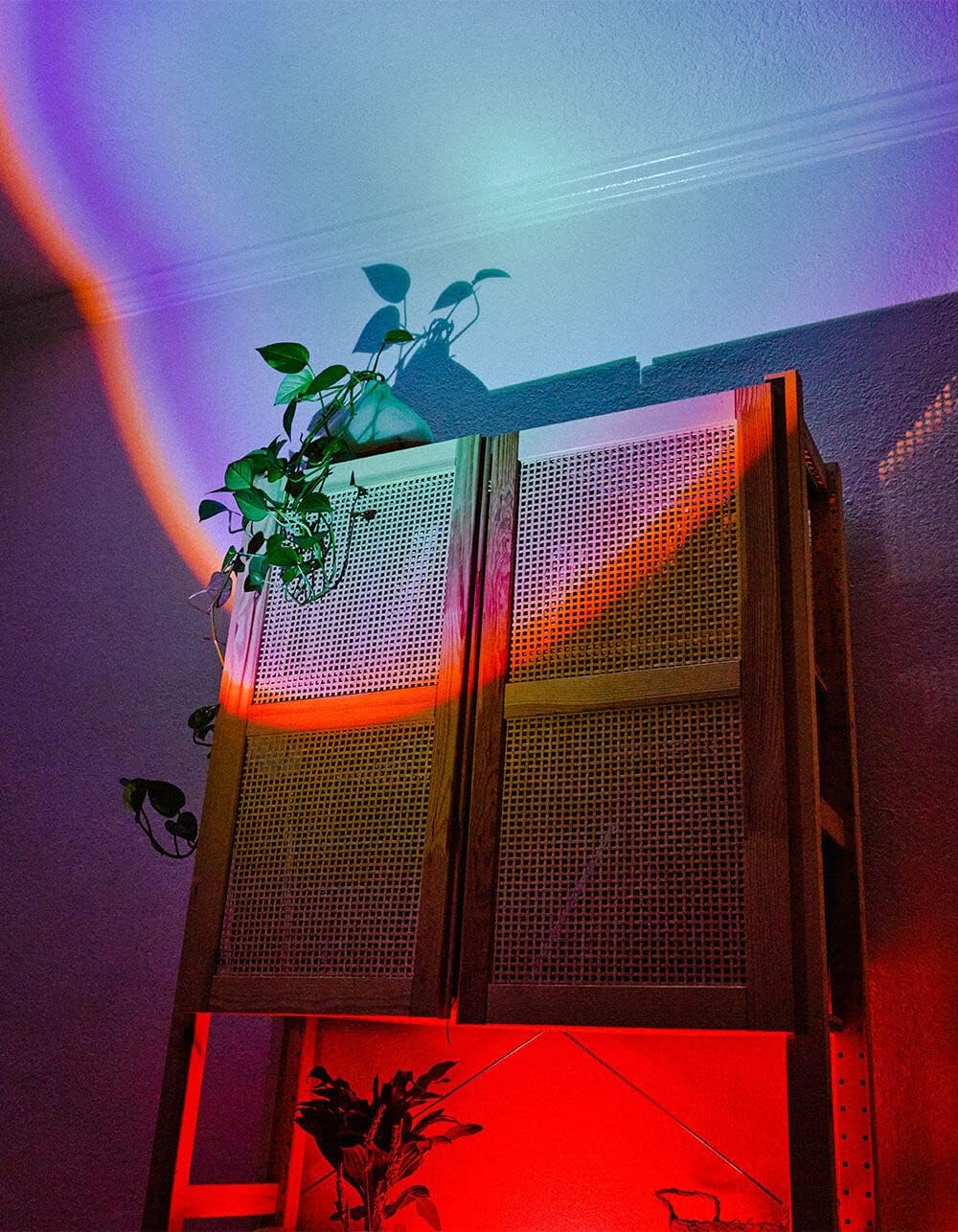
Image 5.1: The BYTECH Projector Decor Light-Rainbow in operation, casting vibrant rainbow light patterns onto a room's wall and furniture, demonstrating its ambient effect.
6. Apkope
- Tīrīšana: Disconnect the power before cleaning. Use a soft, dry cloth to wipe the surface of the projector. Do not use abrasive cleaners or solvents.
- Uzglabāšana: When not in use for extended periods, store the device in a cool, dry place, away from direct sunlight and moisture.
- Apstrāde: Handle the device with care to avoid damage to the lens or internal components.
7. Traucējummeklēšana
| Problēma | Iespējamais cēlonis | Risinājums |
|---|---|---|
| Ierīce neieslēdzas. | Nav strāvas savienojuma vai bojāts kabelis. | Ensure the USB cable is securely connected to both the projector and a powered USB port/adapter. Try a different USB port or adapter. |
| Gaisma ir vāja vai mirgo. | Insufficient power supply or dirty lens. | Ensure the power source provides adequate power. Clean the projector lens gently with a soft, dry cloth. |
| Projekcija ir izplūdusi. | Lens ir netīrs. | Gently clean the projector lens with a soft, dry cloth. |
8. Specifikācijas
- Modelis: BYMCLB116BK
- Zīmols: Bytech
- Strāvas padeve: USB Powered (5V DC, current not specified, typical for USB)
- Gaismas avots: LED
- Projekcijas veids: Rainbow Glow
- Pielāgojamība: 360° Rotation & Tilt
- Iepakojuma izmēri: 5 x 5 x 5 collas
- Preces svars: 1 mārciņas
- Ražotājs: BYTECH
9. Garantija un atbalsts
This product is covered by a limited warranty provided by BYTECH. For specific warranty terms and conditions, please refer to the warranty card included with your purchase or visit the official BYTECH website. For technical support, troubleshooting assistance, or to inquire about replacement parts, please contact BYTECH customer service through their official channels.
Lūdzu, saglabājiet pirkuma apliecinājumu garantijas prasībām.


