Ievads
This manual provides essential information for the proper setup, operation, and maintenance of your Defunc Home 40W Multiroom Smart Speaker. Please read these instructions carefully before using the product to ensure optimal performance and longevity.
Produkts beidziesview
Iekļauti komponenti
- Defunc Home 40W Speaker
- Strāvas adapteris
- Pamatnes statīvs
- Lietotāja rokasgrāmata (šis dokuments)
- Garantijas karte
Galvenās iezīmes
- Nevainojama savienojamība: Connect and control up to 32 speakers using the Defunc HOME app. Stream the same audio everywhere or select different tracks for each room.
- Uninterrupted Playback: Enjoy continuous playback via Wi-Fi, ensuring phone calls do not interrupt your audio.
- Daudzpusīga saderība: Supports Wi-Fi, Bluetooth 5.0, and AUX IN for flexible connection options.
- Pielāgojams dizains: Adapt the speaker's appearance with interchangeable front covers (available separately) or personalize with your own image.
- Paplašinātās lietotnes funkcijas: The Defunc HOME app allows volume adjustment, equalizer configuration, speaker grouping/ungrouping, and easy switching between stereo/mono modes.
- Viedā asistenta integrācija: Compatible with Alexa and Airplay2.
Iestatīšana
1. Izpakošana un novietošana
Carefully remove all components from the packaging. Place the speaker on a stable, flat surface or mount it using a compatible wall or floor stand (sold separately). Ensure adequate ventilation around the speaker.
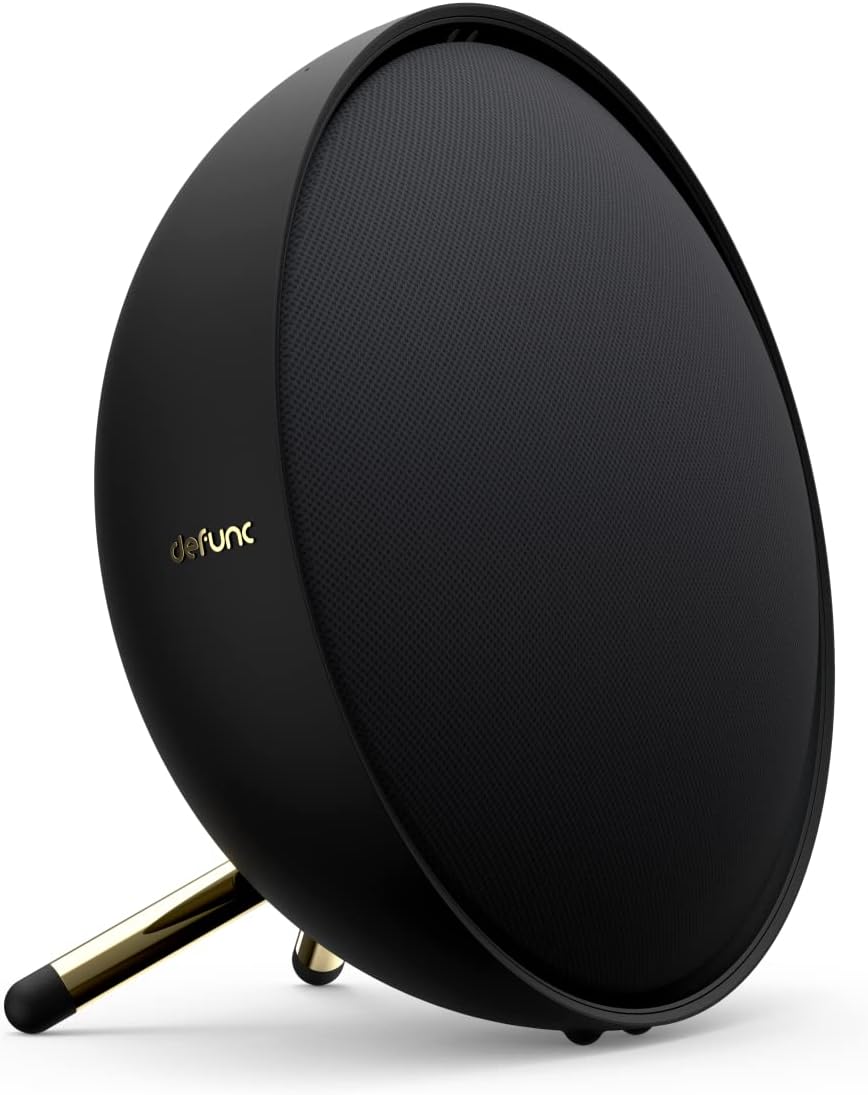
Image: Defunc Home speaker with its stand.
2. Strāvas pieslēgums
- Connect the power adapter to the DC input port on the back of the speaker.
- Plug the power adapter into a wall outlet. The speaker will power on automatically or enter standby mode.

Attēls: Aizmugure view of the Defunc Home speaker, highlighting connection ports.
3. Initial App Setup (Recommended)
- Lejupielādēt Defunc HOME lietotni no savas ierīces lietotņu veikala.
- Open the app and follow the on-screen instructions to connect your speaker to your Wi-Fi network. This step is crucial for multiroom functionality and smart assistant integration.
- During setup, you may be prompted to link your Alexa or Airplay2 accounts.
Lietošanas instrukcijas
Ieslēgšana/izslēgšana
The speaker powers on when connected to an electrical outlet. To put it into standby mode or fully power off, use the Defunc HOME app or refer to the specific power button instructions if available on your model.
Skaļuma kontrole
- Via Defunc HOME App: Adjust the volume precisely within the application.
- Via Source Device: Control volume from your connected smartphone, tablet, or computer.
- On Speaker: Use the physical volume buttons located on the top of the speaker (if present).
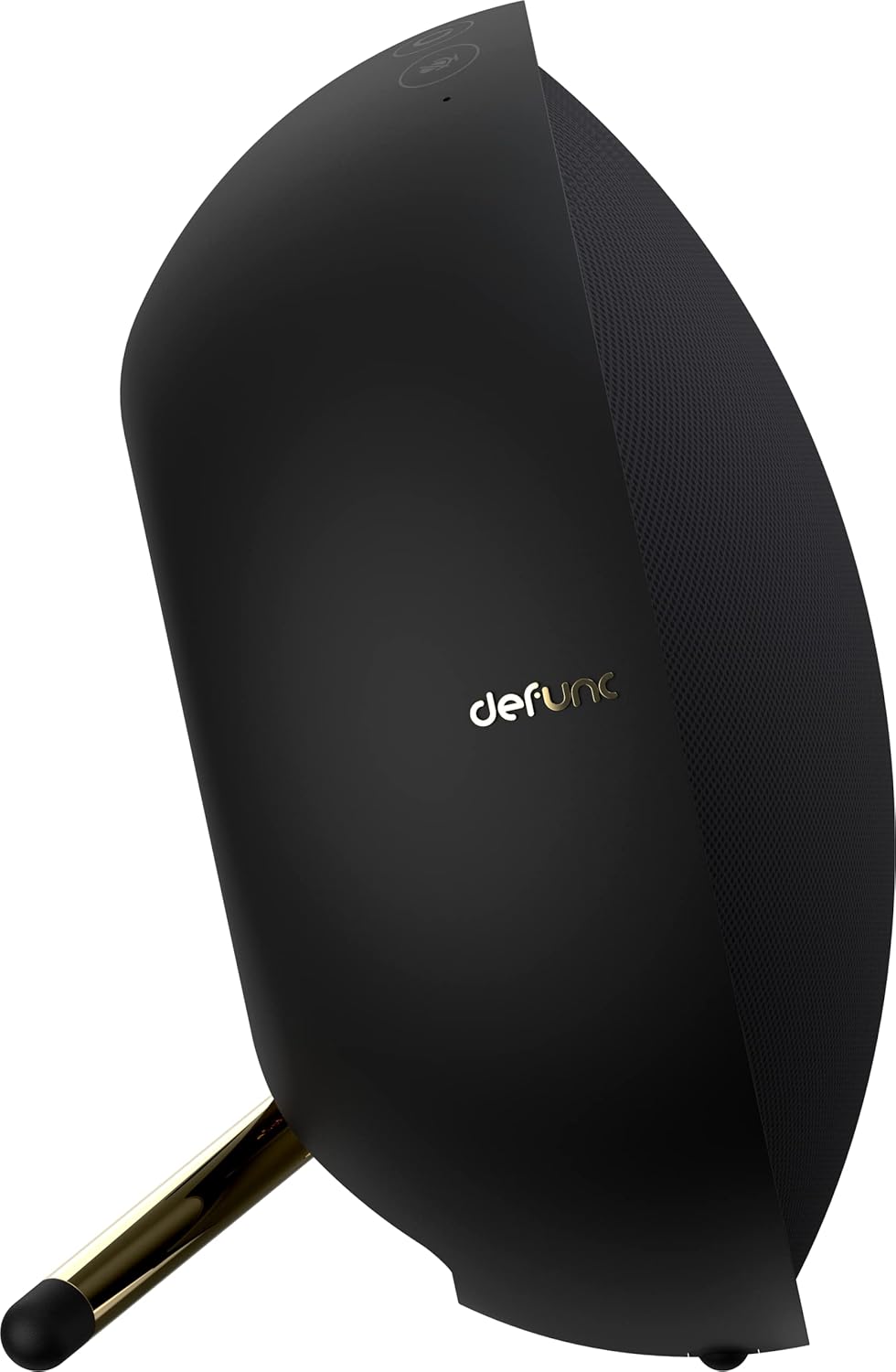
Attēls: Augšpusē view of the Defunc Home speaker, displaying control buttons.
Atskaņošanas vadība
Playback (play, pause, skip tracks) can be controlled through the Defunc HOME app, your streaming application, or the physical controls on the speaker.
Savienojamība
Wi-Fi Connection (Defunc HOME App)
For multiroom audio, Alexa, and Airplay2 functionality, connect your speaker to your home Wi-Fi network using the Defunc HOME app. This provides the most stable and feature-rich experience.
Bluetooth savienojums
- Pārliecinieties, vai skaļrunis ir ieslēgts.
- Press and hold the Bluetooth pairing button on the speaker (refer to the diagram in the app or on the speaker for exact location) until the indicator light flashes, indicating pairing mode.
- On your device (smartphone, tablet), go to Bluetooth settings and select "Defunc Home" from the list of available devices.
- Kad ierīce ir savienota pārī, indikatora gaisma deg nepārtraukti.
AUX IN savienojums
Connect an external audio source (e.g., MP3 player, CD player) to the AUX IN port on the speaker using a 3.5mm audio cable. The speaker will automatically switch to AUX mode or you may need to select it via the app or speaker controls.
Defunc HOME App Functionality
The Defunc HOME app is central to managing your speaker system. It allows you to:
- Vairāku telpu vadība: Group up to 32 speakers for synchronized audio or assign different audio to individual speakers.
- Ekvalaizera iestatījumi: Pielāgot audio profesionālifiles, lai atbilstu jūsu vēlmēm.
- Stereo/Mono Mode: Switch between stereo and mono playback for individual speakers or grouped pairs.
- Avota izvēle: Easily switch between Wi-Fi, Bluetooth, and AUX input.
- Programmaparatūras atjauninājumi: Receive and install updates to enhance speaker performance and features.
- Viedā asistenta integrācija: Manage Alexa and Airplay2 settings.
Apkope
Tīrīšana
Wipe the speaker's exterior with a soft, dry cloth. Do not use liquid cleaners or abrasive materials, as these can damage the finish. Ensure the speaker is unplugged before cleaning.
Uzglabāšana
Ja skaļrunis ilgstoši netiek lietots, uzglabājiet to vēsā, sausā vietā, pasargājot no tiešiem saules stariem un ekstremālām temperatūrām.
Problēmu novēršana
| Problēma | Iespējamais cēlonis | Risinājums |
|---|---|---|
| Nav spēka | Strāvas kabelis nav pievienots; kontaktligzda nedarbojas. | Ensure power cable is securely connected to speaker and a working electrical outlet. |
| Nav skaņas | Volume too low; incorrect input source; device not paired/connected. | Increase volume. Check selected input source (Wi-Fi, Bluetooth, AUX). Re-pair Bluetooth device or check Wi-Fi connection in app. |
| Bluetooth atvienošana | Ierīce ārpus diapazona; traucējumi. | Move device closer to speaker. Avoid obstacles. Re-pair if necessary. |
| Wi-Fi savienojamības problēmas | Incorrect Wi-Fi password; router issues; speaker too far from router. | Verify Wi-Fi password in the Defunc HOME app. Restart your router. Move speaker closer to router. |
| Alexa/Airplay2 Not Responding | Not properly linked; network issues. | Check account linking in the Defunc HOME app. Ensure stable Wi-Fi connection. |
Specifikācijas
| Funkcija | Detaļas |
|---|---|
| Zīmols | Defunc |
| Modeļa numurs | D2072 |
| Produkta izmēri | 8.5D x 20W x 20H centimetri |
| Preces svars | 2 kilogrami |
| Krāsa | Melns |
| Savienojamības tehnoloģija | Bluetooth, WiFi |
| Bezvadu sakaru tehnoloģija | Wi-Fi |
| Skaļruņa izejas jauda | 40 Watts (for this model) |
| Frekvences reakcija | 20 GHz |
| Audio izvades režīms | Stereo |
| Kontroles metode | Pieteikums |
| Saderīgas ierīces | Viedtālrunis |
| Ieteicamie lietojumi | Mājas audio |
| Barošanas avots | Elektrība ar vadu |
| Materiāls | Plastmasa |
| Īpašas funkcijas | Bluetooth, Multi-room capability, Alexa, Airplay2 |
Garantija un atbalsts
Garantijas informācija
Your Defunc Home speaker comes with a standard manufacturer's warranty. Please refer to the included Warranty Card for specific terms, conditions, and duration of coverage. Keep your proof of purchase for warranty claims.
Klientu atbalsts
For technical assistance, troubleshooting beyond this manual, or warranty inquiries, please visit the official Defunc website or contact their customer support. Contact details can typically be found on the warranty card or the Defunc webvietne.


