Ievads un beigasview
The FLEXISPOT EN2 Whole-Piece Standing Desk is designed to provide a versatile and ergonomic workspace, allowing seamless transitions between sitting and standing positions. This electric height-adjustable desk features a durable, single-piece desktop, integrated power outlets, and intuitive controls for enhanced productivity and comfort in any office or home environment.

Image: The FLEXISPOT EN2 Standing Desk, showcasing its spacious rustic brown desktop, black frame, and integrated power strip, set up with dual monitors and various office accessories.
Galvenās iezīmes
- Removable Desktop Power Outlet: Equipped with 3 AC power outlets and 2 USB charging ports for convenient device charging. Can be clipped to the back or side of the desk.
- Ampvisa gabala darbvirsma: A 1" eco-friendly desktop (55" x 28") provides generous space for computer setups, documents, and accessories.
- 4 Memory Buttons: A 6-button digital controller with 4 programmable memory presets allows easy switching between sitting and standing heights (28.1" to 45.7").
- Izturīga konstrukcija: Industrial-grade steel frame and solid tabletop support up to 176 pounds, rigorously tested for performance and safety.
- Klusa darbība: The motorized height-adjustable system operates smoothly and quietly at less than 50 dB.
- Kabeļu vadība: Includes devices to help tidy up your workspace and manage cables effectively.

Image: Detail of the removable desktop power outlet, highlighting its 3 AC outlets and 2 USB charging ports for easy access.

Image: The 6-button digital controller with a clear display, showing the current height and four programmable memory presets for quick adjustments.
Iepakojuma saturs
Your FLEXISPOT EN2 Standing Desk will arrive in two separate packages, which may be shipped independently. Please ensure you have received both packages before beginning assembly.
- Desktop (55" Rustic Brown)
- Desk Frame (Black)
- Digitālais kontrolieris
- Removable Desktop Power Outlet (3 AC, 2 USB)
- Cable Management Devices
- Assembly Hardware and Tools (Note: Electric drill not included, but may be required for some steps.)
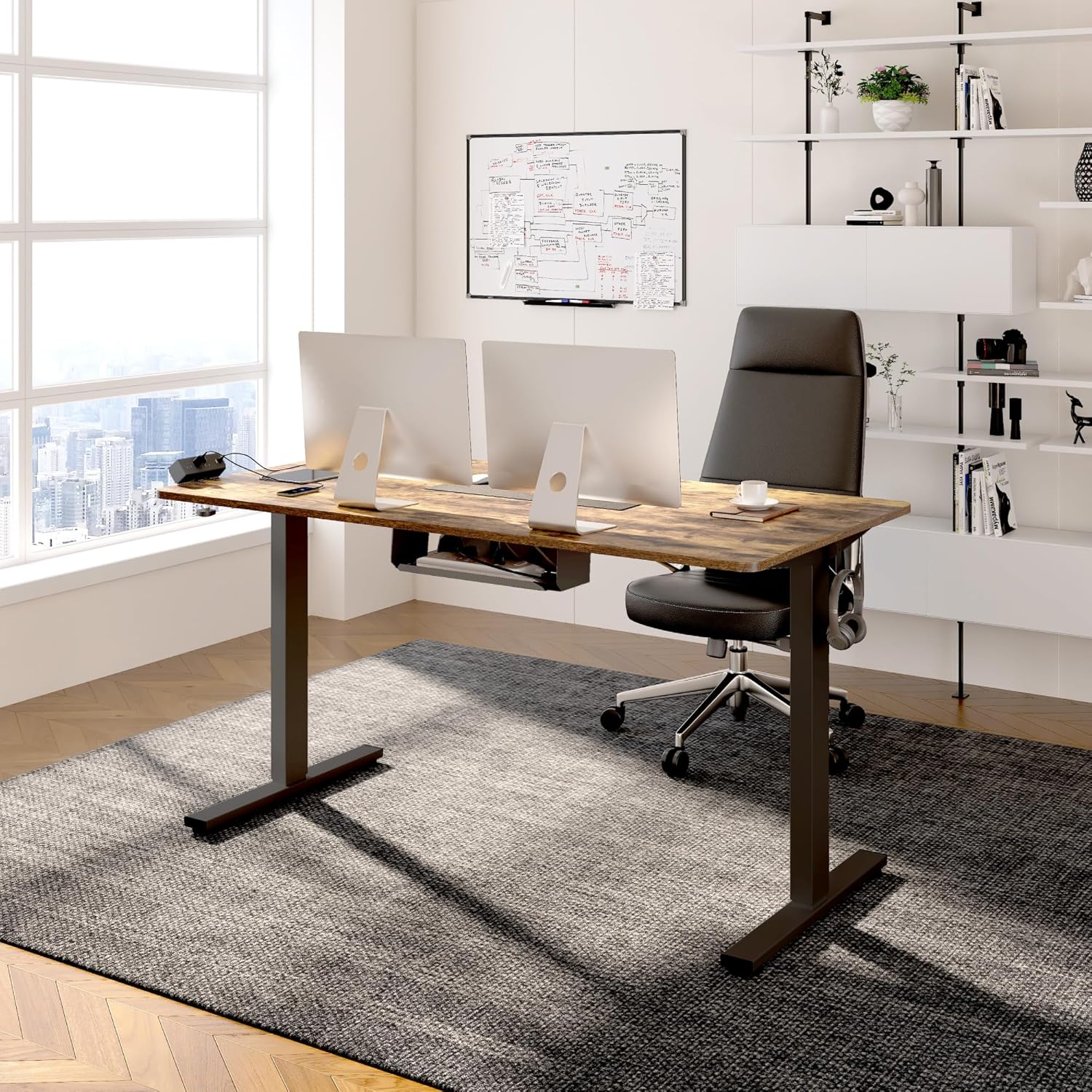
Image: Illustration showing the two separate packages for the FlexiSpot desk: one for the desktop and one for the desk frame.
Drošības informācija
Please read all instructions carefully before assembly and use. Keep children and pets away from the desk during operation. Ensure all cables are properly managed to prevent tripping hazards and interference with the desk's movement. Do not overload the desk beyond its maximum weight capacity of 176 pounds. Assembly may require an electric drill, which is not included. Always ensure the desk is level and stable before placing heavy items on it.
Uzstādīšana un montāža
Assembly is straightforward, but it is recommended to have two people for easier installation. An electric drill may be helpful for certain steps, particularly for securing the controller and horizontal support bar.
- Izpakojiet sastāvdaļas: Carefully remove all parts from both packages and lay them out on a clean, soft surface to prevent scratches. Verify all components are present against the packing list.
- Salieciet galda rāmi: Follow the detailed instructions provided in the included manual to assemble the desk frame. Pay close attention to the crossbar adjustment; ensure screws are loose enough to extend the crossbar to its full length before tightening in a later step.
- Pievienot darbvirsmu: Carefully place the desktop upside down on a soft surface. Align the assembled desk frame with the pre-drilled holes on the desktop. Secure the frame to the desktop using the provided screws.
- Instalējiet kontrolieri: The controller can be mounted on either the left or right side of the desk. While pre-drilled holes may exist, you might need to drill pilot holes for optimal security, especially for the controller and additional horizontal support bar areas.
- Install Power Outlet and Cable Management: Attach the removable power outlet to your desired location (back or side of the desktop) using its clamp mechanism. Utilize the included cable management devices to route and secure all power and device cables, ensuring they do not interfere with the desk's movement.
- Flip and Level Desk: With assistance, carefully flip the assembled desk upright. Adjust the leveling feet at the bottom of the desk legs to ensure the desk is stable and level on your floor.

Image: A visual comparison demonstrating effective cable management, transforming a cluttered setup into a neat and organized workspace.
Lietošanas instrukcijas
The FLEXISPOT EN2 desk features an intuitive digital controller for easy height adjustments and memory presets.
- Augstuma regulēšana: Izmantojiet ▲ (uz augšu) un ▼ (down) arrow buttons on the digital controller to manually adjust the desk height. The current height will be displayed on the LED screen.
- Atmiņas iestatījumu iestatīšana: The controller has four programmable memory buttons (1, 2, 3, 4). To set a preset:
- Pielāgojiet rakstāmgaldu vēlamajam augstumam.
- Press and hold one of the memory buttons (1-4) until the display flashes or beeps, indicating the height has been saved.
- Atmiņas iestatījumu izmantošana: Simply press the corresponding memory button (1-4) to automatically move the desk to your saved sitting or standing position. The desk will move smoothly and quietly.
- Izmantojot strāvas kontaktligzdu: Plug your electronic devices into the 3 AC outlets or use the 2 USB charging ports on the removable power strip for convenient charging directly from your desk.
Video: An official FLEXISPOT video demonstrating the features and operation of the standing desk, including height adjustment and integrated power solutions.
Apkope
To ensure the longevity and optimal performance of your FLEXISPOT EN2 Standing Desk, follow these simple maintenance guidelines:
- Tīrīšana: Wipe the desktop surface regularly with a soft, damp cloth. Avoid abrasive cleaners or harsh chemicals that could damage the finish. For stubborn marks, a mild soap solution can be used.
- Pārbaudiet savienojumus: Periodically inspect all electrical connections and cables to ensure they are secure and free from damage. Ensure cables are not pinched or tangled, especially during height adjustments.
- Eļļošana: The motorized components are generally maintenance-free. Do not attempt to lubricate internal mechanisms unless specifically instructed by FLEXISPOT support.
Problēmu novēršana
If you encounter any issues with your FLEXISPOT EN2 Standing Desk, refer to the common troubleshooting tips below:
| Problēma | Iespējamais cēlonis/risinājums |
|---|---|
| Desk does not move / No power. | Check if the power cord is securely plugged into both the desk and a working wall outlet. Ensure the power outlet is switched on. |
| Galds ir nestabils vai nekustīgs. | Ensure all assembly screws are tightened. Adjust the leveling feet at the bottom of the desk legs to compensate for uneven flooring. Avoid placing excessive weight on one side of the desk. |
| Motors rada neparastu troksni. | A slight hum is normal. If the noise is loud or unusual, check for any obstructions under the desk or contact customer support. |
| Height adjustment is not smooth. | Ensure the desk is not overloaded. Check for any obstructions that might be hindering movement. |
If the above steps do not resolve the problem, please contact FLEXISPOT customer support for further assistance.
Specifikācijas
| Atribūts | Detaļas |
|---|---|
| Zīmols | FLEXISPOT |
| Modelis | EN2 |
| Darbvirsmas izmēri | 55 cm platums x 28 cm dziļums x 1 cm augstums |
| Krāsa | Black Frame + Rustic Brown Desktop |
| Augstuma regulēšanas diapazons | 28.1" līdz 45.7" |
| Svara ietilpība | Līdz 176 mārciņām |
| Trokšņa līmenis | Mazāk par 50 dB |
| Strāvas kontaktligzda | 3 AC Outlets (125V/12A), 2 USB Charging Ports (5V/2A) |
| Nepieciešama montāža | Jā (ieteicams 2 cilvēkiem) |
| Materiāls | Alloy Steel Frame, Wood Desktop |
Garantija un atbalsts
FLEXISPOT stands behind the quality of its products. Your EN2 Standing Desk comes with the following warranty coverage:
- 5 gadu garantija: Applies to frames, motors, and other mechanical devices.
- 2 gadu garantija: Applies to controllers, switches, and electronics.
For any questions, technical support, or warranty claims, please contact FLEXISPOT Customer Support. You can find contact information on the official FLEXISPOT webvietnē vai izmantojot jūsu pirkumu platformu.


