Ievads
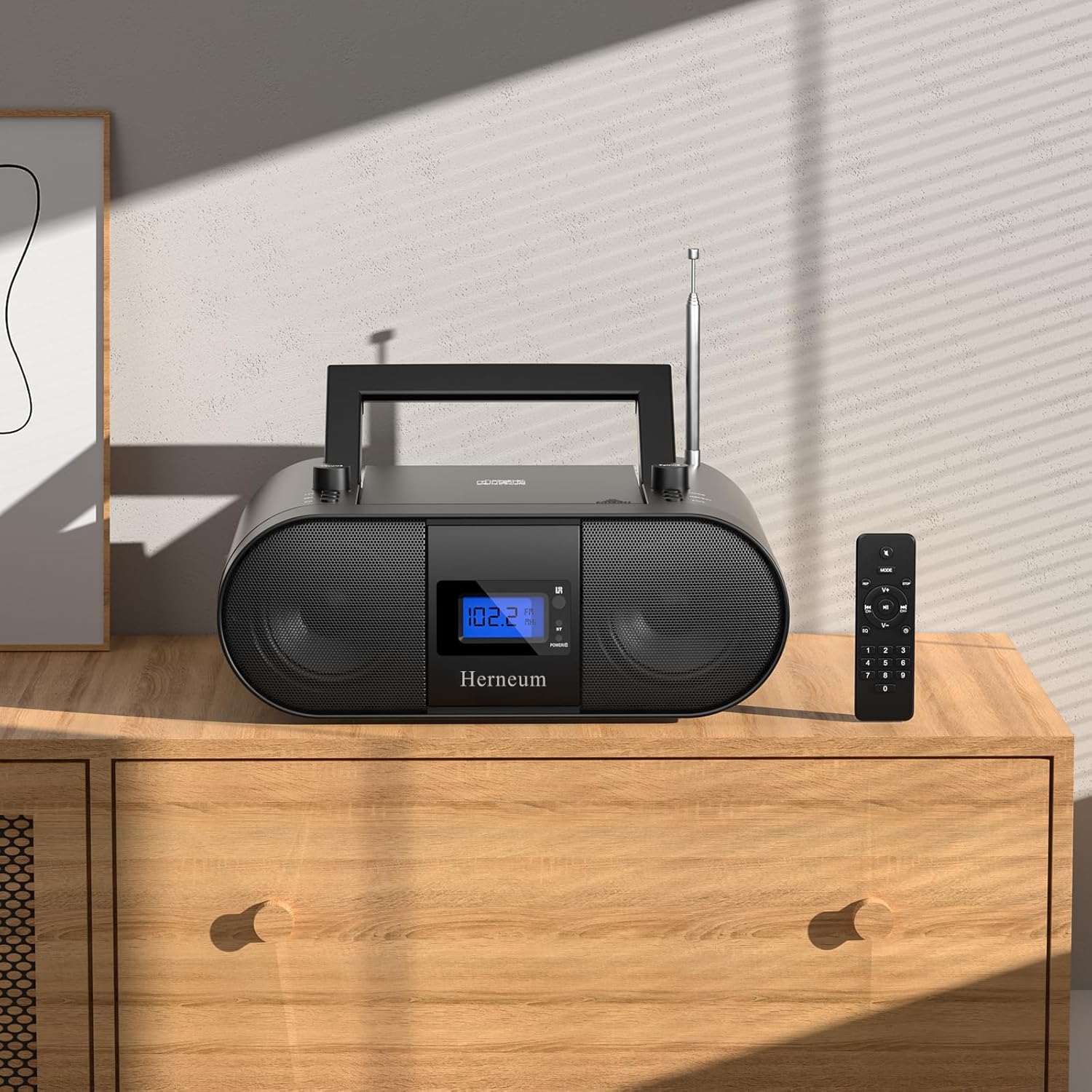
This manual provides essential instructions for the safe and efficient operation of your Herneum FC Portable CD Player Boombox. Please read this manual thoroughly before using the device and retain it for future reference.
Produkta īpašības
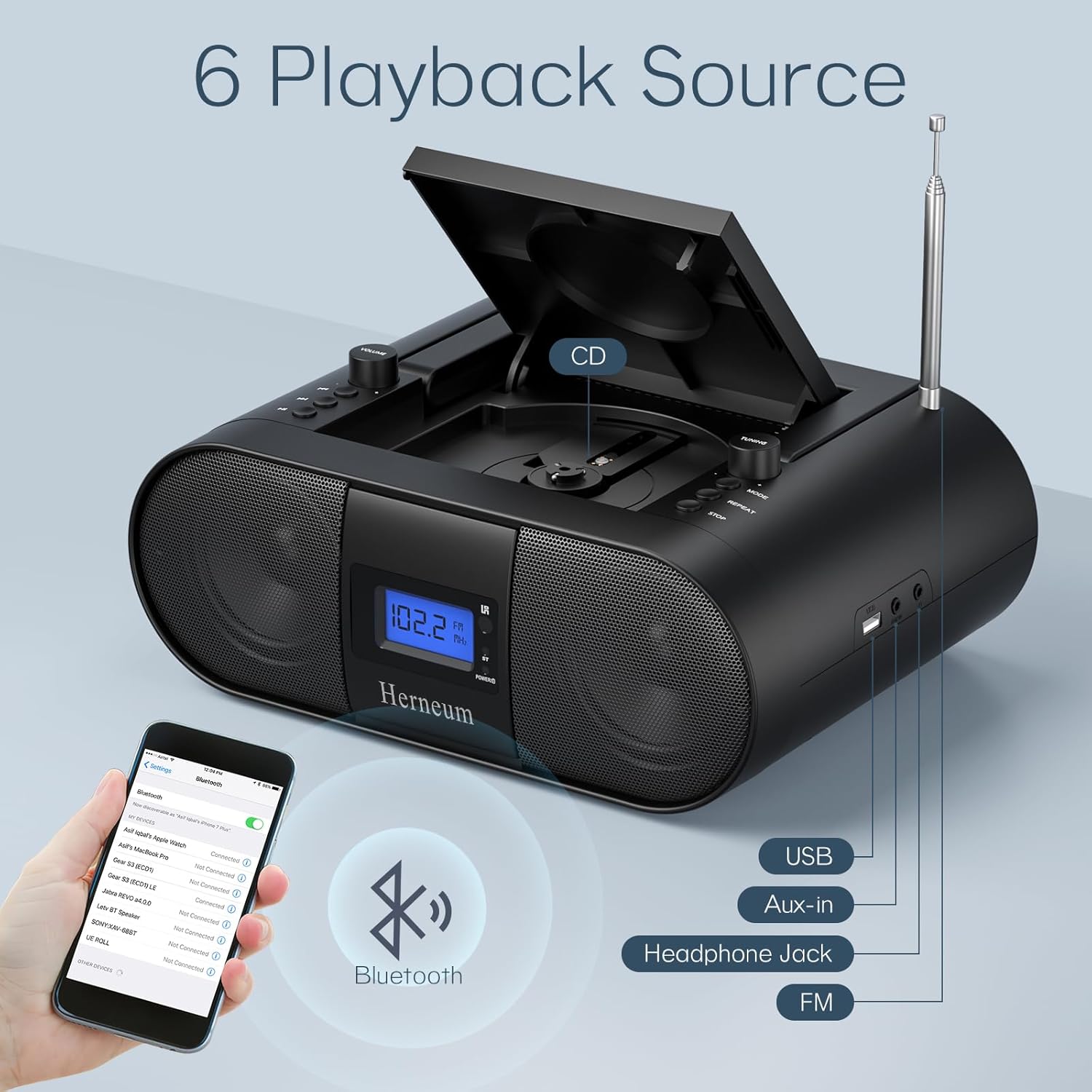
- Pārnēsājamais CD atskaņotājs: Top-loading CD player with play/pause, skip, and repeat functions.
- FM radio: Built-in FM radio with telescopic antenna for enhanced reception.
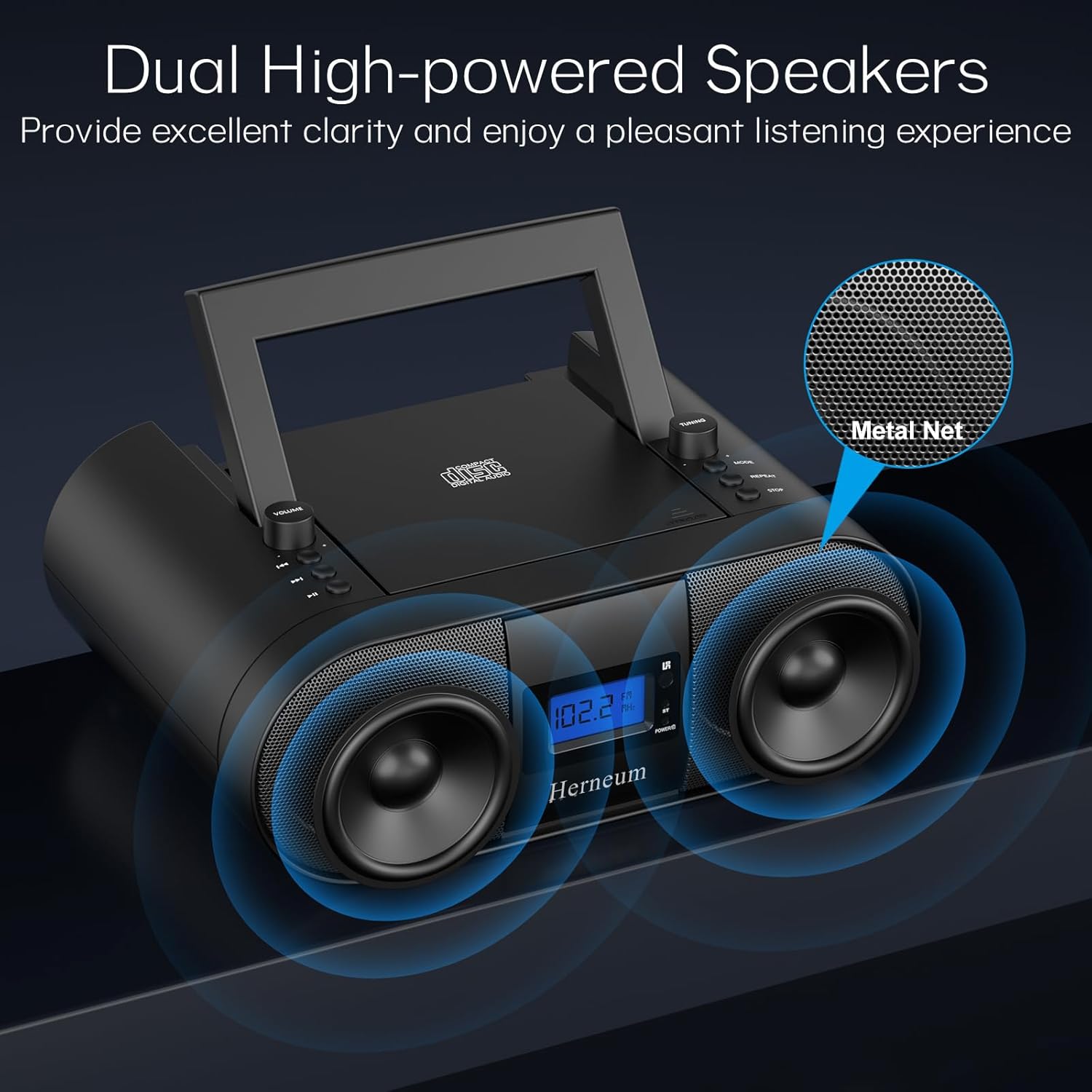
- Dual Stereo Sound System: High-performance speakers for clear audio.
- Uzlādējams akumulators: Integrated 2000mAh battery providing 4-5 hours of playback.
- Bluetooth savienojums: Bezvadu audio straumēšana no saderīgām ierīcēm.
- Vairākas ievades: Supports USB and AUX-in for versatile audio sources.
- Austiņu izeja: Privātai klausīšanai.
- Tālvadības pults: Convenient operation from a distance, including sleep timer function.
Iepakojuma saturs
Pārliecinieties, ka, izsaiņojot iepakojumu, ir visas sastāvdaļas:
- Herneum FC Portable CD Player Boombox
- Tālvadības pults
- Lietotāja rokasgrāmata
- Strāvas kabelis
Drošības informācija
- Nepakļaujiet ierīci lietus vai mitruma iedarbībai.
- Nenovietojiet ierīci siltuma avotu tuvumā vai tiešos saules staros.
- Neatveriet ierīci casing; apkopes darbus uzticiet kvalificētam personālam.
- Uzglabāt bērniem nepieejamā vietā.
- Izmantojiet tikai komplektācijā iekļauto strāvas adapteri.
Iestatīšana
1. Ierīces barošana
The Herneum FC can be powered by its internal rechargeable battery or by connecting it to an AC power outlet.
- Maiņstrāvas jauda: Connect the provided power cable to the "Power socket" (19) on the back of the unit and then to a wall outlet.
- Uzlādējams akumulators: The unit has a built-in 2000mAh rechargeable battery. It charges automatically when connected to AC power. A full charge provides approximately 4-5 hours of playback.
2. Antenas regulēšana
For optimal FM radio reception, extend the telescopic antenna fully and adjust its position.

Lietošanas instrukcijas
1. Vispārīgās kontroles
The device features various controls on its top panel and a remote control for convenient operation.

- Barošanas slēdzis (18): Atrodas ierīces aizmugurē.
- Volume +/- (1): Pielāgo audio izvades līmeni.
- Režīms (7): Pārslēdzas starp CD, FM, Bluetooth, USB un AUX režīmiem.
- Displejs (14): Shows current mode, track number, and FM frequency.
2. CD atskaņošana
- Open the CD compartment (10) by gently lifting the lid.
- Ievietojiet kompaktdisku ar etiķetes pusi uz augšu.
- Aizveriet CD nodalījumu.
- Nospiediet pogu Režīms button (7) to select CD mode.
- Nospiediet Atskaņot/Pauzēt (4), lai sāktu atskaņošanu.
- Izmantot Iepriekšējais celiņš (2) un Nākamais celiņš (3) to navigate tracks.
- Nospiediet Atkārtojiet (8) for single track or all track repeat.
- Nospiediet Stop (9), lai pārtrauktu atskaņošanu.
3. FM radio darbība
- Izvelciet teleskopisko antenu.
- Nospiediet pogu Režīms button (7) to select FM radio mode.
- Izmantot Tuning +/- (6) to manually tune to a station.
- For automatic scanning, press and hold Tuning +/- (6).
4. Bluetooth savienojums
- Nospiediet pogu Režīms button (7) to select Bluetooth mode. The display will show "BT" and flash, indicating it's ready for pairing.
- On your mobile device, enable Bluetooth and search for "Herneum FC" (or similar device name).
- Select the device to pair. Once connected, the "BT" indicator will stop flashing.
- Tagad varat straumēt audio no savas ierīces uz boombox atskaņotāju.
5. USB atskaņošana
- Insert a USB drive containing MP3/WMA files into the USB PORT (11).
- Nospiediet pogu Režīms button (7) to select USB mode.
- Playback will start automatically. Use track navigation buttons to select songs.
6. AUX ieejas savienojums
- Connect an external audio device (e.g., smartphone, MP3 player) to the AUX-in jack (12) using a 3.5mm audio cable.
- Nospiediet pogu Režīms button (7) to select AUX mode.
- Kontrolējiet atskaņošanu un skaļumu no ārējās ierīces.
7. Austiņu lietošana
Plug headphones into the Headphone jack (13) for private listening. The speakers will automatically mute.
8. Tālvadības pults
The included remote control allows for convenient operation of all functions from a distance. Insert 2 x AAA batteries (not included) into the remote.
- Izslēgt/ieslēgt skaņu: Temporarily silences or restores audio.
- Izlaist dziesmu: Pāriet uz nākamo vai iepriekšējo ierakstu.
- Change Radio: Adjusts FM frequency.
- Kontroles skaļums: Palielina vai samazina skaļumu.
- Stop Playing: Halts current playback.
- EQ režīms: Adjusts sound equalization settings.
- Miega taimeris: Set preferred running time (15, 30, 45, 60, or 90 minutes).

Apkope
- Tīrīšana: Ierīces ārpuses tīrīšanai izmantojiet mīkstu, sausu drānu. Nelietojiet abrazīvus tīrīšanas līdzekļus vai šķīdinātājus.
- CD kopšana: Rīkojieties ar kompaktdiskiem aiz malām. Netīrus kompaktdiskus tīriet ar mīkstu, neplūksnojošu drānu, slaukot virzienā no centra uz āru.
- Uzglabāšana: When not in use for extended periods, store the boombox in a cool, dry place.
Problēmu novēršana
| Problēma | Iespējamais cēlonis | Risinājums |
|---|---|---|
| Nav jaudas | Power cable not connected; battery drained; power switch off. | Check power cable connection; charge battery; ensure power switch (18) is ON. |
| CD not playing/skipping | CD dirty or scratched; CD inserted incorrectly; CD compartment not closed. | Clean or replace CD; ensure CD is label-side up; close compartment firmly. |
| Slikta FM uztveršana | Antenna not extended/adjusted; weak signal. | Izstiepiet un noregulējiet antenu; mēģiniet pārvietot ierīci uz citu vietu. |
| Bluetooth netiek savienots pārī | Ierīce nav savienošanas pārī režīmā; ārējā ierīcē ir atspējots Bluetooth. | Ensure boombox is in Bluetooth mode; enable Bluetooth on your device and search again. |
| Tālvadības pults nedarbojas | Batteries drained or inserted incorrectly; obstruction between remote and unit. | Replace remote batteries; ensure correct polarity; remove obstructions. |
Specifikācijas
- Modelis: FC
- Zīmols: Herneum
- Produkta izmēri: 12.6 x 8.66 x 5.9 collas
- Preces svars: 4.36 mārciņas
- Savienojamības tehnoloģija: Bluetooth, CD, USB, AUX-in, FM Radio
- Krāsa: Melns
- Skaļruņa tips: Divkāršais runātājs
- Akumulators: Iebūvēts 2000mAh uzlādējams akumulators
- Playback Time (Battery): 4-5 stundas
Garantija un atbalsts
The Herneum FC Portable CD Player Boombox comes with an 18-month warranty. For warranty claims, technical support, or any inquiries, please contact Herneum customer service.
Visit the official Herneum store for more information: Herneum Store


