Ievads
The Alarm.com ADC-V724X is an advanced outdoor Wi-Fi camera designed to enhance the security of your property. It features High Dynamic Range (HDR) for clear imaging, two-way audio for communication, 1080p resolution, and a wide 117-degree field of view. Equipped with Video Analytics and IR Night Vision, it provides intelligent detection and monitoring capabilities. The camera also includes a MicroSD card slot for local storage and boasts an IP66 ingress protection rating, ensuring durability in various outdoor conditions.
Drošības informācija
- Ensure the camera is installed by a qualified professional or with proper safety precautions.
- Use only the specified 12VDC power supply.
- Nepakļaujiet kameru ekstremālām temperatūrām ārpus tās darbības diapazona.
- Avoid direct exposure of the lens to strong light sources for extended periods.
- Pirms jebkādas apkopes vai tīrīšanas atvienojiet strāvas padevi.
- Uzglabāt bērniem nepieejamā vietā.
Iepakojuma saturs
Pārliecinieties, vai iepakojumā ir visi priekšmeti:
- Alarm.com ADC-V724X Outdoor Wi-Fi Camera
- Stiprinājuma aparatūra (skrūves, enkuri)
- Uzstādīšanas rokasgrāmata
- Power Adapter (12VDC)
Iestatīšana
1. Fiziskā uzstādīšana
The ADC-V724X camera is designed for outdoor wall mounting. Choose a location that provides the desired field of view un atrodas jūsu Wi-Fi tīkla darbības rādiusā.
- Sagatavojiet montāžas virsmu: Use the included mounting template (if provided) or the camera base to mark drill holes.
- Urbt caurumus: Drill pilot holes for the mounting screws. Insert wall anchors if mounting into drywall or masonry.
- Nostipriniet stiprinājumu: Attach the camera's mounting base securely to the surface using the provided screws.
- Pievienojiet kameru: Connect the camera body to the mounted base. Adjust the camera angle for optimal coverage.

1. attēls. Priekšpuse view of the ADC-V724X camera, highlighting its compact design and lens.
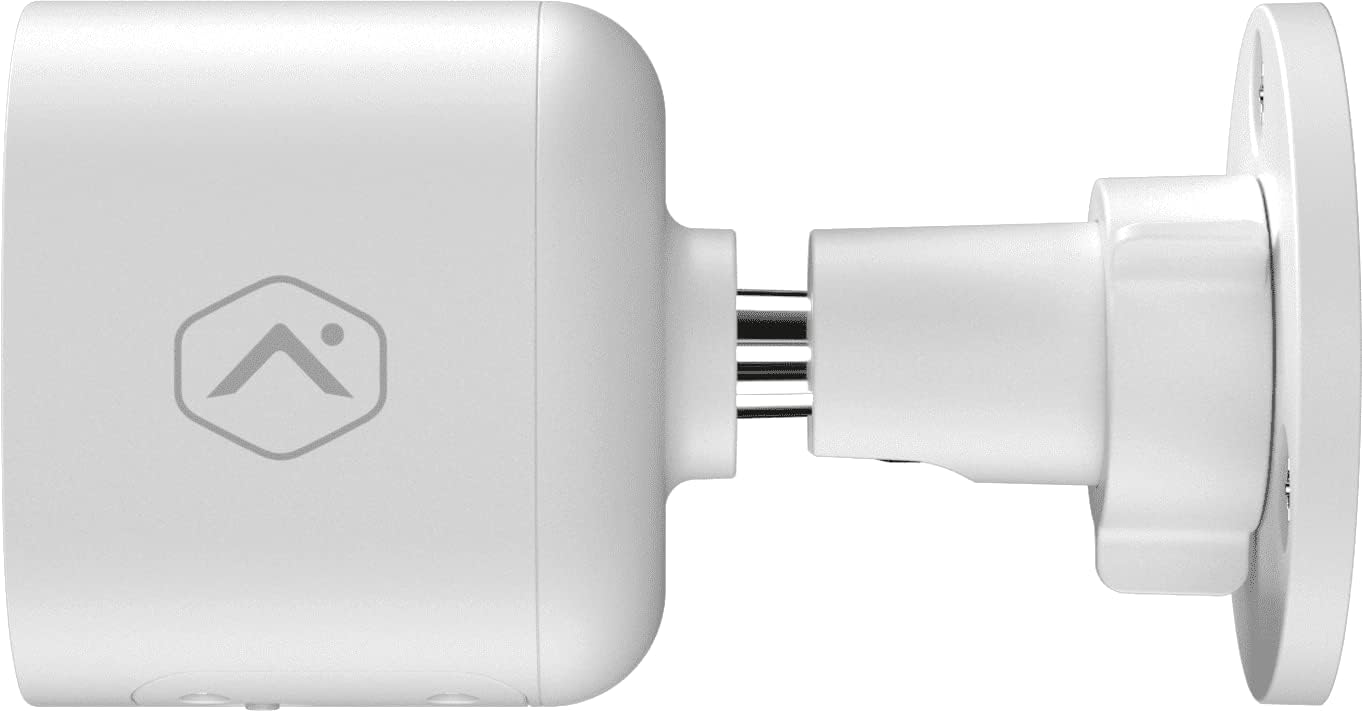
2. attēls: Sānu profilsfile of the camera, illustrating how it connects to the wall mount.

3. attēls: Leņķis view of the camera, demonstrating its adjustable mounting capabilities.
2. Strāvas pieslēgums
Connect the provided 12VDC power adapter to the camera's power input. Ensure the connection is secure and protected from weather elements if applicable.
3. Tīkla savienojums (Wi-Fi)
The ADC-V724X connects to your network via Wi-Fi (2.4 or 5 GHz). Integration with your Alarm.com system typically requires activation through your Alarm.com service provider.
- Ieslēgšana: Plug in the camera. The LED indicator will show its status (refer to LED status guide in your Alarm.com app or provider's documentation).
- Add to System: Contact your Alarm.com service provider to add the camera to your existing security system. They will guide you through the process, which often involves scanning a QR code on the camera or entering its MAC address.
- Wi-Fi konfigurēšana: Your service provider will assist in connecting the camera to your home Wi-Fi network through the Alarm.com app or webvietne.

4. attēls. Aizmugure view of the camera, displaying the QR code and product information essential for system integration.
Kameras darbība
Once installed and connected, the ADC-V724X camera operates primarily through the Alarm.com Customer Webvietne un mobilā lietotne.
Tiešraidē View un Ierakstīšana
- Piekļuve tiešraides plūsmai: Open the Alarm.com app or website, navigate to the camera section, and select the ADC-V724X to view tā tiešraide.
- Onboard Recording (Smart View): The camera supports local recording to a MicroSD card (sold separately, up to 512 GB). This allows for continuous, encrypted recordings that can be viewed from anywhere via the Alarm.com platform.
- Mākoņa ierakstīšana: Depending on your Alarm.com service plan, video clips triggered by events (e.g., motion) will be uploaded to the cloud for secure storage and access.
Divvirzienu audio
Kamerai ir iebūvēts mikrofons un skaļrunis, kas nodrošina divvirzienu saziņu.
- Uzsākt komunikāciju: No tiešraides view in the Alarm.com app, tap the microphone icon to speak through the camera's speaker. Release the icon to listen.
- Audio in Recorded Clips: Audio is included in recorded video clips, providing additional context for events.
Video Analytics and Alerts
Configure Video Analytics rules through your Alarm.com account to receive smarter, more relevant alerts.
- Atklāšanas zonas: Definējiet konkrētas zonas kameras darbības laukā view kustības noteikšanai.
- Object Classification: The camera can differentiate between people, animals, and vehicles, reducing false alerts.
- Brīdinājumu iestatījumi: Customize notifications (e.g., push notifications, email) for specific events detected by Video Analytics.
Nakts redzamība (IR)
The camera automatically switches to infrared (IR) night vision in low-light conditions, providing clear black-and-white video.
- Automātiska aktivizēšana: The camera's built-in light sensor detects ambient light levels and activates IR LEDs as needed.
- Optimāla veiktspēja: Ensure no obstructions are blocking the IR illuminators on the camera's front.
Apkope
Kameras tīrīšana
- Objektīvs: Gently wipe the camera lens with a soft, clean, lint-free cloth. If necessary, use a small amount of lens cleaning solution. Avoid abrasive cleaners.
- Pamatteksts: Noslaukiet kameras korpusu ar reklāmuamp audums. Neizmantojiet spēcīgas ķīmiskas vielas vai šķīdinātājus.
- Biežums: Clean the camera periodically, especially if installed in dusty or high-traffic areas, to ensure optimal image quality.
MicroSD karšu pārvaldība
The camera supports a MicroSD card for local storage. The slot is located on the bottom of the camera, protected by a cover.
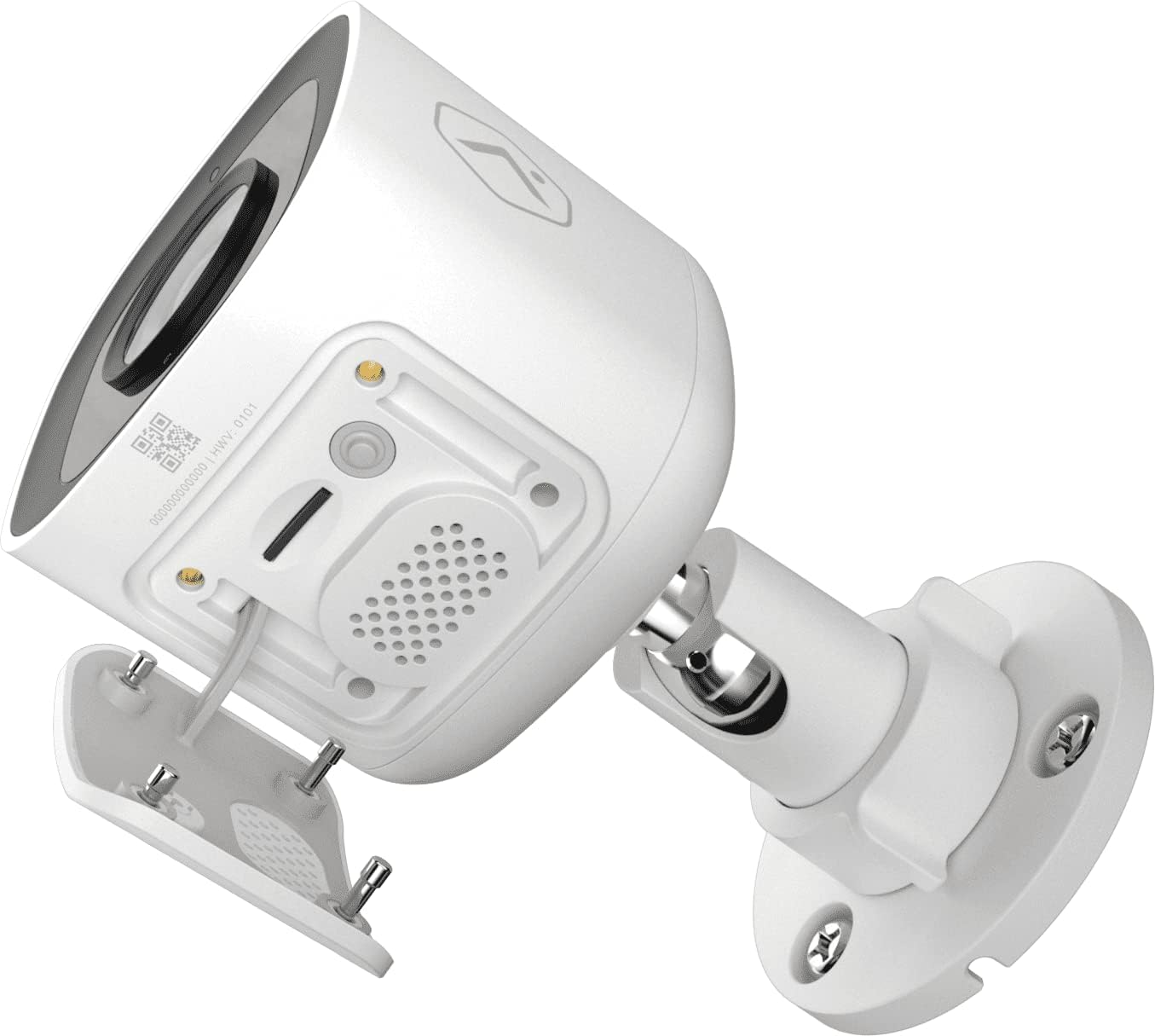
5. attēls: apakšā view of the camera showing the access panel for the MicroSD card slot.
- Uzstādīšana: Carefully insert a compatible MicroSD card (up to 512 GB) into the slot until it clicks into place. Ensure the camera is powered off before insertion or removal.
- Formatēšana: The Alarm.com system may prompt you to format the card upon first use.
- Aizstāšana: If the card becomes full or corrupted, replace it with a new one. Data on the card can be managed through the Alarm.com platform.
Problēmu novēršana
| Problēma | Iespējamais cēlonis | Risinājums |
|---|---|---|
| Kamera neieslēdzas | Nav strāvas, bojāts adapteris, vaļīgs savienojums. | Pārbaudiet strāvas kontaktligzdu un pārliecinieties, vai adapteris ir droši pievienots kamerai un barošanas avotam. |
| Nevar izveidot savienojumu ar Wi-Fi | Incorrect Wi-Fi password, camera too far from router, network interference. | Verify Wi-Fi password. Move camera closer to router or use a Wi-Fi extender. Reduce interference from other devices. Contact your Alarm.com provider for assistance with network setup. |
| Slikta attēla kvalitāte | Netīrs objektīvs, vājš apgaismojums, tīkla joslas platuma problēmas. | Clean the camera lens. Ensure adequate lighting or check night vision settings. Verify stable internet connection. |
| Divvirzienu audio nedarbojas | Microphone/speaker blocked, volume too low, app settings. | Ensure nothing is obstructing the microphone or speaker. Check volume settings in the Alarm.com app. |
| No local recording | No MicroSD card, incompatible card, card full/corrupted. | Insert a compatible MicroSD card. Format the card via the Alarm.com app. Replace the card if corrupted. |
For further assistance, please contact your Alarm.com service provider.
Specifikācijas
| Funkcija | Detaļas |
|---|---|
| Modeļa numurs | V724X |
| Efektīva kameras izšķirtspēja | 2 MP |
| Maksimālā video izšķirtspēja | 1920 x 1080 (1080p pilna HD izšķirtspēja) |
| Lauks View (FOV) | 117 grādi |
| Audio | 2-Way Audio (Microphone and Speaker) |
| Nakts redzamības veids | IR (infrasarkanais) |
| Savienojamība | Wi-Fi (2.4 or 5 GHz) |
| Vietējā krātuve | MicroSD Card Slot (up to 512 GB, sold separately) |
| Iekļūšanas aizsardzības novērtējums | IP66 |
| Barošanas avots | 12VDC |
| Izmēri (G x P x A) | 2.5 x 2.5 x 4.5 collas |
| Svars | 1.46 mārciņas (0.66 kilogrami) |
| Īpašas funkcijas | HDR, Video Analytics, Motion Sensor |
Garantija un atbalsts
For warranty information and technical support, please refer to the documentation provided by your Alarm.com service provider or visit the official Alarm.com website. Support for the ADC-V724X camera is typically handled through your authorized Alarm.com dealer or installer.
Tiešsaistes resursi:


