1. Ievads
Thank you for choosing the Zgrmbo 16-inch Digital Wall Clock. This manual provides detailed instructions for setting up, operating, and maintaining your new clock. Please read this manual thoroughly before use to ensure proper function and longevity of the product.

Image 1.1: Zgrmbo 16-inch Digital Wall Clock with its various display features.
2. Iepakojuma saturs
Lūdzu, pārbaudiet, vai iepakojumā nav šādu priekšmetu:
- Zgrmbo 16-inch Digital Wall Clock (Model DS-6626)
- Tālvadības pults
- USB strāvas kabelis
- Wall Adapter (USB to AC)
- CR2032 Battery (for memory function)
- Mounting Pegs/Screws
- Montāžas veidne
- Lietotāja rokasgrāmata
3. Produkta īpašības
- Liels LED displejs: 16.2-inch screen with 4.25-inch jumbo digits for clear visibility from a distance.
- Daudzfunkciju displejs: Shows time, date, indoor temperature, and day of the week.
- Tālvadības pults: Conveniently adjust settings, brightness, alarms, and timers.
- Regulējams spilgtums: 10-level manual brightness adjustment and an auto-brightness mode that adapts to ambient light.
- Hronometrs un taimeris: Integrated functions for various timing needs.
- Atmiņas funkcija: Built-in CR2032 battery preserves time and settings during power outages (display turns off during battery backup).
- Elastīga montāža: Designed for wall mounting with multiple cable routing options.
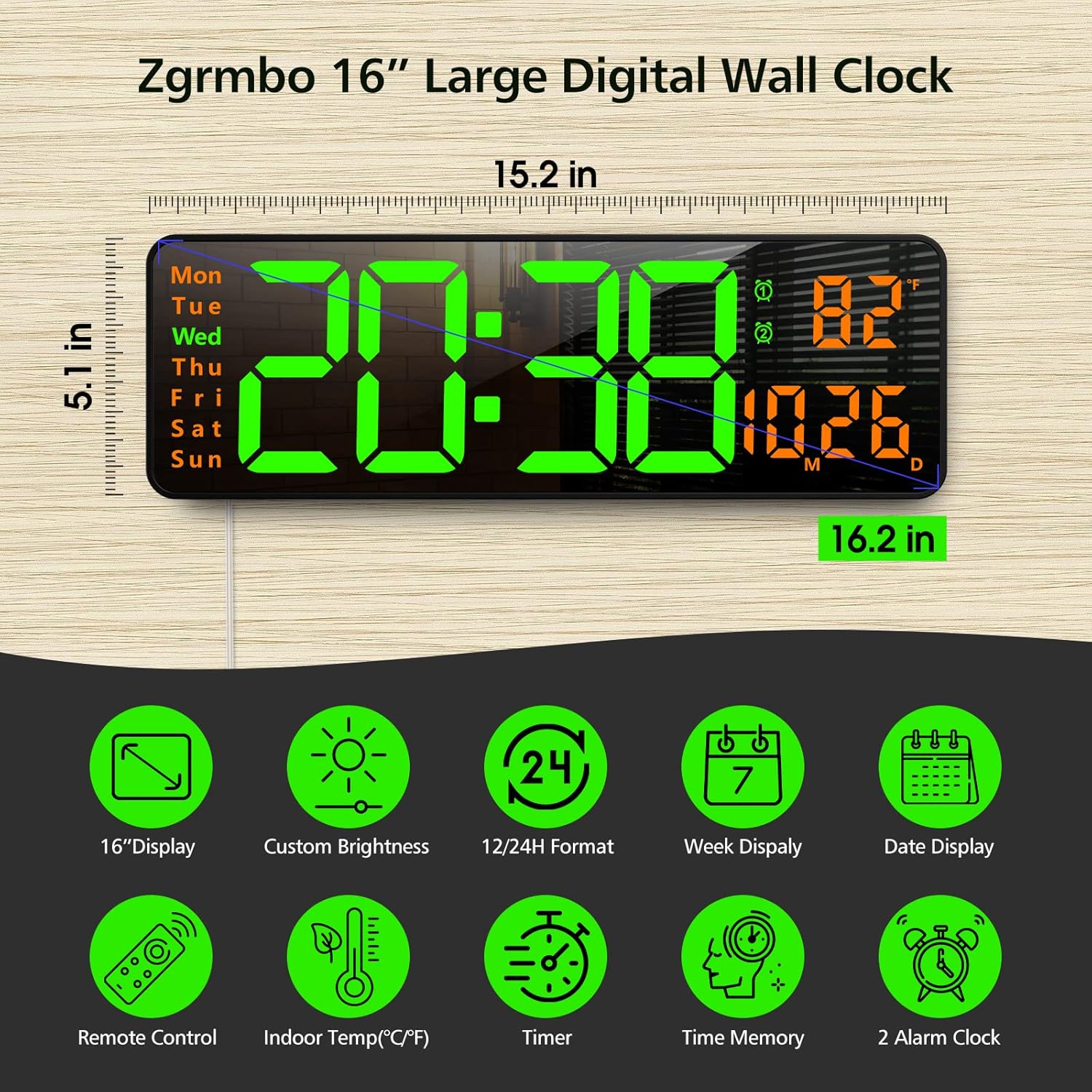
3.1. attēls: beidziesview of the clock's dimensions and primary features.
4. Iestatīšana
4.1. Strāvas pieslēgums
- Insert the CR2032 battery into the battery compartment on the back of the clock. This battery maintains settings during power interruptions.
- Connect the USB power cable to the clock and then to the provided wall adapter.
- Plug the wall adapter into a standard electrical outlet. The clock display will illuminate.
4.2. Sienas montāža
The clock can be easily mounted on a wall using the provided template and hardware.
- Select a desired location on the wall.
- Use the mounting template to mark the positions for the mounting pegs/screws.
- Install the mounting pegs/screws into the marked positions.
- Align the keyhole slots on the back of the clock with the installed pegs/screws and slide the clock into place.
- Route the power cable through one of the designated cutouts on the back of the clock to ensure it lies flush against the wall. Excess cable can be wrapped around the designated area on the back of the clock.
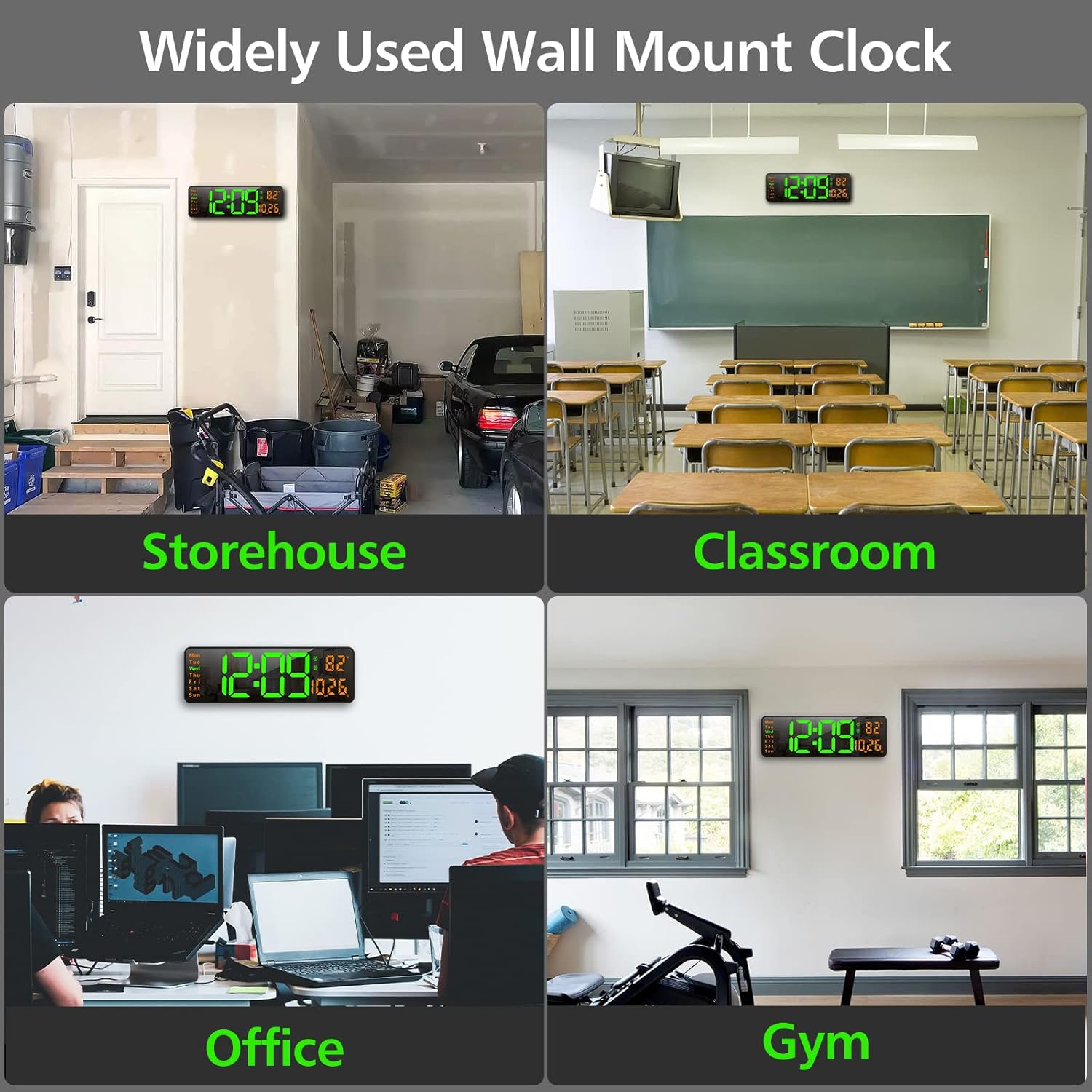
4.1. attēls: Piemērsamples of the clock mounted in different environments.
5. Lietošanas instrukcijas
The clock can be operated using the remote control or the buttons on the back of the unit.
5.1. Remote Control Overview
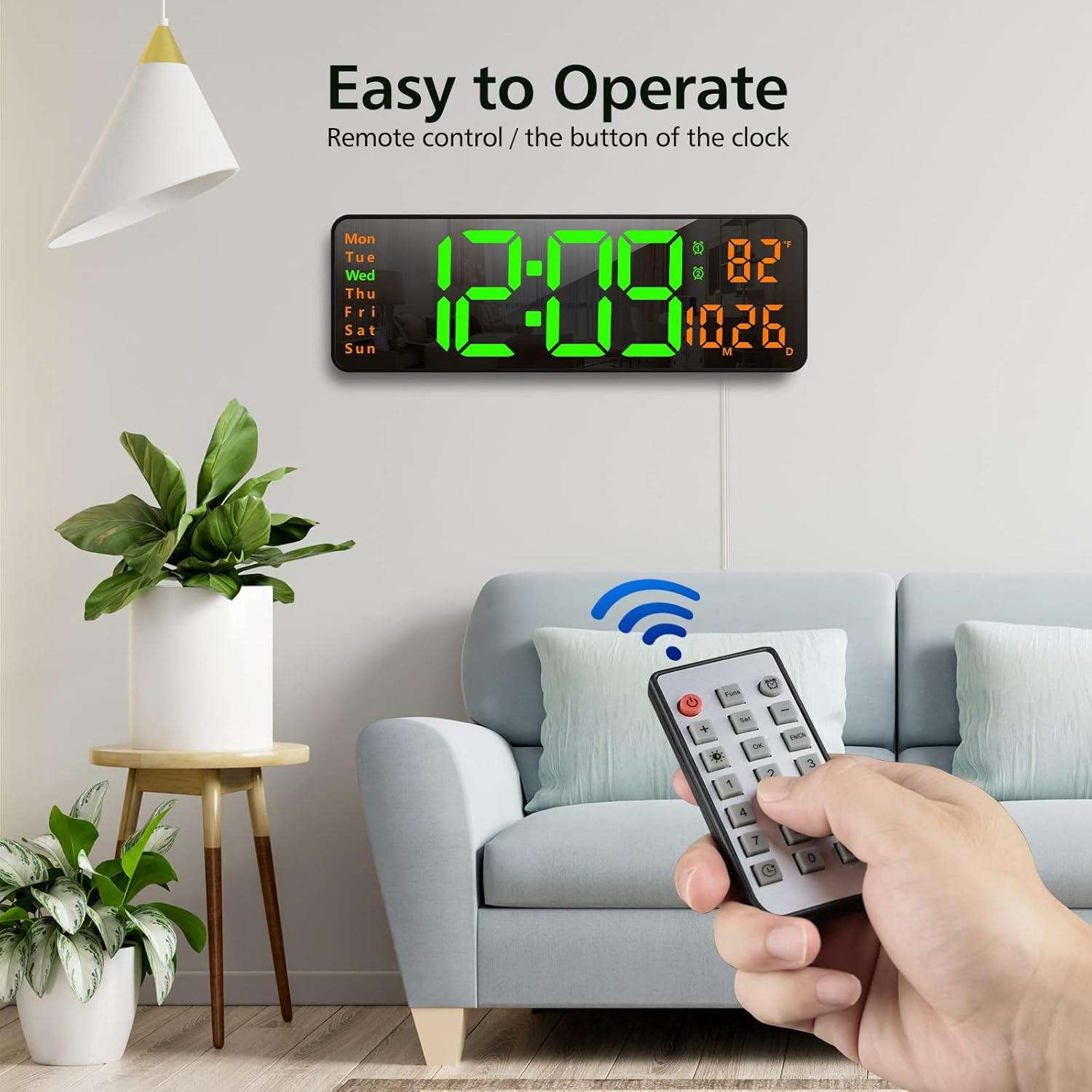
Image 5.1: Using the remote control to operate the clock.
- Barošanas poga: Ieslēdz/izslēdz displeju.
- Funs Button: Cycles through various functions (e.g., time, date, temperature display modes).
- Trauksmes poga: Piekļūst modinātāja iestatījumiem.
- Iestatīšanas poga: Enters setting mode for time, date, etc.
- +/- pogas: Adjust values up or down during setting.
- Brightness Button (Lightbulb icon): Cycles through brightness levels or activates auto-brightness.
- Poga Labi: Apstiprina atlasi.
- Ciparu pogas (0-9): For direct input of time/date values.
- Timer Buttons (Clock icons): Activates and controls the timer/stopwatch functions.
5.2. Laika un datuma iestatīšana
- Press the 'Set' button on the remote control. The time display will start flashing.
- Use the '+/-' buttons to adjust the hour. Press 'Set' again to confirm and move to minutes.
- Adjust minutes using '+/-' buttons. Press 'Set' to confirm.
- Turpiniet šo procesu, lai iestatītu gadu, mēnesi un dienu.
- After setting the date, you may be prompted to select 12-hour or 24-hour format. Use '+/-' and 'Set' to choose.
- The clock will automatically exit setting mode after a few seconds of inactivity or by pressing 'OK'.
5.3. Spilgtuma regulēšana
The clock offers 10 levels of brightness and an automatic adjustment mode.
- Press the 'Brightness' button (lightbulb icon) on the remote control once to cycle through manual brightness levels (L-01 to L-10).
- Press the 'Brightness' button twice quickly to activate the auto-brightness mode (L-AU). The clock will then adjust its brightness based on ambient light conditions.

Image 5.2: Visual representation of the 10-level brightness adjustment and auto-brightness feature.
5.4. Modinātāju iestatīšana
The clock supports up to two alarms.
- Press the 'Alarm' button (clock icon) on the remote control. The alarm time will flash.
- Use the '+/-' buttons to set the desired alarm hour. Press 'Set' to confirm.
- Use the '+/-' buttons to set the desired alarm minutes. Press 'Set' to confirm.
- Ja nepieciešams, atkārtojiet darbību otrajam modinātājam.
- To activate/deactivate an alarm, press the 'Alarm' button repeatedly until the alarm indicator (1 or 2) appears/disappears next to the temperature display.
5.5. Using the Timer/Stopwatch
The clock features both a countdown timer and a stopwatch function.
- Atpakaļskaitīšanas taimeris: Press the 'Timer' button (clock with arrow down icon) on the remote. Use the number buttons to input the desired countdown time (e.g., 10 for 10 minutes). Press 'OK' to start. Press 'OK' again to pause/resume. Long press 'Timer' to reset.
- Hronometrs: Press the 'Timer' button (clock with arrow up icon) on the remote. Press 'OK' to start. Press 'OK' again to pause/resume. Long press 'Timer' to reset.

Image 5.3: The digital timer function in use.
6. Apkope
- Tīrīšana: Use a soft, dry cloth to clean the display and body of the clock. Avoid abrasive cleaners or solvents.
- Akumulatora nomaiņa: The CR2032 battery for the memory function should be replaced periodically (e.g., every 1-2 years) to ensure settings are retained during power outages.
- Uzglabāšana: If storing the clock for an extended period, unplug it from power and remove the CR2032 battery. Store in a cool, dry place.
7. Traucējummeklēšana
| Problēma | Iespējamais cēlonis | Risinājums |
|---|---|---|
| Pulksteņa displejs ir izslēgts. | Nav strāvas, strāvas padeve ir pārtrauktatage, or remote control power button pressed. | Ensure power cable is securely plugged in. Check power outlet. Press the power button on the remote. |
| Iestatījumi tiek zaudēti pēc strāvas izslēgšanastage. | CR2032 memory battery is dead or not installed. | Install or replace the CR2032 battery. |
| Tālvadības pults nedarbojas. | Remote battery is dead or plastic tab not removed. | Remove the plastic tab from the remote battery compartment. Replace the remote control battery. |
| Nepareizs temperatūras rādījums. | Sensor interference or unit not calibrated. | Ensure the clock is not near heat sources or direct sunlight. The temperature sensor is for indoor ambient temperature. |
8. Specifikācijas
- Zīmols: Zgrmbo
- Modelis: DS-6626
- Displeja veids: Digitālā LED
- Displeja izmērs: 16.2 collas (pa diagonāli)
- Cipara augstums: 4.25 inches (time digits)
- Produkta izmēri: 15.2 cm platums x 5.1 cm augstums
- Barošanas avots: Elektrība ar vadu (USB)
- Rezerves akumulators: 1x CR2032 (for memory function)
- Materiāls: Plastmasa, LED
- Montāžas veids: Sienas stiprinājums
- Īpašas funkcijas: Adjustable Brightness, Alarm, Large Display, Timer, Stopwatch, Date, Week, Temperature.
9. Garantija un atbalsts
Zgrmbo offers an 18 mēnešu garantija for this product, along with a 45 dienu atgriešanas politika. For any questions, technical support, or warranty claims, please contact Zgrmbo customer service through your purchase platform or visit the official Zgrmbo store page.
We are committed to providing high-quality products and excellent customer service. Your satisfaction is our priority.


