Ievads
This manual provides essential information for the safe and efficient use of your ADEQWAT Magnetic Wall Charger with USB-C Cable. Please read these instructions carefully before using the product and retain them for future reference.
Drošības informācija
- Nepakļaujiet lādētāju ūdenim, mitrumam vai ekstremālām temperatūrām.
- Nemēģiniet izjaukt, remontēt vai pārveidot lādētāju. Tas var anulēt garantiju un radīt drošības riskus.
- Uzglabāt bērniem nepieejamā vietā.
- Ensure the charger is plugged into a compatible power outlet.
- Atvienojiet lādētāju no strāvas kontaktligzdas, kad to nelietojat, vai pērkona negaisa laikā.
- Izvairieties no lādētāja nomešanas vai pakļaušanas spēcīgiem triecieniem.
Iepakojuma saturs
Pārliecinieties, vai iepakojumā ir visi priekšmeti:
- ADEQWAT Magnetic Wall Charger
- Integrēts USB-C kabelis
- Additional Metallic Plate (for magnetic attachment)
Iestatīšana
- Atlociet spraudni: Gently pull out the retractable plug from the back of the charger until it locks into place.

Attēls: Atpakaļ view of the charger with the retractable plug extended.
- Pievienojiet strāvas kontaktligzdai: Insert the charger's plug into a standard wall power outlet.

Image: The charger plugged into a wall outlet, demonstrating its use with a smartphone and tablet.
- Optional: Attach Metallic Plate: If you wish to use the magnetic feature with a device that is not inherently magnetic, attach the provided metallic plate to the back of your smartphone or its case. Ensure the plate is securely positioned.
Darbojas
- Charging with USB-C Cable: Connect the integrated USB-C cable to your compatible device's USB-C port. Charging will begin automatically.
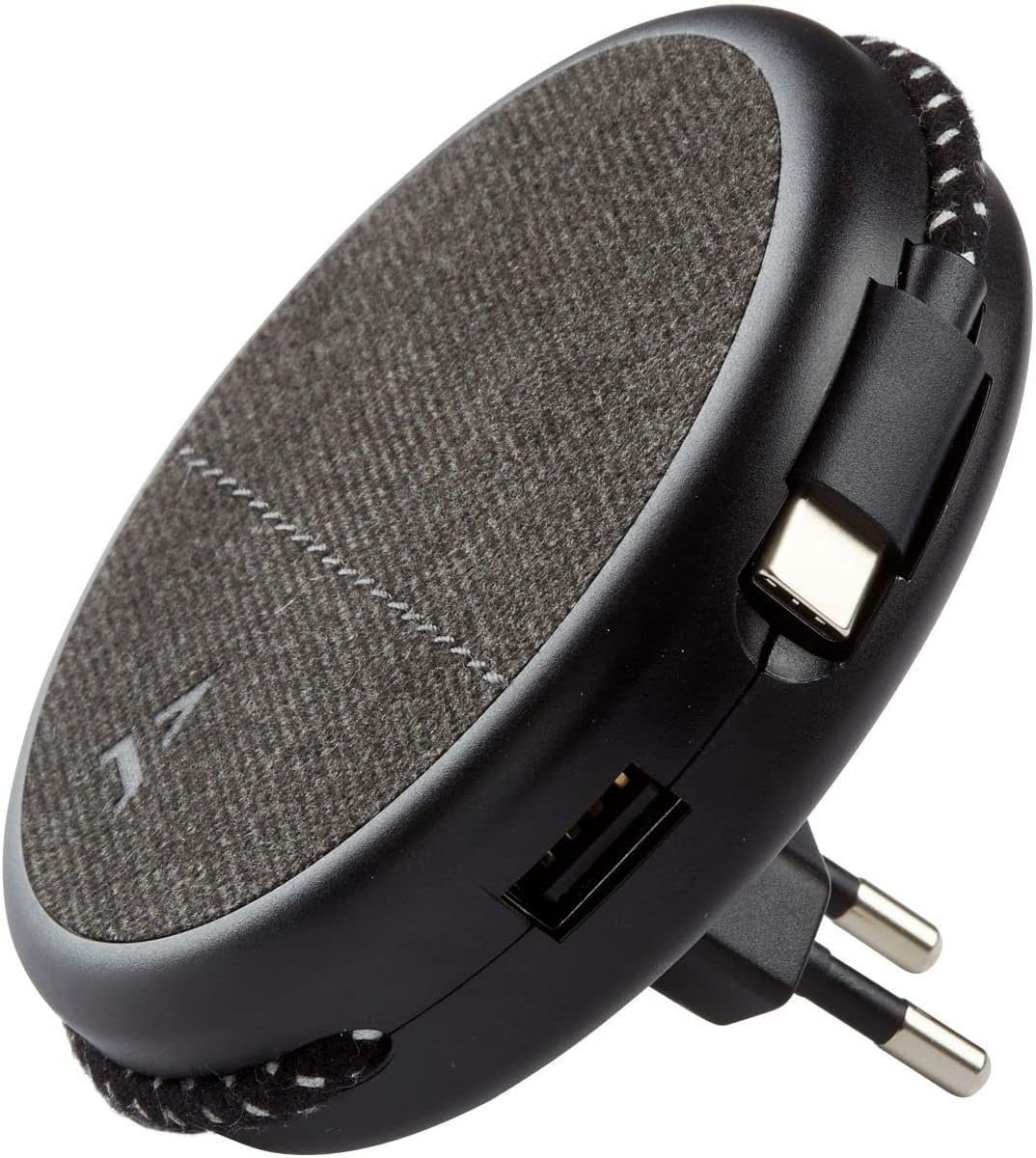
Image: Close-up of the charger, highlighting the integrated USB-C cable and an additional USB-A port.
- Charging with USB-A Port: For devices requiring a USB-A connection, use your own USB-A cable and plug it into the USB-A port on the charger.
- Magnētiskās funkcijas izmantošana: Once the charger is plugged into a wall outlet, you can magnetically attach your smartphone (with or without the metallic plate) to the charger's surface for convenient holding while charging.
Apkope
- Tīrīšana: Disconnect the charger from the power outlet before cleaning. Use a soft, dry cloth to wipe the surface. Do not use liquid cleaners or abrasive materials.
- Uzglabāšana: When not in use, store the charger in a cool, dry place, away from direct sunlight and extreme temperatures. The retractable plug can be folded back into the charger for compact storage.
Problēmu novēršana
| Problēma | Iespējamais cēlonis | Risinājums |
|---|---|---|
| Ierīce netiek uzlādēta. | Lādētājs nav pareizi pievienots. Device cable faulty. Device incompatible. | Pārliecinieties, vai lādētājs ir pilnībā ievietots sienas kontaktligzdā. Izmēģiniet citu kabeli. Verify device compatibility with USB charging standards. |
| Magnētiskā piestiprināšanās ir vāja. | Device not magnetic. Metallic plate not properly attached. | Ensure your device has a magnetic back or use the provided metallic plate. Re-position or re-attach the metallic plate securely. |
| Lādētājs ir silts. | Normāla darbība. Pārslodze. | A slight warmth during charging is normal. If it becomes excessively hot, disconnect immediately and contact support. Avoid charging multiple high-power devices simultaneously if it causes overheating. |
Specifikācijas
| Zīmols | ADEQWAT |
| Modeļa numurs | 8005668 |
| Krāsa | Melns |
| Savienojumi | USB (Integrated USB-C Cable, 1x USB-A Port) |
| Īpaša iezīme | Magnētiskais |
| Kopējais USB portu skaits | 1 (USB-A) + 1 (Integrated USB-C) |
| Saderīgas ierīces | Cellular Phones, Tablets |
| Jaudas izvade | 17 vati |
| Preču skaits | 2 (Charger + Metallic Plate) |
| Barošanas avots | Elektrība ar vadu |
| Pārnēsājams | Jā |
Garantija un atbalsts
For warranty information or technical support, please refer to the documentation provided with your purchase or visit the official ADEQWAT webvietne. Saglabājiet pirkuma apliecinājumu garantijas prasību iesniegšanai.


