1. Ievads
The Eve Door & Window (Matter) Smart Contact Sensor is designed to monitor the open/closed state of your doors and windows. This device integrates seamlessly into your smart home ecosystem using Matter over Thread technology, allowing for automatic control of other accessories and providing activity notifications across various platforms including Apple Home, Alexa, Google Home, and SmartThings.
This manual provides detailed instructions for setting up, operating, maintaining, and troubleshooting your Eve Door & Window sensor.
2. Produkts beidziesview
The Eve Door & Window sensor consists of two main components: the main sensor unit and a smaller magnet. These components work together to detect the open or closed state of a door or window.

Image: The main Eve Door & Window sensor unit and its smaller magnetic counterpart.
Galvenās funkcijas:
- Open/Closed State Monitoring: Instantly know the status of your doors and windows.
- Automātiskā vadība: Create automations to control other smart devices based on sensor activity.
- Activity Notifications: Receive alerts on your smartphone when a door or window is opened or closed (platform dependent).
- Matter Over Thread: Utilizes cutting-edge Thread network technology for robust and responsive smart home integration.
- 100% konfidencialitāte: Operates locally without cloud dependency, registration, or tracking.
- Plaša saderība: Works with Apple Home, Alexa, Google Home, and SmartThings.
3. Iestatīšana
Setting up your Eve Door & Window sensor involves ensuring you have a compatible hub and then pairing the device with your chosen smart home platform.
3.1 Hub Requirements
To use the Eve Door & Window (Matter) sensor, you need a hub that supports both Matērija un Pavediens. This hub acts as a Thread Border Router, enabling seamless communication within your smart home network.

Attēls: Bijušaisample of a smart home hub that supports Matter and Thread, essential for the Eve Door & Window sensor.
Compatible hubs include:
- Apple: Apple TV 4K (2nd gen), Apple TV 4K (3rd gen, 128 GB), HomePod (2nd gen)
- Samsung: SmartThings Hub v3
- Amazon: Echo (4th gen), Echo Show 8 (3rd gen)
- Google: Nest Hub (2nd gen), Nest Hub Max, Nest Wifi Pro
For a complete list of compatible hubs, please visit evehome.com/hub.
3.2 Initial Pairing with a Smart Home Platform
Follow these steps to pair your Eve Door & Window sensor with your primary smart home platform:
- Ensure your chosen Matter-compatible hub is set up and connected to your home network.
- Open the app for your chosen smart home platform (e.g., Apple Home app, Alexa app, Google Home app, SmartThings app).
- Initiate the 'Add Accessory' or 'Add Device' process within the app.
- When prompted, scan the Matter setup code. This code is located on the device itself and also included in the product packaging.
- Follow the on-screen instructions to assign the sensor to a room and configure any initial settings.
- The sensor will connect to your Thread network via your hub.
Video: Quick setup guide for Eve Matter devices, demonstrating the pairing process with a smart home app.
Video: Detailed guide on getting started with Matter, explaining the benefits and setup process for Matter-enabled devices.
3.3 Adding to Additional Smart Home Platforms
The Eve Door & Window (Matter) sensor can be added to multiple smart home platforms simultaneously. To add it to a secondary platform:
- Ensure you have a compatible hub for the additional platform you wish to use. This hub only needs to support Matter, as Thread is already established by your primary hub.
- Open the app of your vispirms smart home platform where the device is already paired.
- Navigate to the device settings for your Eve Door & Window sensor.
- Generate a new, unique Matter setup code for sharing the device with another platform.
- Open the app of your sekundārais smart home platform.
- Initiate the 'Add Accessory' or 'Add Device' process and enter the newly generated Matter setup code when prompted.
- Follow the on-screen instructions to complete the setup for the additional platform.
3.4. Fiziskā uzstādīšana
Once paired, physically install the sensor on your door or window frame.
- Mount the larger sensor unit on the fixed part of the door or window frame.
- Mount the smaller magnet unit on the moving part of the door or window, aligning it with the sensor unit. The gap between the two parts should be minimal when the door/window is closed.
- Use the included spacers if necessary to ensure proper alignment and proximity between the sensor and magnet.

Image: The Eve Door & Window sensor installed on a door frame, showing the main unit and magnet aligned.

Image: The Eve Door & Window sensor installed on a window frame, demonstrating proper placement for detection.
4. Lietošanas instrukcijas
Once installed and paired, your Eve Door & Window sensor provides real-time monitoring and enables various smart home functionalities.
4.1 Monitoring Open/Closed State
You can check the current status of your doors and windows through your chosen smart home app or by asking your voice assistant.

Image: The Eve app interface showing the open/closed status and activity history of the sensor.

Image: A smartphone screen displaying the Eve app, showing the status of a door or window sensor.
4.2. Automātika
Create custom automations within your smart home app to trigger actions based on the sensor's state. For example:
- Turn on lights when a door opens.
- Adjust thermostat settings when a window is left open.
- Activate security cameras when a door opens unexpectedly.

Image: An illustration of smart home automations, showing how the Eve Door & Window sensor can trigger other devices.
4.3. Paziņojumi
Configure your smart home app to receive notifications when the sensor detects a change in state. This feature is platform-dependent.

Image: A smartphone displaying a notification indicating a door or window has been opened or closed.
4.4 Attālā piekļuve
With a properly configured hub, you can check the status of your doors and windows and control automations from anywhere, ensuring peace of mind even when you're away from home.

Image: A person checking their smartphone, demonstrating remote access to their smart home devices, including the Eve Door & Window sensor.
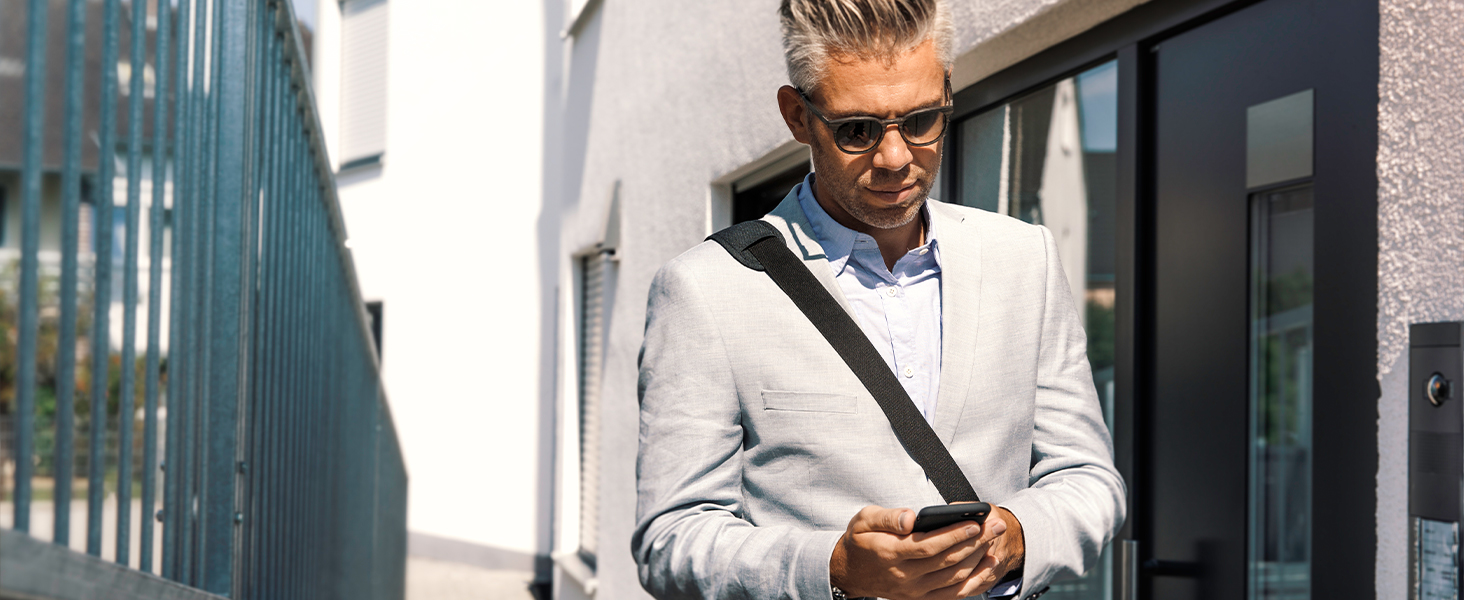
Image: An illustration showing remote access capabilities, allowing users to monitor their home from a distance.
5. Apkope
5.1. Akumulatora nomaiņa
The Eve Door & Window sensor is powered by a replaceable 1/2 AA (ER14250 3.6V) Lithium Metal battery. The battery life can vary depending on usage and environmental factors. When the battery level is low, you will typically receive a notification through your smart home app.
Lai nomainītu akumulatoru:
- Carefully open the battery compartment on the main sensor unit.
- Remove the old ER14250 battery.
- Insert a new 1/2 AA (ER14250 3.6V) Lithium Metal battery, ensuring correct polarity.
- Droši aizveriet akumulatora nodalījumu.
Note: Some users have reported that the battery cover can be challenging to install or remove. Exercise caution to avoid damaging the device.
6. Traucējummeklēšana
If you encounter issues with your Eve Door & Window sensor, refer to the following troubleshooting tips:
6.1 Savienojamības problēmas
- Check Hub Connection: Ensure your Matter-compatible hub (Thread Border Router) is online and functioning correctly.
- Thread Network Strength: Verify that your Thread network is robust. Adding more Thread-enabled devices (like Eve Energy outlets) can extend the network's range and stability.
- Tuvums: While Thread extends range, ensure the sensor is within a reasonable distance of your Thread Border Router or another Thread device acting as a router.
- Programmaparatūras atjauninājums: Ensure your Eve Door & Window sensor has the latest firmware. Use the Eve app for iOS to check for and apply updates, as older firmware versions might have connectivity delays.
- Pārstartējiet ierīces: Sometimes, rebooting your smart home hub and the sensor can resolve temporary connectivity glitches.
6.2 Inaccurate Readings or Delays
- Sensora/magnēta izlīdzināšana: Ensure the main sensor unit and the magnet are correctly aligned and close enough when the door/window is closed. The gap should be minimal.
- Starplikas: If your door or window frame has an uneven surface, use the provided spacers to achieve optimal alignment. Improper use or excessive play with spacers can affect functionality.
- Šķēršļi: Check for any physical obstructions between the sensor and magnet that might interfere with detection.
- Akumulatora līmenis: A low battery can sometimes lead to delayed responses. Check the battery status in your app and replace if necessary.
6.3 Device Not Appearing in App
- Re-scan Setup Code: If the device doesn't appear after initial pairing, try re-initiating the 'Add Accessory' process and scanning the Matter setup code again.
- Check Platform Compatibility: Confirm that your smart home platform and hub are fully compatible with Matter and Thread.
- Rūpnīcas režīma iestatīšana: As a last resort, you may perform a factory reset on the sensor (refer to the quick start guide for specific instructions) and attempt the pairing process again.
7. Specifikācijas
| Funkcija | Detaļas |
|---|---|
| Modeļa numurs | 20EBN9901 |
| UPC | 813180021105 |
| Produkta izmēri | 0.91 collu garums × 2.05 collu platums × 0.94 collu augstums |
| Preces svars | 5 unces (0.31 mārciņa) |
| Barošanas avots | Darbojas ar baterijām |
| Akumulatora tips | 1/2 AA (ER14250 3.6V) Lithium Metal (included) |
| Sensora tehnoloģija | Kontakta sensors |
| Montāžas veids | Door Mount, Window Mount |
| Kontroles metode | Lietotne, pieskāriens, balss |
| Viedās mājas saderība | Matter over Thread (Apple Home, Alexa, Google Home, SmartThings) |
| Ražotājs | Ieva |
8. Garantija un atbalsts
8.1 Informācija par garantiju
The Eve Door & Window (Matter) Smart Contact Sensor comes with a 2 gada ražotāja garantijaLūdzu, saglabājiet pirkuma apliecinājumu garantijas prasību iesniegšanai.
8.2 Klientu atbalsts
For technical assistance, troubleshooting, or further information, please visit the official Eve support website or contact their customer service. Contact details can typically be found on the Eve webvietā vai produkta iepakojumā.


