Ievads
Laipni lūdzam jūsu Black lietotāja rokasgrāmatāview Active 8 Pro Rugged Tablet. This device is engineered for durability and performance, designed to withstand challenging environments while providing a robust computing experience. Featuring a 10.36-inch display, a powerful MediaTek Helio G99 Octa-core processor, and a massive 22000mAh battery, the Active 8 Pro is built for extended use and demanding tasks. It is MIL-STD-810H certified and boasts IP68 & IP69K waterproof ratings, ensuring resilience against water, dust, and drops.
This manual provides essential information on setting up, operating, maintaining, and troubleshooting your tablet to ensure optimal performance and longevity.
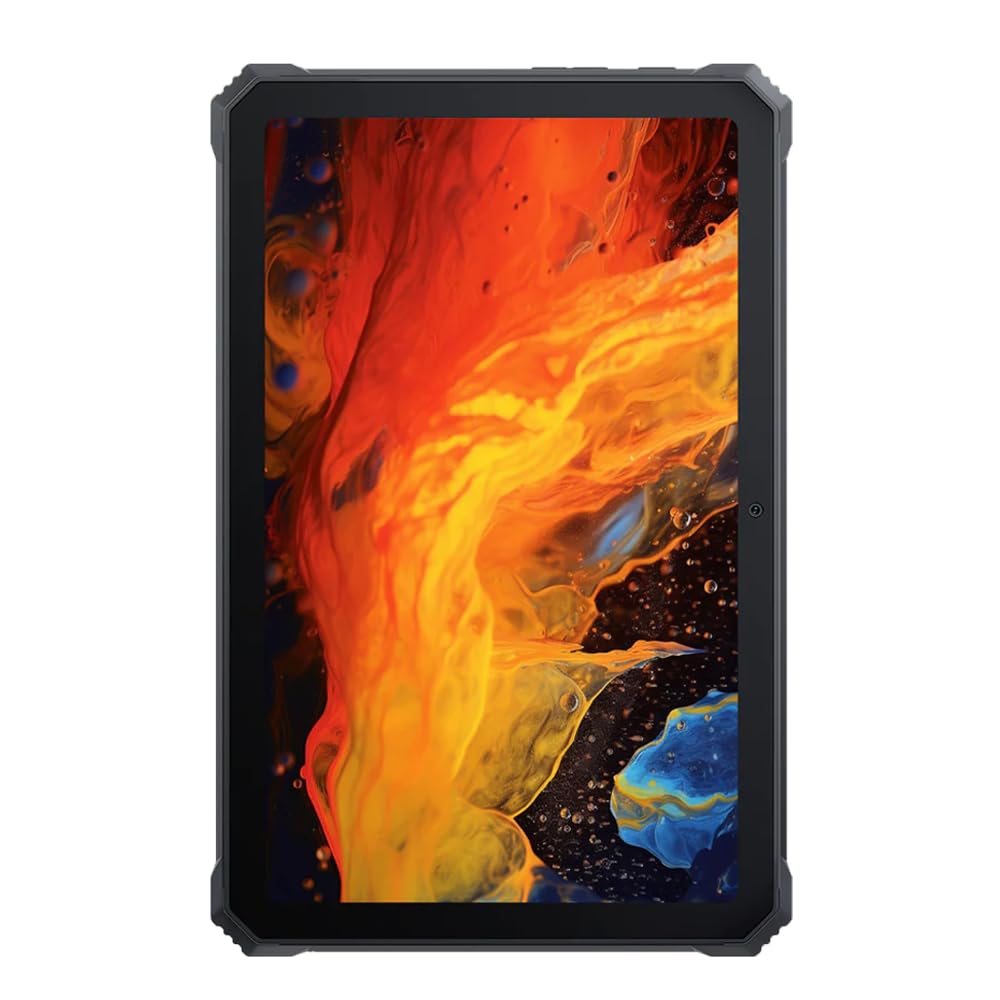
Attēls: priekšpuse view no melnāview Active 8 Pro Rugged Tablet, showcasing its display and robust bezel.
Iepakojuma saturs
Lūdzu, pārliecinieties, vai jūsu produkta iepakojumā ir visi nepieciešamie priekšmeti:
- Melnsview Active 8 Pro Rugged Tablet
- Padded Leather Strap
- Uzlādes kabelis
- Strāvas adapteris
- SIM kartes izņemšanas rīks (ja piemērojams)
- Īsā lietošanas pamācība
Ierīces izkārtojums
Familiarize yourself with the physical components and ports of your Active 8 Pro tablet.

Attēls: priekšpuse view no melnāview Active 8 Pro tablet, highlighting the display and front camera location.

Attēls: Aizmugure view no melnāview Active 8 Pro tablet, showing the camera module, speaker grilles, and the attached padded leather strap for secure handling.

Attēls: Leņķiska aizmugure view no melnāview Active 8 Pro tablet, providing a perspective of its ruggedized corners and the ergonomic padded leather strap.
Iestatīšana
1. Ierīces uzlāde
Before first use, fully charge your Active 8 Pro tablet. Connect the provided charging cable to the tablet's charging port and the power adapter to a wall outlet. The tablet supports 33W fast charging for quick power replenishment.
- Use only the original Blackview charger and cable to ensure optimal charging speed and safety.
- Ekrānā parādīsies uzlādes indikators.
2. Ieslēgšana/izslēgšana
- Lai ieslēgtu: Press and hold the Power button (typically located on the side) until the Blackview logotips parādās ekrānā.
- Lai izslēgtu: Nospiediet un turiet ieslēgšanas/izslēgšanas pogu, līdz parādās ieslēgšanas/izslēgšanas izvēlne. Opciju klāstā atlasiet “Izslēgt”.
- Lai restartētu: Barošanas izvēlnē atlasiet “Restartēt”.
3. Sākotnējā konfigurācija
Pēc pirmās ieslēgšanas planšetdators jūs vadīs cauri sākotnējai iestatīšanai. Izpildiet ekrānā redzamos norādījumus, lai:
- Izvēlieties savu valodu.
- Izveidojiet savienojumu ar Wi-Fi tīklu.
- Pierakstieties ar savu Google kontu vai izveidojiet jaunu.
- Iestatiet ekrāna bloķēšanu (PIN, kombinācija, parole vai pirkstu nospiedums).
- Review un piekrītiet noteikumiem un nosacījumiem.
Lietošanas instrukcijas
1. Pamata navigācija
Your Active 8 Pro runs on Android 14, offering an intuitive user interface. Use standard touchscreen gestures:
- Pieskarieties: Atlasiet vienumu vai atveriet lietotni.
- Pieskarieties un turiet: Piekļūstiet kontekstuālajām izvēlnēm vai pārvietojiet ikonas.
- Pavelciet: Scroll through pages, lists, or switch between home screens.
- Savilkšana, lai tuvinātu: Pietuviniet vai attāliniet attēlus un web lapas.
2. Savienojamība
- Wi-Fi: Go to Settings > Network & internet > Wi-Fi to connect to available networks. The tablet supports 802.11ac, 802.11ax, 802.11g, and 802.11n standards.
- Bluetooth: Go to Settings > Connected devices > Connection preferences > Bluetooth to pair with Bluetooth accessories like headphones or speakers.
- Mobilie dati (ja piemērojams): Insert a SIM card into the designated slot to access mobile data services.
3. Kameras lietošana
The tablet features a 48 MP rear camera. Open the Camera app to capture photos and videos. Tap on the screen to focus, and use the on-screen shutter button to take a picture.
4. Audio uzlabošana
Experience enhanced audio quality with Sound By Harman AudioEFX. Adjust audio settings in the tablet's sound preferences to optimize your listening experience for music, movies, or calls.
5. Using the Padded Leather Strap
The included padded leather strap is designed to provide extra grip and comfort, reducing hand fatigue during extended use. Securely attach the strap to the designated points on the back of the tablet. Adjust for a snug fit that allows for comfortable one-handed or two-handed holding.
Apkope
1. Planšetdatora tīrīšana
- Use a soft, lint-free cloth to wipe the screen and body of the tablet.
- Noturīgiem netīrumiem nedaudz uzsūcietampNoslaukiet drānu ar ūdeni vai ekrānam drošu tīrīšanas līdzekli.
- Avoid using harsh chemicals, abrasive materials, or excessive moisture, especially near ports.
- Ensure all port covers are securely closed before cleaning if exposing to water.
2. Uzglabāšana
When not in use for extended periods, store your tablet in a cool, dry place away from direct sunlight and extreme temperatures. Ensure the battery is charged to approximately 50% before long-term storage to preserve battery health.
3. Programmatūras atjauninājumi
Regularly check for and install software updates to ensure your tablet has the latest features, security patches, and performance improvements. Go to Settings > System > System update to check for available updates.
Problēmu novēršana
Šajā sadaļā ir aplūkotas bieži sastopamas problēmas, ar kurām jūs varētu saskarties, lietojot savu Blackview Active 8 Pro tablete.
- Ierīce neieslēdzas:
Ensure the tablet is sufficiently charged. Connect it to the charger for at least 30 minutes before attempting to power it on again. If it still doesn't power on, try holding the power button for 10-15 seconds to force a restart.
- Screen Unresponsive or Display Issues:
If the screen becomes unresponsive, try restarting the device. If the display fails or shows abnormalities, ensure the tablet has not sustained severe physical damage. Contact customer support if the issue persists after a restart.
- Uzlādes problēmas:
Verify that the charging cable and adapter are securely connected and undamaged. Try using a different compatible charger and cable if available. Ensure the charging port is free of debris.
- Wi-Fi/Bluetooth savienojamības problēmas:
Toggle Wi-Fi or Bluetooth off and on. Restart your tablet and the router/Bluetooth device. Ensure you are within range and have the correct password for Wi-Fi networks.
- Lēna veiktspēja:
Close unnecessary background applications. Clear cache data for apps that are frequently used. Consider performing a factory reset as a last resort (back up your data first).
Specifikācijas
| Funkcija | Specifikācija |
|---|---|
| Modeļa nosaukums | Active 8 Pro |
| Displeja izmērs | 10.36 collas |
| Ekrāna izšķirtspēja | 1920x1080 pikseļi |
| Procesors | MediaTek Helio G99 astoņkodolu (2.2 GHz) |
| RAM | 8 GB (DDR4 SDRAM) |
| Iekšējā krātuve | 256 GB |
| Operētājsistēma | Android 14 |
| Akumulatora ietilpība | 22000 mAh |
| Ātrā uzlāde | 33W atbalsts |
| Izturības vērtējumi | MIL-STD-810H Certified, IP68 & IP69K Waterproof |
| Ekrāna aizsardzība | Corning Gorilla Glass 5 |
| Aizmugurējā kamera | 48 MP |
| Bezvadu savienojamība | 802.11ac, 802.11ax, 802.11g, 802.11n |
| Izmēri (LxWxH) | 10.09 x 6.53 x 0.66 collas |
| Preces svars | 3.34 mārciņas |
Garantija un atbalsts
Tavs melnaisview Active 8 Pro tablet comes with a limited warranty. Please refer to the warranty card included in your package for specific terms and conditions, including coverage duration and limitations. Keep your proof of purchase for warranty claims.
For technical support, service, or warranty inquiries, please visit the official Blackview atbalsts website or contact their customer service department. Contact information can typically be found on the Blackview webvietnē vai dokumentācijā, kas pievienota jūsu produktam.
Lai iegūtu papildinformāciju, varat apmeklēt Melnsview Veikals vietnē Amazon.


