Ievads
This manual provides essential information for setting up, operating, and maintaining your TCL 605 smartphone. Please read this guide thoroughly to ensure optimal performance and longevity of your device.
Kas atrodas kastē
Pārliecinieties, vai produkta iepakojumā ir visi nepieciešamie priekšmeti:
- Viedtālrunis TCL 605
- USB kabelis
- Cell Phone Cover
- 10W lādētājs
- SIM kartes paliktņa izņemšanas rīks
- Ekrāna aizsargs
Ierīce beigusiesview
Familiarize yourself with the physical components of your TCL 605 smartphone.

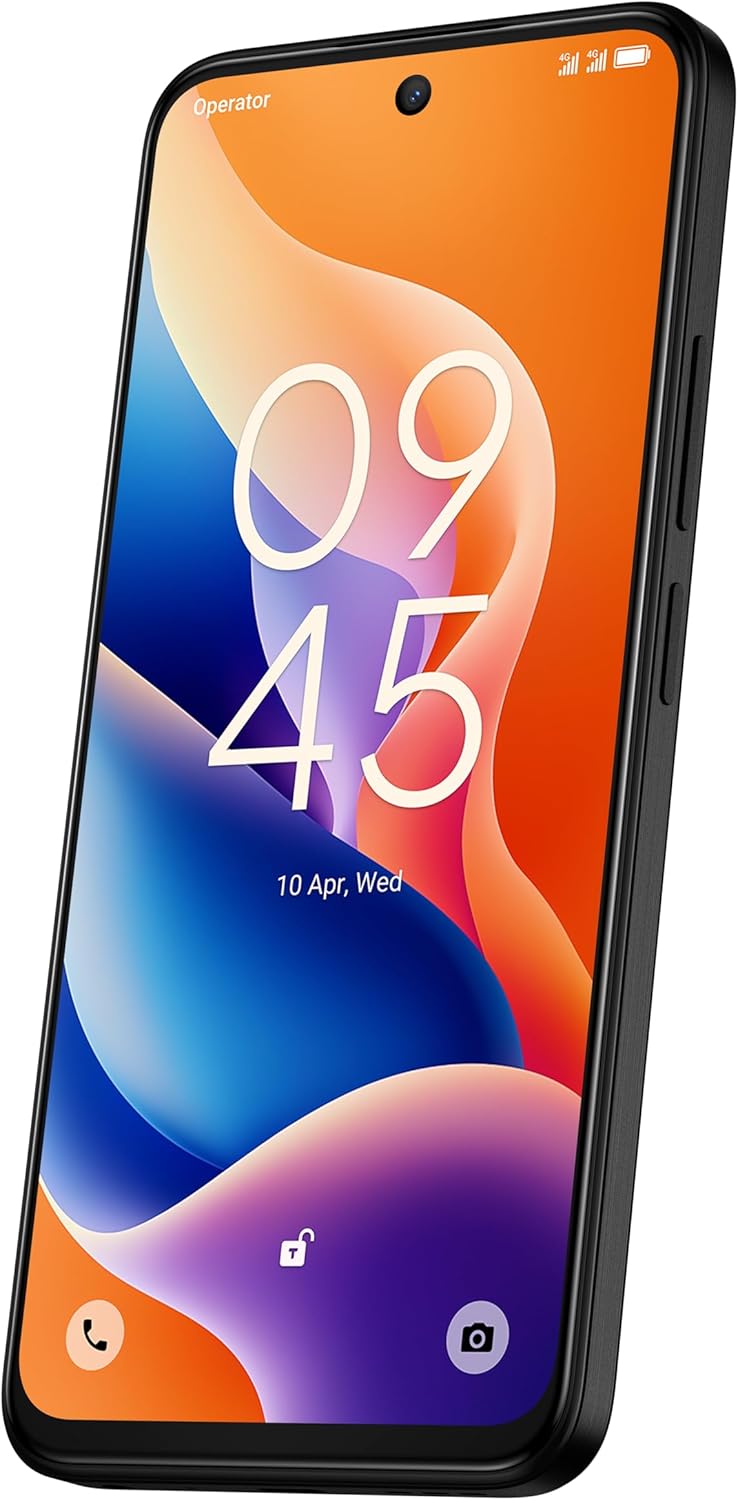
Attēls: priekšpuse view of the TCL 605 smartphone, highlighting its 6.7-inch HD+ display and front camera.

Attēls: Sāns view of the TCL 605 smartphone, illustrating the placement of the power button and volume controls.
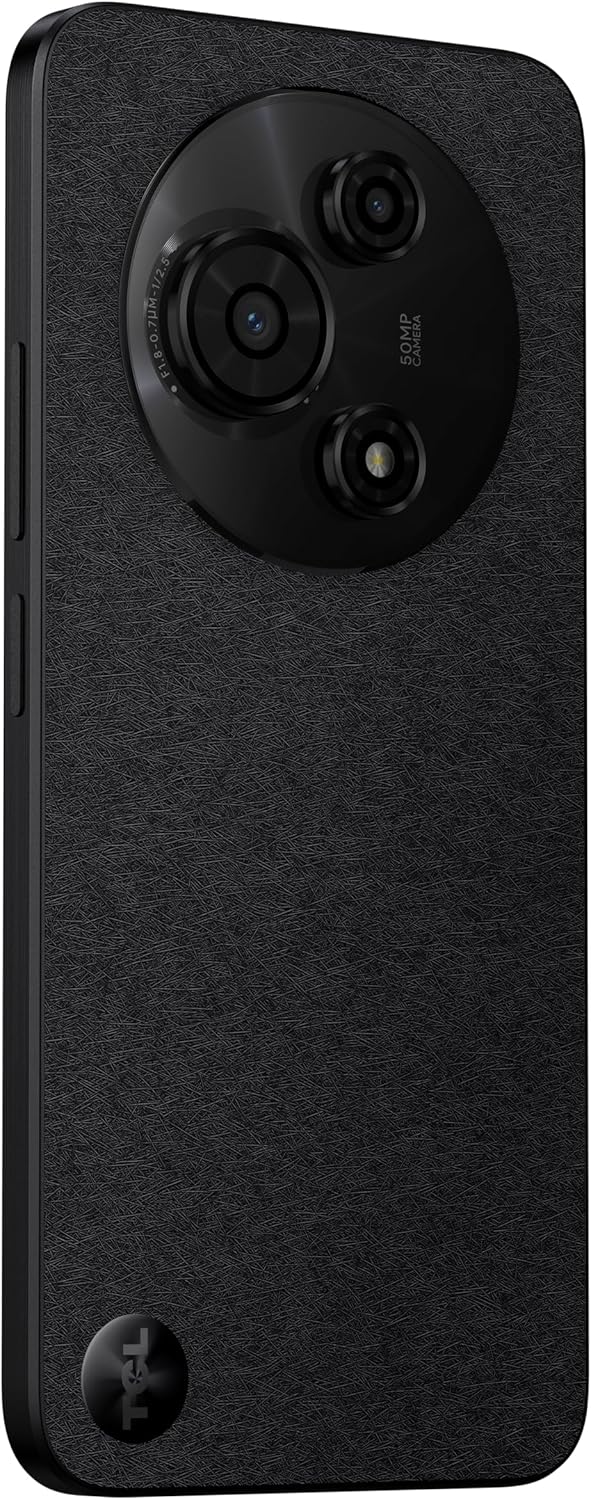
Attēls: Atpakaļ view TCL 605 viedtālruņa šovsasing the distinctive circular camera module housing the 50MP main camera.
Iestatīšana
1. SIM kartes ievietošana
- Atrodiet SIM kartes paliktni ierīces sānos.
- Ievietojiet SIM kartes paliktņa izņemšanas rīku mazajā caurumā blakus paliktnim un viegli piespiediet, līdz paliktnis iznirst.
- Ievietojiet Nano-SIM karti(-es) un/vai microSD karti teknē ar zelta kontaktiem uz leju. Pārliecinieties, vai tās ir pareizi ievietotas.
- Uzmanīgi ievietojiet paliktni ierīcē.
2. Sākotnējā ieslēgšana
- Nospiediet un turiet ieslēgšanas/izslēgšanas pogu (atrodas sānos), līdz parādās TCL logotips.
- Izpildiet ekrānā redzamos norādījumus, lai pabeigtu sākotnējo iestatīšanu, tostarp valodas izvēli, Wi-Fi savienojuma izveidi un Google konta iestatīšanu.
3. Akumulatora uzlāde
Before first use, it is recommended to fully charge your device. Connect the USB cable to the phone's charging port and the other end to the 10W charger. Plug the charger into a power outlet.
Ierīces darbība
Displejs un navigācija
The TCL 605 features a 6.7-inch HD+ display with a 90Hz refresh rate for smooth scrolling and improved visual fluidity.
- Pieskaršanās žesti: Use standard Android gestures such as tap, swipe, pinch-to-zoom, and long-press for navigation and interaction.
- Sākuma ekrāns: Pielāgojiet sākuma ekrānu ar logrīkiem, lietotņu saīsnēm un fona attēliem.
- Paziņojumi: Lai piekļūtu paziņojumu panelim un ātrajiem iestatījumiem, velciet uz leju no ekrāna augšdaļas.
Veiktspēja un glabāšana
Your TCL 605 is equipped with an Octa-Core processor and 4GB RAM, expandable up to 14GB with RAM Boost technology, ensuring seamless performance for multitasking. It offers 256GB of internal storage, capable of storing over 100,000 photos.

Image: The TCL 605 smartphone showcasing its 6.7-inch display with a dynamic lock screen, indicating the time and date.
Kameras funkcijas
The TCL 605 features a 50MP hybrid rear camera (main + macro) and a 5MP front camera. It supports HDR mode for vibrant colors.
Fotoattēlu un video uzņemšana
- Atveriet programmu Kamera.
- Izvēlieties vēlamo režīmu (foto, video, portrets, makro utt.).
- Pieskarieties aizvara pogai, lai uzņemtu fotoattēlu vai sāktu/apturētu video ierakstīšanu.
- Lai pielāgotu palielinājumu, izmantojiet ekrānā redzamās tālummaiņas vadīklas.
Kameras režīmi
- 50MP galvenā kamera: Captures high-resolution images with clarity.
- Makro režīms: Allows for detailed close-up shots of small objects.
- HDR režīms: Enhances dynamic range for more vibrant and balanced photos in challenging lighting conditions.
- 5MP priekšējā kamera: Ideāli piemērots selfijiem un videozvaniem.
Attēls: Detalizēts view of the TCL 605's circular camera module, emphasizing the 50MP main lens and its surrounding sensors.
Akumulatora pārvaldība
The TCL 605 is equipped with a 5200mAh battery, designed for up to 2 days of usage. It supports 18W fast charging.
Padomi akumulatora darbības laika pagarināšanai
- Samaziniet ekrāna spilgtumu.
- Atspējojiet Wi-Fi, Bluetooth un GPS, kad tie netiek izmantoti.
- Aizveriet fona lietojumprogrammas.
- Iespējot akumulatora taupīšanas režīmu.
Savienojamība
Jūsu ierīce atbalsta dažādas savienojamības iespējas:
- Wi-Fi: Izveidojiet savienojumu ar bezvadu tīkliem, lai piekļūtu internetam.
- Bluetooth: Pair with wireless headphones, speakers, and other compatible devices.
- NFC (tuva lauka komunikācija): Use for contactless payments and quick data transfer with compatible devices.
- USB: Connect to a computer for data transfer or use with a USB-C accessory.
- GPS: Integrēts GPS atrašanās vietas noteikšanas pakalpojumiem un navigācijai.
Izturība
The TCL 605 features enhanced IP54 durability, proven by a 3-minute water-wash test. This provides protection against dust and splashing water. Note: The phone is not professionally water-resistant but is splash-proof, water-repellent, and dust-proof for everyday use. It has passed a 3-minute water-wash test under specific lab conditions. These features may degrade with daily use. Do not charge the phone in humid conditions. The warranty excludes water damage, including damage from immersion in liquids such as seawater, chlorinated water, or drinks. IP54 rating conditions differ from lab tests.
Produkta īpašības Beigusiesview
Video: oversview of the TCL 605 smartphone's key features, including its display, storage capacity, seamless performance, camera capabilities, battery life, fast charging, and IP54 durability.
Specifikācijas
| Funkcija | Detaļas |
|---|---|
| Modelis | TCL 605 (T517J) |
| Operētājsistēma | Android 15 |
| Displejs | 6.7-inch HD+ 90Hz (720x1600 resolution) |
| Procesors | Octa-Core (MediaTek Helio, 2 GHz) |
| RAM | 4GB (expandable to 14GB with RAM Boost) |
| Iekšējā krātuve | 256GB |
| Aizmugurējā kamera | 50MP (Main & Macro) + 0.08MP |
| Priekšējā kamera | 5 MP |
| Akumulatora ietilpība | 5200 mAh (5010 miliamp Stundas) |
| Uzlāde | 10W Charger included, supports 18W fast charging |
| Savienojamība | Bluetooth, NFC, USB, Wi-Fi, GPS |
| SIM veids | Divas SIM kartes |
| Izmēri | 0.83 x 7.62 x 16.56 cm |
| Svars | 380 g |
| Sertifikācija | ANATEL: 01679250760 |
Problēmu novēršana
Kopīgas problēmas un risinājumi
- Ierīce neieslēdzas: Pārliecinieties, vai akumulators ir uzlādēts. Pievienojiet lādētāju un uzgaidiet dažas minūtes, pirms mēģināt atkārtoti ieslēgt ierīci.
- Ekrāns nereaģē: Try restarting the device by holding the Power button for approximately 10-15 seconds.
- Lietotņu avarē: Notīriet problemātiskās lietotnes kešatmiņu (Iestatījumi > Lietotnes > [Lietotnes nosaukums] > Krātuve > Notīrīt kešatmiņu). Ja problēma joprojām pastāv, atkārtoti instalējiet lietotni.
- Slikts akumulatora darbības laiks: Refer to the "Battery Management" section for tips to optimize battery usage.
- Savienojamības problēmas (Wi-Fi/Bluetooth): Toggle Wi-Fi or Bluetooth off and on. Restart your device and/or the router/paired device.
For more complex issues, please refer to the official TCL support webvietni vai sazinieties ar klientu apkalpošanas dienestu.
Garantija un atbalsts
Your TCL 605 smartphone comes with a standard manufacturer's warranty. Please refer to the warranty card included in your package for specific terms and conditions.
For technical support, service, or additional information, please visit the official TCL webvietnē vai sazinieties ar viņu klientu atbalsta kanāliem.
To consult product homologation, visit: sistemas.anatel.gov.br/sch


