1. Ievads
This manual provides essential information for setting up, operating, and maintaining your Beelink SER5 MAX Mini PC. The Beelink SER5 MAX is a compact desktop computer powered by an AMD Ryzen 7 6800U processor, designed for various applications including office work, home entertainment, graphic design, and light gaming. It features high-speed memory, ample storage, and extensive connectivity options to enhance your productivity and multimedia experience.

Attēls: Pāriview of the Beelink SER5 MAX Mini PC, showcasing tā kompakto dizainu un galvenās funkcijas.
2. Kas ir kastē
Lūdzu, pārbaudiet iepakojuma saturu, lai pārliecinātos, ka visi priekšmeti ir klāt:
- 1 x SER5 MAX 6800U Mini PC
- 1 x HDMI Cable (100CM)
- 1x strāvas adapteris
- 1 x Lietotāja rokasgrāmata
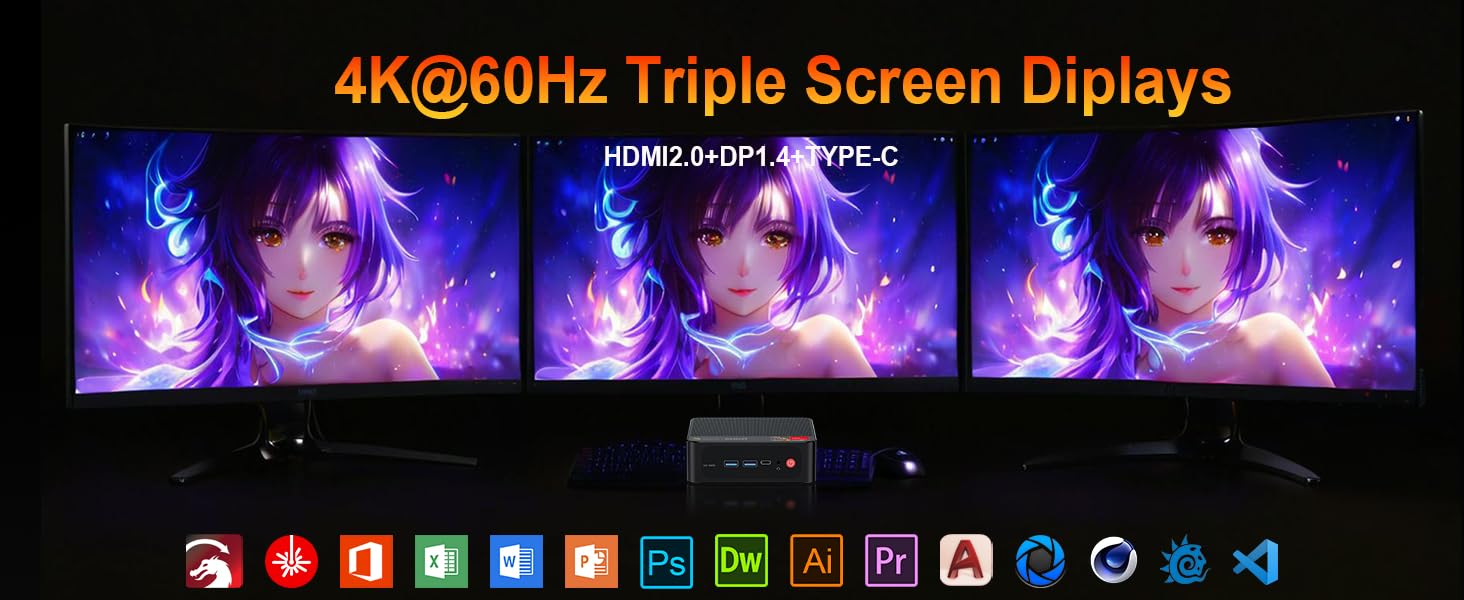
Image: Contents included in the Beelink SER5 MAX Mini PC package, showing the mini PC, power adapter, HDMI cable, and user manual.
3. Produkta īpašības
The Beelink SER5 MAX Mini PC is equipped with advanced components for optimal performance:
- Procesors: AMD Ryzen 7 6800U (8 Cores/16 Threads, up to 4.7GHz, 16MB L3 Cache, 28W TDP).
- Grafika: Integrated AMD Radeon RDNA 2 Graphics (12 Cores, 2200MHz).
- Atmiņa: 24GB LPDDR5 6300MHz RAM (2x12GB, non-replaceable).
- Uzglabāšana: 500GB M.2 2280 PCIe 4x4 SSD. Supports dual SSDs up to 8TB total (Max 4TB each SSD).
- Displeja izvade: Supports 4K@60Hz Triple Display via DP1.4, HDMI 2.0, and Type-C.
- Bezvadu savienojamība: WiFi 6 (802.11ax) for speeds up to 1200Mbps, Bluetooth 5.2.
- Vadu savienojums: Gigabit Ethernet (RJ45 1000Mbps LAN).
- Porti:
- 3 x USB 3.2 Gen2 Type-A (10 Gb/s)
- 1 A tipa USB 2.0
- 1 x Type-C (Data & Video Output)
- 1x HDMI 2.0
- 1 x DisplayPort (DP1.4)
- 1 x DC Jack (Power Input)
- 1 x 3.5mm Audio Jack (HP&MIC)
- 1 x CLR CMOS Reset button
- Dzesēšanas sistēma: MSC2.0 Cooling System with heat pipe, heat sink, and silent fan.
- Izmēri: 4.9 x 4.4 x 1.6 collas (126 x 113 x 42 mm).

Attēls: Priekšpuse un aizmugure view of the Beelink SER5 MAX Mini PC, highlighting its various connectivity ports.

Image: A Beelink SER5 MAX Mini PC connected to three monitors, demonstrating its triple display capability for multitasking.
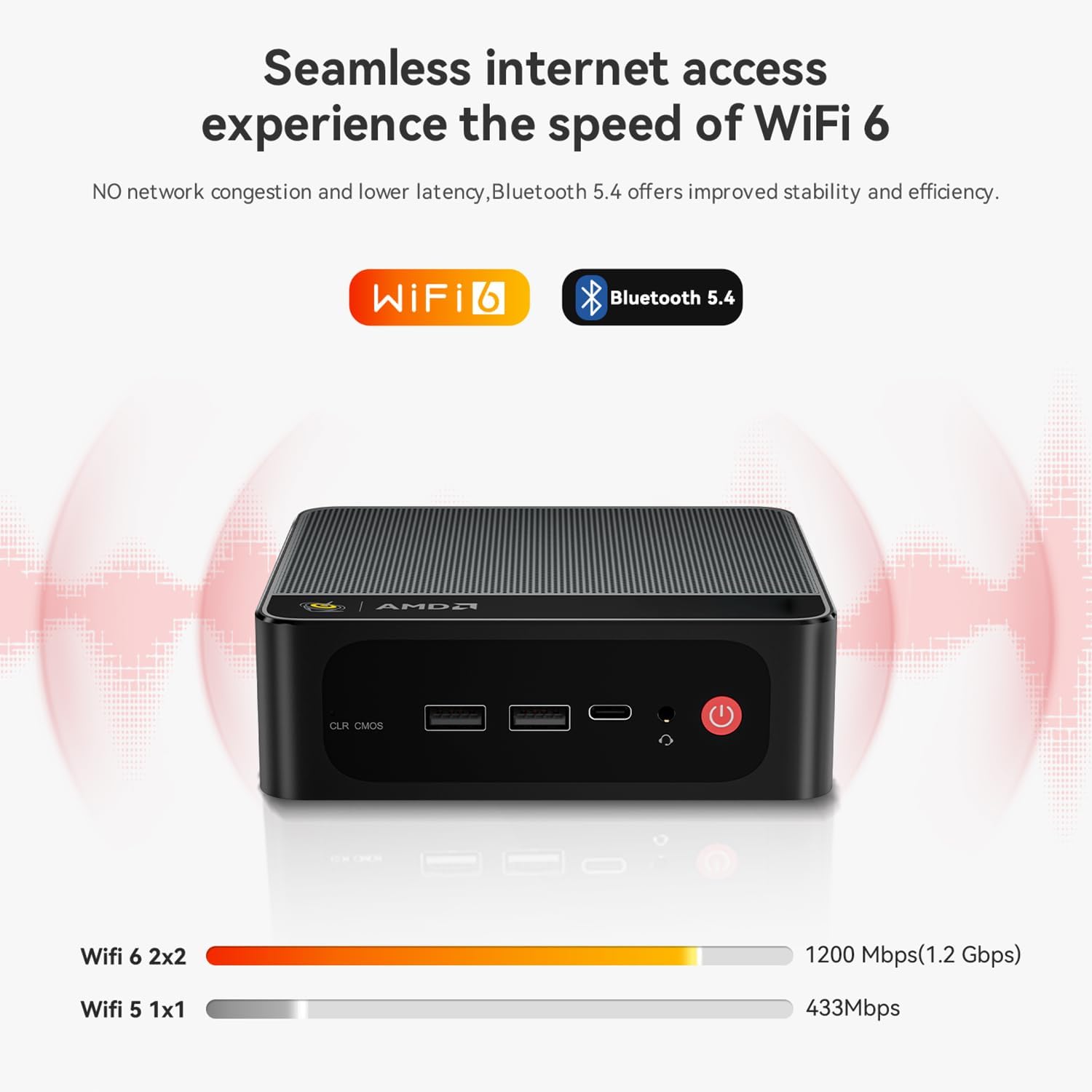
Image: Diagram illustrating the efficient MSC2.0 cooling system of the Beelink SER5 MAX, featuring a heat pipe, heat sink, and silent fan.
Produkta video pārsūtīšanaview
Video: Oficiāls paziņojumsview of the Beelink SER5 MAX 6800U Mini PC, highlighting its design, features, and performance capabilities.
4. Iestatīšanas rokasgrāmata
Follow these steps to set up your Beelink SER5 MAX Mini PC:
- Pievienojiet perifērijas ierīces: Connect your monitor(s) using the HDMI, DisplayPort, or Type-C ports. Connect your keyboard and mouse to the available USB ports.
- Pievienojiet strāvu: Plug the power adapter into the DC Jack on the back of the Mini PC, then plug the adapter into a power outlet.
- Ieslēgšana: Nospiediet ieslēgšanas/izslēgšanas pogu, kas atrodas Mini PC priekšpusē. Sistēma tiks startēta.
- Sākotnējā iestatīšana: Izpildiet ekrānā redzamos norādījumus, lai pabeigtu Windows 11 Pro sākotnējo iestatīšanu, tostarp valodas, reģiona, tīkla savienojuma un lietotāja konta izveidi.
- Tīkla savienojums: For wired internet, connect an Ethernet cable to the LAN port. For wireless internet, select your Wi-Fi network during setup or via Windows settings.
5. Lietošanas instrukcijas
Your Beelink SER5 MAX Mini PC comes pre-installed with Windows 11 Pro, offering a familiar and intuitive operating environment.
- Pamata lietošana: Navigate the Windows interface using your mouse and keyboard. Launch applications from the Start Menu or desktop shortcuts.
- Trīskāršā displeja iestatīšana: To utilize multiple monitors, connect them to the available HDMI, DisplayPort, and Type-C video outputs. Windows will automatically detect the displays. You can configure display settings (e.g., extend, duplicate) via Iestatījumi > Sistēma > Displejs.
- Bluetooth ierīču pievienošana: To pair Bluetooth devices (e.g., headphones, speakers), go to Iestatījumi > Bluetooth un ierīces, turn on Bluetooth, and select 'Add device'.
- USB 3.2 2. paaudze: Utilize the high-speed USB 3.2 Gen2 ports for fast data transfer with compatible external storage devices. The Type-C port also supports data and video output.
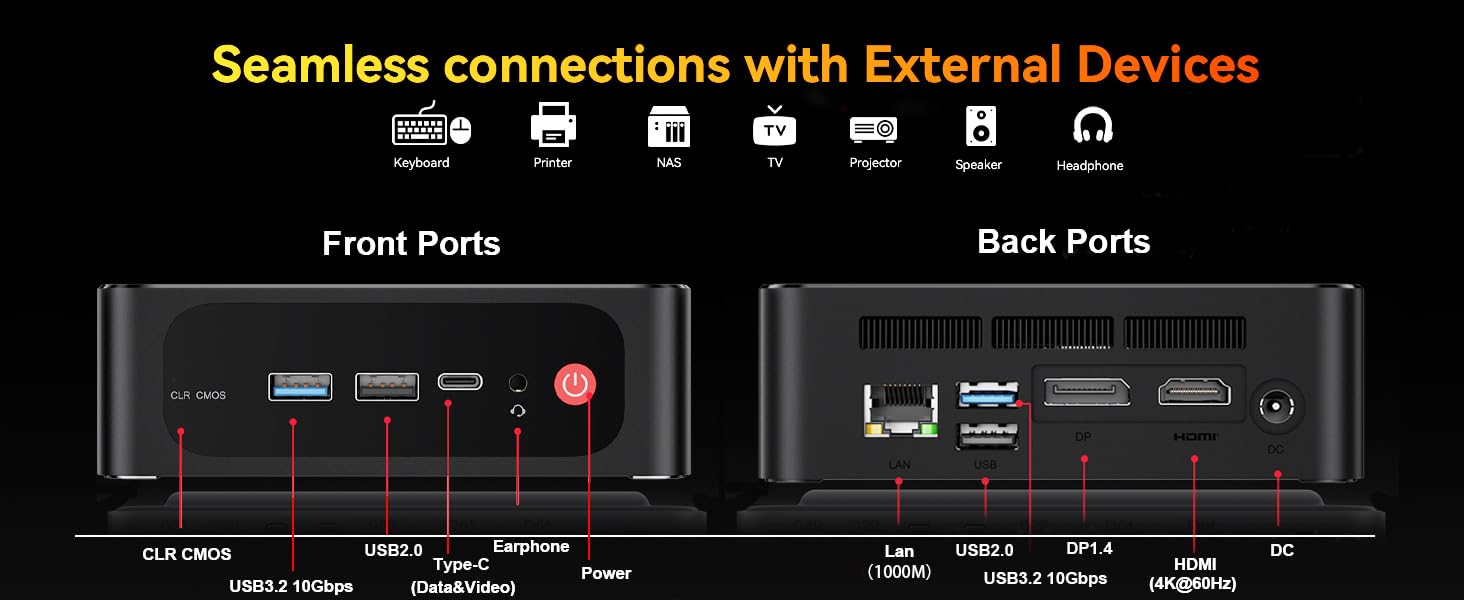
Image: The Beelink SER5 MAX Mini PC running multiple productivity applications simultaneously, demonstrating its multitasking capabilities.
6. Apkope
Pareiza apkope nodrošina jūsu Mini PC ilgmūžību un optimālu veiktspēju:
- Tīrīšana: Regularly clean the exterior of the Mini PC with a soft, dry cloth. Use compressed air to clear dust from the ventilation grilles to maintain efficient cooling.
- Ventilācija: Ensure the Mini PC is placed in a well-ventilated area, away from direct sunlight or heat sources. Do not block the air vents.
- Krātuves jauninājums: The Mini PC supports dual M.2 2280 PCIe 4x4 SSDs. To upgrade or add storage, carefully open the chassis and install the new SSD. Refer to the detailed instructions provided with your device for specific steps.
- Programmatūras atjauninājumi: Atjauniniet savu Windows operētājsistēmu un draiverus, lai nodrošinātu drošību un veiktspēju.

Attēls: Iekšējais view of the Beelink SER5 MAX Mini PC, showing the dual M.2 2280 PCIe 4.0 SSD slots for storage expansion.
7. Traucējummeklēšana
If you encounter issues with your Beelink SER5 MAX Mini PC, refer to the following common solutions:
- Nav jaudas:
- Pārliecinieties, vai strāvas adapteris ir droši pievienots gan Mini PC, gan darbojošai strāvas kontaktligzdai.
- Pārliecinieties, vai strāvas kontaktligzda darbojas, pievienojot tai citu ierīci.
- Nav displeja:
- Check all video cable connections (HDMI, DP, Type-C) between the Mini PC and the monitor(s).
- Pārliecinieties, vai monitors ir ieslēgts un iestatīts pareizais ievades avots.
- Mēģiniet izveidot savienojumu ar citu monitoru vai izmantot citu video kabeli.
- Nav interneta savienojuma:
- For Wi-Fi, check if Wi-Fi is enabled in Windows settings and if you are connected to the correct network.
- For wired connection, ensure the Ethernet cable is properly connected and your router is working.
- Restartējiet maršrutētāju un modemu.
- Sistēmas palēnināšanās:
- Aizveriet nevajadzīgās lietojumprogrammas, kas darbojas fonā.
- Pārbaudiet un instalējiet visus gaidāmos Windows atjauninājumus.
- Nodrošiniet atbilstošu ventilāciju, lai novērstu pārkaršanu.
- CLR CMOS Reset: If the system experiences boot issues or incorrect settings, locate the CLR CMOS button (often a small pinhole) on the front panel and press it with a paperclip for a few seconds while the device is off. This will reset BIOS settings to default.
8. Specifikācijas
Detailed technical specifications for the Beelink SER5 MAX Mini PC:
| Komponents | Specifikācija |
|---|---|
| Procesors | AMD Ryzen 7 6800U (8C/16T, 2.7GHz base, up to 4.7GHz boost) |
| Grafika | AMD Radeon 680M (12 cores, 2200MHz) |
| RAM | 24GB LPDDR5 6300MHz (2x12GB SODIMM) |
| Uzglabāšana | 500GB M.2 2280 PCIe 4x4 SSD (Expandable up to 8TB total) |
| Operētājsistēma | Windows 11 Pro |
| Bezvadu savienojamība | WiFi 6 (802.11ax), Bluetooth 5.2 |
| Vadu savienojums | Gigabit Ethernet (RJ45 1000Mbps LAN) |
| Video izvade | 1x HDMI 2.0 (4K@60Hz), 1x DisplayPort 1.4 (4K@144Hz), 1x Type-C (4K@120Hz) |
| USB porti | 3x USB 3.2 Gen2 Type-A, 1x USB 2.0 Type-A, 1x Type-C (Data&Video) |
| Audio | 1x 3.5mm Audio Jack (HP&MIC) |
| Strāvas padeve | DC Jack (19V-3.42A, 65W) |
| Izmēri | 126 x 113 x 42 mm (4.9 x 4.4 x 1.6 collas) |
| Svars | Apm. 1.94 mārciņas |
| Citas funkcijas | Wake On LAN, Auto Power On, CLR CMOS |

Image: A detailed table summarizing the technical specifications of the Beelink SER5 MAX Mini PC.
9. Garantija un atbalsts
Beelink provides comprehensive support for your Mini PC:
- Mūža tehniskais atbalsts: Access to technical assistance for the lifespan of your product.
- Klientu apkalpošana: 7/24 hours customer service available.
- Garantija: Please refer to your purchase documentation for specific warranty period details.
Kā sazināties ar atbalsta dienestu:
- Piesakieties savā Amazon kontā.
- Go to "Your Account".
- Dodieties uz sadaļu “Jūsu pasūtījumi”.
- Select the Beelink SER5 MAX Mini PC and choose "Ask Product Question" to contact Beelink USA directly.
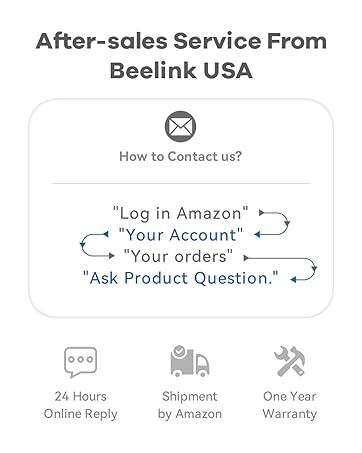
Image: Information on how to contact Beelink USA for after-sales service and support.


