Ievads
This manual provides comprehensive instructions for the ASWEE P4 Smart Watch, a versatile fitness tracker with call capabilities, a 1.85" TFT display, and various health monitoring features. Please read this manual thoroughly before using your device.
Kas atrodas kastē
- ASWEE P4 Smart Watch
- Uzlādes kabelis
- Lietotāja rokasgrāmata
Produkts beidziesview
The ASWEE P4 Smart Watch features a rectangular 1.85-inch TFT-LCD display with a 240x280 resolution. It includes a physical button on the side for navigation and interaction. The watch is designed for comfortable wear and easy access to its functions.
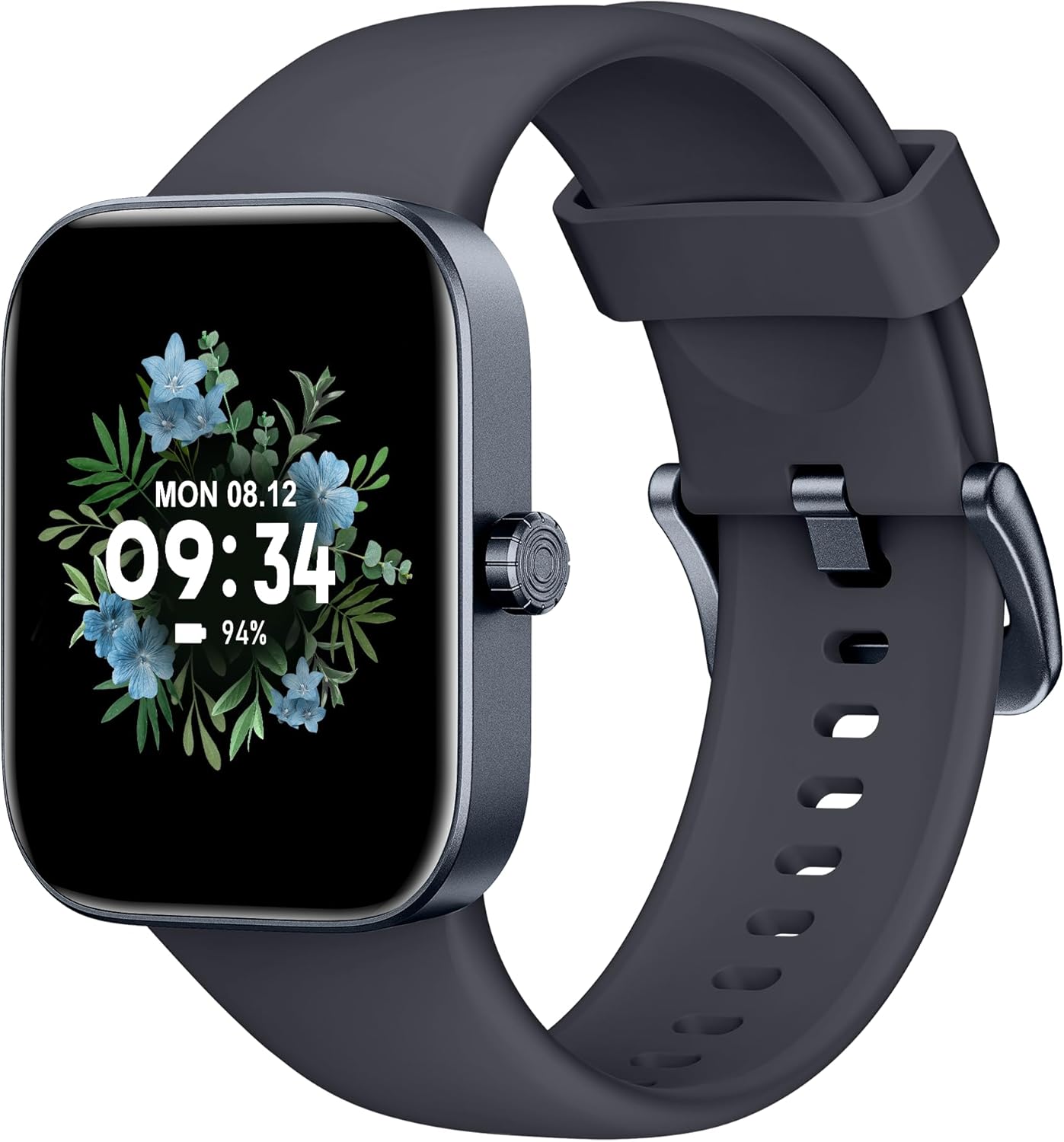
Priekšpuse view of the ASWEE P4 Smart Watch, displaying time and date with a floral background.
Iestatīšana
Ierīces uzlāde
The ASWEE P4 Smart Watch comes with a magnetic charging cable. Align the magnetic end of the cable with the charging contacts on the back of the watch. The watch will indicate when it is charging. A full charge typically takes approximately 2 hours and provides up to 7 days of active use or 15 days on standby.

Illustration showing the magnetic charging cable connected to the back of the ASWEE P4 Smart Watch, highlighting battery life indicators.
Lietotņu instalēšana un savienošana pārī
To utilize all features of your ASWEE P4 Smart Watch, you need to download and install the "FitPro" application on your smartphone. Scan the QR code provided in the watch's packaging or search for "FitPro" in your device's app store.
Savienošana pārī ar iPhone
Follow these steps to pair your watch with an iPhone:
- Pārliecinieties, vai jūsu iPhone tālrunī ir iespējots Bluetooth.
- Open the "FitPro" app.
- Navigate to "Setting" and then "Bind device".
- Select your watch (e.g., KM13Pro) from the scan results.
- Confirm the pairing request by clicking "Pair" and then "Allow" for notifications.
- Go to your iPhone's Bluetooth settings and connect to "KM13Pro Audio" for call functionality.
Video tutorial demonstrating how to bind the ASWEE P4 Smart Watch to an iPhone and how to unbind it.
Pairing with Android Phone
Follow these steps to pair your watch with an Android phone:
- Ensure Bluetooth is enabled on your Android phone.
- Open the "FitPro" app.
- Navigate to "Set" and then "Bind device".
- Select your watch (e.g., KM13Pro) from the scan results.
- Confirm the pairing request by clicking "Pair".
Video tutorial demonstrating how to bind the ASWEE P4 Smart Watch to an Android phone and how to unbind it.
Lietošanas instrukcijas
Pamata navigācija
The watch features a touch-sensitive screen for navigation. Swipe left/right or up/down to access different functions and menus. The side button typically serves as a home or back button.
Call and Text Functionality
With its built-in speaker and microphone, the ASWEE P4 allows you to answer/dial calls directly from your wrist when connected via Bluetooth. You can also receive SMS text and SNS messages (Facebook, Twitter, WhatsApp, etc.) with vibration alerts.

Image showing the ASWEE P4 Smart Watch on a wrist, with notification icons for various messaging apps, indicating Bluetooth 5.0 connectivity for calls and texts.
Veselības izsekošana
The watch provides comprehensive health monitoring:
- Sirdsdarbības ātrums: 24-hour tracking with a high-precision PPG sensor. Stores 7 days of resting heart rate data.
- Asins skābeklis: Measures SpO2 levels using a reflective-light based sensor.
- Miega uzraudzība: Tracks sleep quality through Awake, Light, and Deep sleep stages, helping to improve sleep duration and quality.
- Stresa uzraudzība: Provides insights into stress levels.

Image illustrating the ASWEE P4 Smart Watch's 24-hour data tracking capabilities, including heart rate, stress level, and blood oxygen monitoring.

Image depicting the ASWEE P4 Smart Watch's sleep health assistant feature, showing sleep duration and patterns.
Fitnesa režīmi
The ASWEE P4 supports multiple workout modes, including running, bike riding, basketball, and tennis. It accurately monitors data points like heart rate, time, and calories burned to enhance workout efficiency.

Attēlu demonstrējumsasing the ASWEE P4 Smart Watch's various sports modes, including running, bike riding, basketball, and jumping jack, with activity data like steps, distance, and calories.
Pielāgošana
Choose from over 100 stylish watch faces or create your own using photos from your phone gallery.
Apkope
Tīrīšana
Regulāri tīriet pulksteni un siksniņu ar mīkstu, damp audums. Izvairieties no spēcīgu ķīmisko vielu vai abrazīvu materiālu izmantošanas.
Uzglabāšana
Kad pulkstenis netiek lietots, glabājiet to vēsā, sausā vietā.
Problēmu novēršana
Pulkstenis neieslēdzas
- Pārliecinieties, vai pulkstenis ir pilnībā uzlādēts. Pievienojiet to uzlādes vadam un strāvas avotam vismaz uz 30 minūtēm.
Pārī savienošanas problēmas
- Pārliecinieties, vai tālrunī ir iespējots Bluetooth un pulkstenis atrodas diapazonā.
- Restartējiet gan tālruni, gan pulksteni.
- If previously paired, try "forgetting" the device in your phone's Bluetooth settings and re-pairing through the FitPro app.
- Ensure the FitPro app has necessary permissions (Bluetooth, location).
Neprecīzi veselības dati
- Pārliecinieties, ka pulkstenis ir cieši pievilkts uz plaukstas locītavas – ne pārāk cieši, ne pārāk vaļīgi.
- Notīriet sensoru pulksteņa aizmugurē.
- Vides faktori un individuālā fizioloģija var ietekmēt rādījumus.
Paziņojumi netiek rādīti
- Check app permissions for FitPro to ensure it can access notifications.
- Verify that notification push settings are enabled within the FitPro app for desired applications.
- Pārliecinieties, vai pulkstenis ir savienots ar tālruni, izmantojot Bluetooth.
Specifikācijas
| Funkcija | Detaļas |
|---|---|
| Modeļa nosaukums | P4 |
| Zīmols | ASWEE |
| Ekrāna izmērs | 1.85 collas |
| Displeja tehnoloģija | TFT-LCD |
| Izšķirtspēja | 240 x 280 PPI |
| Operētājsistēma | Wear OS |
| Savienojamība | Bluetooth 5.3 |
| Ūdensizturība | IP68, 5 bankomāti |
| Akumulatora darbības laiks (parasta lietošana) | Līdz 7 dienām |
| Gaidīšanas laiks | Līdz 15 dienām |
| Uzlādes laiks | Apm. 2 stundas |
| Īpašas funkcijas | Fitness Tracker, Sleep Monitor, Reminders, Multimedia control, Answer/Dial Call, Heart Rate Monitor, Blood Oxygen Monitor, Stress Monitor |
| Preces svars | 2.89 unces |
Piezīme: specifikācijas var tikt mainītas bez iepriekšēja brīdinājuma.
Garantija un atbalsts
For warranty information and technical support, please refer to the official ASWEE webvietnē vai sazinieties ar viņu klientu apkalpošanas dienestu. Saglabājiet pirkuma čeku kā pirkuma apliecinājumu.


