1. Produkts beidziesview
The Extech ET11 is a GFCI Receptacle Tester designed for Type B electrical outlets. It is used to test for correct wiring of 3-wire receptacles in 110-125 V AC, 50/60 Hz circuits and to confirm the operation of Ground Fault Circuit Interrupter (GFCI) protective devices.
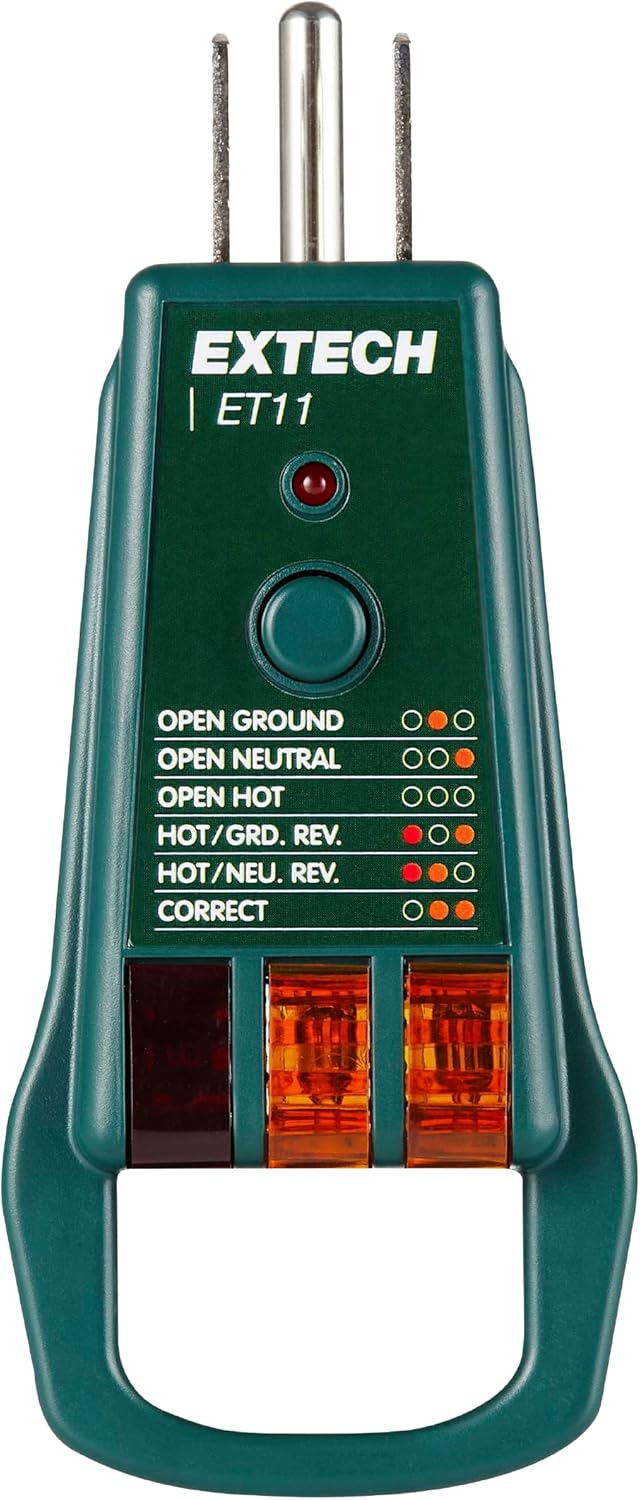
Attēls: priekšpuse view of the Extech ET11 GFCI Receptacle Tester, showing the indicator lights and test button.

Image: The Extech ET11 GFCI Receptacle Tester with text indicating its purpose for Type B electrical outlets and its ability to detect wiring faults.
2. Funkcijas
- Tests for correct wiring of 3-wire receptacles in 110-125 V AC, 50/60 Hz circuits.
- Detects 5 common wiring faults: Correct, Open Ground, Open Neutral, Open Hot, Hot/Ground Reverse, and Hot/Neutral Reverse.
- Works on GFCI outlets and confirms operation of the ground fault protective device.
- Conveniently verifies both ‘ground bottom’ and ‘ground top’ style sockets with a test code light legend on both sides of the device.
- Ergonomic pull bar design for easy removal from outlets.

Image: Close-up of the Extech ET11 highlighting its ergonomic pull bar for easy removal from outlets.
3. Lietošanas instrukcijas
3.1. Testing Standard Receptacles
- Ensure the receptacle is powered and safe to approach.
- Insert the Extech ET11 tester firmly into the 3-wire receptacle.
- Observe the indicator lights on the tester. Refer to the wiring fault legend printed on the tester for interpretation.
- The combination of illuminated lights will indicate the wiring status (e.g., Correct, Open Ground, Open Neutral, Open Hot, Hot/Ground Reverse, Hot/Neutral Reverse).
- Remove the tester from the receptacle once the reading is taken.

Image: The Extech ET11 GFCI Receptacle Tester plugged into a GFCI outlet, demonstrating its use for testing wiring.
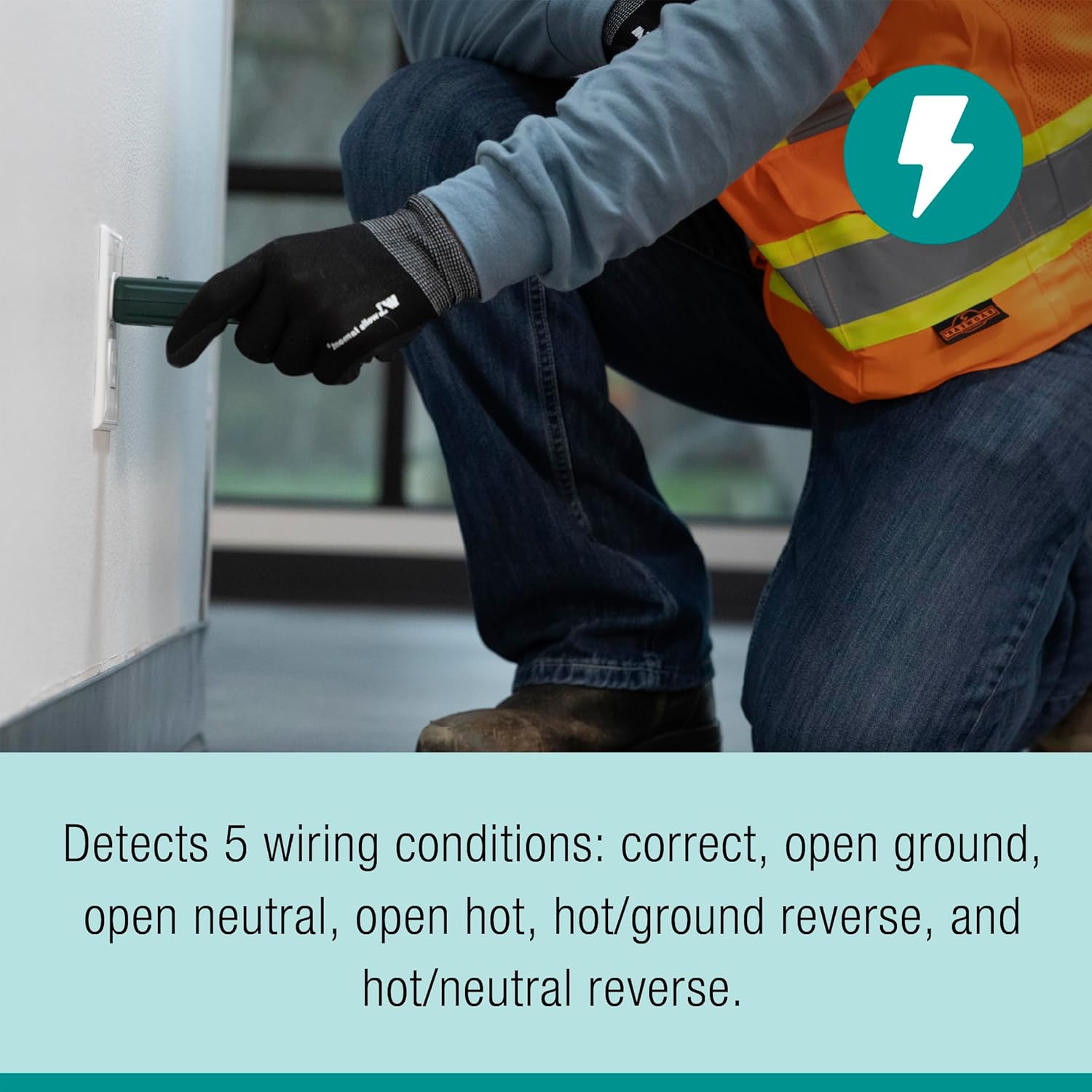
Image: A person wearing work gloves and safety vest using the Extech ET11 to test an electrical outlet.
3.2. Testing GFCI Receptacles
- First, perform a standard wiring test as described above to ensure the receptacle is correctly wired.
- If the wiring is correct, press the GFCI test button on the Extech ET11 tester.
- A working GFCI outlet should trip, cutting power to the receptacle. The GFCI reset button on the outlet should pop out.
- If the GFCI does not trip, it indicates a fault with the GFCI mechanism or wiring.
- To restore power, press the reset button on the GFCI outlet.
3.3. Interpreting Indicator Lights
The Extech ET11 features a clear light legend on both the front and back to help interpret wiring conditions. The legend uses combinations of three indicator lights (typically amber/orange) to show the status.

Attēls: Priekšpuse un aizmugure views of the Extech ET11 GFCI Receptacle Tester, clearly showing the wiring fault legend with light patterns for 'Open Ground', 'Open Neutral', 'Open Hot', 'Hot/Ground Reverse', 'Hot/Neutral Reverse', and 'Correct' wiring.
| Stāvoklis | Light 1 (Left) | Light 2 (Middle) | Light 3 (Right) |
|---|---|---|---|
| Pareizi | Izslēgts | On | On |
| Open Ground | Izslēgts | On | Izslēgts |
| Atveriet neitrālu | On | Izslēgts | On |
| Atveriet Hot | Izslēgts | Izslēgts | Izslēgts |
| Hot/Ground Reverse | On | On | Izslēgts |
| Karsts/neitrāls atpakaļgaitas | On | Izslēgts | Izslēgts |
4. Apkope un kopšana
- Keep the tester clean and free from dust and debris. Wipe with a dry, soft cloth.
- Do not expose the tester to extreme temperatures or moisture.
- Store the tester in a safe place when not in use to prevent damage to the prongs or casing.
- The Extech ET11 does not require batteries or user-serviceable parts. Do not attempt to open or repair the device.
5. Traucējummeklēšana
If the Extech ET11 tester does not function as expected, consider the following:
- No lights illuminate: Ensure the receptacle is live and properly powered. Test with a known working outlet.
- Inconsistent readings: Ensure the tester is fully inserted into the receptacle. Check for loose connections in the outlet itself.
- GFCI does not trip: If the GFCI test button is pressed and the GFCI outlet does not trip, this indicates a fault with the GFCI mechanism or the wiring to the GFCI. Consult a qualified electrician.
- Fiziski bojājumi: If the tester appears physically damaged, discontinue use immediately and replace the unit.
6. Specifikācijas
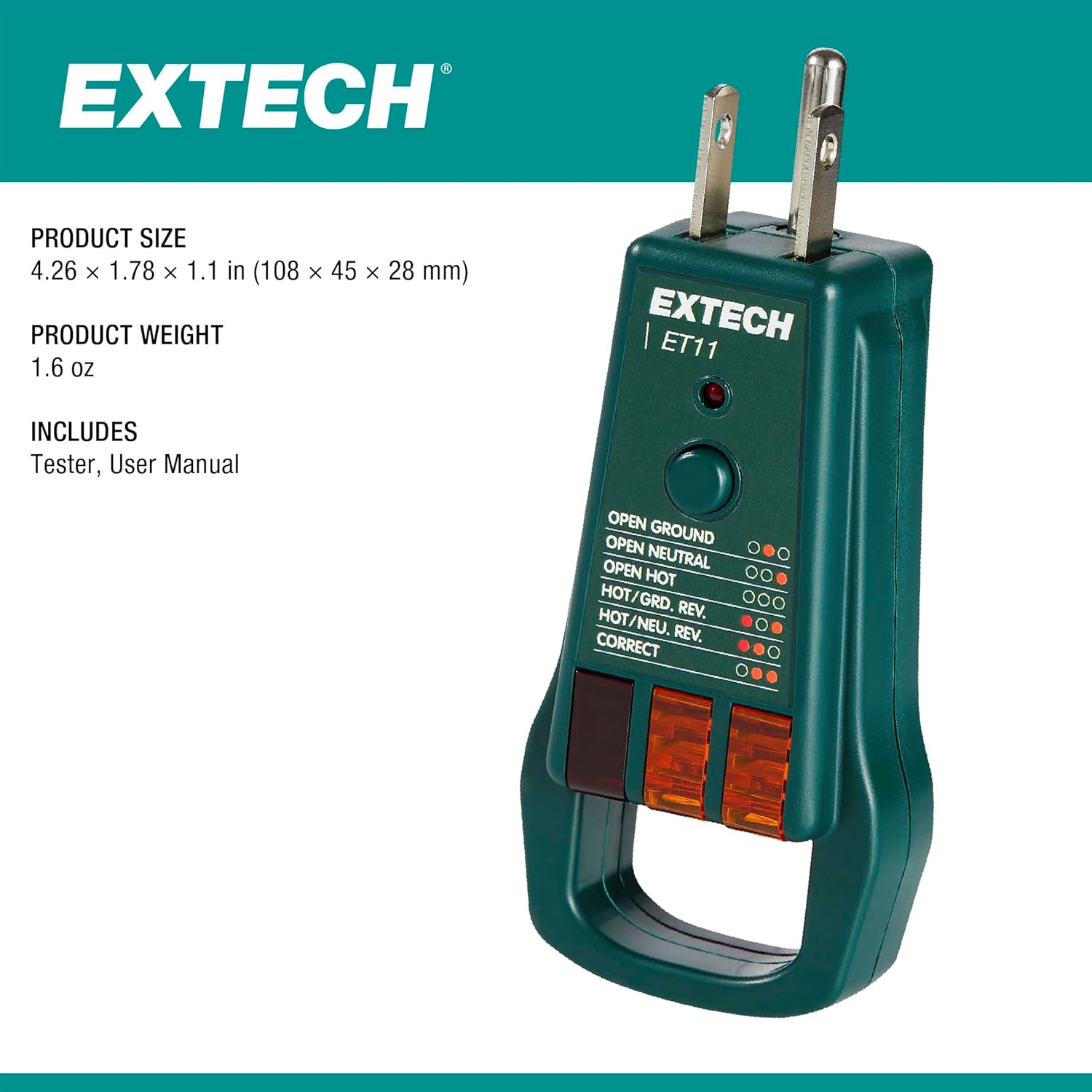
Image: The Extech ET11 GFCI Receptacle Tester shown alongside its product size (4.26 x 1.78 x 1.1 inches) and weight (1.6 oz), and a note that it includes the tester and user manual.
| Specifikācija | Detaļas |
|---|---|
| Modeļa numurs | ET11 |
| Ražotājs | Extech |
| Daļas numurs | ET11 |
| Preces svars | 2.29 unces |
| Produkta izmēri | 0.63 x 0.63 x 0.12 collas |
| Izcelsmes valsts | Ķīna |
| Preces iepakojuma daudzums | 1 |
| Mērījumu precizitāte | +/-0.5% |
| Iekļautie komponenti | Elektriskie testeri |
| Nepieciešamas baterijas? | Nē |
| ASIN | B0D431PZXS |
| Datums pirmais pieejams | 13. gada 2024. maijs |
7. Garantija un atbalsts
Specific warranty information for the Extech ET11 GFCI Receptacle Tester is typically provided with the product packaging or can be found on the official Extech website. For detailed warranty terms, service, or technical support, please refer to the contact information provided by Extech.
You can visit the official Extech webvietne turpmākai palīdzībai: www.extech.com


